Cheat
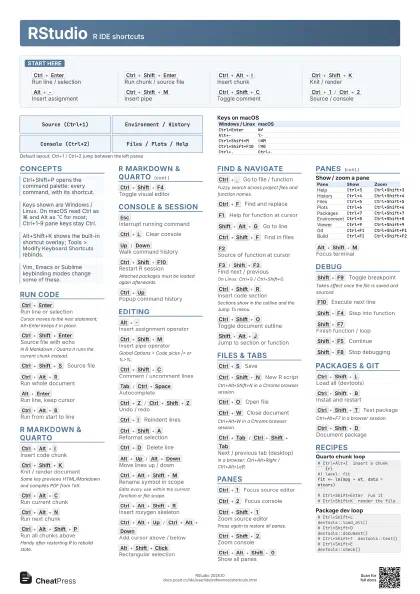
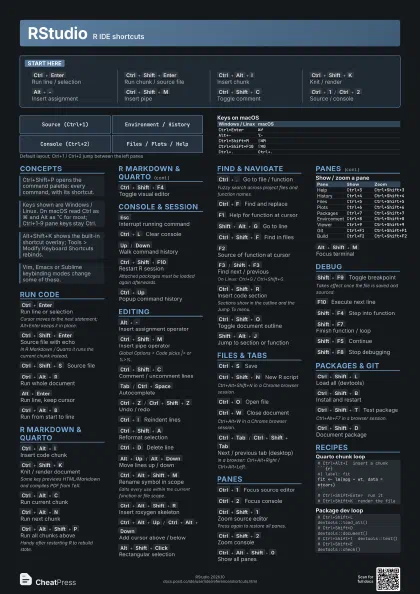
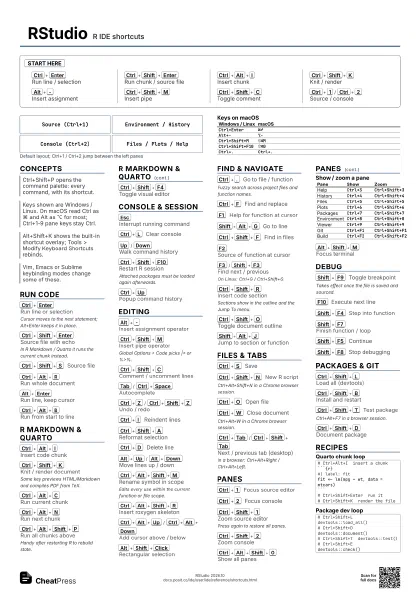
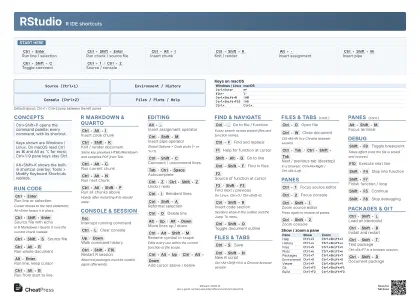
RStudio R IDE shortcuts
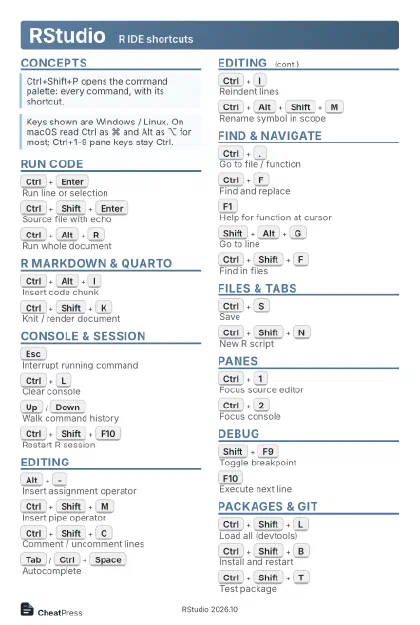 Light · Postcard
102 × 152 mm · PDF
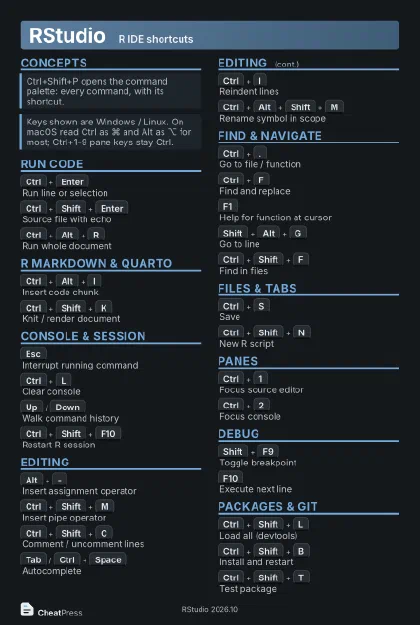 Dark · Postcard
102 × 152 mm · PDF
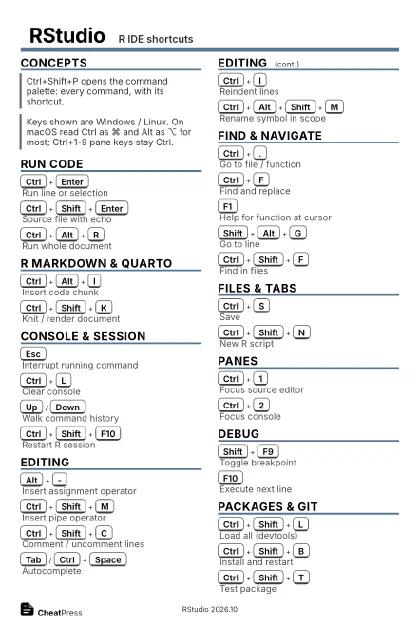 Ink saver · Postcard
102 × 152 mm · PDF
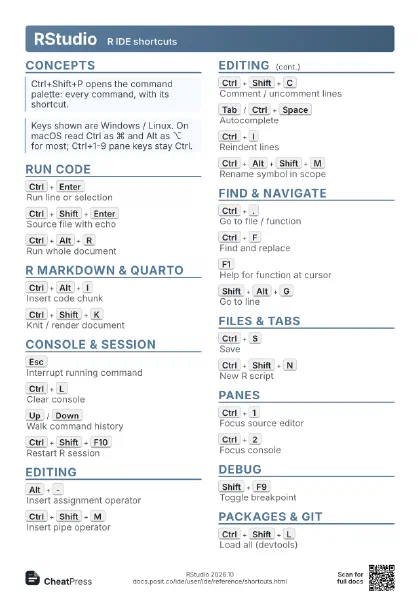
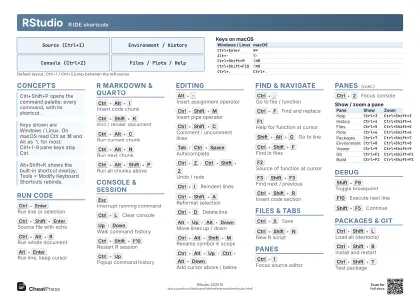 Light · A4 landscape
297 × 210 mm · PDF
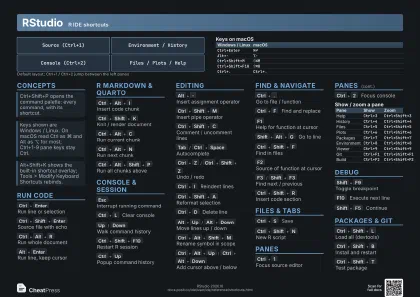 Dark · A4 landscape
297 × 210 mm · PDF
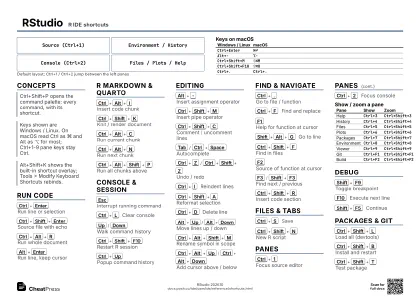 Ink saver · A4 landscape
297 × 210 mm · PDF
 Light · A3 landscape
420 × 297 mm · PDF
 Dark · A3 landscape
420 × 297 mm · PDF
 Ink saver · A3 landscape
420 × 297 mm · PDF
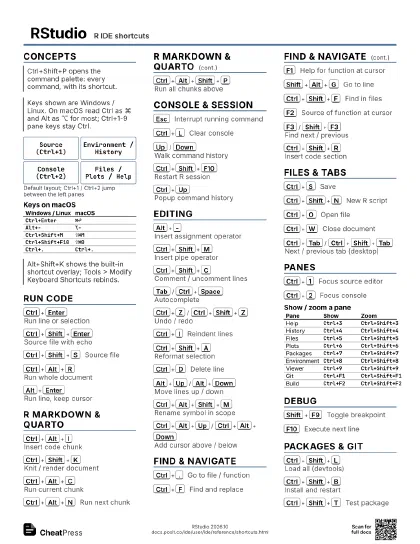
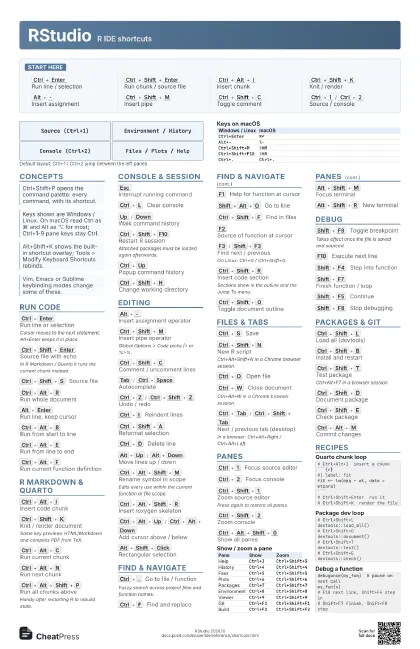
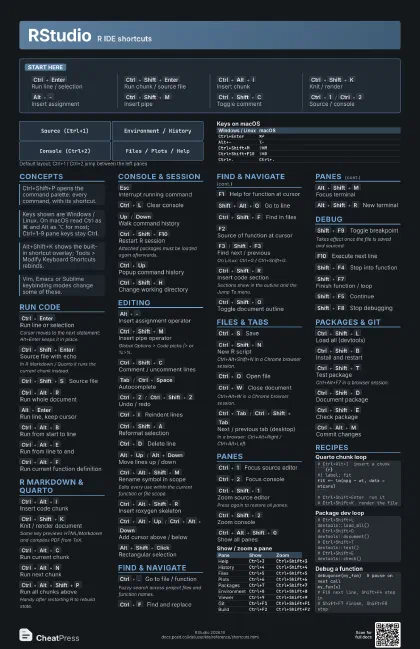
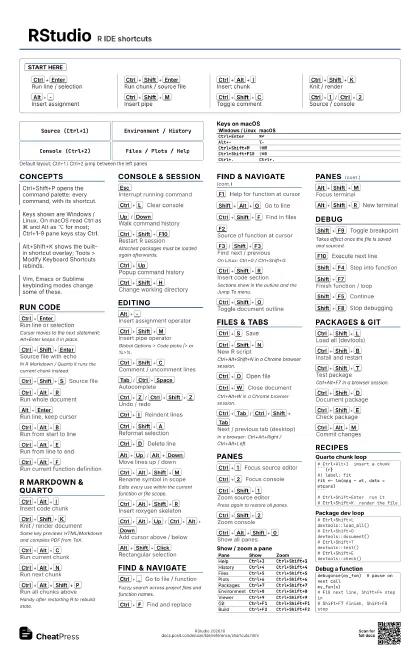
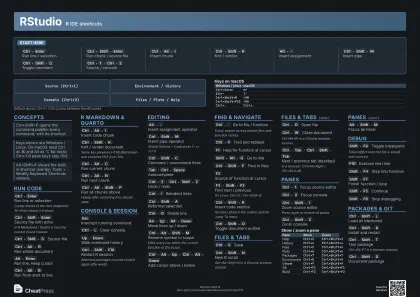
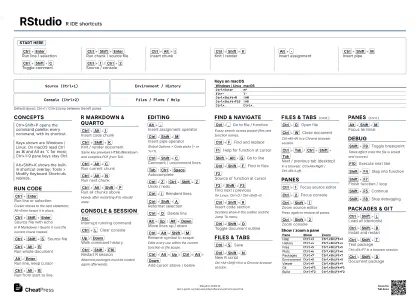
Start here
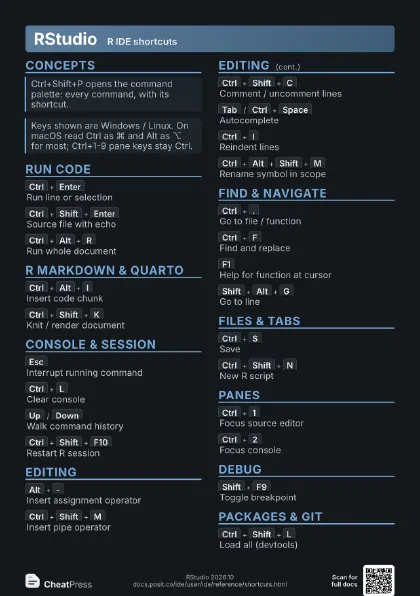
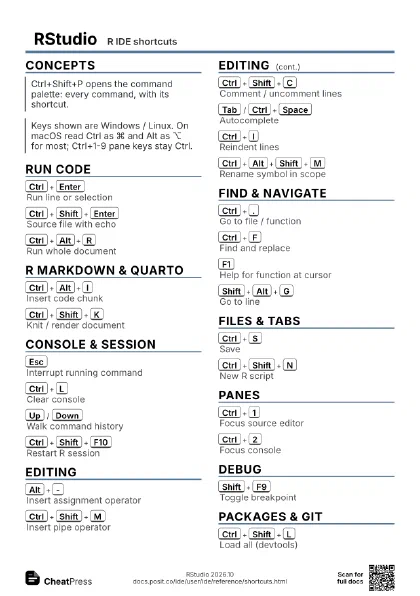
Ctrl+Enter
Run line / selection
Ctrl+Shift+Enter
Run chunk / source file
Ctrl+Alt+I
Insert chunk
Ctrl+Shift+K
Knit / render
Alt+-
Insert assignment
Ctrl+Shift+M
Insert pipe
Ctrl+Shift+C
Toggle comment
Ctrl+1
/
Ctrl+2
Source / console
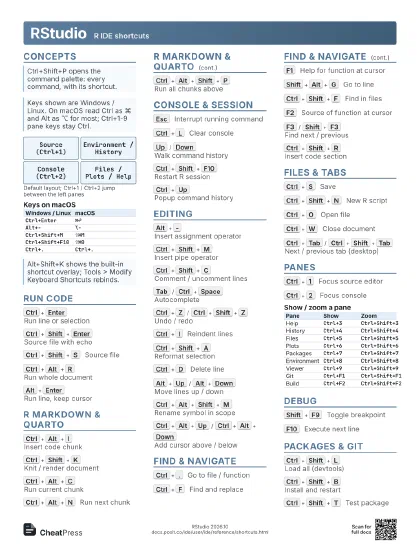
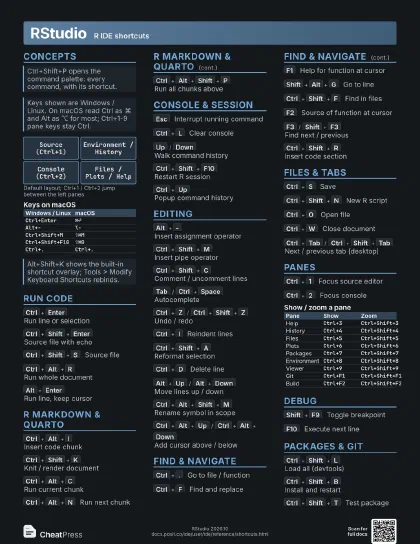
Concepts
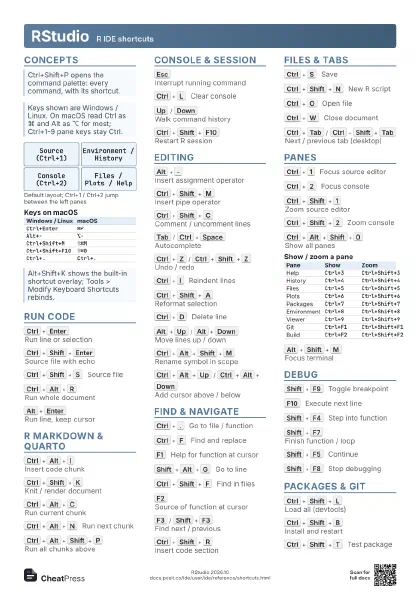
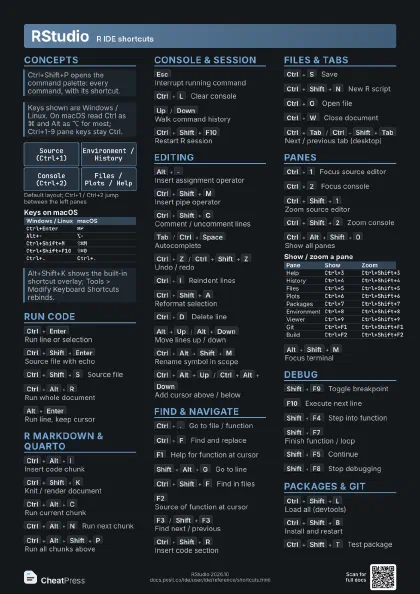
Source (Ctrl+1)
Console (Ctrl+2)
Environment / History
Files / Plots / Help
| Windows / Linux | macOS |
|---|---|
Ctrl+Enter |
⌘↩ |
Alt+- |
⌥- |
Ctrl+Shift+M |
⇧⌘M |
Ctrl+Shift+F10 |
⇧⌘0 |
Ctrl+. |
Ctrl+. |
Run Code
Ctrl+Enter
Run line or selection
Cursor moves to the next statement; Alt+Enter keeps it in
place.
Ctrl+Shift+Enter
Source file with echo
In R Markdown / Quarto it runs the current chunk instead.
Ctrl+Shift+S
Source file
Ctrl+Alt+R
Run whole document
Alt+Enter
Run line, keep cursor
Ctrl+Alt+B
Run from start to line
Ctrl+Alt+E
Run from line to end
Ctrl+Alt+F
Run current function definition
Ctrl+Alt+T
Run current code section
Ctrl+Alt+P
Re-run previous region
Ctrl+Alt+Enter
Send line to terminal
R Markdown & Quarto
Ctrl+Alt+I
Insert code chunk
Ctrl+Shift+K
Knit / render document
Same key previews HTML/Markdown and compiles PDF from TeX.
Ctrl+Alt+C
Run current chunk
Ctrl+Alt+N
Run next chunk
Ctrl+Alt+Shift+P
Run all chunks above
Handy after restarting R to rebuild state.
Ctrl+Shift+F4
Toggle visual editor
Console & Session
Esc
Interrupt running command
Ctrl+L
Clear console
Up
/
Down
Walk command history
Ctrl+Shift+F10
Restart R session
Attached packages must be loaded again afterwards.
Ctrl+Up
Popup command history
Ctrl+Shift+H
Change working directory
Ctrl+Q
Quit (desktop)
Editing
Alt+-
Insert assignment operator
Ctrl+Shift+M
Insert pipe operator
Global Options > Code picks |> or %>%.
Ctrl+Shift+C
Comment / uncomment lines
Tab
/
Ctrl+Space
Autocomplete
Ctrl+Z
/
Ctrl+Shift+Z
Undo / redo
Ctrl+I
Reindent lines
Ctrl+Shift+A
Reformat selection
Ctrl+D
Delete line
Alt+Up
/
Alt+Down
Move lines up / down
Ctrl+Alt+Shift+M
Rename symbol in scope
Edits every use within the current function or file scope.
Shift+Alt+Up
/
Shift+Alt+Down
Copy lines up / down
Ctrl+Alt+X
Extract function from selection
Ctrl+Alt+V
Extract variable from selection
Ctrl+Alt+Shift+R
Insert roxygen skeleton
Ctrl+Shift+/
Reflow comment
Ctrl+Shift+Up
/
Ctrl+Shift+Down
Expand / shrink selection
Ctrl+Alt+Up
/
Ctrl+Alt+Down
Add cursor above / below
Alt+Shift+Click
Rectangular selection
Ctrl+Alt+Shift+Up
/
Ctrl+Alt+Shift+Down
Move active cursor
Ctrl+Alt+A
Split selection into lines
Find & Navigate
Ctrl+.
Go to file / function
Fuzzy search across project files and function names.
Ctrl+F
Find and replace
F1
Help for function at cursor
Shift+Alt+G
Go to line
Ctrl+Shift+F
Find in files
F2
Source of function at cursor
F3
/
Shift+F3
Find next / previous
On Linux: Ctrl+G / Ctrl+Shift+G.
Ctrl+Shift+R
Insert code section
Sections show in the outline and the Jump To menu.
Ctrl+Shift+O
Toggle document outline
Shift+Alt+J
Jump to section or function
Ctrl+PageUp
/
Ctrl+PageDown
Previous / next section
Ctrl+F9
/
Ctrl+F10
Navigate back / forward
Ctrl+P
Jump to matching bracket
Alt+L
/
Shift+Alt+L
Fold / unfold selection
Alt+O
/
Shift+Alt+O
Fold / unfold all
Files & Tabs
Ctrl+S
Save
Ctrl+Shift+N
New R script
Ctrl+Alt+Shift+N in a Chrome browser session.
Ctrl+O
Open file
Ctrl+W
Close document
Ctrl+Alt+W in a Chrome browser session.
Ctrl+Tab
/
Ctrl+Shift+Tab
Next / previous tab (desktop)
In a browser: Ctrl+Alt+Right / Ctrl+Alt+Left.
Ctrl+Alt+S
Save all
Ctrl+Shift+W
Close all documents
Ctrl+Shift+.
Switch to tab by name
Panes
Ctrl+1
Focus source editor
Ctrl+2
Focus console
Ctrl+Shift+1
Zoom source editor
Press again to restore all panes.
Ctrl+Shift+2
Zoom console
Ctrl+Alt+Shift+0
Show all panes
| Pane | Show | Zoom |
|---|---|---|
| Help | Ctrl+3 |
Ctrl+Shift+3 |
| History | Ctrl+4 |
Ctrl+Shift+4 |
| Files | Ctrl+5 |
Ctrl+Shift+5 |
| Plots | Ctrl+6 |
Ctrl+Shift+6 |
| Packages | Ctrl+7 |
Ctrl+Shift+7 |
| Environment | Ctrl+8 |
Ctrl+Shift+8 |
| Viewer | Ctrl+9 |
Ctrl+Shift+9 |
| Git | Ctrl+F1 |
Ctrl+Shift+F1 |
| Build | Ctrl+F2 |
Ctrl+Shift+F2 |
Alt+Shift+M
Focus terminal
Alt+Shift+R
New terminal
F6
/
Shift+F6
Next / previous pane
Ctrl+Shift+PageUp
/
Ctrl+Shift+PageDown
Previous / next plot
Ctrl+F7
Add source column
Debug
Shift+F9
Toggle breakpoint
Takes effect once the file is saved and sourced.
F10
Execute next line
Shift+F4
Step into function
Shift+F7
Finish function / loop
Shift+F5
Continue
Shift+F8
Stop debugging
Packages & Git
Ctrl+Shift+L
Load all (devtools)
Ctrl+Shift+B
Install and restart
Ctrl+Shift+T
Test package
Ctrl+Alt+F7 in a browser session.
Ctrl+Shift+D
Document package
Ctrl+Shift+E
Check package
Ctrl+Alt+M
Commit changes
Ctrl+Alt+D
Diff current file
Space
/
Enter
Stage file / stage and move on
Recipes
# Ctrl+Alt+I insert a chunk```{r}#| label: fitfit <- lm(mpg ~ wt, data = mtcars)```# Ctrl+Shift+Enter run it# Ctrl+Shift+K render the file# Ctrl+Shift+L devtools::load_all()# Ctrl+Shift+D devtools::document()# Ctrl+Shift+T devtools::test()# Ctrl+Shift+E devtools::check()debugonce(my_fun) # pause on next callmy_fun(x)# F10 next line, Shift+F4 step in# Shift+F7 finish, Shift+F8 stop# Tools > Modify Keyboard Shortcuts saves to:~/.config/rstudio/keybindings/rstudio_bindings.json~/.config/rstudio/keybindings/editor_bindings.json# Windows: ~/AppData/Roaming/RStudio/keybindings/