Cheat
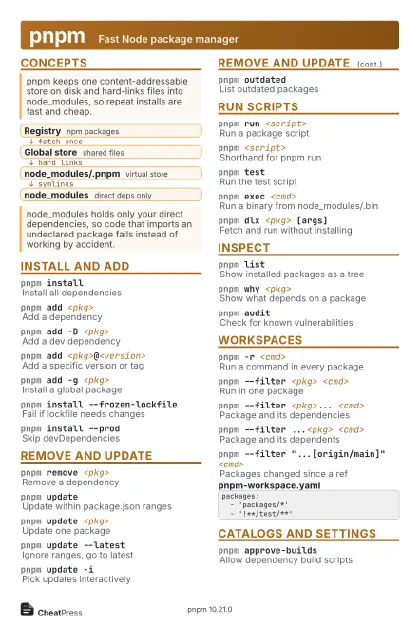
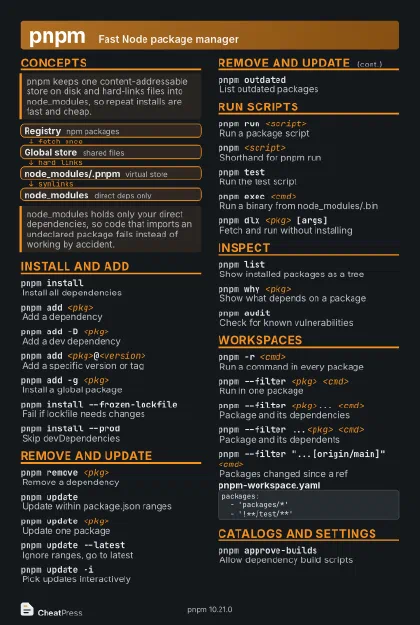
pnpm Fast Node package manager
 Light · Postcard
102 × 152 mm · PDF
 Dark · Postcard
102 × 152 mm · PDF
 Ink saver · Postcard
102 × 152 mm · PDF
 Light · A4 landscape
297 × 210 mm · PDF
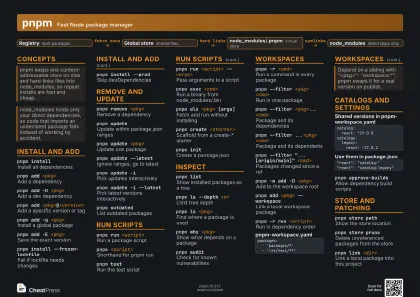 Dark · A4 landscape
297 × 210 mm · PDF
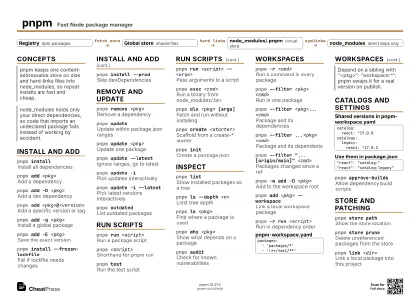 Ink saver · A4 landscape
297 × 210 mm · PDF
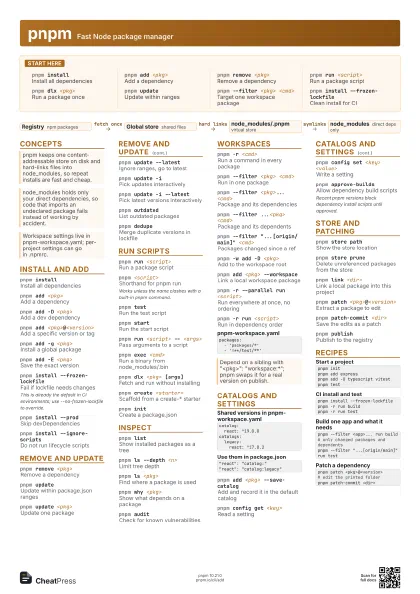
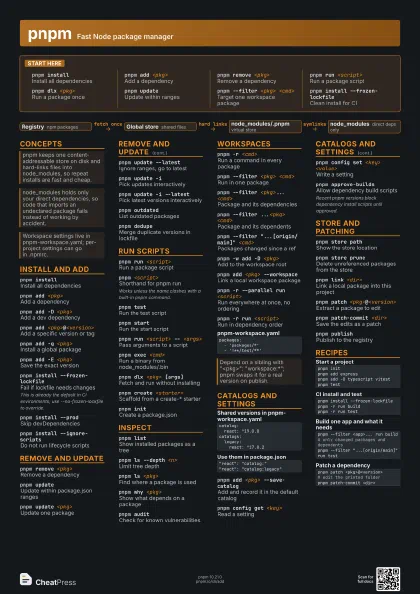
 Light · A3 landscape
420 × 297 mm · PDF
 Dark · A3 landscape
420 × 297 mm · PDF
 Ink saver · A3 landscape
420 × 297 mm · PDF
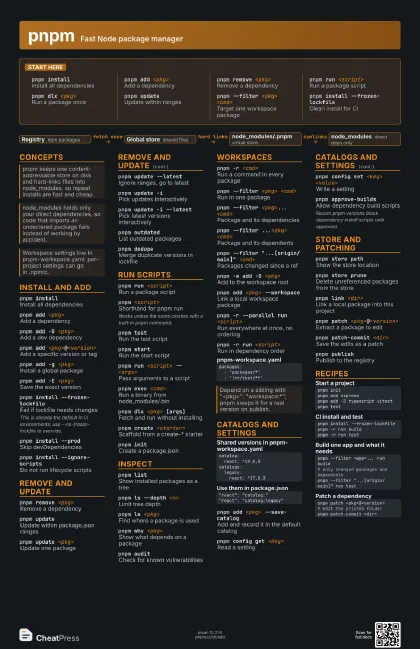
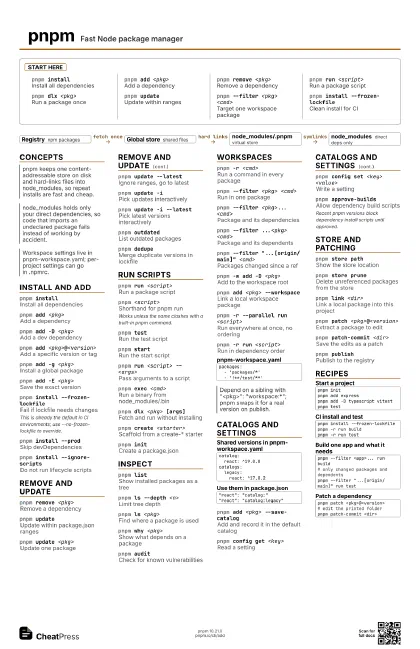
Start here
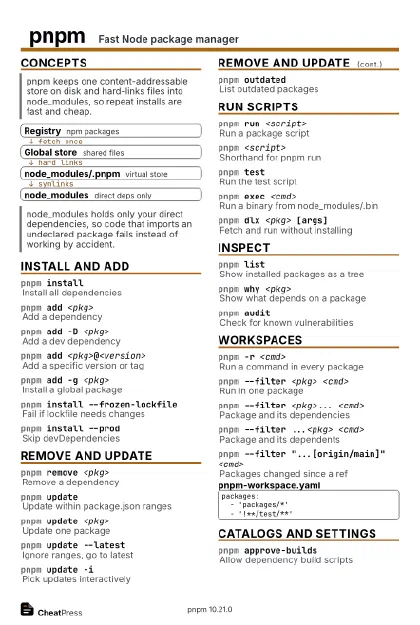
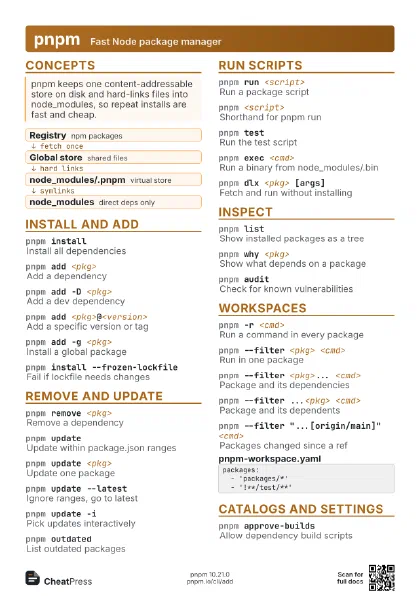
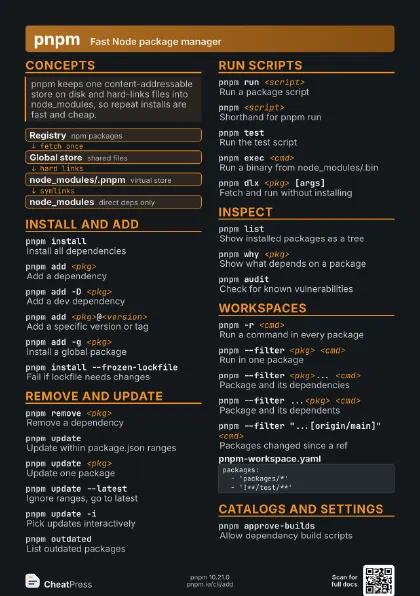
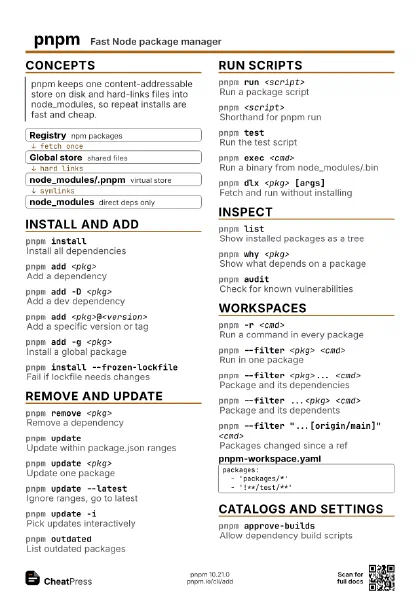
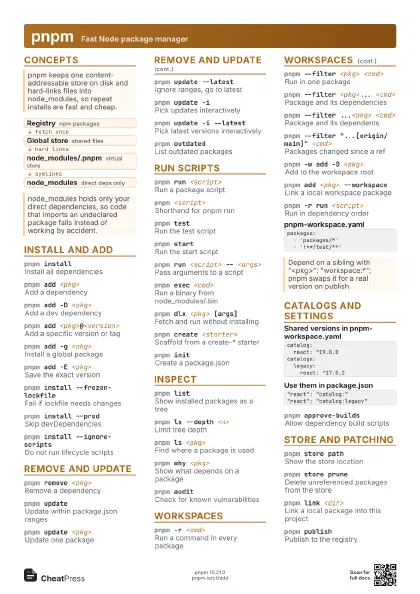
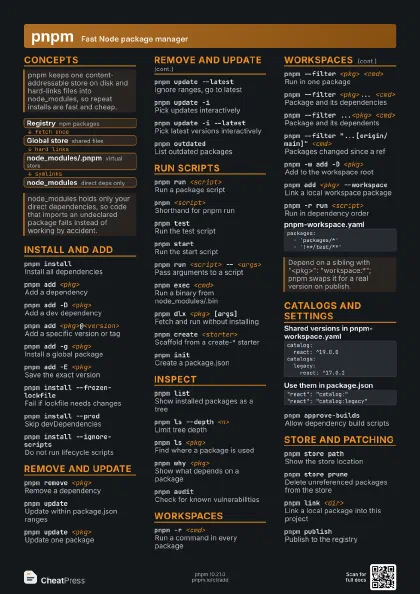
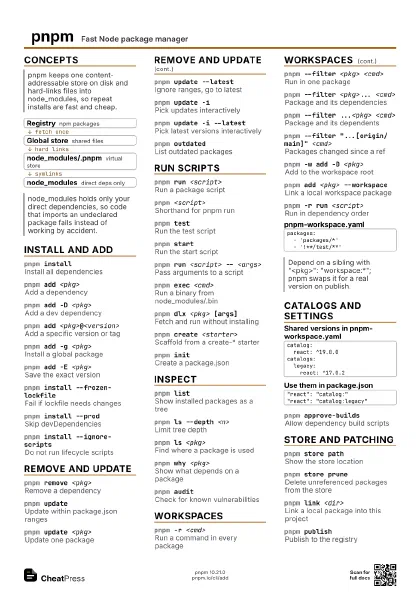
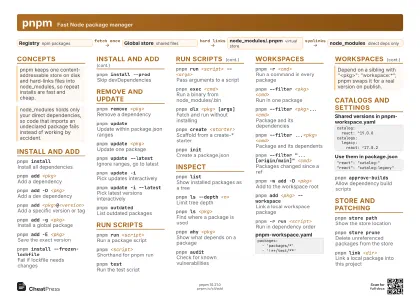
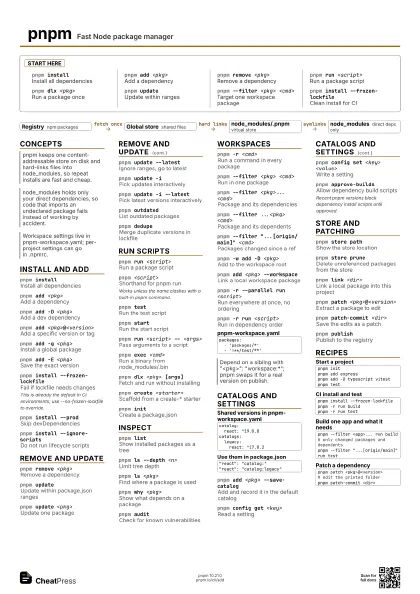
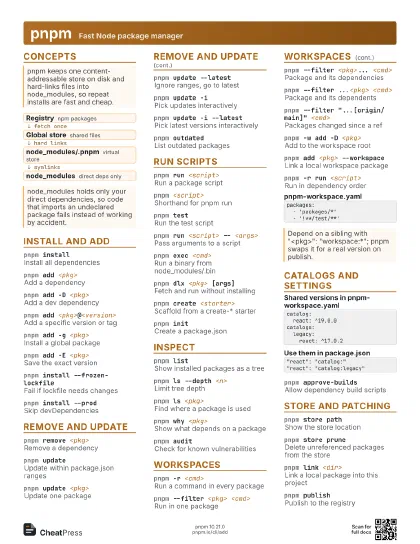
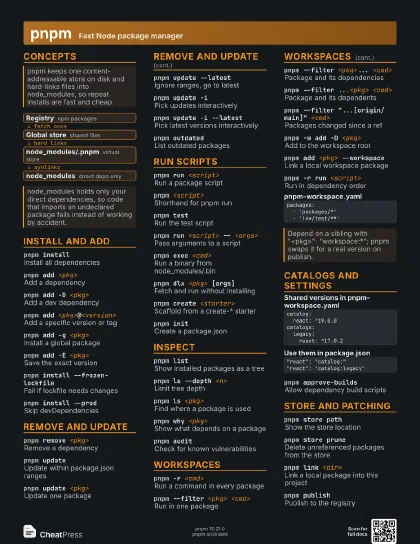
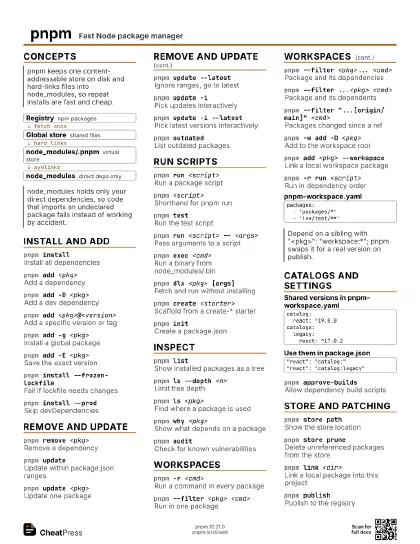
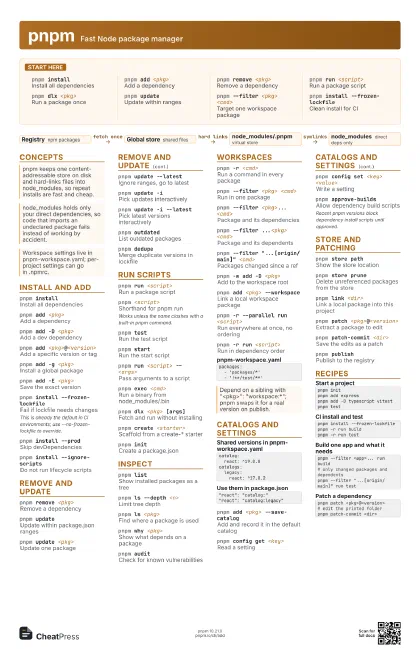
pnpm installInstall all dependencies
pnpm add <pkg>
Add a dependency
pnpm remove <pkg>
Remove a dependency
pnpm run <script>
Run a package script
pnpm dlx <pkg>
Run a package once
pnpm updateUpdate within ranges
pnpm --filter <pkg> <cmd>
Target one workspace package
pnpm install --frozen-lockfile
Clean install for CI
Concepts
- Registry npm packages
- Global store shared files
- node_modules/.pnpm virtual store
- node_modules direct deps only
Install and add
pnpm installInstall all dependencies
pnpm add <pkg>
Add a dependency
pnpm add -D <pkg>
Add a dev dependency
pnpm add <pkg>@<version>
Add a specific version or tag
pnpm add -g <pkg>
Install a global package
pnpm add -E <pkg>
Save the exact version
pnpm install --frozen-lockfile
Fail if lockfile needs changes
This is already the default in CI environments; use
--no-frozen-lockfile to override.
pnpm install --prod
Skip devDependencies
pnpm install --ignore-scripts
Do not run lifecycle scripts
Remove and update
pnpm remove <pkg>
Remove a dependency
pnpm updateUpdate within package.json ranges
pnpm update <pkg>
Update one package
pnpm update --latest
Ignore ranges, go to latest
pnpm update -iPick updates interactively
pnpm update -i --latest
Pick latest versions interactively
pnpm outdatedList outdated packages
pnpm dedupeMerge duplicate versions in lockfile
Run scripts
pnpm run <script>
Run a package script
pnpm <script>
Shorthand for pnpm run
Works unless the name clashes with a built-in pnpm command.
pnpm testRun the test script
pnpm startRun the start script
pnpm run <script> -- <args>
Pass arguments to a script
pnpm exec <cmd>
Run a binary from node_modules/.bin
pnpm dlx <pkg> [args]
Fetch and run without installing
pnpm create <starter>
Scaffold from a create-* starter
pnpm initCreate a package.json
Inspect
pnpm listShow installed packages as a tree
pnpm ls --depth <n>
Limit tree depth
pnpm ls <pkg>
Find where a package is used
pnpm why <pkg>
Show what depends on a package
pnpm auditCheck for known vulnerabilities
Workspaces
pnpm -r <cmd>
Run a command in every package
pnpm --filter <pkg> <cmd>
Run in one package
pnpm --filter <pkg>... <cmd>
Package and its dependencies
pnpm --filter ...<pkg> <cmd>
Package and its dependents
pnpm --filter "...[origin/main]" <cmd>
Packages changed since a ref
pnpm -w add -D <pkg>
Add to the workspace root
pnpm add <pkg> --workspace
Link a local workspace package
pnpm -r --parallel run <script>
Run everywhere at once, no ordering
pnpm -r run <script>
Run in dependency order
packages: - 'packages/*' - '!**/test/**'Catalogs and settings
catalog: react: ^19.0.0catalogs: legacy: react: ^17.0.2"react": "catalog:""react": "catalog:legacy"pnpm add <pkg> --save-catalog
Add and record it in the default catalog
pnpm config get <key>
Read a setting
pnpm config set <key> <value>
Write a setting
pnpm approve-builds
Allow dependency build scripts
Recent pnpm versions block dependency install scripts until
approved.
Store and patching
pnpm store pathShow the store location
pnpm store prune
Delete unreferenced packages from the store
pnpm link <dir>
Link a local package into this project
pnpm patch <pkg>@<version>
Extract a package to edit
pnpm patch-commit <dir>
Save the edits as a patch
pnpm publishPublish to the registry
Recipes
pnpm initpnpm add expresspnpm add -D typescript vitestpnpm testpnpm install --frozen-lockfilepnpm -r run buildpnpm -r run testpnpm --filter <app>... run build# only changed packages and dependentspnpm --filter "...[origin/main]" run testpnpm patch <pkg>@<version># edit the printed folderpnpm patch-commit <dir>