Cheat
npm Node package manager
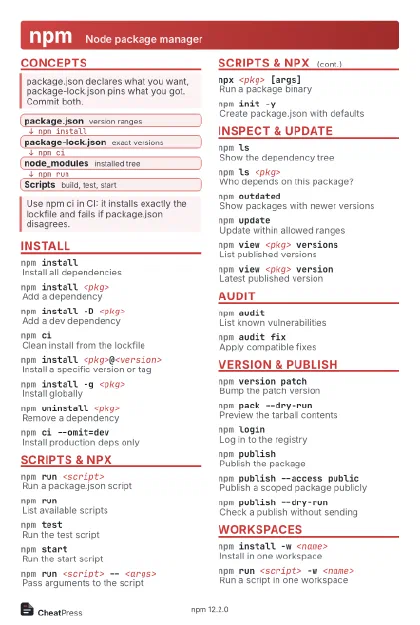 Light · Postcard
102 × 152 mm · PDF
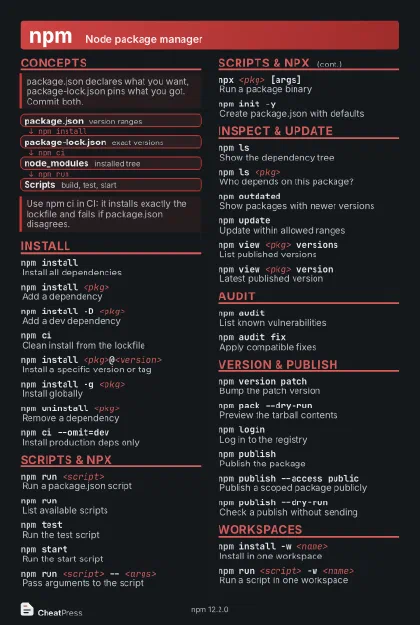 Dark · Postcard
102 × 152 mm · PDF
 Ink saver · Postcard
102 × 152 mm · PDF
 Light · A4 landscape
297 × 210 mm · PDF
 Dark · A4 landscape
297 × 210 mm · PDF
 Ink saver · A4 landscape
297 × 210 mm · PDF
 Light · A3 landscape
420 × 297 mm · PDF
 Dark · A3 landscape
420 × 297 mm · PDF
 Ink saver · A3 landscape
420 × 297 mm · PDF
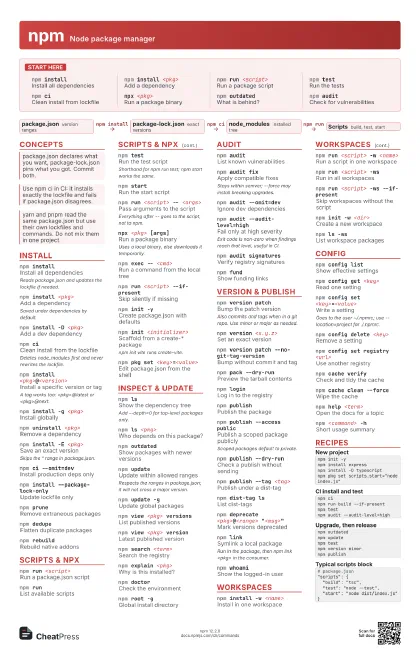
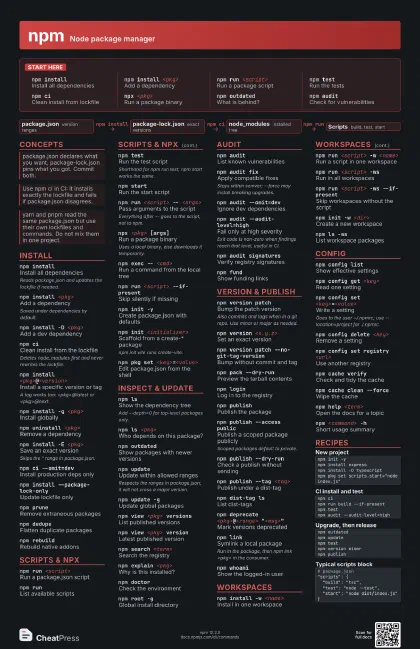
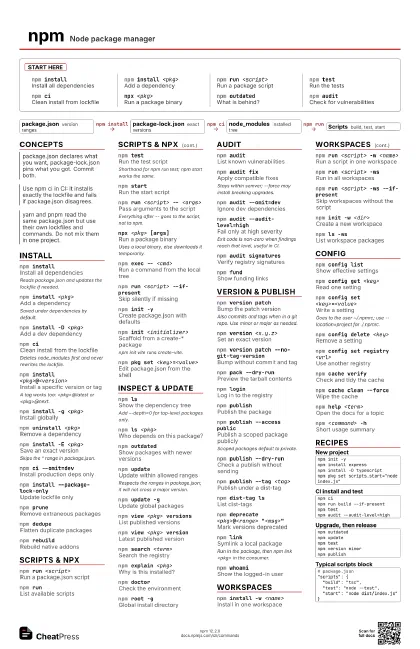
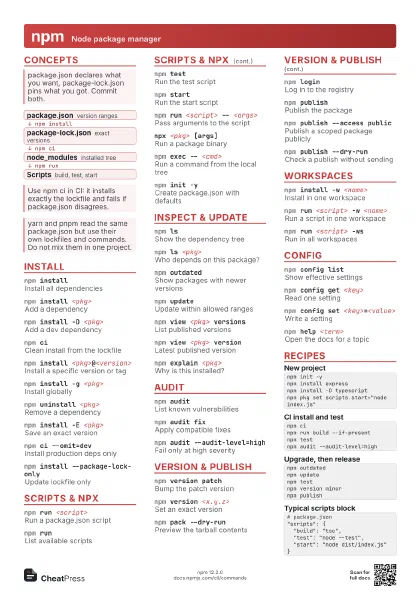
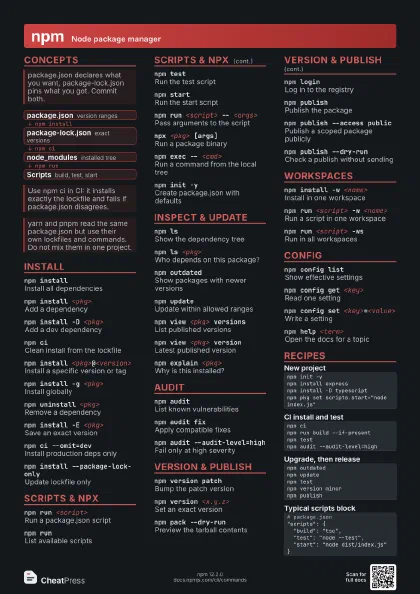
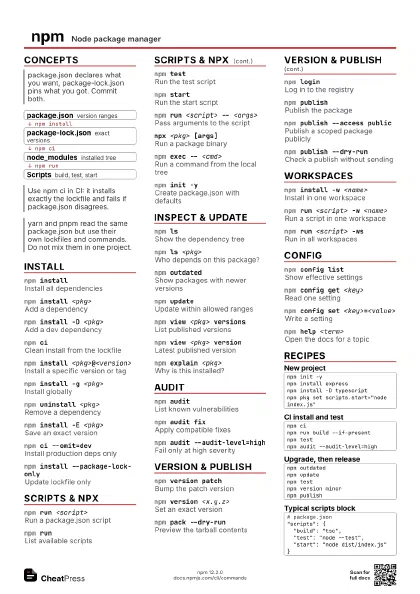
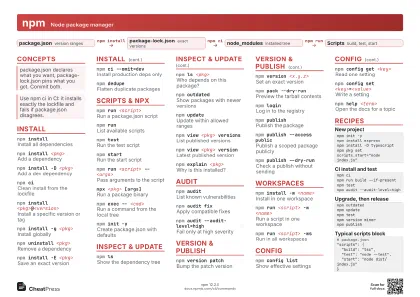
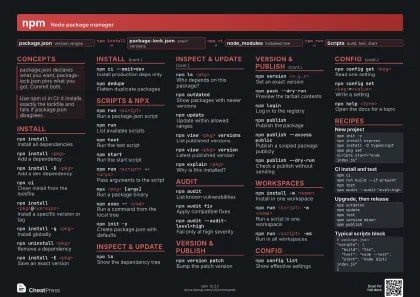
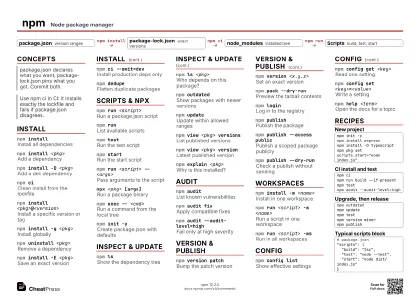
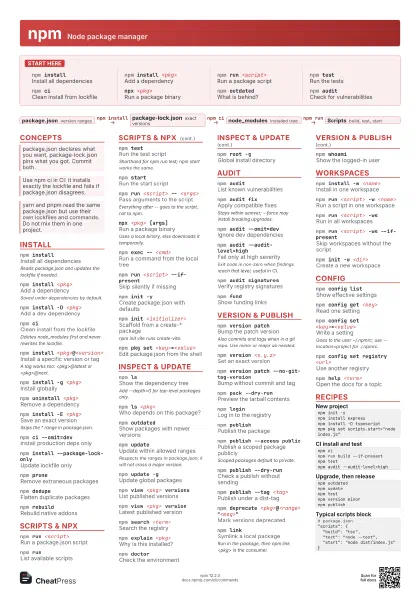
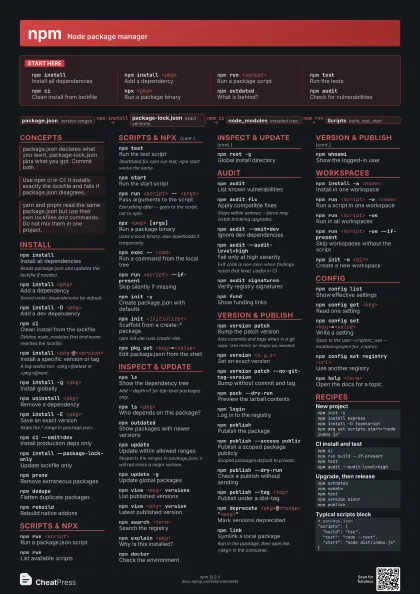
Start here
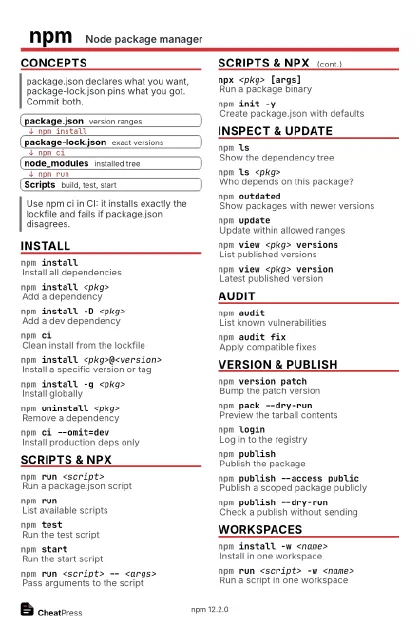
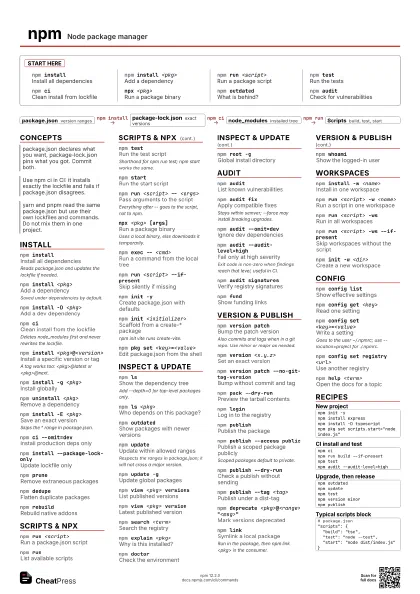
npm installInstall all dependencies
npm install <pkg>
Add a dependency
npm run <script>
Run a package script
npm testRun the tests
npm ciClean install from lockfile
npx <pkg>Run a package binary
npm outdatedWhat is behind?
npm auditCheck for vulnerabilities
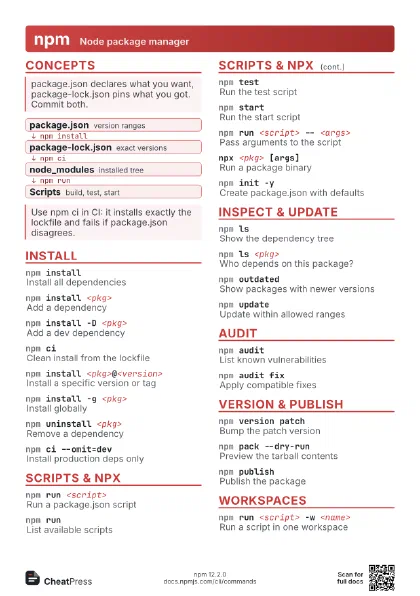
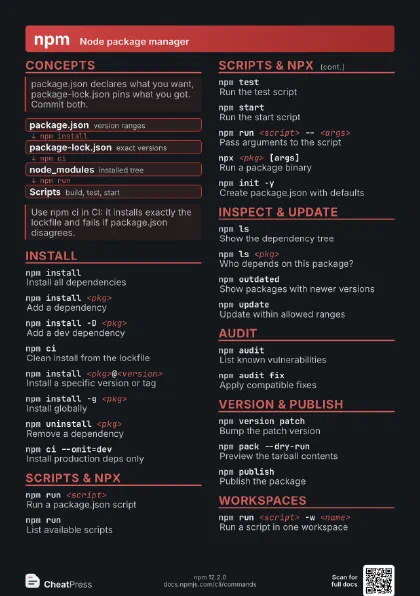
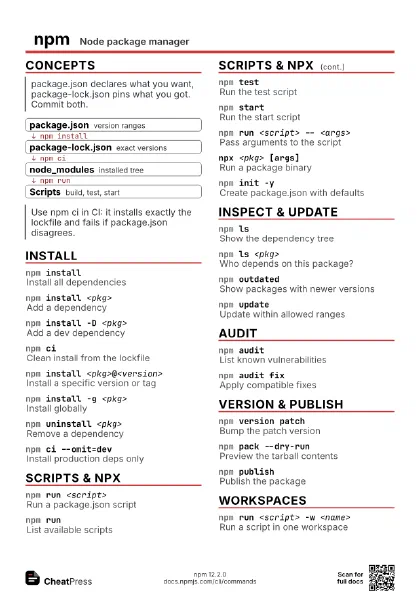
Concepts
- package.json version ranges
- package-lock.json exact versions
- node_modules installed tree
- Scripts build, test, start
Install
npm installInstall all dependencies
Reads package.json and updates the lockfile if needed.
npm install <pkg>
Add a dependency
Saved under dependencies by default.
npm install -D <pkg>
Add a dev dependency
npm ciClean install from the lockfile
Deletes node_modules first and never rewrites the lockfile.
npm install <pkg>@<version>
Install a specific version or tag
A tag works too: <pkg>@latest or <pkg>@next.
npm install -g <pkg>
Install globally
npm uninstall <pkg>
Remove a dependency
npm install -E <pkg>
Save an exact version
Skips the ^ range in package.json.
npm ci --omit=dev
Install production deps only
npm install --package-lock-only
Update lockfile only
npm pruneRemove extraneous packages
npm dedupeFlatten duplicate packages
npm rebuildRebuild native addons
Scripts & npx
npm run <script>
Run a package.json script
npm runList available scripts
npm testRun the test script
Shorthand for npm run test; npm start works the same.
npm startRun the start script
npm run <script> -- <args>
Pass arguments to the script
Everything after -- goes to the script, not to npm.
npx <pkg> [args]
Run a package binary
Uses a local binary, else downloads it temporarily.
npm exec -- <cmd>
Run a command from the local tree
npm run <script> --if-present
Skip silently if missing
npm init -yCreate package.json with defaults
npm init <initializer>
Scaffold from a create-* package
npm init vite runs create-vite.
npm pkg set <key>=<value>
Edit package.json from the shell
Inspect & update
npm lsShow the dependency tree
Add --depth=0 for top-level packages only.
npm ls <pkg>
Who depends on this package?
npm outdatedShow packages with newer versions
npm updateUpdate within allowed ranges
Respects the ranges in package.json; it will not cross a major
version.
npm update -gUpdate global packages
npm view <pkg> versions
List published versions
npm view <pkg> version
Latest published version
npm search <term>
Search the registry
npm explain <pkg>
Why is this installed?
npm doctorCheck the environment
npm root -gGlobal install directory
Audit
npm auditList known vulnerabilities
npm audit fixApply compatible fixes
Stays within semver; --force may install breaking upgrades.
npm audit --omit=dev
Ignore dev dependencies
npm audit --audit-level=high
Fail only at high severity
Exit code is non-zero when findings reach that level, useful
in CI.
npm audit signatures
Verify registry signatures
npm fundShow funding links
Version & publish
npm version patch
Bump the patch version
Also commits and tags when in a git repo. Use minor or major
as needed.
npm version <x.y.z>
Set an exact version
npm version patch --no-git-tag-version
Bump without commit and tag
npm pack --dry-run
Preview the tarball contents
npm loginLog in to the registry
npm publishPublish the package
npm publish --access public
Publish a scoped package publicly
Scoped packages default to private.
npm publish --dry-run
Check a publish without sending
npm publish --tag <tag>
Publish under a dist-tag
npm dist-tag lsList dist-tags
npm deprecate <pkg>@<range>
                    "<msg>"
Mark versions deprecated
npm linkSymlink a local package
Run in the package, then npm link <pkg> in the consumer.
npm whoamiShow the logged-in user
Workspaces
npm install -w <name>
Install in one workspace
npm run <script> -w <name>
Run a script in one workspace
npm run <script> -ws
Run in all workspaces
npm run <script> -ws --if-present
Skip workspaces without the script
npm init -w <dir>
Create a new workspace
npm ls -wsList workspace packages
Config
npm config listShow effective settings
npm config get <key>
Read one setting
npm config set <key>=<value>
Write a setting
Goes to the user ~/.npmrc; use --location=project for
./.npmrc.
npm config delete <key>
Remove a setting
npm config set registry <url>
Use another registry
npm cache verify
Check and tidy the cache
npm cache clean --force
Wipe the cache
npm help <term>
Open the docs for a topic
npm <command> -h
Short usage summary
Recipes
npm init -ynpm install expressnpm install -D typescriptnpm pkg set scripts.start="node index.js"npm cinpm run build --if-presentnpm testnpm audit --audit-level=highnpm outdatednpm updatenpm testnpm version minornpm publish# package.json"scripts": { "build": "tsc", "test": "node --test", "start": "node dist/index.js"}