Cheat
Bun JS runtime and toolkit
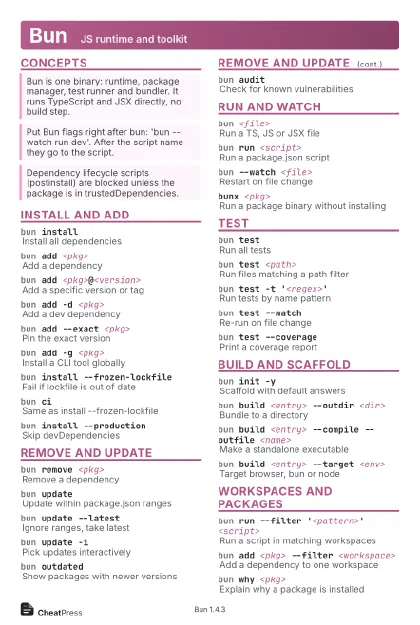 Light · Postcard
102 × 152 mm · PDF
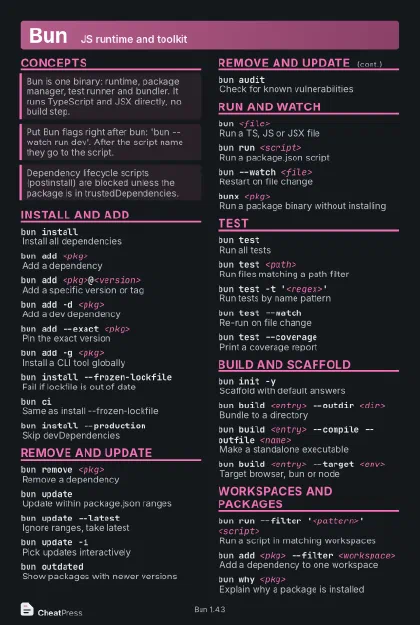 Dark · Postcard
102 × 152 mm · PDF
 Ink saver · Postcard
102 × 152 mm · PDF
 Light · A4 landscape
297 × 210 mm · PDF
 Dark · A4 landscape
297 × 210 mm · PDF
 Ink saver · A4 landscape
297 × 210 mm · PDF
 Light · A3 landscape
420 × 297 mm · PDF
 Dark · A3 landscape
420 × 297 mm · PDF
 Ink saver · A3 landscape
420 × 297 mm · PDF
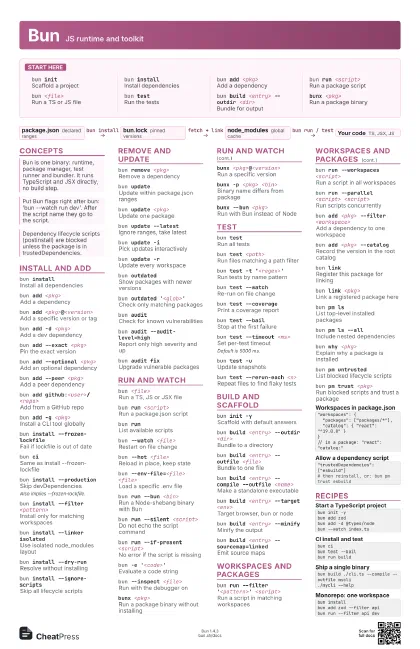
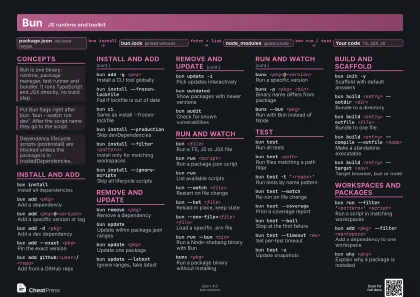
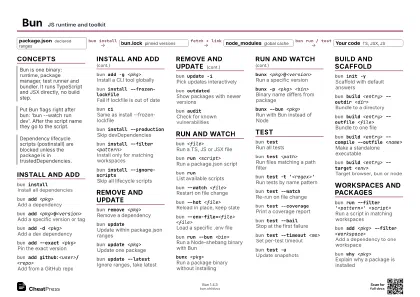
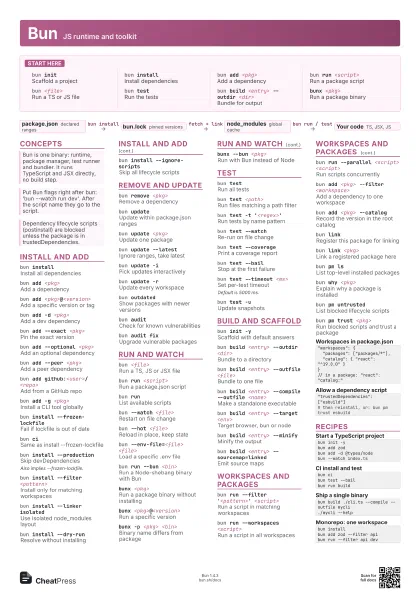
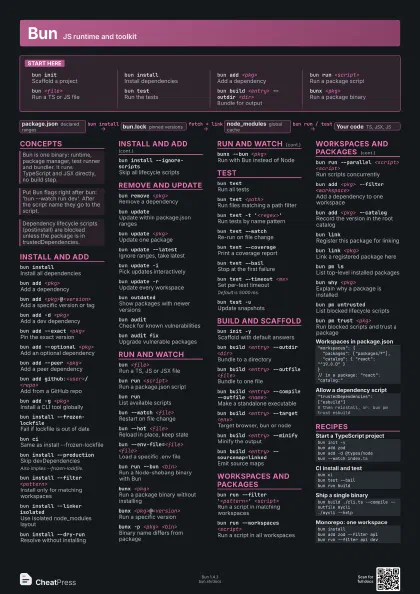
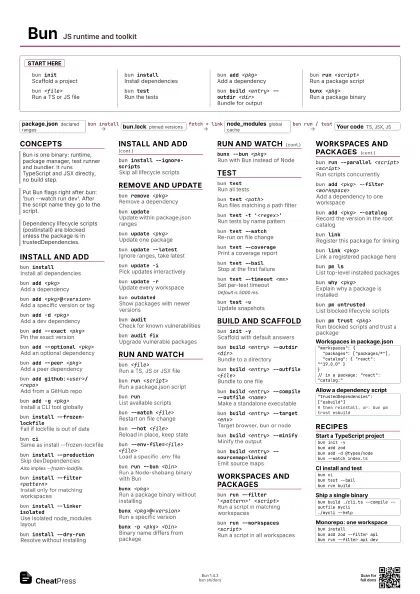
Start here
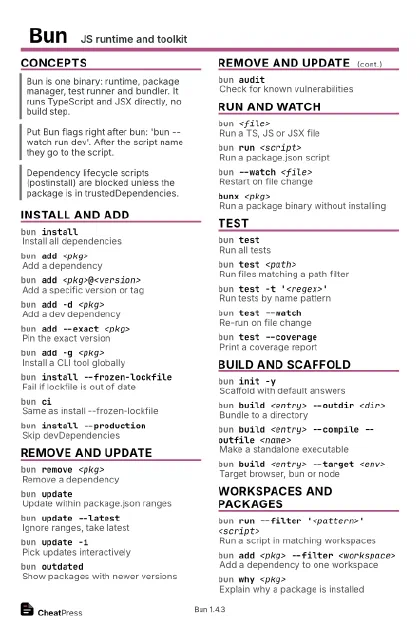
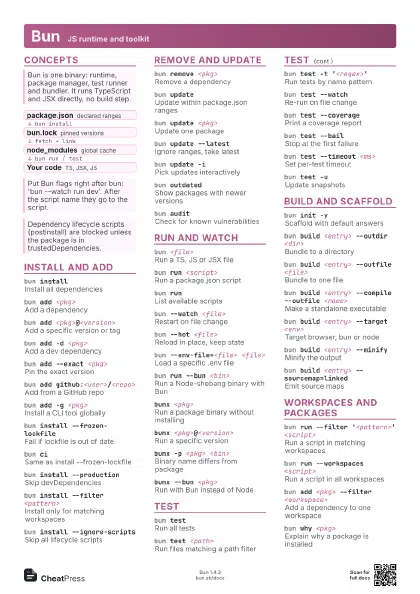
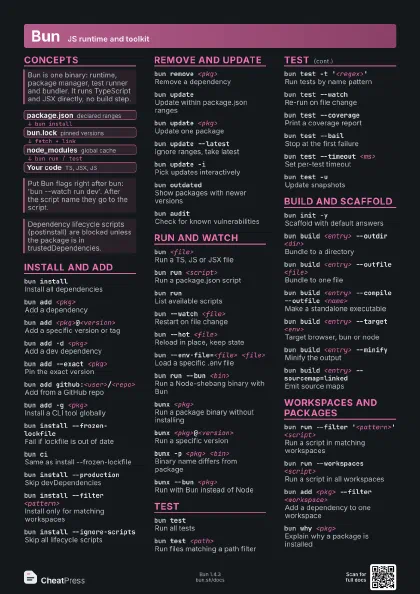
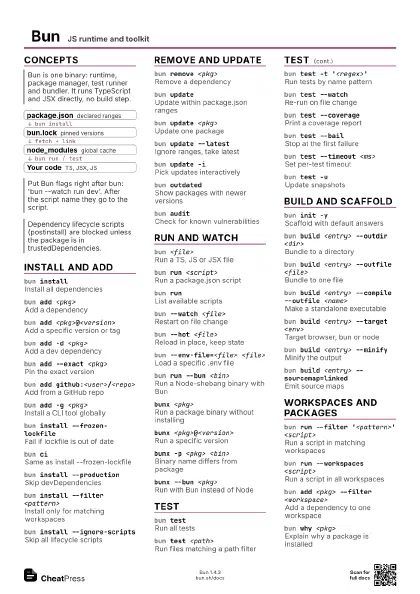
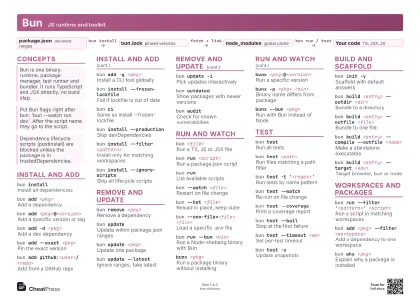
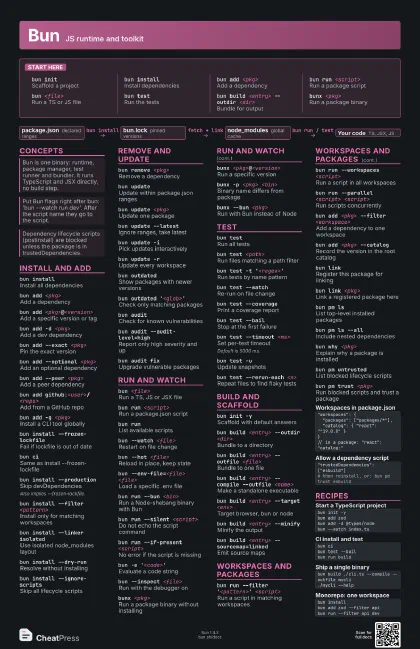
bun initScaffold a project
bun installInstall dependencies
bun add <pkg>
Add a dependency
bun run <script>
Run a package script
bun <file>
Run a TS or JS file
bun testRun the tests
bun build <entry> --outdir <dir>
Bundle for output
bunx <pkg>
Run a package binary
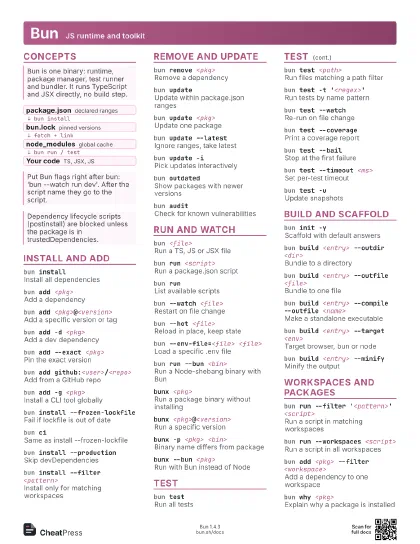
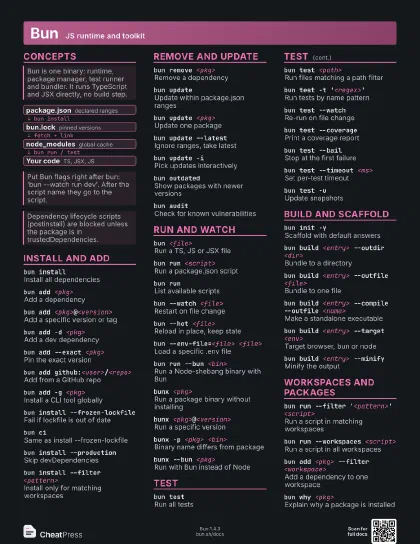
Concepts
- package.json declared ranges
- bun.lock pinned versions
- node_modules global cache
- Your code TS, JSX, JS
Install and add
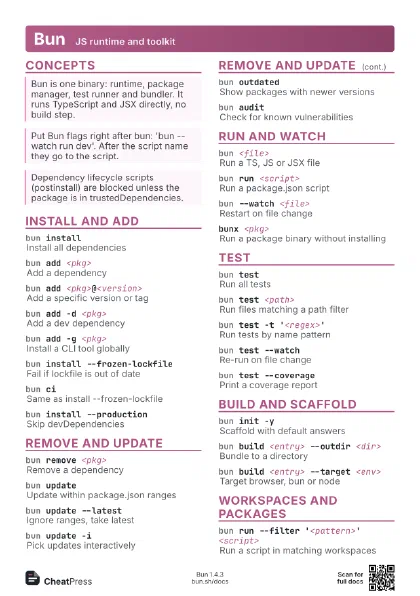
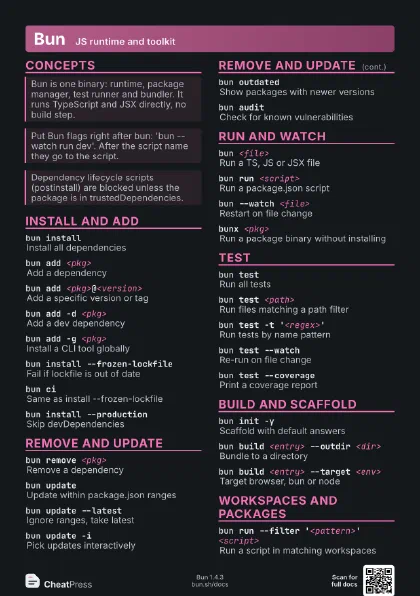
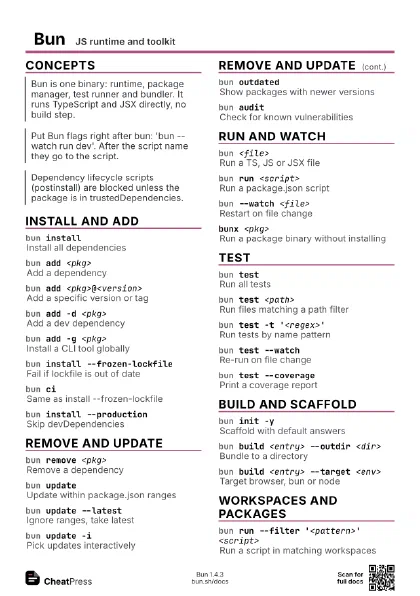
bun installInstall all dependencies
bun add <pkg>
Add a dependency
bun add <pkg>@<version>
Add a specific version or tag
bun add -d <pkg>
Add a dev dependency
bun add --exact <pkg>
Pin the exact version
bun add --optional <pkg>
Add an optional dependency
bun add --peer <pkg>
Add a peer dependency
bun add github:<user>/<repo>
Add from a GitHub repo
bun add -g <pkg>
Install a CLI tool globally
bun install --frozen-lockfile
Fail if lockfile is out of date
bun ciSame as install --frozen-lockfile
bun install --production
Skip devDependencies
Also implies --frozen-lockfile.
bun install --filter <pattern>
Install only for matching workspaces
bun install --linker isolated
Use isolated node_modules layout
bun install --dry-run
Resolve without installing
bun install --ignore-scripts
Skip all lifecycle scripts
Remove and update
bun remove <pkg>
Remove a dependency
bun updateUpdate within package.json ranges
bun update <pkg>
Update one package
bun update --latest
Ignore ranges, take latest
bun update -iPick updates interactively
bun update -rUpdate every workspace
bun outdatedShow packages with newer versions
bun outdated '<glob>'
Check only matching packages
bun auditCheck for known vulnerabilities
bun audit --audit-level=high
Report only high severity and up
bun audit fixUpgrade vulnerable packages
Run and watch
bun <file>
Run a TS, JS or JSX file
bun run <script>
Run a package.json script
bun runList available scripts
bun --watch <file>
Restart on file change
bun --hot <file>
Reload in place, keep state
bun --env-file=<file> <file>
Load a specific .env file
bun run --bun <bin>
Run a Node-shebang binary with Bun
bun run --silent <script>
Do not echo the script command
bun run --if-present <script>
No error if the script is missing
bun -e '<code>'
Evaluate a code string
bun --inspect <file>
Run with the debugger on
bunx <pkg>
Run a package binary without installing
bunx <pkg>@<version>
Run a specific version
bunx -p <pkg> <bin>
Binary name differs from package
bunx --bun <pkg>
Run with Bun instead of Node
Test
bun testRun all tests
bun test <path>
Run files matching a path filter
bun test -t '<regex>'
Run tests by name pattern
bun test --watch
Re-run on file change
bun test --coverage
Print a coverage report
bun test --bailStop at the first failure
bun test --timeout <ms>
Set per-test timeout
Default is 5000 ms.
bun test -uUpdate snapshots
bun test --rerun-each <n>
Repeat files to find flaky tests
bun test --randomize
Shuffle test order
bun test --concurrent
Run tests concurrently
bun test --coverage-reporter lcov
Write lcov coverage
bun test --reporter junit --reporter-outfile
                    <file>
Write a JUnit XML report
Build and scaffold
bun init -yScaffold with default answers
bun init --react
Scaffold a React app
bun build <entry> --outdir <dir>
Bundle to a directory
bun build <entry> --outfile <file>
Bundle to one file
bun build <entry> --compile --outfile
                    <name>
Make a standalone executable
bun build <entry> --target <env>
Target browser, bun or node
bun build <entry> --minify
Minify the output
bun build <entry> --sourcemap=linked
Emit source maps
bun build <entry> --external <pkg>
Leave a package out of the bundle
bun build <entry> --splitting
Split shared code into chunks
bun build <entry> --watch
Rebuild on change
Workspaces and packages
bun run --filter '<pattern>'
                    <script>
Run a script in matching workspaces
bun run --workspaces <script>
Run a script in all workspaces
bun run --parallel <script> <script>
Run scripts concurrently
bun add <pkg> --filter <workspace>
Add a dependency to one workspace
bun add <pkg> --catalog
Record the version in the root catalog
bun linkRegister this package for linking
bun link <pkg>
Link a registered package here
bun pm lsList top-level installed packages
bun pm ls --allInclude nested dependencies
bun why <pkg>
Explain why a package is installed
bun pm untrusted
List blocked lifecycle scripts
bun pm trust <pkg>
Run blocked scripts and trust a package
bun pm cacheShow the global cache path
bun pm cache rmClear the global cache
bun pm version patch
Bump the package version
bun pm packCreate the publish tarball
"workspaces": { "packages": ["packages/*"], "catalog": { "react": "^19.0.0" }}// in a package: "react": "catalog:""trustedDependencies": ["esbuild"]# then reinstall, or: bun pm trust esbuildRecipes
bun init -ybun add zodbun add -d @types/nodebun --watch index.tsbun cibun test --bailbun run buildbun build ./cli.ts --compile --outfile mycli./mycli --helpbun installbun add zod --filter apibun run --filter api dev