Cheat
pass Unix password manager
 Light · Postcard
102 × 152 mm · PDF
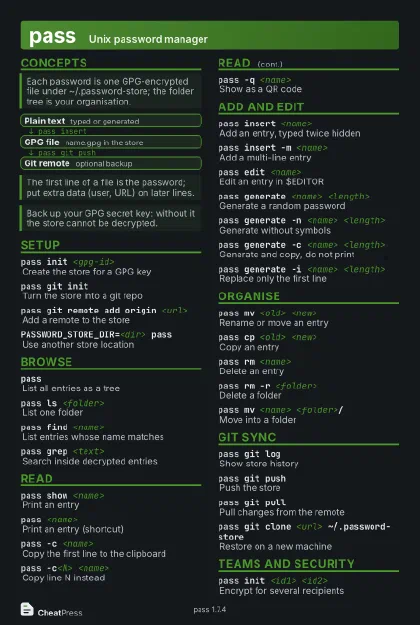 Dark · Postcard
102 × 152 mm · PDF
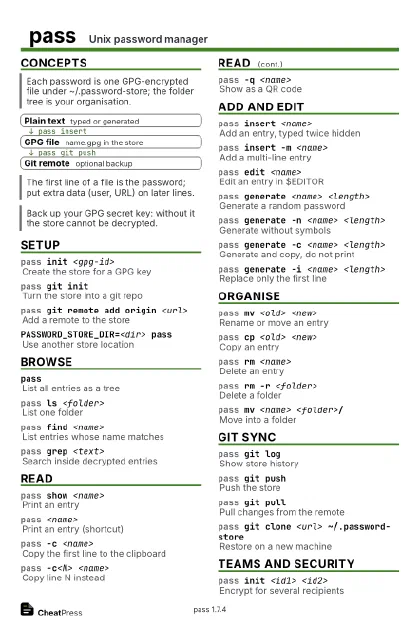 Ink saver · Postcard
102 × 152 mm · PDF
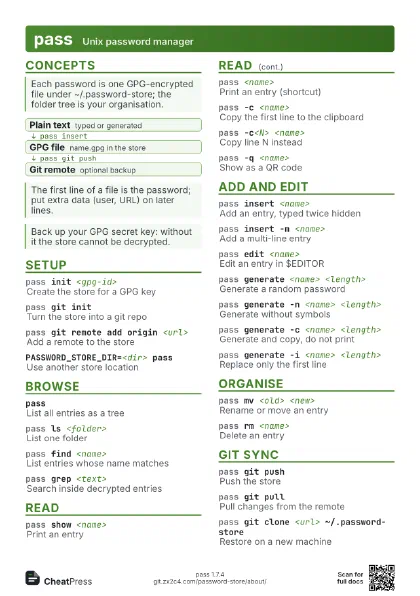
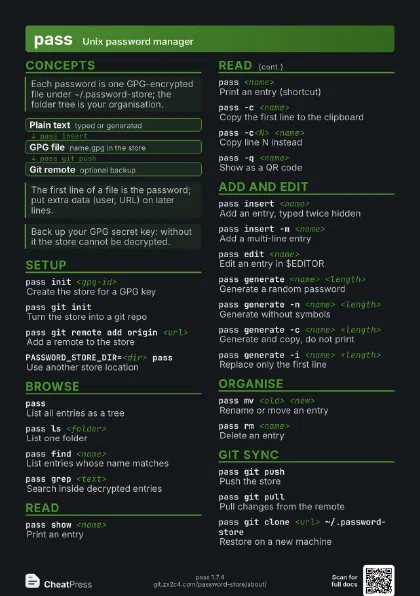
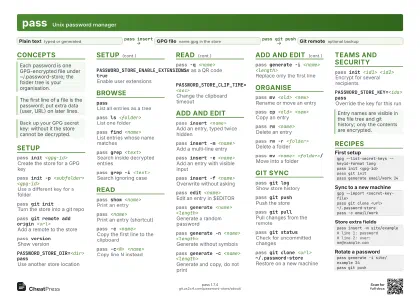 Light · A4 landscape
297 × 210 mm · PDF
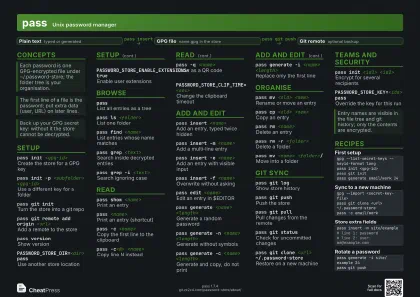 Dark · A4 landscape
297 × 210 mm · PDF
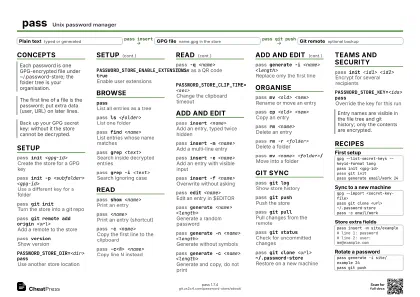 Ink saver · A4 landscape
297 × 210 mm · PDF
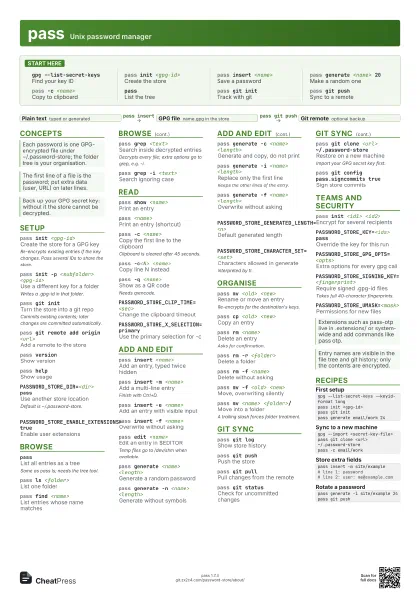
 Light · A3 landscape
420 × 297 mm · PDF
 Dark · A3 landscape
420 × 297 mm · PDF
 Ink saver · A3 landscape
420 × 297 mm · PDF
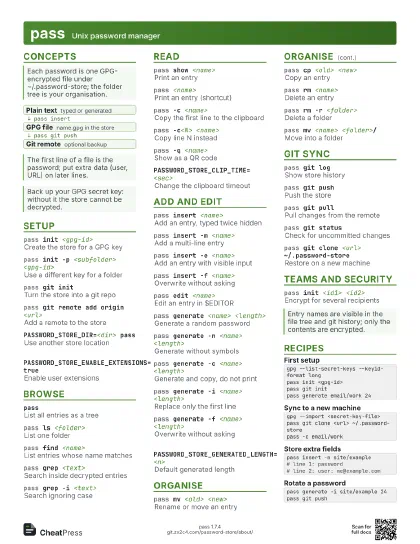
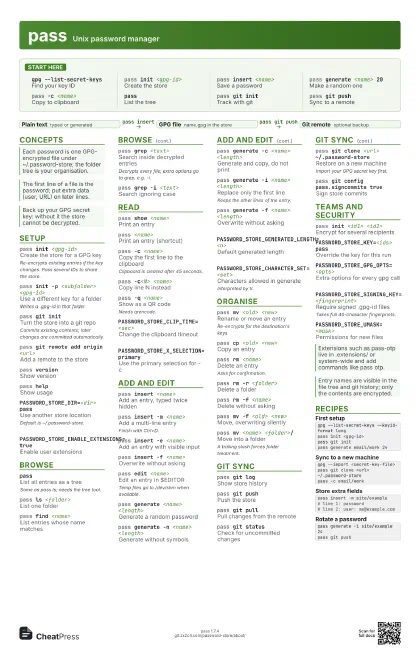
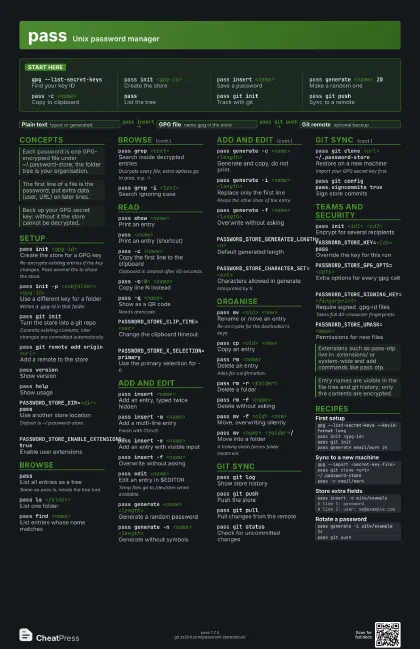
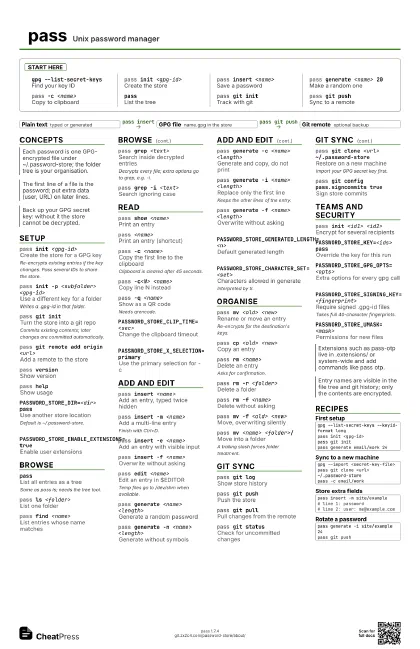
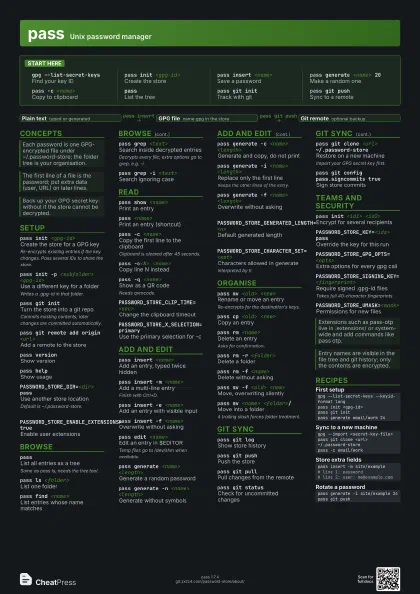
Start here
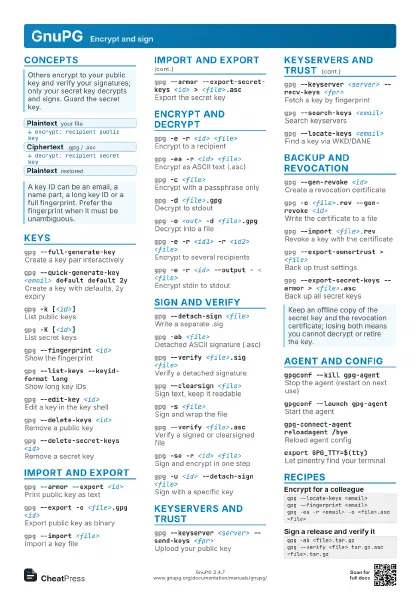
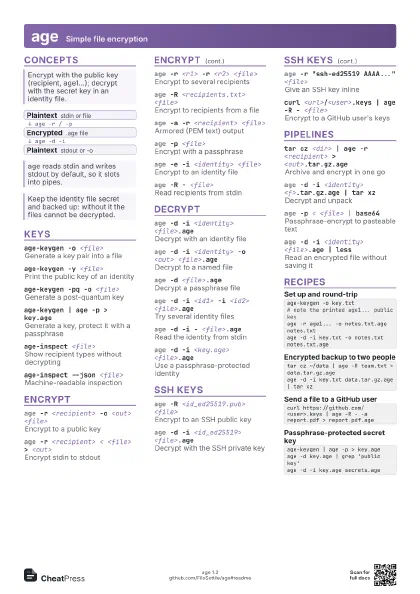
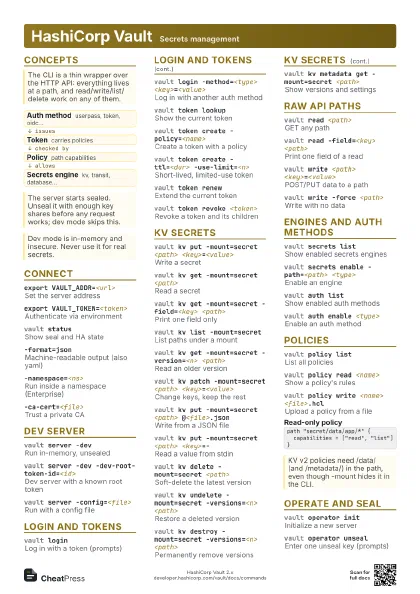
gpg --list-secret-keys
Find your key ID
pass init <gpg-id>
Create the store
pass insert <name>
Save a password
pass generate <name> 20
Make a random one
pass -c <name>
Copy to clipboard
passList the tree
pass git initTrack with git
pass git pushSync to a remote
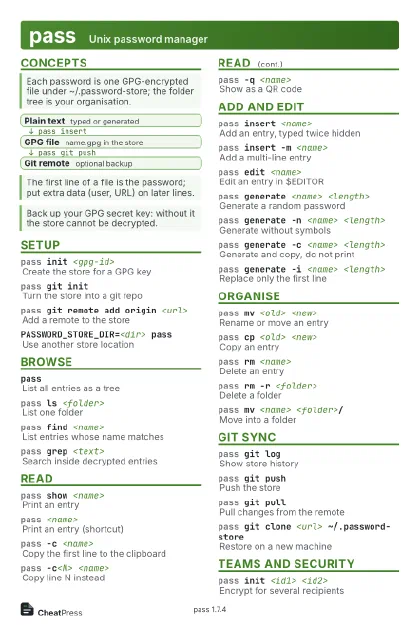
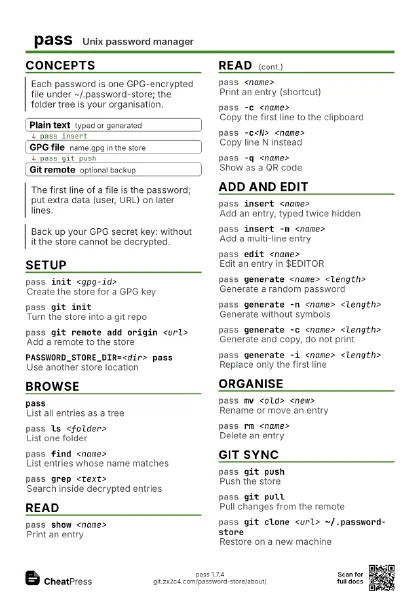
Concepts
- Plain text typed or generated
- GPG file name.gpg in the store
- Git remote optional backup
Setup
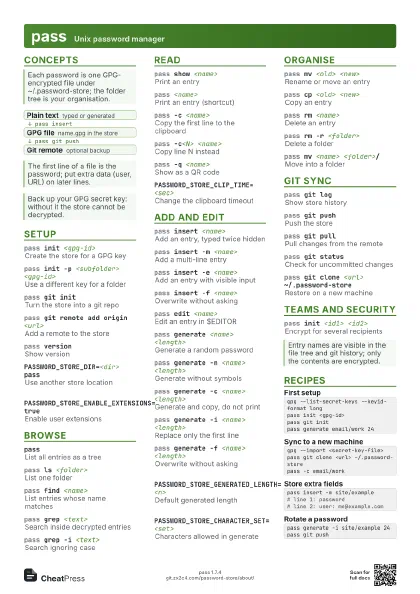
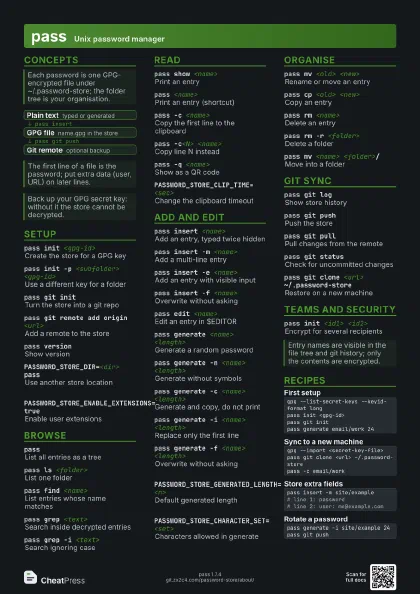
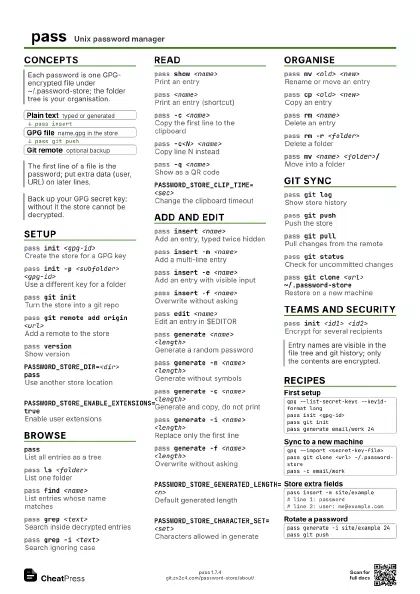
pass init <gpg-id>
Create the store for a GPG key
Re-encrypts existing entries if the key changes. Pass several
IDs to share the store.
pass init -p <subfolder> <gpg-id>
Use a different key for a folder
Writes a .gpg-id in that folder.
pass git initTurn the store into a git repo
Commits existing contents; later changes are committed
automatically.
pass git remote add origin <url>
Add a remote to the store
pass versionShow version
pass helpShow usage
PASSWORD_STORE_DIR=<dir> pass
Use another store location
Default is ~/.password-store.
PASSWORD_STORE_ENABLE_EXTENSIONS=true
Enable user extensions
Browse
passList all entries as a tree
Same as pass ls; needs the tree tool.
pass ls <folder>
List one folder
pass find <name>
List entries whose name matches
pass grep <text>
Search inside decrypted entries
Decrypts every file; extra options go to grep, e.g. -i.
pass grep -i <text>
Search ignoring case
Read
pass show <name>
Print an entry
pass <name>
Print an entry (shortcut)
pass -c <name>
Copy the first line to the clipboard
Clipboard is cleared after 45 seconds.
pass -c<N> <name>
Copy line N instead
pass -q <name>
Show as a QR code
Needs qrencode.
PASSWORD_STORE_CLIP_TIME=<sec>
Change the clipboard timeout
PASSWORD_STORE_X_SELECTION=primary
Use the primary selection for -c
Add and edit
pass insert <name>
Add an entry, typed twice hidden
pass insert -m <name>
Add a multi-line entry
Finish with Ctrl+D.
pass insert -e <name>
Add an entry with visible input
pass insert -f <name>
Overwrite without asking
pass edit <name>
Edit an entry in $EDITOR
Temp files go to /dev/shm when available.
pass generate <name> <length>
Generate a random password
pass generate -n <name> <length>
Generate without symbols
pass generate -c <name> <length>
Generate and copy, do not print
pass generate -i <name> <length>
Replace only the first line
Keeps the other lines of the entry.
pass generate -f <name> <length>
Overwrite without asking
PASSWORD_STORE_GENERATED_LENGTH=<n>
Default generated length
PASSWORD_STORE_CHARACTER_SET=<set>
Characters allowed in generate
Interpreted by tr.
Organise
pass mv <old> <new>
Rename or move an entry
Re-encrypts for the destination's keys.
pass cp <old> <new>
Copy an entry
pass rm <name>
Delete an entry
Asks for confirmation.
pass rm -r <folder>
Delete a folder
pass rm -f <name>
Delete without asking
pass mv -f <old> <new>
Move, overwriting silently
pass mv <name> <folder>/
Move into a folder
A trailing slash forces folder treatment.
Git sync
pass git logShow store history
pass git pushPush the store
pass git pullPull changes from the remote
pass git statusCheck for uncommitted changes
pass git clone <url> ~/.password-store
Restore on a new machine
Import your GPG secret key first.
pass git config pass.signcommits true
Sign store commits
Teams and security
pass init <id1> <id2>
Encrypt for several recipients
PASSWORD_STORE_KEY=<ids> pass
Override the key for this run
PASSWORD_STORE_GPG_OPTS=<opts>
Extra options for every gpg call
PASSWORD_STORE_SIGNING_KEY=<fingerprint>
Require signed .gpg-id files
Takes full 40-character fingerprints.
PASSWORD_STORE_UMASK=<mask>
Permissions for new files
Recipes
gpg --list-secret-keys --keyid-format longpass init <gpg-id>pass git initpass generate email/work 24gpg --import <secret-key-file>pass git clone <url> ~/.password-storepass -c email/workpass insert -m site/example# line 1: password# line 2: user: me@example.compass generate -i site/example 24pass git push