Cheat
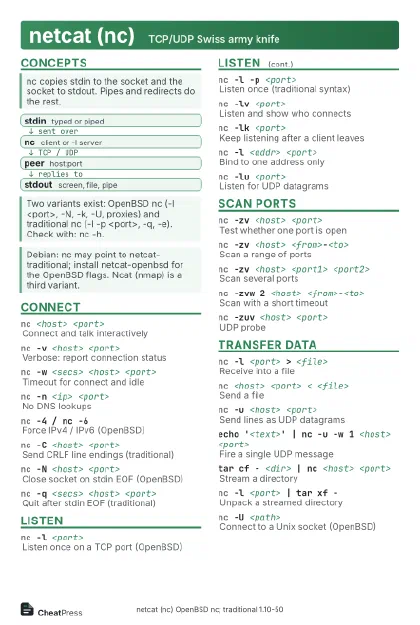
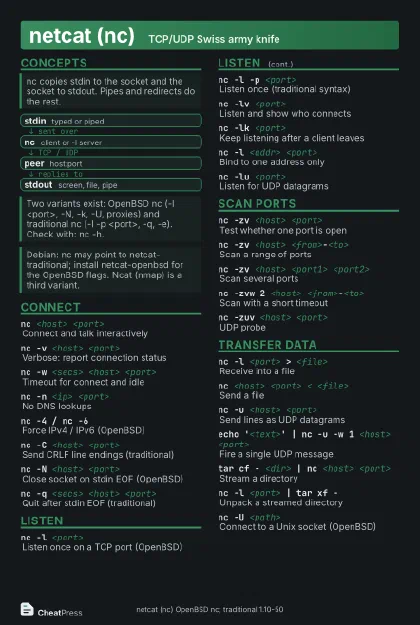
netcat (nc) TCP/UDP Swiss army knife
 Light · Postcard
102 × 152 mm · PDF
 Dark · Postcard
102 × 152 mm · PDF
 Ink saver · Postcard
102 × 152 mm · PDF
 Light · A4 landscape
297 × 210 mm · PDF
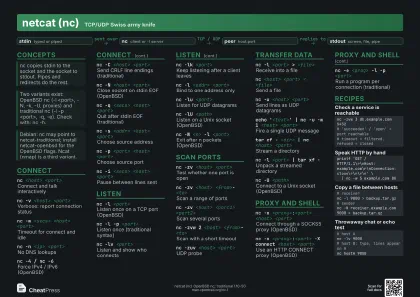 Dark · A4 landscape
297 × 210 mm · PDF
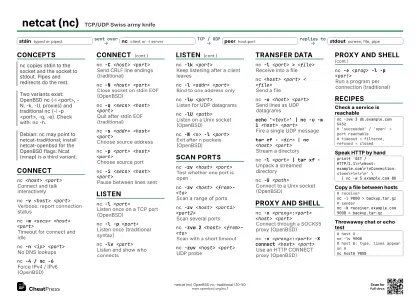 Ink saver · A4 landscape
297 × 210 mm · PDF
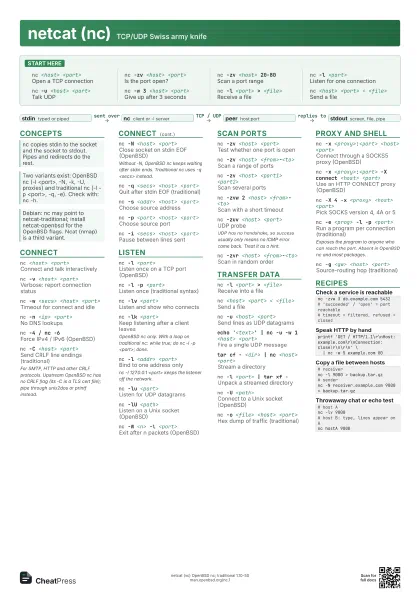
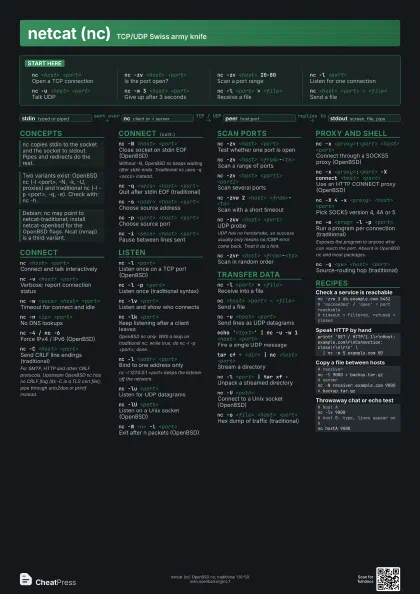
 Light · A3 landscape
420 × 297 mm · PDF
 Dark · A3 landscape
420 × 297 mm · PDF
 Ink saver · A3 landscape
420 × 297 mm · PDF
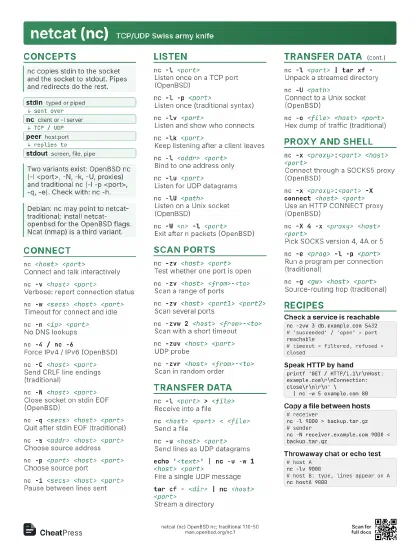
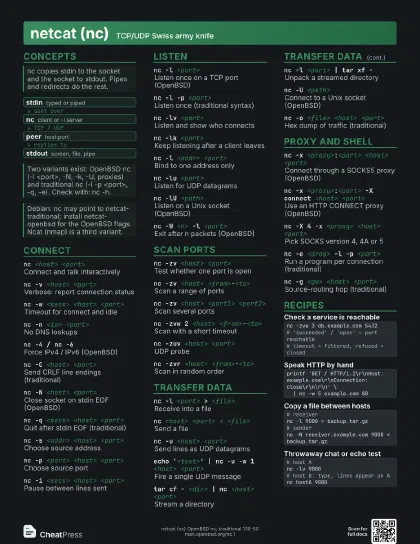
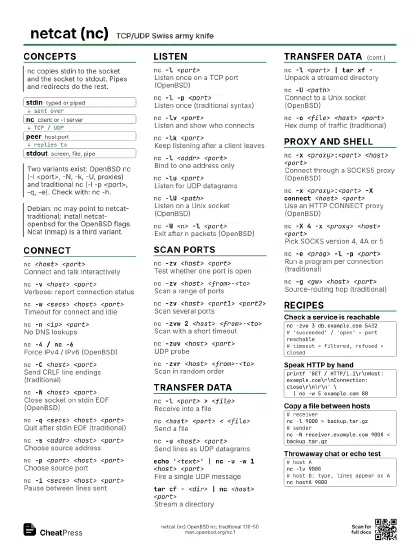
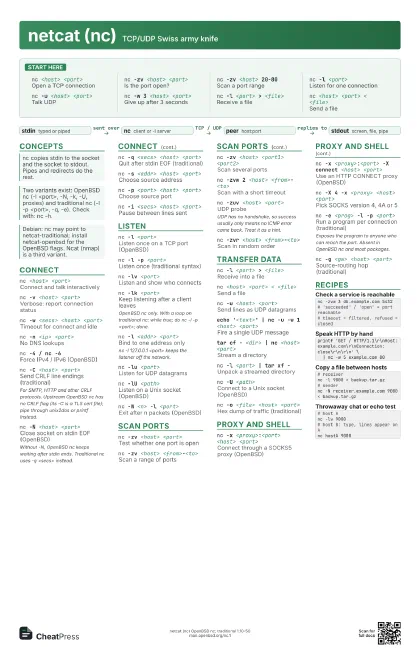
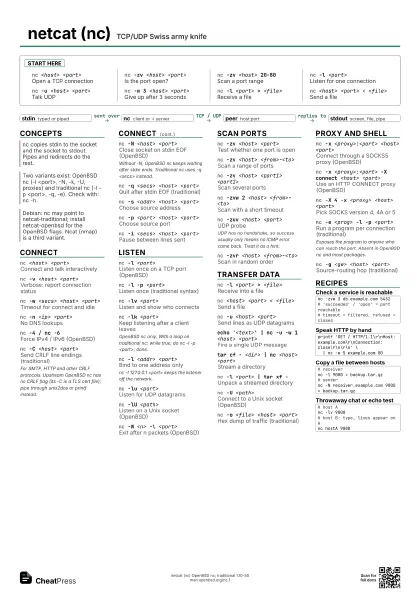
Start here
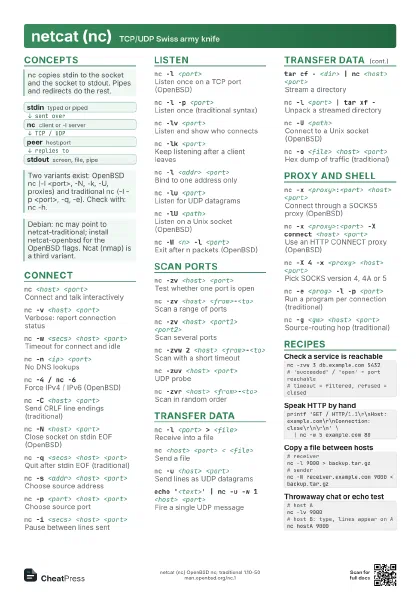
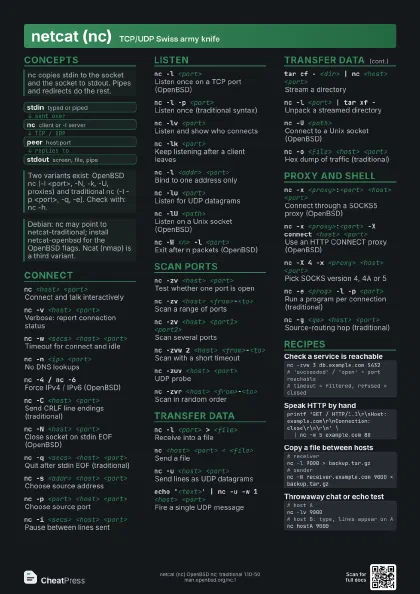
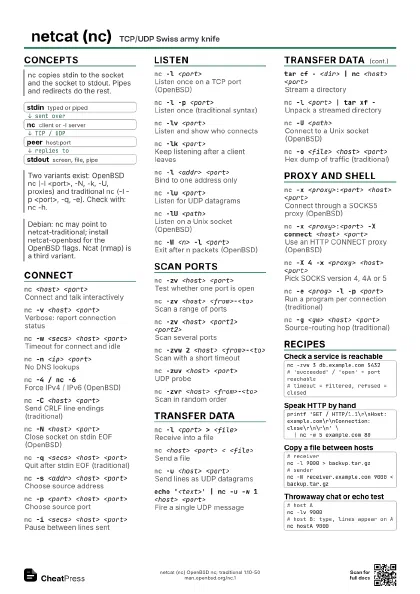
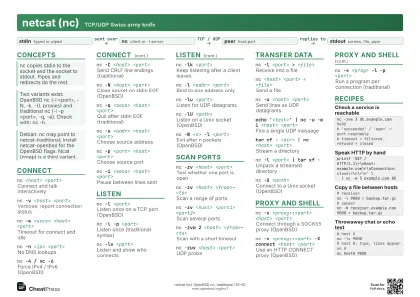
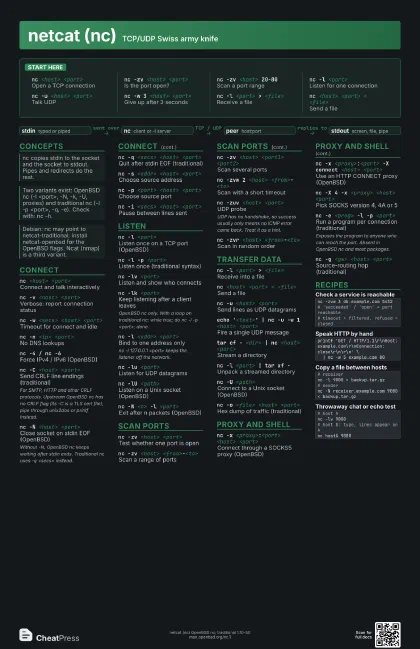
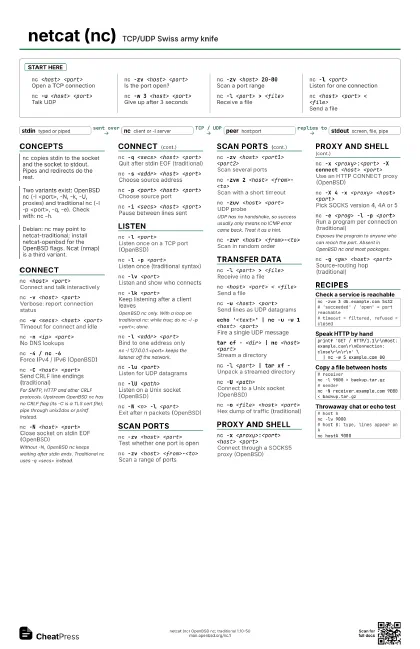
nc <host> <port>
Open a TCP connection
nc -zv <host> <port>
Is the port open?
nc -zv <host> 20-80
Scan a port range
nc -l <port>
Listen for one connection
nc -u <host> <port>
Talk UDP
nc -w 3 <host> <port>
Give up after 3 seconds
nc -l <port> > <file>
Receive a file
nc <host> <port> < <file>
Send a file
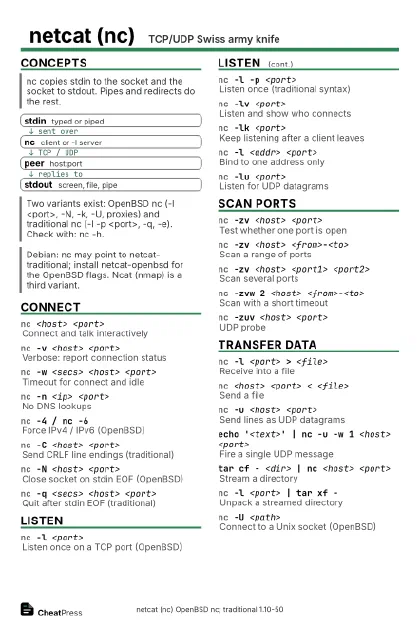
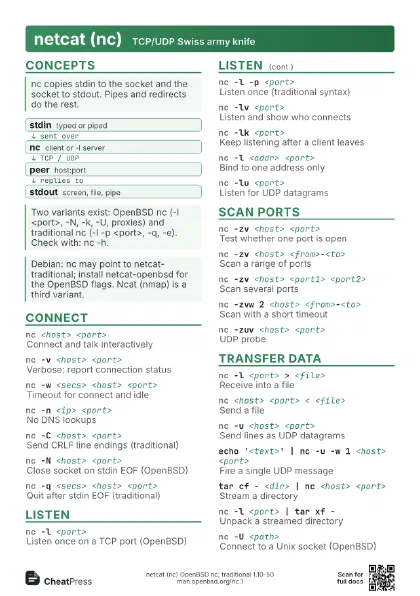
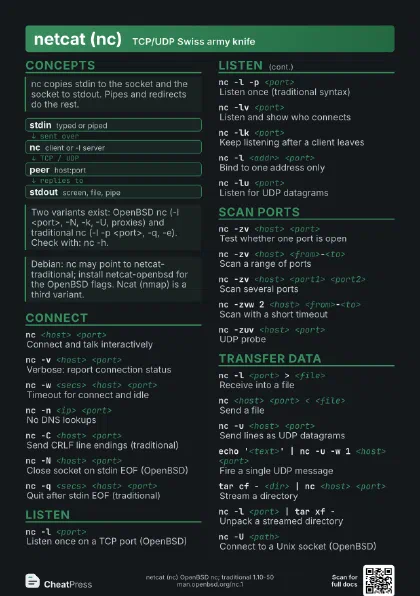
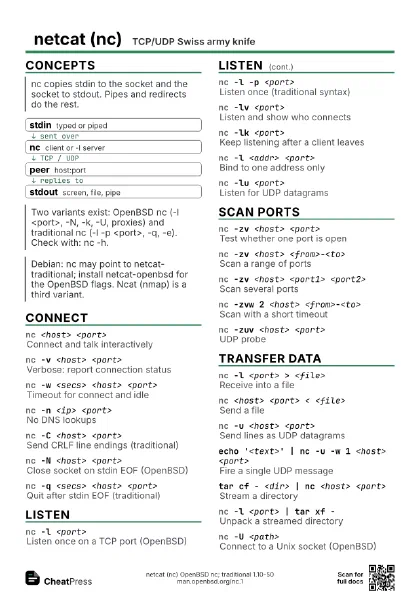
Concepts
- stdin typed or piped
- nc client or -l server
- peer host:port
- stdout screen, file, pipe
Connect
nc <host> <port>
Connect and talk interactively
nc -v <host> <port>
Verbose: report connection status
nc -w <secs> <host> <port>
Timeout for connect and idle
nc -n <ip> <port>
No DNS lookups
nc -4 / nc -6Force IPv4 / IPv6 (OpenBSD)
nc -C <host> <port>
Send CRLF line endings (traditional)
For SMTP, HTTP and other CRLF protocols. Upstream OpenBSD nc
has no CRLF flag (its -C is a TLS cert file); pipe through
unix2dos or printf instead.
nc -N <host> <port>
Close socket on stdin EOF (OpenBSD)
Without -N, OpenBSD nc keeps waiting after stdin ends.
Traditional nc uses -q <secs> instead.
nc -q <secs> <host> <port>
Quit after stdin EOF (traditional)
nc -s <addr> <host> <port>
Choose source address
nc -p <port> <host> <port>
Choose source port
nc -i <secs> <host> <port>
Pause between lines sent
Listen
nc -l <port>
Listen once on a TCP port (OpenBSD)
nc -l -p <port>
Listen once (traditional syntax)
nc -lv <port>
Listen and show who connects
nc -lk <port>
Keep listening after a client leaves
OpenBSD nc only. With a loop on traditional nc: while true; do
nc -l -p <port>; done.
nc -l <addr> <port>
Bind to one address only
nc -l 127.0.0.1 <port> keeps the listener off the
network.
nc -lu <port>
Listen for UDP datagrams
nc -lU <path>
Listen on a Unix socket (OpenBSD)
nc -W <n> -l <port>
Exit after n packets (OpenBSD)
Scan ports
nc -zv <host> <port>
Test whether one port is open
nc -zv <host> <from>-<to>
Scan a range of ports
nc -zv <host> <port1> <port2>
Scan several ports
nc -zvw 2 <host> <from>-<to>
Scan with a short timeout
nc -zuv <host> <port>
UDP probe
UDP has no handshake, so success usually only means no ICMP
error came back. Treat it as a hint.
nc -zvr <host> <from>-<to>
Scan in random order
Transfer data
nc -l <port> > <file>
Receive into a file
nc <host> <port> < <file>
Send a file
nc -u <host> <port>
Send lines as UDP datagrams
echo '<text>' | nc -u -w 1 <host>
                    <port>
Fire a single UDP message
tar cf - <dir> | nc <host> <port>
Stream a directory
nc -l <port> | tar xf -
Unpack a streamed directory
nc -U <path>
Connect to a Unix socket (OpenBSD)
nc -o <file> <host> <port>
Hex dump of traffic (traditional)
Proxy and shell
nc -x <proxy>:<port> <host>
                    <port>
Connect through a SOCKS5 proxy (OpenBSD)
nc -x <proxy>:<port> -X connect <host>
                    <port>
Use an HTTP CONNECT proxy (OpenBSD)
nc -X 4 -x <proxy> <host> <port>
Pick SOCKS version 4, 4A or 5
nc -e <prog> -l -p <port>
Run a program per connection (traditional)
Exposes the program to anyone who can reach the port. Absent
in OpenBSD nc and most packages.
nc -g <gw> <host> <port>
Source-routing hop (traditional)
Recipes
nc -zvw 3 db.example.com 5432# 'succeeded' / 'open' = port reachable# timeout = filtered, refused = closedprintf 'GET / HTTP/1.1\r\nHost: example.com\r\nConnection: close\r\n\r\n' \ | nc -w 5 example.com 80# receivernc -l 9000 > backup.tar.gz# sendernc -N receiver.example.com 9000 < backup.tar.gz# host Anc -lv 9000# host B: type, lines appear on Anc hostA 9000