Cheat
Newsboat Terminal RSS reader
 Light · Postcard
102 × 152 mm · PDF
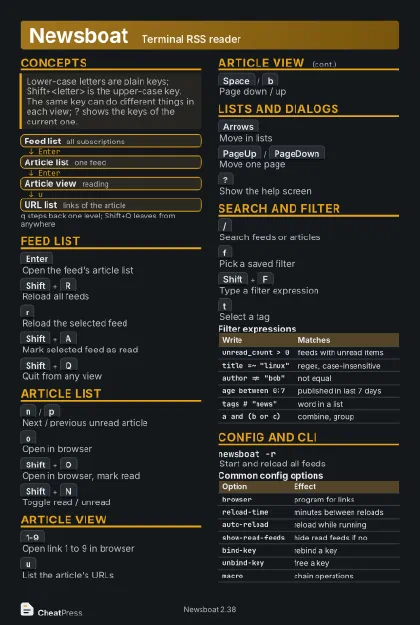 Dark · Postcard
102 × 152 mm · PDF
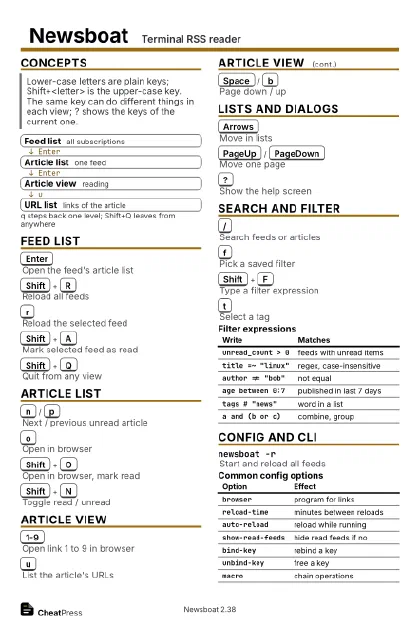 Ink saver · Postcard
102 × 152 mm · PDF
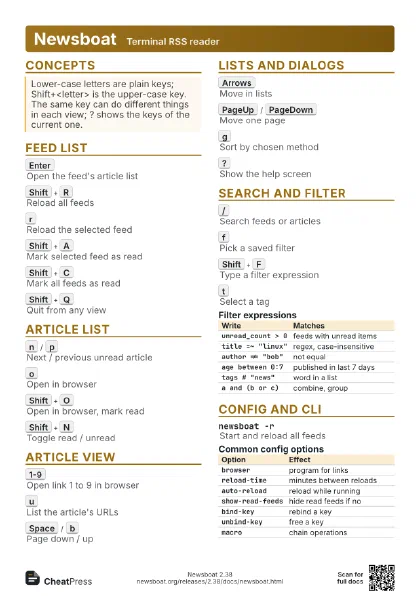
 Light · A4 landscape
297 × 210 mm · PDF
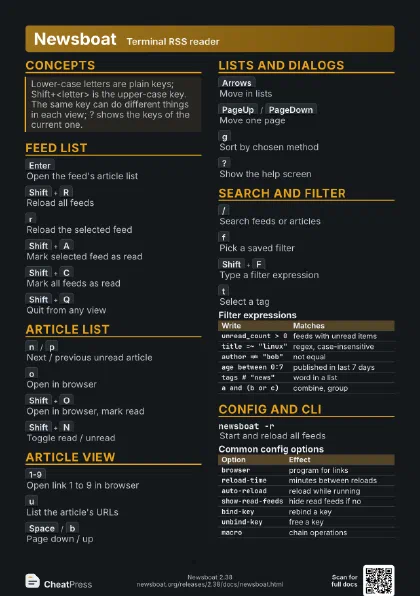
 Dark · A4 landscape
297 × 210 mm · PDF
 Ink saver · A4 landscape
297 × 210 mm · PDF
 Light · A3 landscape
420 × 297 mm · PDF
 Dark · A3 landscape
420 × 297 mm · PDF
 Ink saver · A3 landscape
420 × 297 mm · PDF
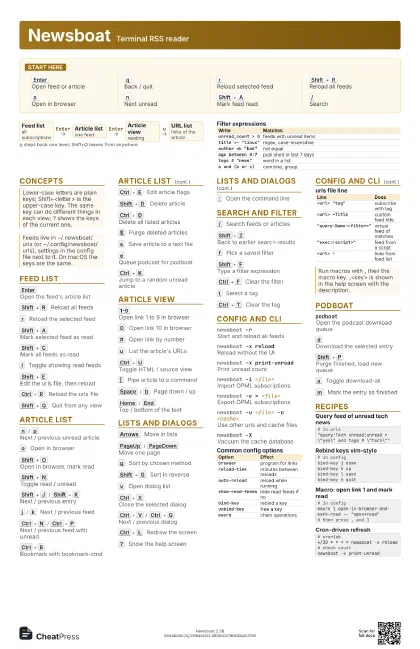
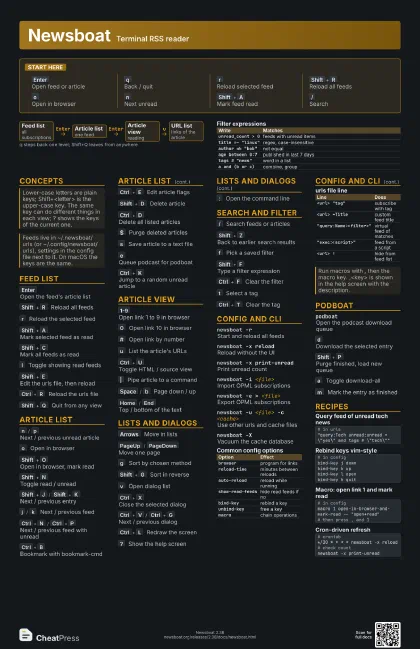
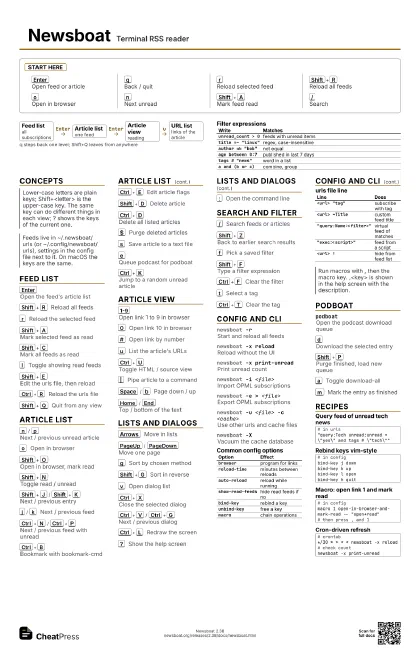
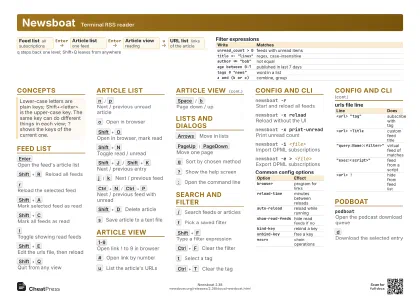
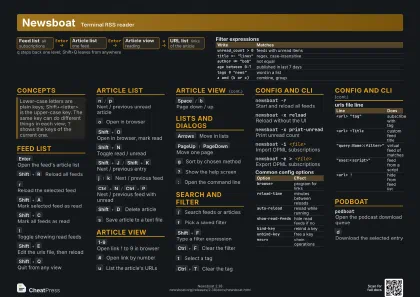
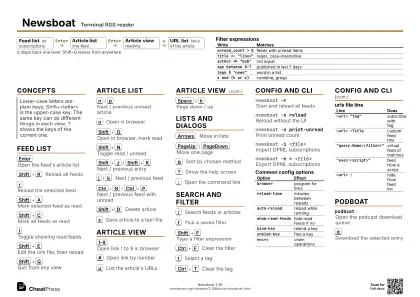
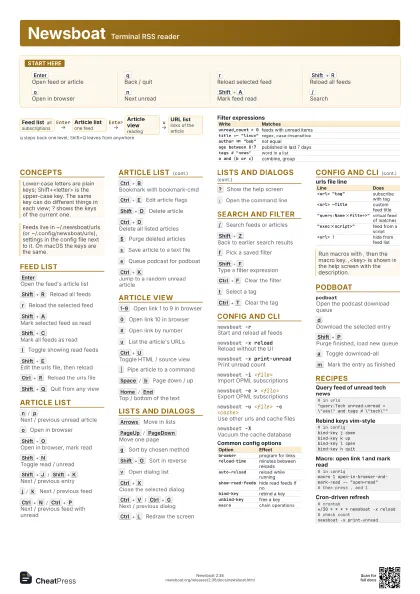
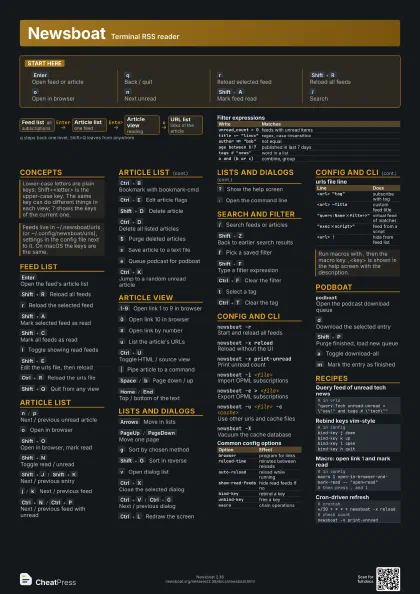
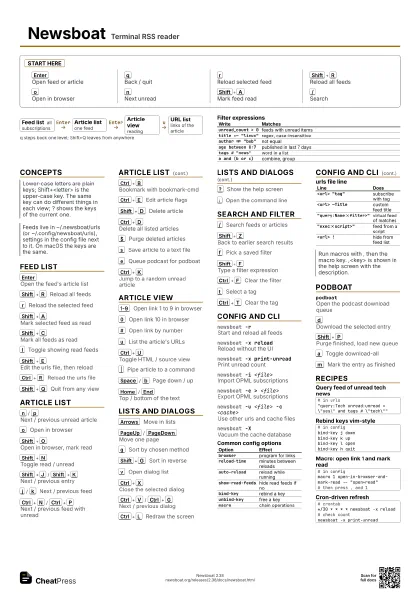
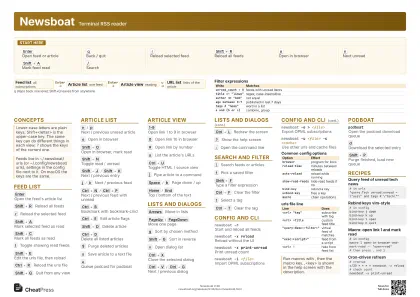
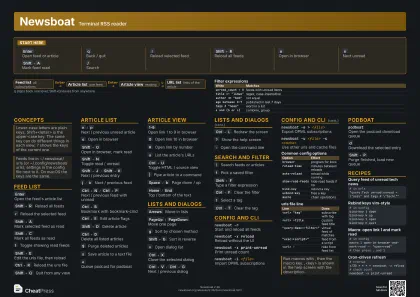
Start here
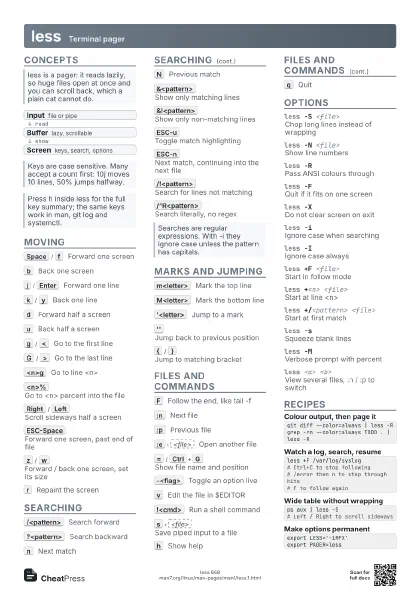
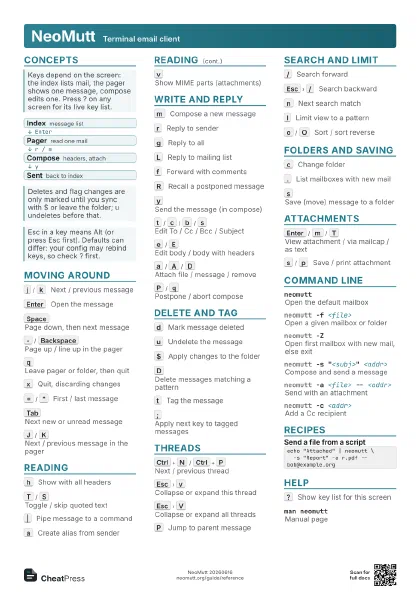
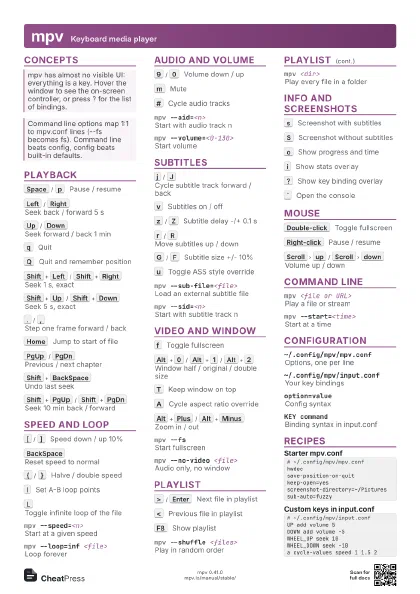
Enter
Open feed or article
q
Back / quit
r
Reload selected feed
Shift+R
Reload all feeds
o
Open in browser
n
Next unread
Shift+A
Mark feed read
/
Search
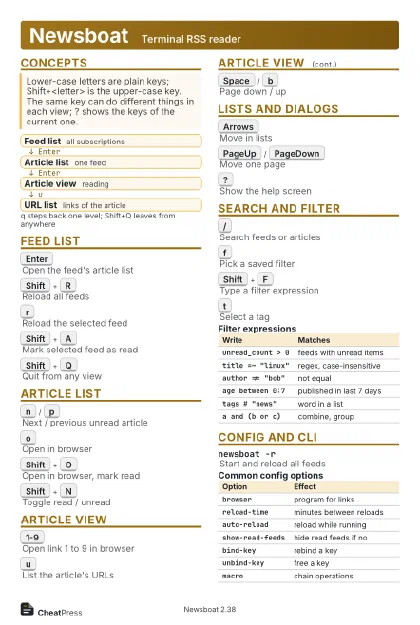
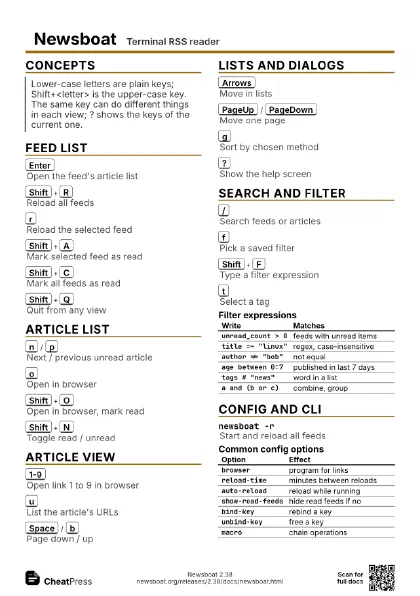
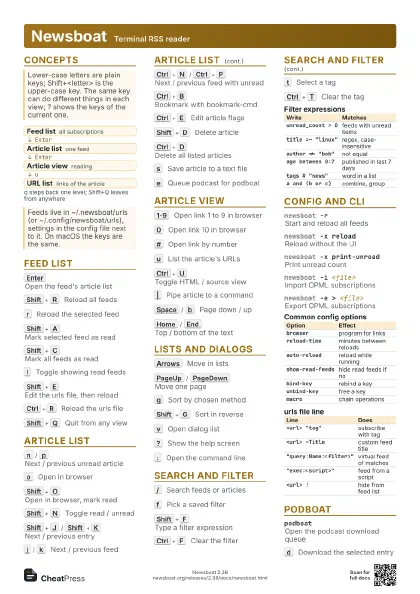
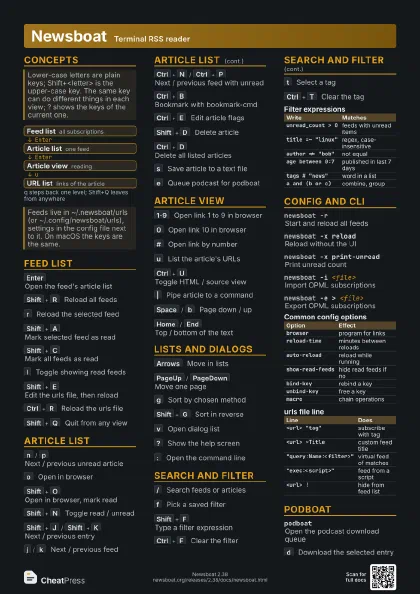
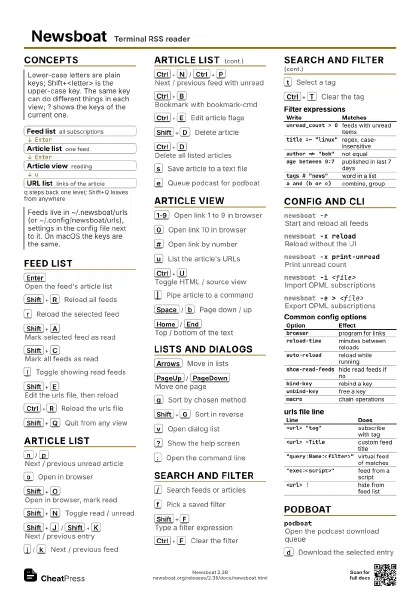
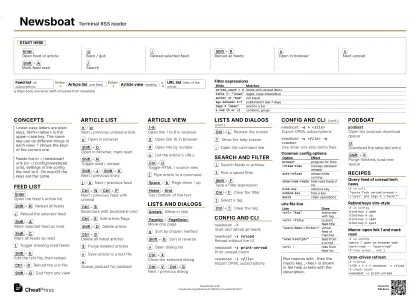
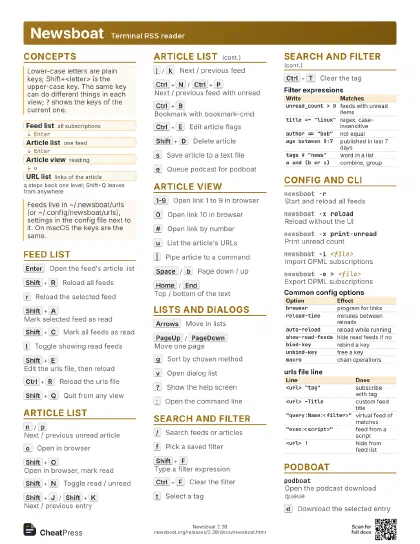
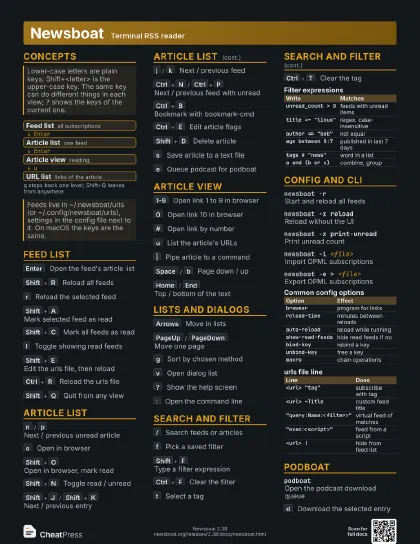
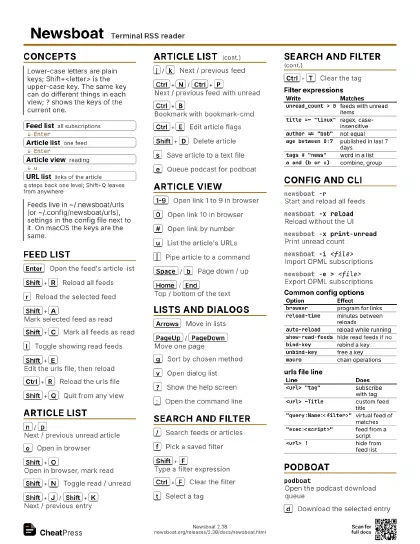
Concepts
- Feed list all subscriptions
- Article list one feed
- Article view reading
- URL list links of the article
Feed list
Enter
Open the feed's article list
Shift+R
Reload all feeds
r
Reload the selected feed
Shift+A
Mark selected feed as read
Shift+C
Mark all feeds as read
l
Toggle showing read feeds
Shift+E
Edit the urls file, then reload
Ctrl+R
Reload the urls file
Shift+Q
Quit from any view
Article list
n
/
p
Next / previous unread article
o
Open in browser
Shift+O
Open in browser, mark read
Shift+N
Toggle read / unread
Shift+J
/
Shift+K
Next / previous entry
j
/
k
Next / previous feed
Ctrl+N
/
Ctrl+P
Next / previous feed with unread
Ctrl+B
Bookmark with bookmark-cmd
Ctrl+E
Edit article flags
Shift+D
Delete article
Ctrl+D
Delete all listed articles
$
Purge deleted articles
s
Save article to a text file
e
Queue podcast for podboat
Ctrl+K
Jump to a random unread article
Article view
1-9
Open link 1 to 9 in browser
0
Open link 10 in browser
#
Open link by number
u
List the article's URLs
Ctrl+U
Toggle HTML / source view
|
Pipe article to a command
Space
/
b
Page down / up
Home
/
End
Top / bottom of the text
Lists and dialogs
Arrows
Move in lists
PageUp
/
PageDown
Move one page
g
Sort by chosen method
Shift+G
Sort in reverse
v
Open dialog list
Ctrl+X
Close the selected dialog
Ctrl+V
/
Ctrl+G
Next / previous dialog
Ctrl+L
Redraw the screen
?
Show the help screen
:
Open the command line
Search and filter
/
Search feeds or articles
Shift+Z
Back to earlier search results
f
Pick a saved filter
Shift+F
Type a filter expression
Ctrl+F
Clear the filter
t
Select a tag
Ctrl+T
Clear the tag
| Write | Matches |
|---|---|
unread_count > 0 |
feeds with unread items |
title =~ "linux" |
regex, case-insensitive |
author != "bob" |
not equal |
age between 0:7 |
published in last 7 days |
tags # "news" |
word in a list |
a and (b or c) |
combine, group |
Config and CLI
newsboat -rStart and reload all feeds
newsboat -x reload
Reload without the UI
newsboat -x print-unread
Print unread count
newsboat -i <file>
Import OPML subscriptions
newsboat -e > <file>
Export OPML subscriptions
newsboat -u <file> -c <cache>
Use other urls and cache files
newsboat -XVacuum the cache database
| Option | Effect |
|---|---|
browser |
program for links |
reload-time |
minutes between reloads |
auto-reload |
reload while running |
show-read-feeds |
hide read feeds if no |
bind-key |
rebind a key |
unbind-key |
free a key |
macro |
chain operations |
| Line | Does |
|---|---|
<url> "tag" |
subscribe with tag |
<url> ~Title |
custom feed title |
"query:Name:<filter>" |
virtual feed of matches |
"exec:<script>" |
feed from a script |
<url> ! |
hide from feed list |
Podboat
podboatOpen the podcast download queue
d
Download the selected entry
Shift+P
Purge finished, load new queue
a
Toggle download-all
m
Mark the entry as finished
Recipes
# in urls"query:Tech unread:unread = \"yes\" and tags # \"tech\""# in configbind-key j downbind-key k upbind-key l openbind-key h quit# in configmacro 1 open-in-browser-and-mark-read -- "open+read"# then press , and 1# crontab*/30 * * * * newsboat -x reload# check countnewsboat -x print-unread