Cheat
NeoMutt Terminal email client
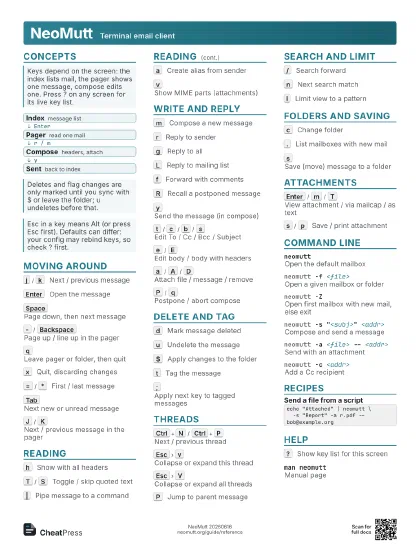
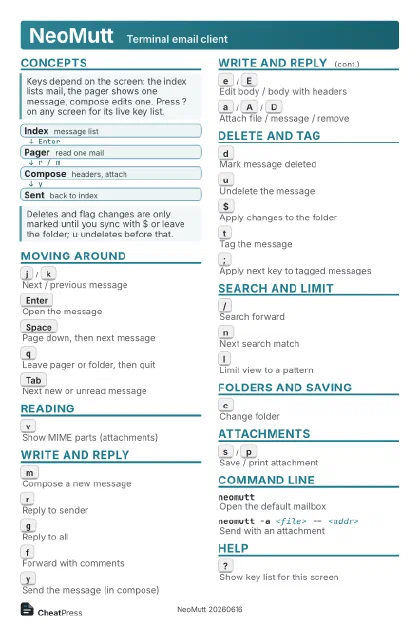 Light · Postcard
102 × 152 mm · PDF
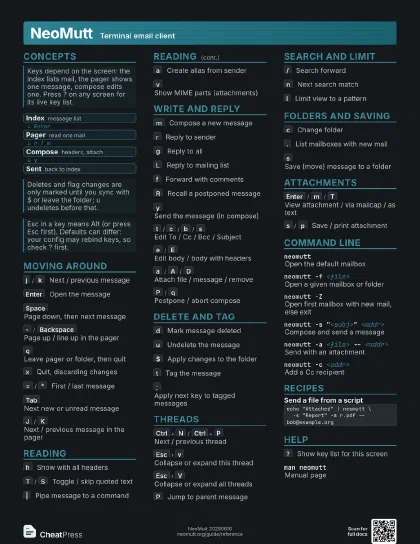
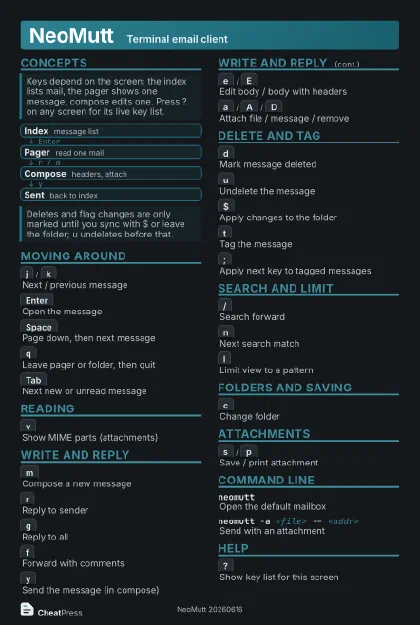 Dark · Postcard
102 × 152 mm · PDF
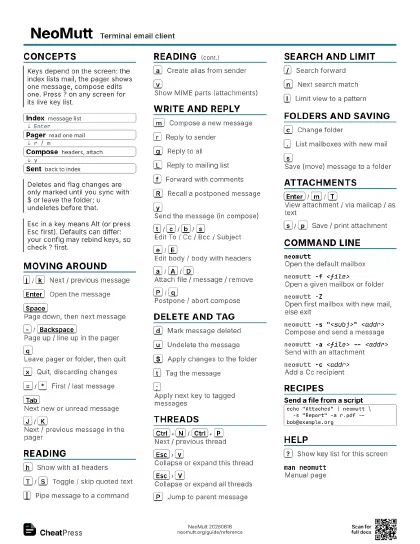
 Ink saver · Postcard
102 × 152 mm · PDF
 Light · A4 landscape
297 × 210 mm · PDF
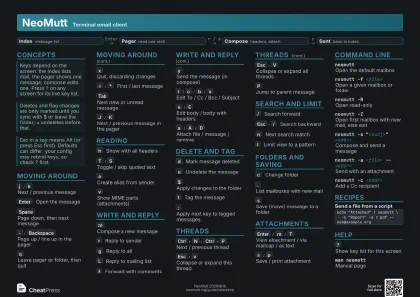 Dark · A4 landscape
297 × 210 mm · PDF
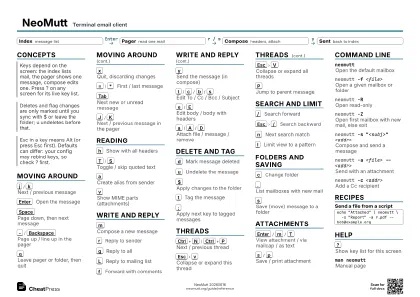 Ink saver · A4 landscape
297 × 210 mm · PDF
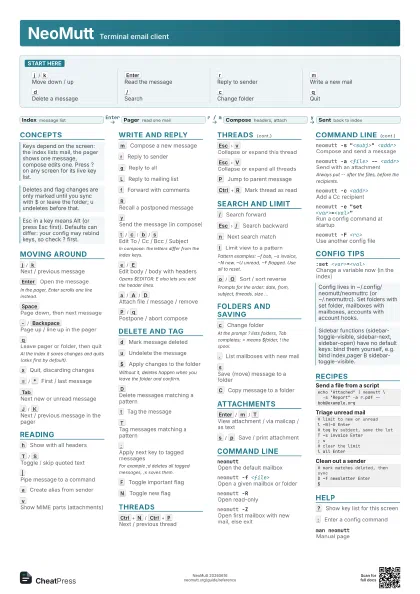
 Light · A3 landscape
420 × 297 mm · PDF
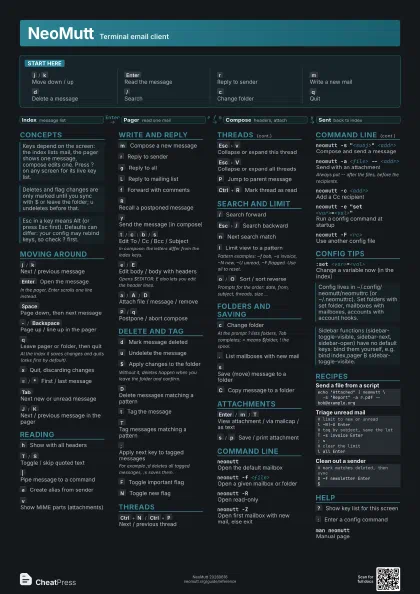
 Dark · A3 landscape
420 × 297 mm · PDF
 Ink saver · A3 landscape
420 × 297 mm · PDF
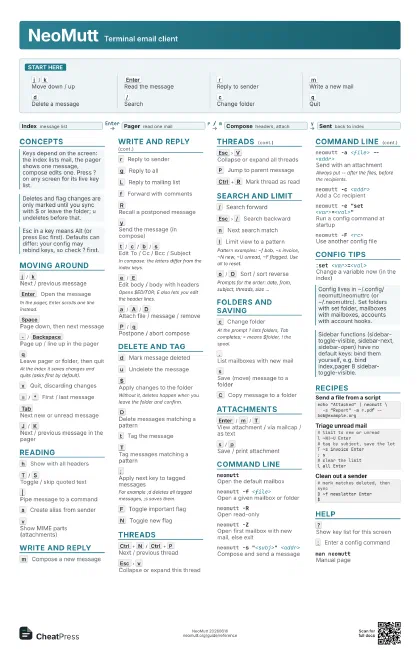
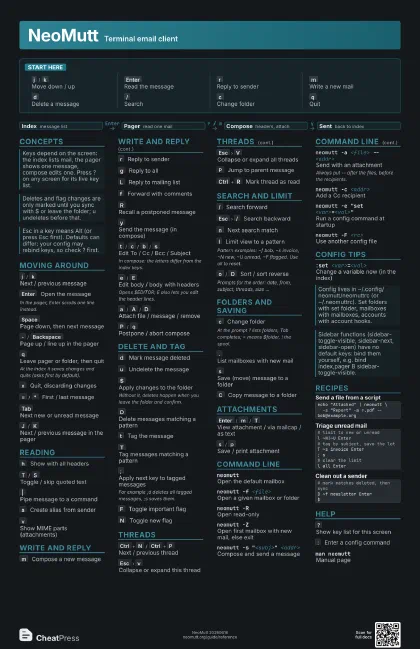
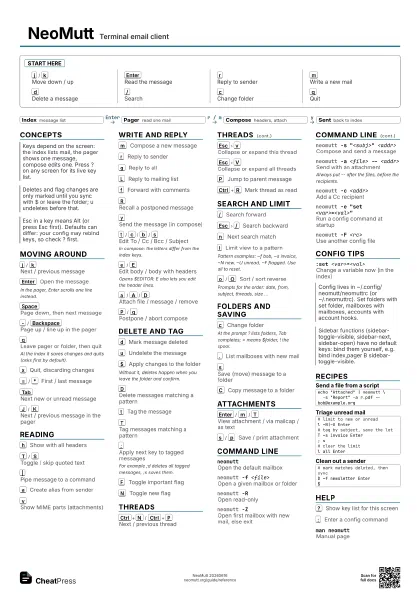
Start here
j
/
k
Move down / up
Enter
Read the message
r
Reply to sender
m
Write a new mail
d
Delete a message
/
Search
c
Change folder
q
Quit
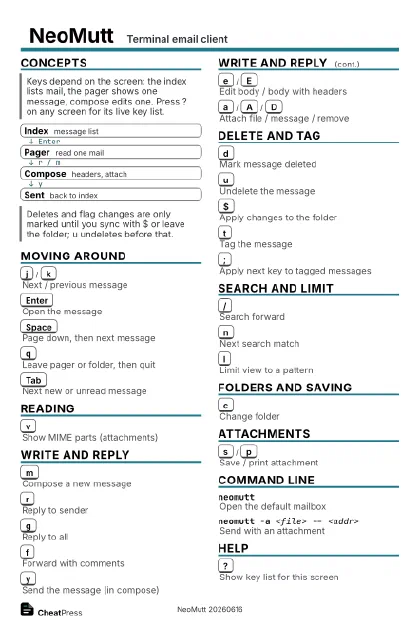
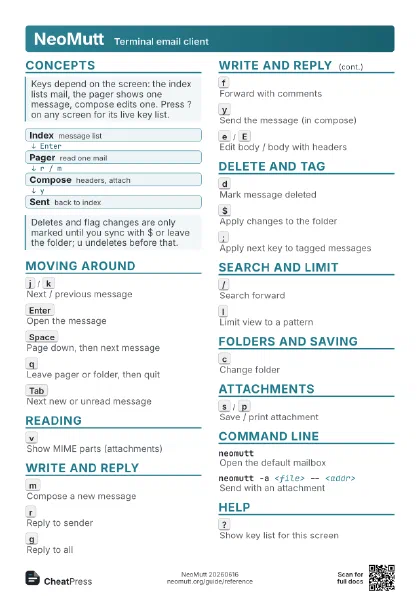
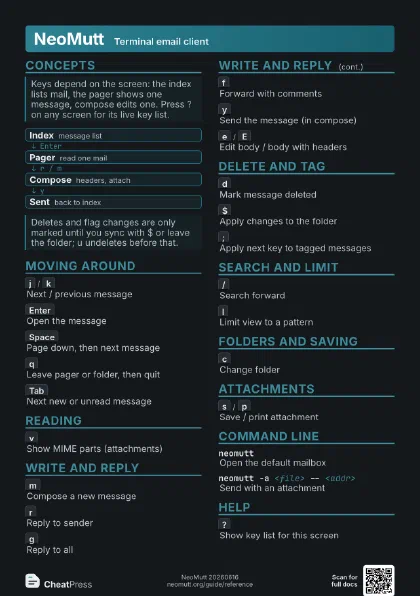
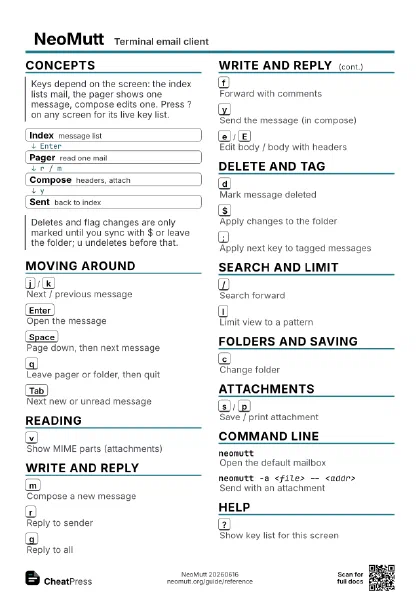
Concepts
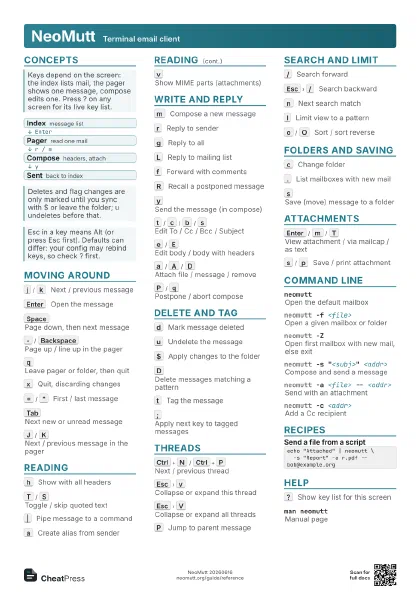
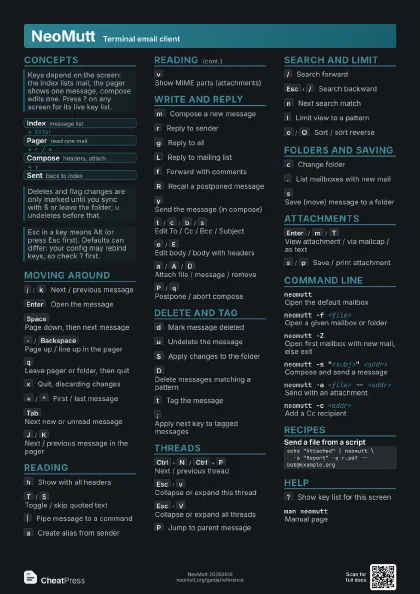
- Index message list
- Pager read one mail
- Compose headers, attach
- Sent back to index
Moving Around
j
/
k
Next / previous message
Enter
Open the message
In the pager, Enter scrolls one line instead.
Space
Page down, then next message
-
/
Backspace
Page up / line up in the pager
q
Leave pager or folder, then quit
At the index it saves changes and quits (asks first by
default).
x
Quit, discarding changes
=
/
*
First / last message
Tab
Next new or unread message
J
/
K
Next / previous message in the pager
Reading
h
Show with all headers
T
/
S
Toggle / skip quoted text
|
Pipe message to a command
a
Create alias from sender
v
Show MIME parts (attachments)
Write and Reply
m
Compose a new message
r
Reply to sender
g
Reply to all
L
Reply to mailing list
f
Forward with comments
R
Recall a postponed message
y
Send the message (in compose)
t
/
c
/
b
/
s
Edit To / Cc / Bcc / Subject
In compose: the letters differ from the index keys.
e
/
E
Edit body / body with headers
Opens $EDITOR; E also lets you edit the header lines.
a
/
A
/
D
Attach file / message / remove
P
/
q
Postpone / abort compose
Delete and Tag
d
Mark message deleted
u
Undelete the message
$
Apply changes to the folder
Without it, deletes happen when you leave the folder and
confirm.
D
Delete messages matching a pattern
t
Tag the message
T
Tag messages matching a pattern
;
Apply next key to tagged messages
For example ;d deletes all tagged messages, ;s saves them.
F
Toggle important flag
N
Toggle new flag
Threads
Ctrl+N
/
Ctrl+P
Next / previous thread
Esc
v
Collapse or expand this thread
Esc
V
Collapse or expand all threads
P
Jump to parent message
Ctrl+R
Mark thread as read
Search and Limit
/
Search forward
Esc
/
Search backward
n
Next search match
l
Limit view to a pattern
Pattern examples: ~f bob, ~s invoice, ~N new, ~U unread, ~F
flagged. Use all to reset.
o
/
O
Sort / sort reverse
Prompts for the order: date, from, subject, threads, size ...
Folders and Saving
c
Change folder
At the prompt ? lists folders, Tab completes; = means $folder,
! the spool.
.
List mailboxes with new mail
s
Save (move) message to a folder
C
Copy message to a folder
Attachments
Enter
/
m
/
T
View attachment / via mailcap / as text
s
/
p
Save / print attachment
Command Line
neomuttOpen the default mailbox
neomutt -f <file>
Open a given mailbox or folder
neomutt -ROpen read-only
neomutt -Z
Open first mailbox with new mail, else exit
neomutt -s "<subj>" <addr>
Compose and send a message
neomutt -a <file> -- <addr>
Send with an attachment
Always put -- after the files, before the recipients.
neomutt -c <addr>
Add a Cc recipient
neomutt -e "set <var>=<val>"
Run a config command at startup
neomutt -F <rc>
Use another config file
Config Tips
:set <var>=<val>
Change a variable now (in the index)
Recipes
echo "Attached" | neomutt \ -s "Report" -a r.pdf -- bob@example.org# limit to new or unreadl ~N|~U Enter# tag by subject, save the lotT ~s invoice Enter; s# clear the limitl all Enter# mark matches deleted, then syncD ~f newsletter Enter$Help
?
Show key list for this screen
:
Enter a config command
man neomuttManual page