Cheat
nerdctl Docker-like CLI for containerd
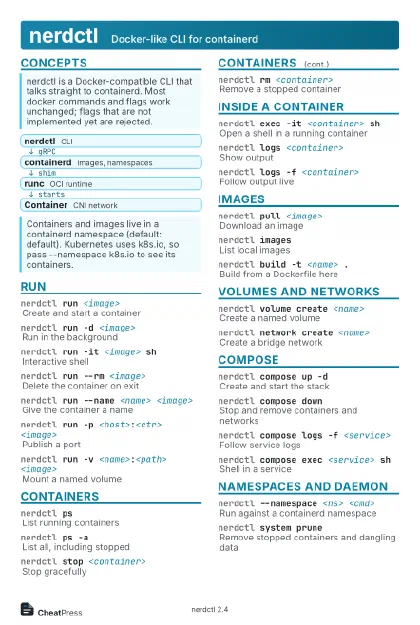 Light · Postcard
102 × 152 mm · PDF
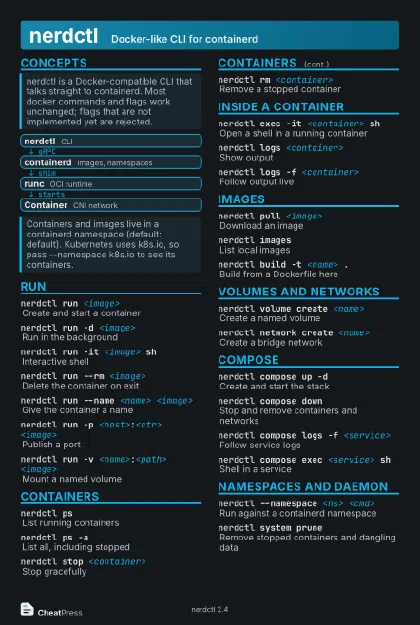 Dark · Postcard
102 × 152 mm · PDF
 Ink saver · Postcard
102 × 152 mm · PDF
 Light · A4 landscape
297 × 210 mm · PDF
 Dark · A4 landscape
297 × 210 mm · PDF
 Ink saver · A4 landscape
297 × 210 mm · PDF
 Light · A3 landscape
420 × 297 mm · PDF
 Dark · A3 landscape
420 × 297 mm · PDF
 Ink saver · A3 landscape
420 × 297 mm · PDF
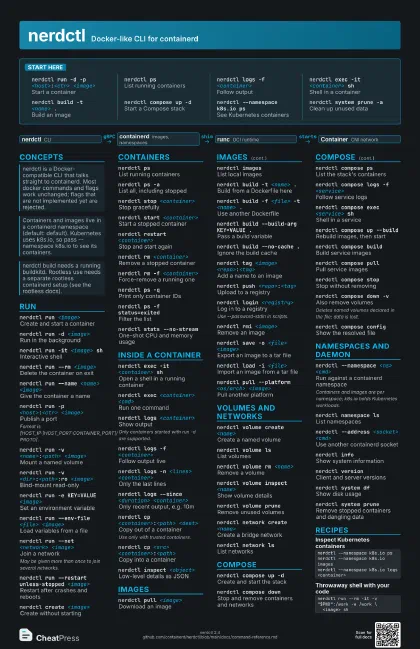
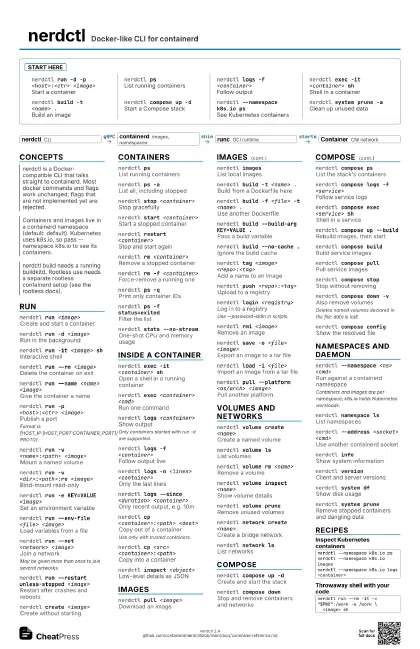
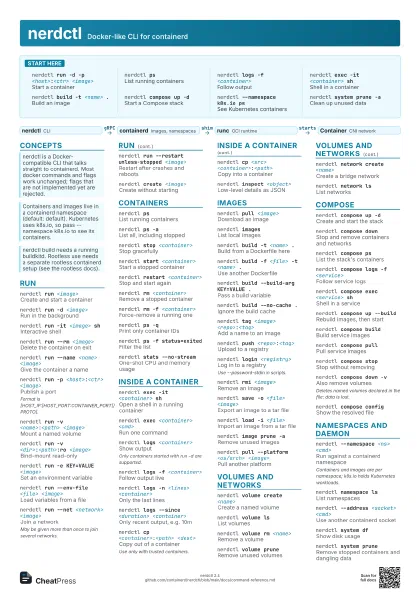
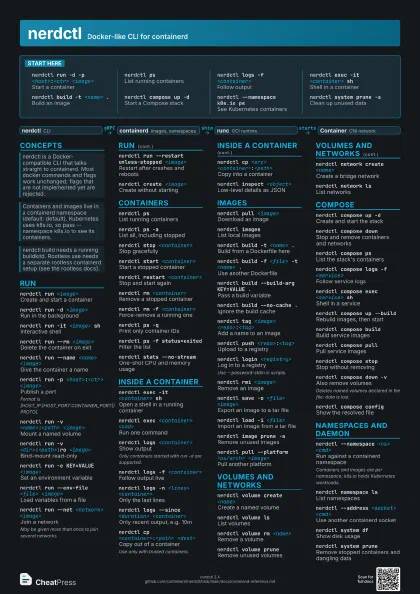
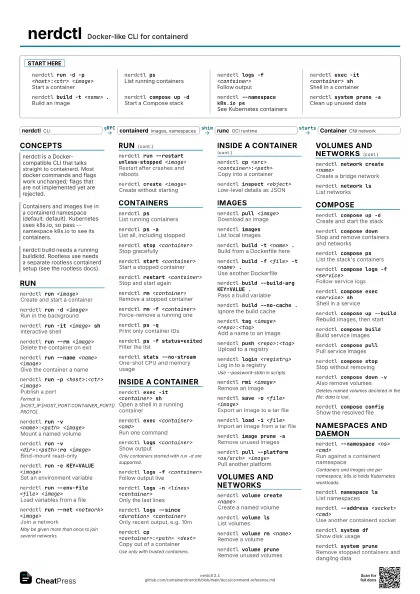
Start here
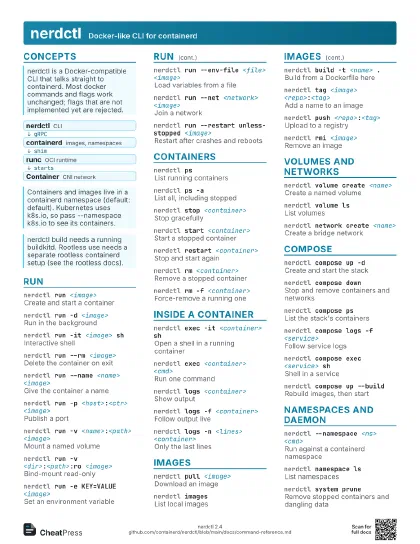
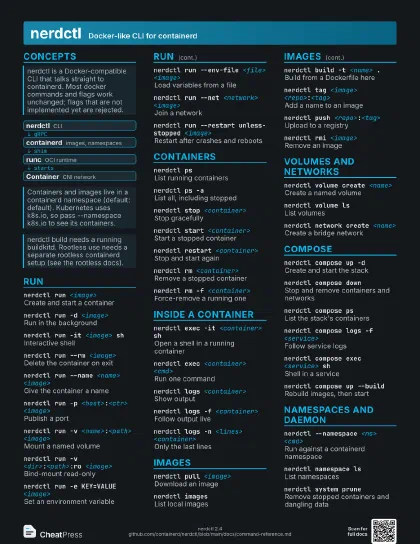
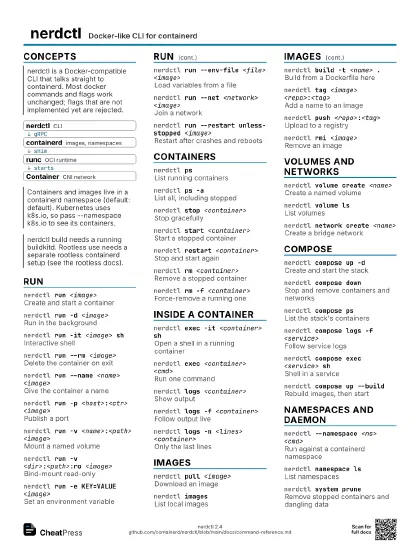
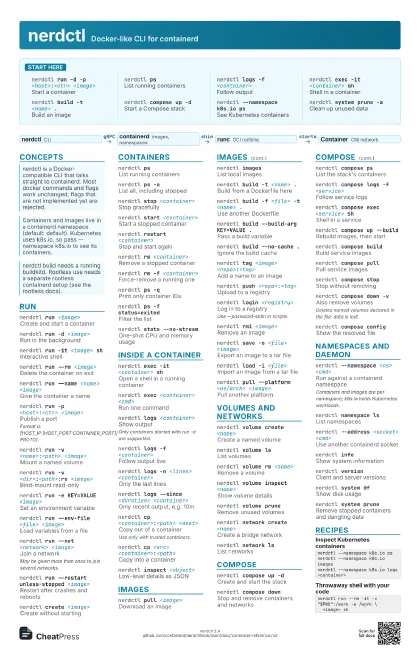
nerdctl run -d -p <host>:<ctr>
                    <image>
Start a container
nerdctl psList running containers
nerdctl logs -f <container>
Follow output
nerdctl exec -it <container> sh
Shell in a container
nerdctl build -t <name> .
Build an image
nerdctl compose up -d
Start a Compose stack
nerdctl --namespace k8s.io ps
See Kubernetes containers
nerdctl system prune -a
Clean up unused data
Concepts
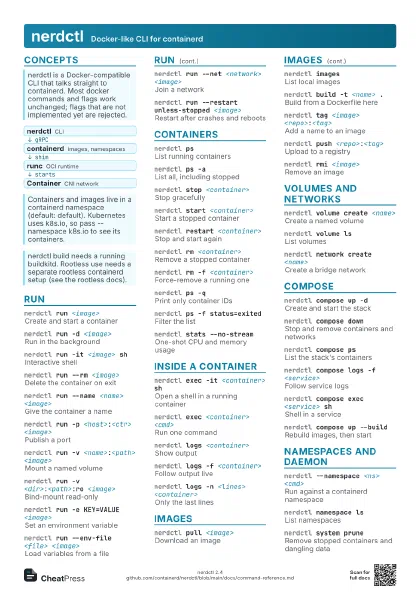
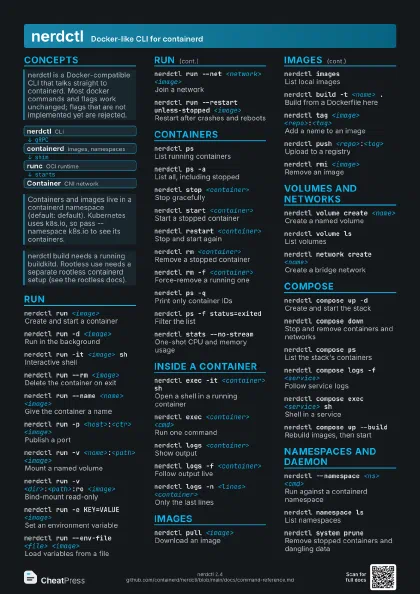
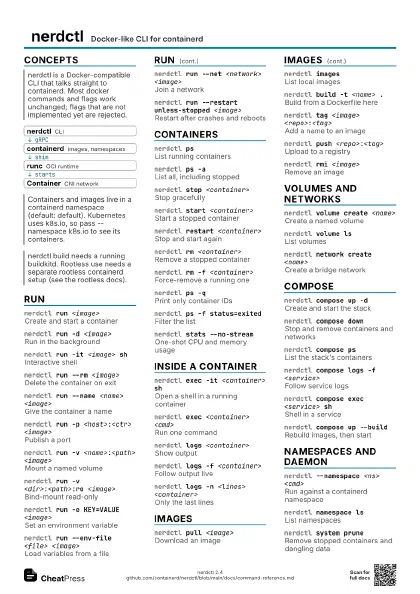
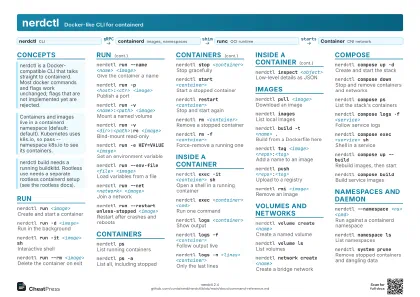
- nerdctl CLI
- containerd images, namespaces
- runc OCI runtime
- Container CNI network
Run
nerdctl run <image>
Create and start a container
nerdctl run -d <image>
Run in the background
nerdctl run -it <image> sh
Interactive shell
nerdctl run --rm <image>
Delete the container on exit
nerdctl run --name <name> <image>
Give the container a name
nerdctl run -p <host>:<ctr> <image>
Publish a port
Format is [HOST_IP:]HOST_PORT:CONTAINER_PORT[/PROTO].
nerdctl run -v <name>:<path>
                    <image>
Mount a named volume
nerdctl run -v <dir>:<path>:ro
                    <image>
Bind-mount read-only
nerdctl run -e KEY=VALUE <image>
Set an environment variable
nerdctl run --env-file <file> <image>
Load variables from a file
nerdctl run --net <network> <image>
Join a network
May be given more than once to join several networks.
nerdctl run --restart unless-stopped <image>
Restart after crashes and reboots
nerdctl run --pull always <image>
Pull before every run
Values: always, missing (default), never.
nerdctl run --cpus <n> -m <limit>
                    <image>
Limit CPU and memory
nerdctl run --gpus all <image>
Pass GPUs through
nerdctl run --entrypoint <cmd> <image>
Replace the image entrypoint
nerdctl run -w <dir> -u <user>
                    <image>
Set directory and user
nerdctl create <image>
Create without starting
Containers
nerdctl psList running containers
nerdctl ps -aList all, including stopped
nerdctl stop <container>
Stop gracefully
nerdctl start <container>
Start a stopped container
nerdctl restart <container>
Stop and start again
nerdctl rm <container>
Remove a stopped container
nerdctl rm -f <container>
Force-remove a running one
nerdctl ps -qPrint only container IDs
nerdctl ps -f status=exited
Filter the list
nerdctl kill <container>
Force-stop a container
nerdctl stats --no-stream
One-shot CPU and memory usage
Inside a container
nerdctl exec -it <container> sh
Open a shell in a running container
nerdctl exec <container> <cmd>
Run one command
nerdctl exec -u <user> <container>
                    <cmd>
Run as another user
nerdctl exec -w <dir> <container>
                    <cmd>
Run in a directory
nerdctl exec -e KEY=VALUE <container>
                    <cmd>
Set a variable for this command
nerdctl logs <container>
Show output
Only containers started with run -d are supported.
nerdctl logs -f <container>
Follow output live
nerdctl logs -n <lines> <container>
Only the last lines
nerdctl logs --since <duration>
                    <container>
Only recent output, e.g. 10m
nerdctl logs -t <container>
Add timestamps
nerdctl cp <container>:<path>
                    <dest>
Copy out of a container
Use only with trusted containers.
nerdctl cp <src> <container>:<path>
Copy into a container
nerdctl inspect <object>
Low-level details as JSON
Images
nerdctl pull <image>
Download an image
nerdctl imagesList local images
nerdctl build -t <name> .
Build from a Dockerfile here
nerdctl build -f <file> -t <name> .
Use another Dockerfile
nerdctl build --build-arg KEY=VALUE .
Pass a build variable
nerdctl build --target <stage> .
Build up to one stage
nerdctl build --no-cache .
Ignore the build cache
nerdctl build --platform <os/arch> .
Build for a platform
nerdctl tag <image> <repo>:<tag>
Add a name to an image
nerdctl push <repo>:<tag>
Upload to a registry
nerdctl login <registry>
Log in to a registry
Use --password-stdin in scripts.
nerdctl rmi <image>
Remove an image
nerdctl save -o <file> <image>
Export an image to a tar file
nerdctl load -i <file>
Import an image from a tar file
nerdctl commit <container> <image>
Snapshot a container as an image
nerdctl image prune -a
Remove unused images
nerdctl pull --platform <os/arch> <image>
Pull another platform
nerdctl image convert --estargz --oci <src>
                    <dst>
Convert for lazy pulling (eStargz)
Needs the stargz snapshotter on the pulling host.
nerdctl image encrypt --recipient <r> <src>
                    <dst>
Encrypt image layers
Layers only; config such as Env and Cmd stays readable.
Volumes and networks
nerdctl volume create <name>
Create a named volume
nerdctl volume ls
List volumes
nerdctl volume rm <name>
Remove a volume
nerdctl volume inspect <name>
Show volume details
nerdctl volume prune
Remove unused volumes
nerdctl network create <name>
Create a bridge network
nerdctl network create --subnet <cidr>
                    <name>
Create with a fixed subnet
nerdctl network ls
List networks
nerdctl network inspect <name>
Show network details
nerdctl network rm <name>
Remove a network
Fails while containers are attached.
Compose
nerdctl compose up -d
Create and start the stack
nerdctl compose down
Stop and remove containers and networks
nerdctl compose ps
List the stack's containers
nerdctl compose logs -f <service>
Follow service logs
nerdctl compose exec <service> sh
Shell in a service
nerdctl compose up --build
Rebuild images, then start
nerdctl compose build
Build service images
nerdctl compose pull
Pull service images
nerdctl compose stop
Stop without removing
nerdctl compose down -v
Also remove volumes
Deletes named volumes declared in the file: data is lost.
nerdctl compose config
Show the resolved file
nerdctl compose -f <file> up
Use another Compose file
nerdctl compose -p <name> up
Set the project name
nerdctl compose --profile <name> up
Enable a profile
nerdctl compose up --scale <svc>=<n>
Run several instances
Namespaces and daemon
nerdctl --namespace <ns> <cmd>
Run against a containerd namespace
Containers and images are per namespace; k8s.io holds
Kubernetes workloads.
nerdctl namespace ls
List namespaces
nerdctl --address <socket> <cmd>
Use another containerd socket
nerdctl --snapshotter <name> <cmd>
Pick a snapshotter
nerdctl --insecure-registry <cmd>
Allow plain HTTP or bad certs
nerdctl infoShow system information
nerdctl versionClient and server versions
nerdctl system df
Show disk usage
nerdctl system prune
Remove stopped containers and dangling data
nerdctl system prune -a --volumes
Also unused images and volumes
nerdctl builder prune
Clear the build cache
nerdctl container prune
Remove all stopped containers
Recipes
nerdctl --namespace k8s.io psnerdctl --namespace k8s.io imagesnerdctl --namespace k8s.io logs <container>nerdctl network create appnerdctl run -d --name db --net app \ -v pgdata:/var/lib/postgresql/data \ -e POSTGRES_PASSWORD=<pw> postgresnerdctl run -d --name web --net app -p 8080:80 <image>nerdctl run --rm -it -v "$PWD":/work -w /work \ <image> shnerdctl build -t <registry>/<name>:<tag> .nerdctl login <registry>nerdctl push <registry>/<name>:<tag>