Cheat
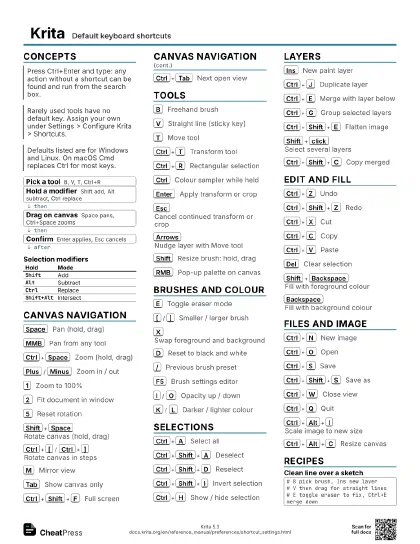
Krita Default keyboard shortcuts
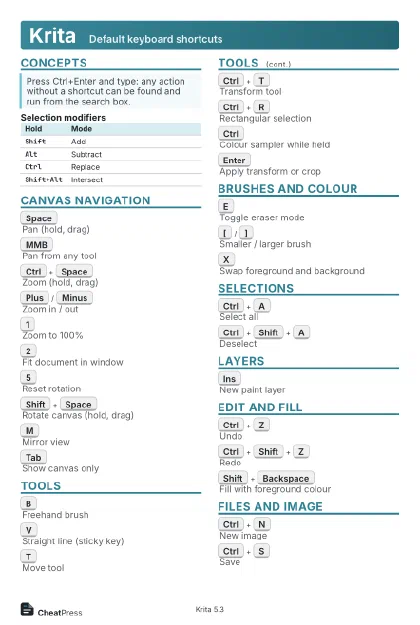 Light · Postcard
102 × 152 mm · PDF
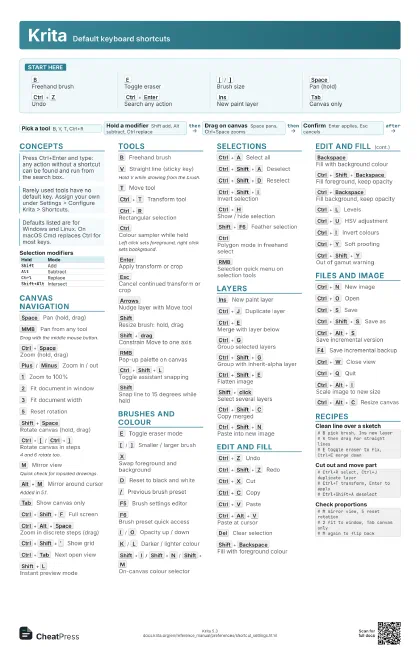
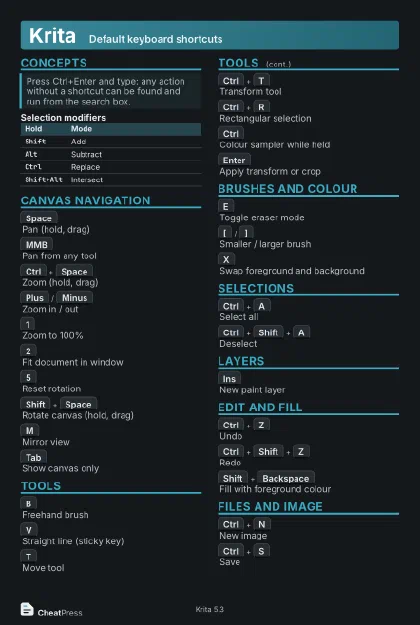 Dark · Postcard
102 × 152 mm · PDF
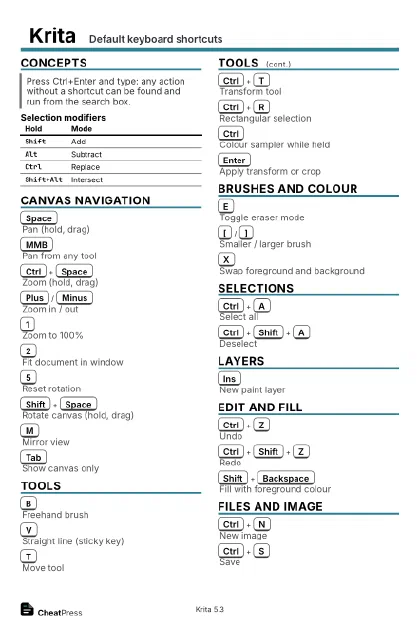 Ink saver · Postcard
102 × 152 mm · PDF
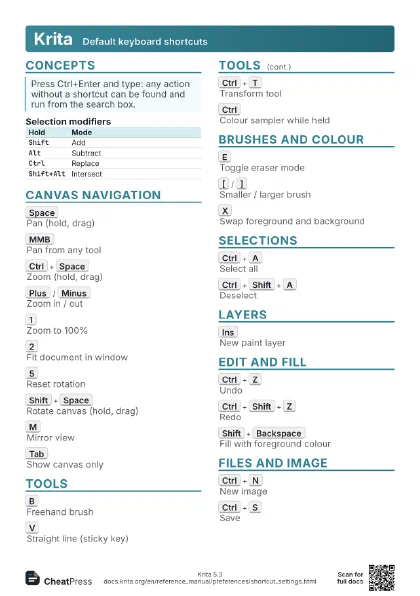
 Light · A4 landscape
297 × 210 mm · PDF
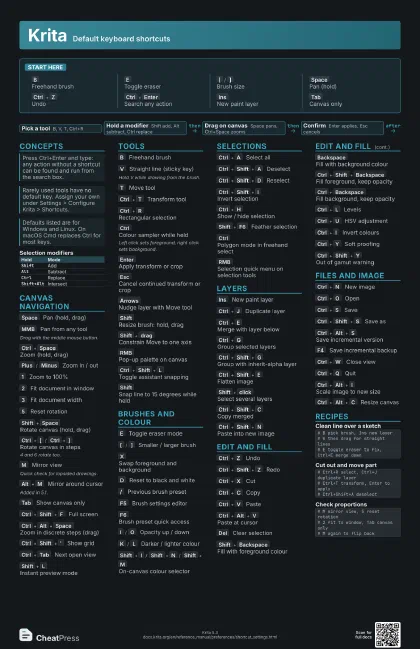
 Dark · A4 landscape
297 × 210 mm · PDF
 Ink saver · A4 landscape
297 × 210 mm · PDF
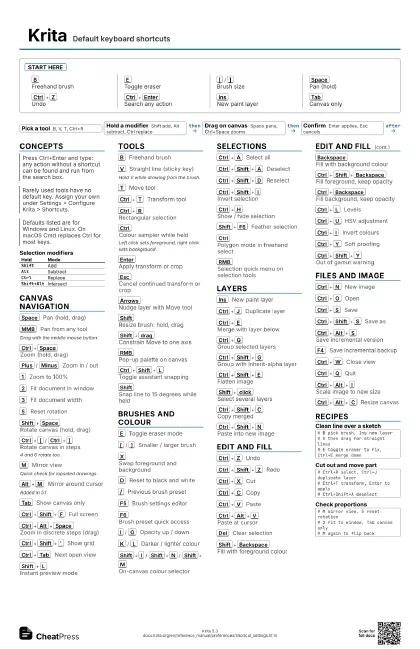
 Light · A3 landscape
420 × 297 mm · PDF
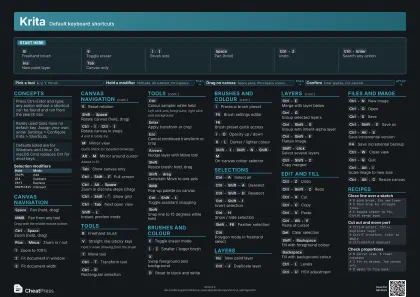 Dark · A3 landscape
420 × 297 mm · PDF
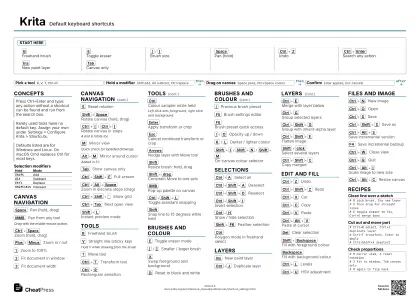 Ink saver · A3 landscape
420 × 297 mm · PDF
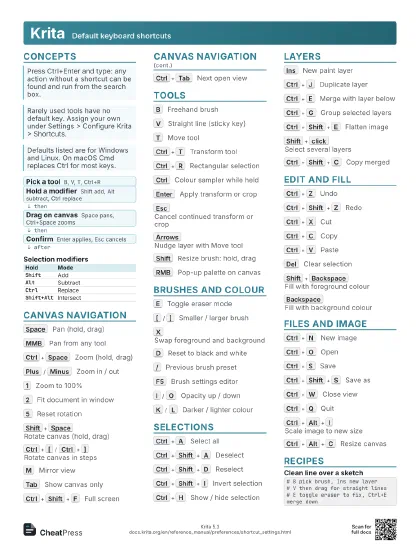
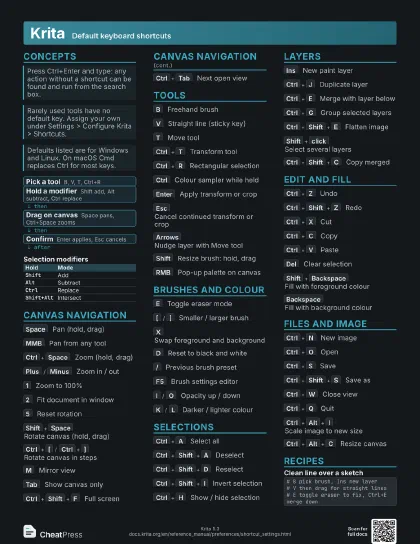
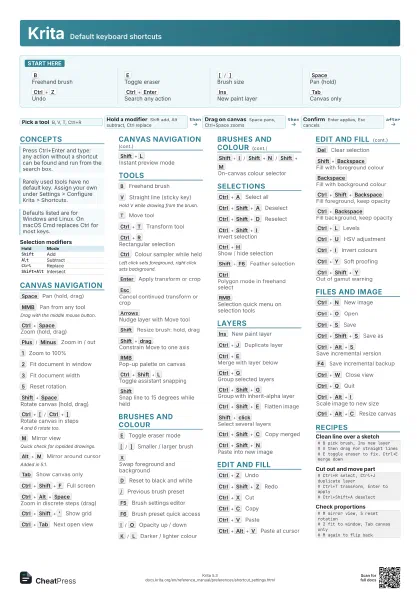
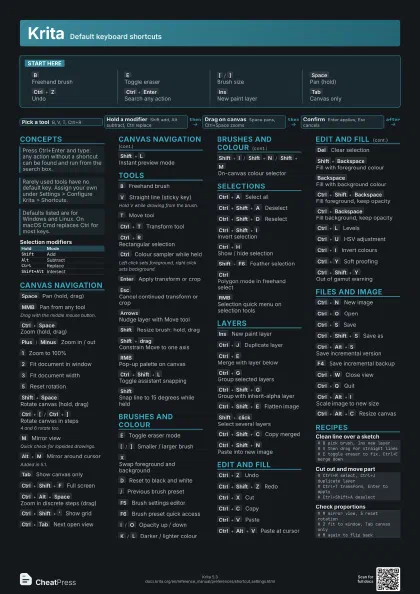
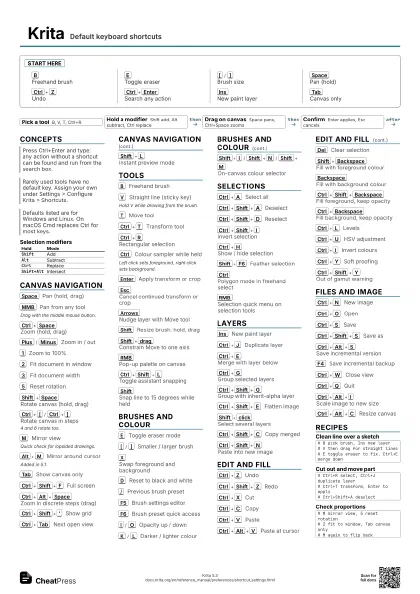
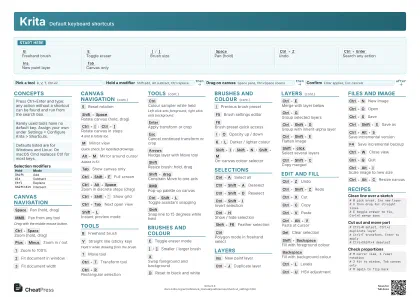
Start here
B
Freehand brush
E
Toggle eraser
[
/
]
Brush size
Space
Pan (hold)
Ctrl+Z
Undo
Ctrl+Enter
Search any action
Ins
New paint layer
Tab
Canvas only
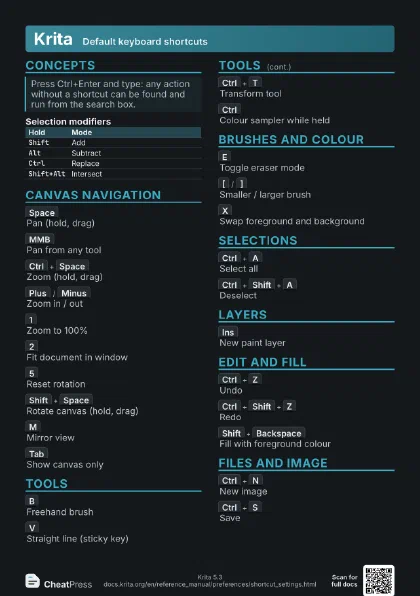
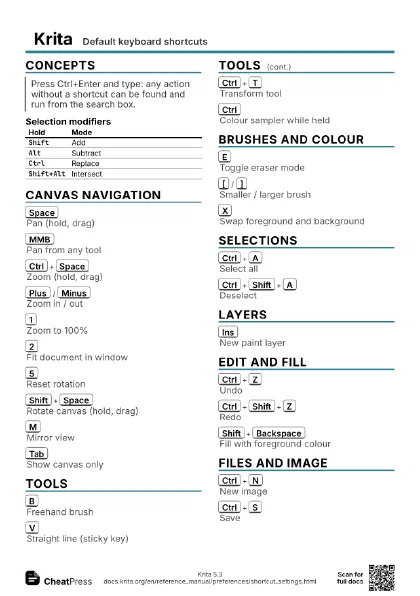
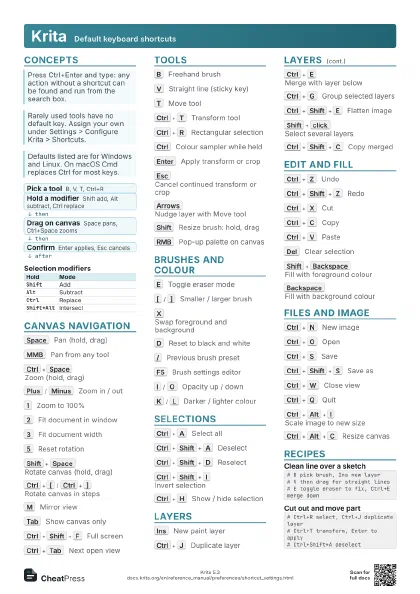
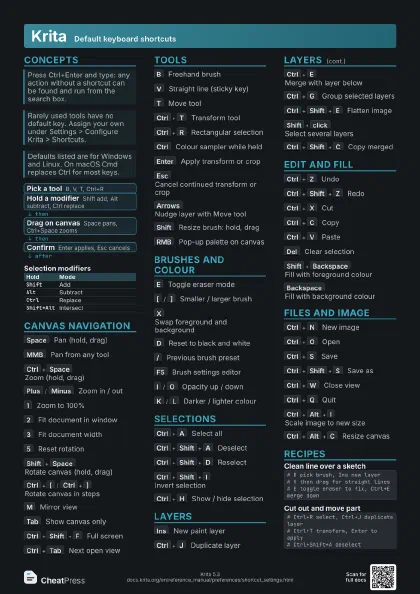
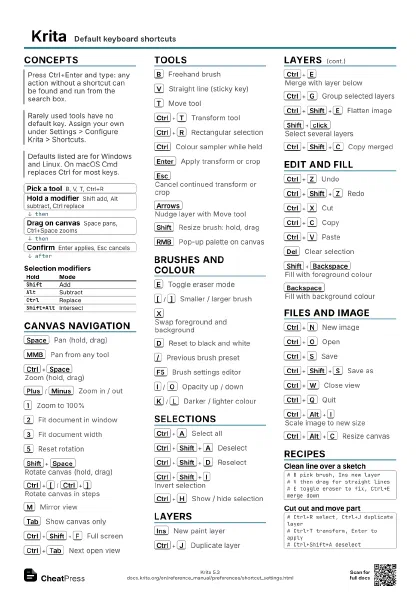
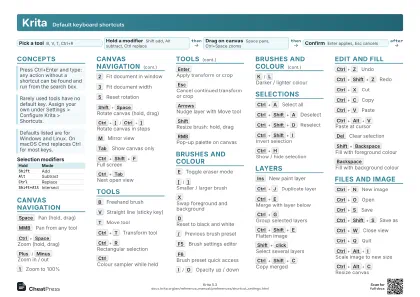
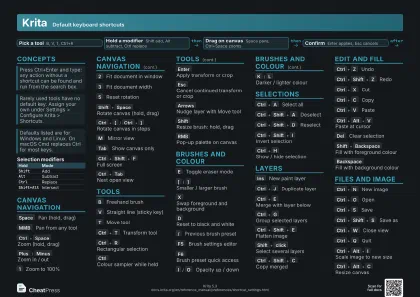
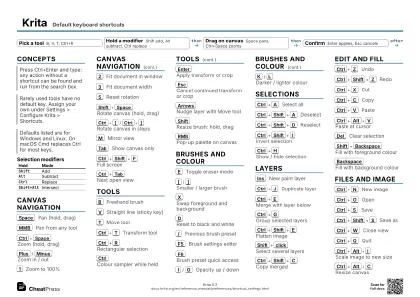
Concepts
- Pick a tool B, V, T, Ctrl+R
- Hold a modifier Shift add, Alt subtract, Ctrl replace
- Drag on canvas Space pans, Ctrl+Space zooms
- Confirm Enter applies, Esc cancels
| Hold | Mode |
|---|---|
Shift |
Add |
Alt |
Subtract |
Ctrl |
Replace |
Shift+Alt |
Intersect |
Canvas navigation
Space
Pan (hold, drag)
MMB
Pan from any tool
Drag with the middle mouse button.
Ctrl+Space
Zoom (hold, drag)
Plus
/
Minus
Zoom in / out
1
Zoom to 100%
2
Fit document in window
3
Fit document width
5
Reset rotation
Shift+Space
Rotate canvas (hold, drag)
Ctrl+[
/
Ctrl+]
Rotate canvas in steps
4 and 6 rotate too.
M
Mirror view
Quick check for lopsided drawings.
Alt+M
Mirror around cursor
Added in 5.1.
Tab
Show canvas only
Ctrl+Shift+F
Full screen
Ctrl+Alt+Space
Zoom in discrete steps (drag)
Ctrl+Shift+'
Show grid
Ctrl+Tab
Next open view
Shift+L
Instant preview mode
Tools
B
Freehand brush
V
Straight line (sticky key)
Hold V while drawing from the brush.
T
Move tool
Ctrl+T
Transform tool
Ctrl+R
Rectangular selection
Ctrl
Colour sampler while held
Left click sets foreground, right click sets background.
Enter
Apply transform or crop
Esc
Cancel continued transform or crop
Arrows
Nudge layer with Move tool
Shift
Resize brush: hold, drag
Shift+drag
Constrain Move to one axis
RMB
Pop-up palette on canvas
Ctrl+Shift+L
Toggle assistant snapping
Shift
Snap line to 15 degrees while held
Brushes and colour
E
Toggle eraser mode
[
/
]
Smaller / larger brush
X
Swap foreground and background
D
Reset to black and white
/
Previous brush preset
F5
Brush settings editor
F6
Brush preset quick access
I
/
O
Opacity up / down
K
/
L
Darker / lighter colour
Shift+I
/
Shift+N
/
Shift+M
On-canvas colour selector
Selections
Ctrl+A
Select all
Ctrl+Shift+A
Deselect
Ctrl+Shift+D
Reselect
Ctrl+Shift+I
Invert selection
Ctrl+H
Show / hide selection
Shift+F6
Feather selection
Ctrl
Polygon mode in freehand select
RMB
Selection quick menu on selection tools
Layers
Ins
New paint layer
Ctrl+J
Duplicate layer
Ctrl+E
Merge with layer below
Ctrl+G
Group selected layers
Ctrl+Shift+G
Group with inherit-alpha layer
Ctrl+Shift+E
Flatten image
Shift+click
Select several layers
Ctrl+Shift+C
Copy merged
Ctrl+Shift+N
Paste into new image
Edit and fill
Ctrl+Z
Undo
Ctrl+Shift+Z
Redo
Ctrl+X
Cut
Ctrl+C
Copy
Ctrl+V
Paste
Ctrl+Alt+V
Paste at cursor
Del
Clear selection
Shift+Backspace
Fill with foreground colour
Backspace
Fill with background colour
Ctrl+Shift+Backspace
Fill foreground, keep opacity
Ctrl+Backspace
Fill background, keep opacity
Ctrl+L
Levels
Ctrl+U
HSV adjustment
Ctrl+I
Invert colours
Ctrl+Y
Soft proofing
Ctrl+Shift+Y
Out of gamut warning
Files and image
Ctrl+N
New image
Ctrl+O
Open
Ctrl+S
Save
Ctrl+Shift+S
Save as
Ctrl+Alt+S
Save incremental version
F4
Save incremental backup
Ctrl+W
Close view
Ctrl+Q
Quit
Ctrl+Alt+I
Scale image to new size
Ctrl+Alt+C
Resize canvas
Recipes
# B pick brush, Ins new layer# V then drag for straight lines# E toggle eraser to fix, Ctrl+E merge down# Ctrl+R select, Ctrl+J duplicate layer# Ctrl+T transform, Enter to apply# Ctrl+Shift+A deselect# M mirror view, 5 reset rotation# 2 fit to window, Tab canvas only# M again to flip back