Cheat
ko Go images, no Dockerfile
 Light · Postcard
102 × 152 mm · PDF
 Dark · Postcard
102 × 152 mm · PDF
 Ink saver · Postcard
102 × 152 mm · PDF
 Light · A4 landscape
297 × 210 mm · PDF
 Dark · A4 landscape
297 × 210 mm · PDF
 Ink saver · A4 landscape
297 × 210 mm · PDF
 Light · A3 landscape
420 × 297 mm · PDF
 Dark · A3 landscape
420 × 297 mm · PDF
 Ink saver · A3 landscape
420 × 297 mm · PDF
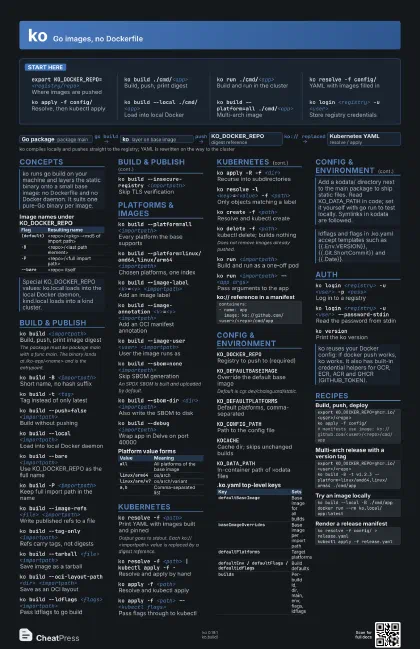
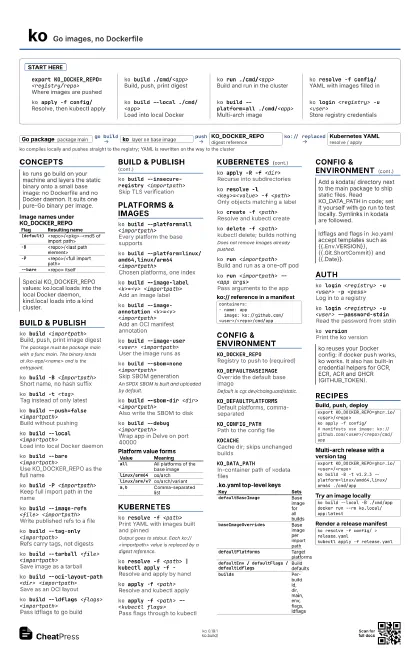
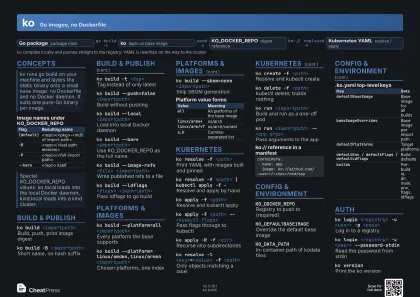
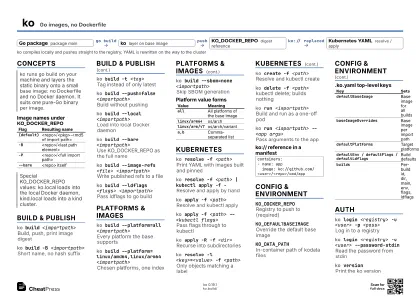
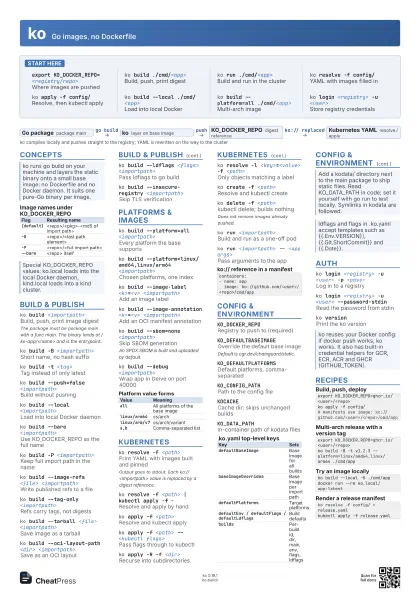
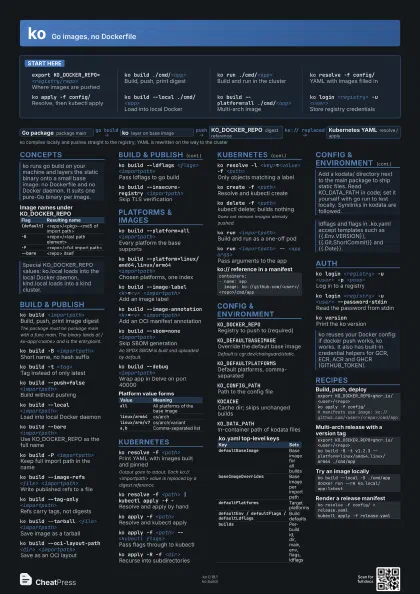
Start here
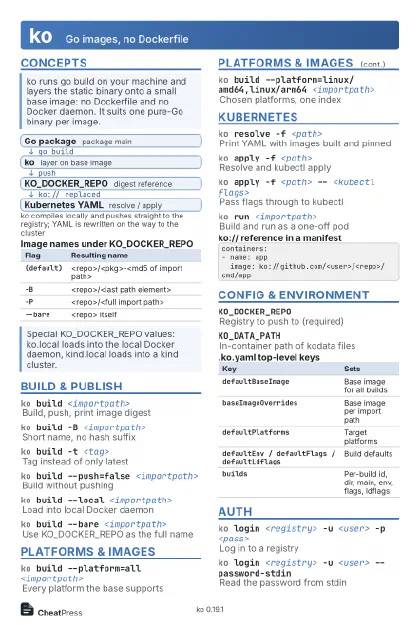
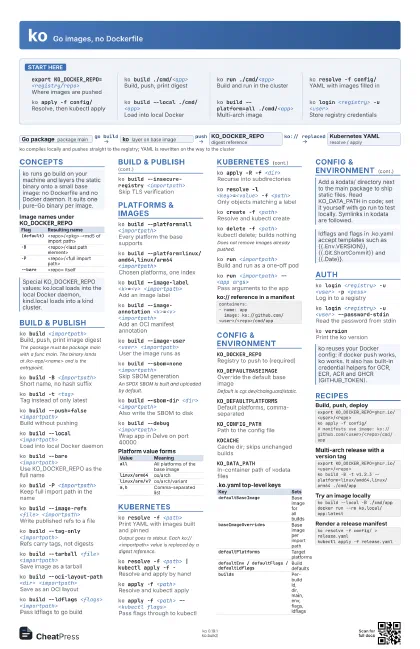
export KO_DOCKER_REPO=<registry/repo>
Where images are pushed
ko build ./cmd/<app>
Build, push, print digest
ko run ./cmd/<app>
Build and run in the cluster
ko resolve -f config/
YAML with images filled in
ko apply -f config/
Resolve, then kubectl apply
ko build --local ./cmd/<app>
Load into local Docker
ko build --platform=all ./cmd/<app>
Multi-arch image
ko login <registry> -u <user>
Store registry credentials
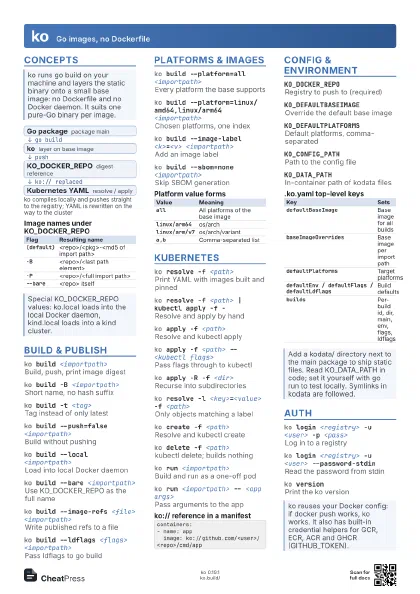
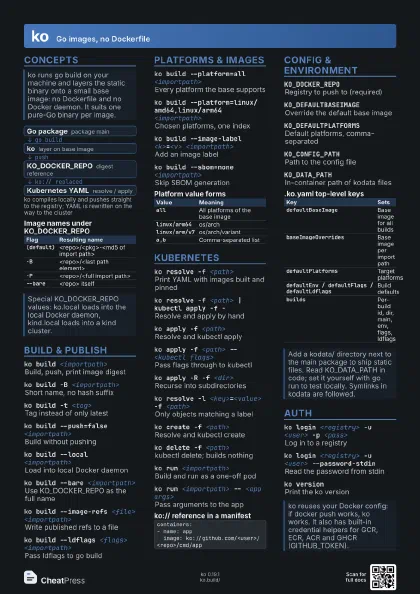
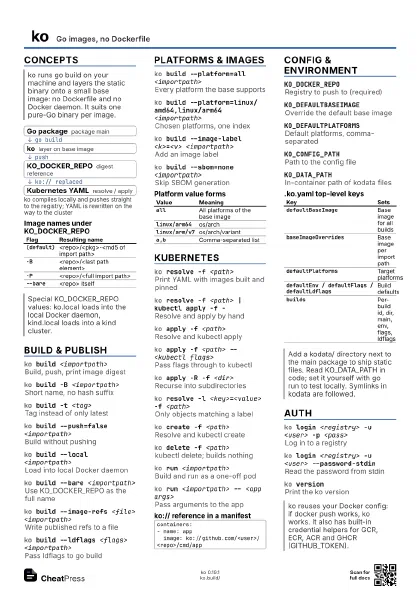
Concepts
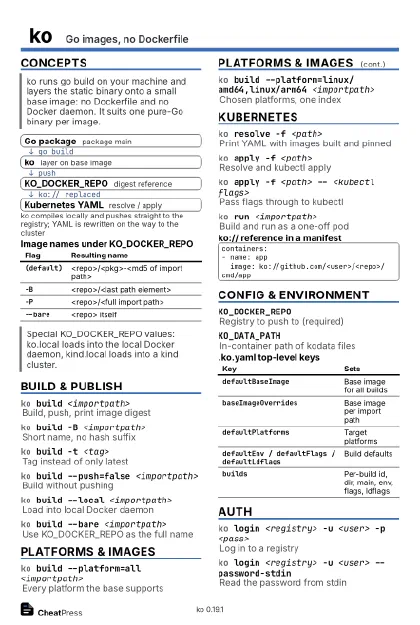
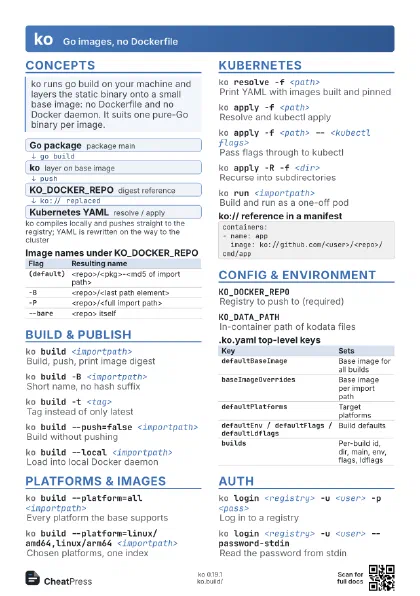
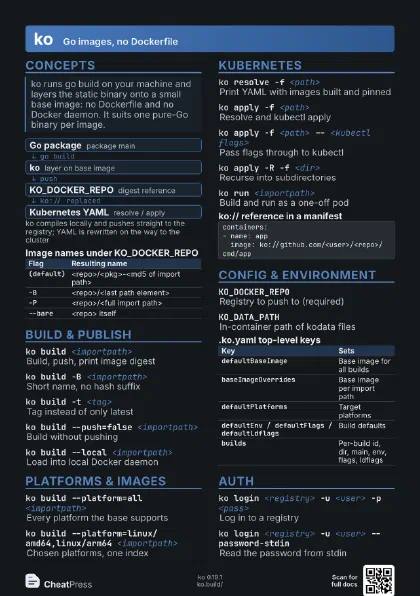
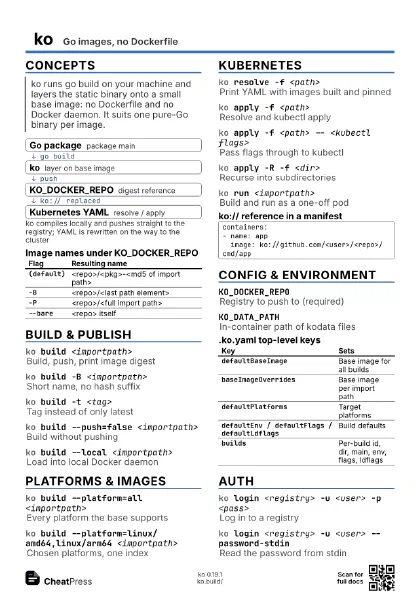
- Go package package main
- ko layer on base image
- KO_DOCKER_REPO digest reference
- Kubernetes YAML resolve / apply
| Flag | Resulting name |
|---|---|
(default) |
<repo>/<pkg>-<md5 of import path> |
-B |
<repo>/<last path element> |
-P |
<repo>/<full import path> |
--bare |
<repo> itself |
Build & publish
ko build <importpath>
Build, push, print image digest
The package must be package main with a func main. The binary
lands at /ko-app/<name> and is the entrypoint.
ko build -B <importpath>
Short name, no hash suffix
ko build -t <tag>
Tag instead of only latest
ko build --push=false <importpath>
Build without pushing
ko build --local <importpath>
Load into local Docker daemon
ko build --bare <importpath>
Use KO_DOCKER_REPO as the full name
ko build -P <importpath>
Keep full import path in the name
ko build --image-refs <file> <importpath>
Write published refs to a file
ko build --tag-only <importpath>
Refs carry tags, not digests
ko build --tarball <file> <importpath>
Save image as a tarball
ko build --oci-layout-path <dir>
                    <importpath>
Save as an OCI layout
ko build --ldflags <flags> <importpath>
Pass ldflags to go build
ko build --insecure-registry <importpath>
Skip TLS verification
Platforms & images
ko build --platform=all <importpath>
Every platform the base supports
ko build --platform=linux/amd64,linux/arm64
                    <importpath>
Chosen platforms, one index
ko build --image-label <k>=<v>
                    <importpath>
Add an image label
ko build --image-annotation <k>=<v>
                    <importpath>
Add an OCI manifest annotation
ko build --image-user <user> <importpath>
User the image runs as
ko build --sbom=none <importpath>
Skip SBOM generation
An SPDX SBOM is built and uploaded by default.
ko build --sbom-dir <dir> <importpath>
Also write the SBOM to disk
ko build --debug <importpath>
Wrap app in Delve on port 40000
ko build --disable-optimizations <importpath>
Unoptimised build for debugging
| Value | Meaning |
|---|---|
all |
All platforms of the base image |
linux/arm64 |
os/arch |
linux/arm/v7 |
os/arch/variant |
a,b |
Comma-separated list |
Kubernetes
ko resolve -f <path>
Print YAML with images built and pinned
Output goes to stdout. Each ko://<importpath> value is
replaced by a digest reference.
ko resolve -f <path> | kubectl apply -f -
Resolve and apply by hand
ko apply -f <path>
Resolve and kubectl apply
ko apply -f <path> -- <kubectl flags>
Pass flags through to kubectl
ko apply -R -f <dir>
Recurse into subdirectories
ko resolve -l <key>=<value> -f
                    <path>
Only objects matching a label
ko create -f <path>
Resolve and kubectl create
ko delete -f <path>
kubectl delete; builds nothing
Does not remove images already pushed.
ko run <importpath>
Build and run as a one-off pod
ko run <importpath> -- <app args>
Pass arguments to the app
containers:- name: app image: ko://github.com/<user>/<repo>/cmd/appConfig & environment
KO_DOCKER_REPORegistry to push to (required)
KO_DEFAULTBASEIMAGE
Override the default base image
Default is cgr.dev/chainguard/static.
KO_DEFAULTPLATFORMS
Default platforms, comma-separated
KO_CONFIG_PATHPath to the config file
KOCACHECache dir; skips unchanged builds
KIND_CLUSTER_NAME
Target cluster for kind.local
KO_DATA_PATHIn-container path of kodata files
| Key | Sets |
|---|---|
defaultBaseImage |
Base image for all builds |
baseImageOverrides |
Base image per import path |
defaultPlatforms |
Target platforms |
defaultEnv / defaultFlags / defaultLdflags
|
Build defaults |
builds |
Per-build id, dir, main, env, flags, ldflags |
Auth
ko login <registry> -u <user> -p
                    <pass>
Log in to a registry
ko login <registry> -u <user>
                    --password-stdin
Read the password from stdin
ko versionPrint the ko version
Recipes
export KO_DOCKER_REPO=ghcr.io/<user>/<repo>ko apply -f config/# manifests use image: ko://github.com/<user>/<repo>/cmd/appexport KO_DOCKER_REPO=ghcr.io/<user>/<repo>ko build -B -t v1.2.3 --platform=linux/amd64,linux/arm64 ./cmd/appko build --local -B ./cmd/appdocker run --rm ko.local/app:latestko resolve -f config/ > release.yamlkubectl apply -f release.yaml