Cheat
crane Registry swiss knife
 Light · Postcard
102 × 152 mm · PDF
 Dark · Postcard
102 × 152 mm · PDF
 Ink saver · Postcard
102 × 152 mm · PDF
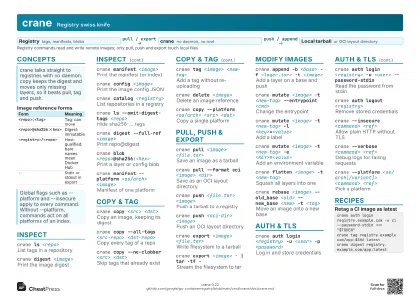 Light · A4 landscape
297 × 210 mm · PDF
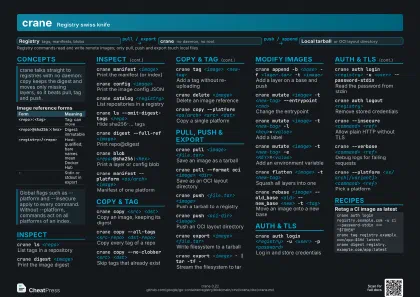 Dark · A4 landscape
297 × 210 mm · PDF
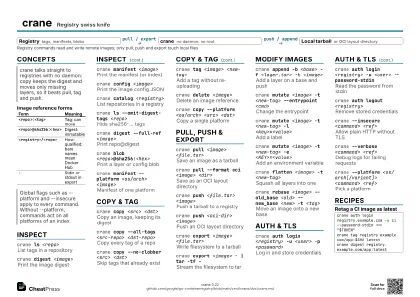 Ink saver · A4 landscape
297 × 210 mm · PDF
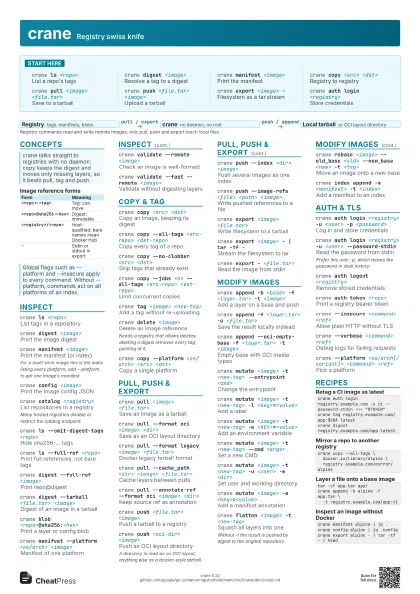
 Light · A3 landscape
420 × 297 mm · PDF
 Dark · A3 landscape
420 × 297 mm · PDF
 Ink saver · A3 landscape
420 × 297 mm · PDF
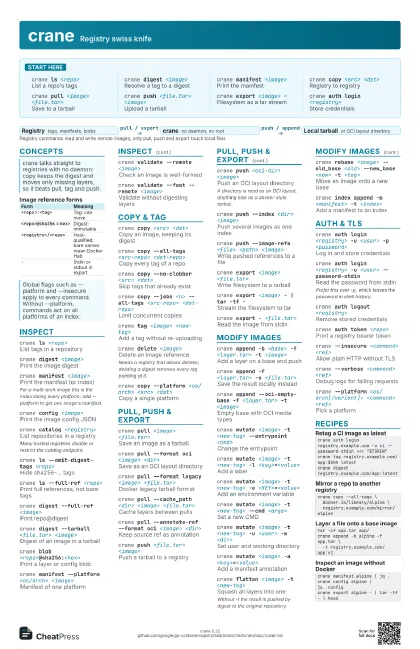
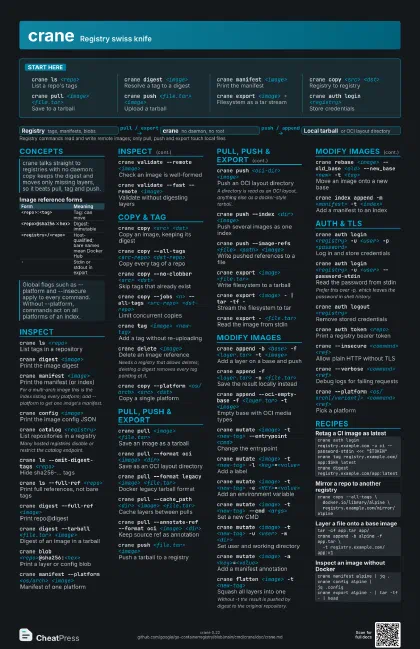
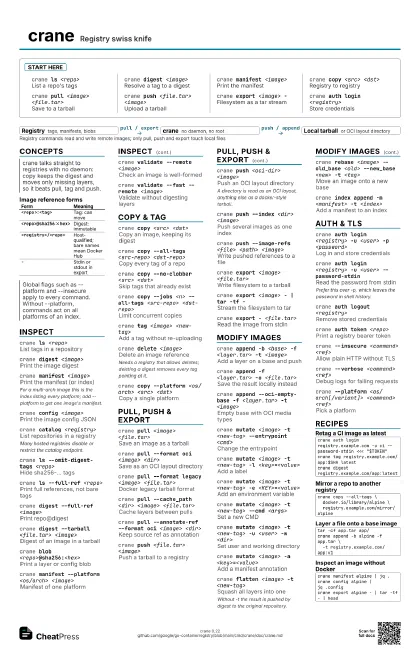
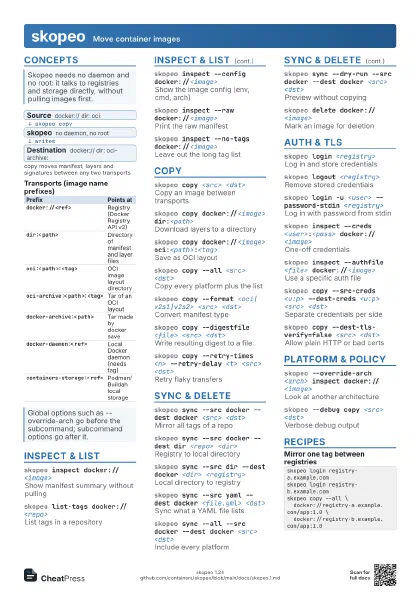
Start here
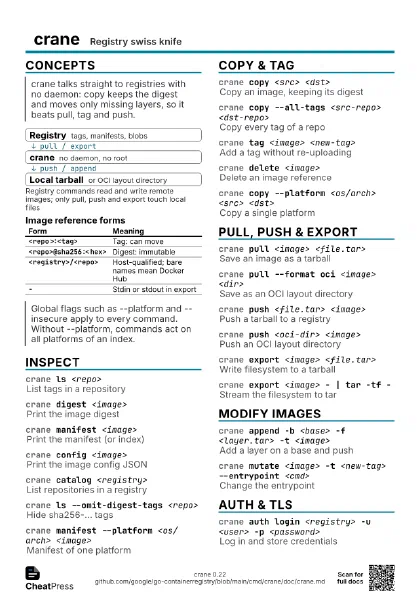
crane ls <repo>
List a repo's tags
crane digest <image>
Resolve a tag to a digest
crane manifest <image>
Print the manifest
crane copy <src> <dst>
Registry to registry
crane pull <image> <file.tar>
Save to a tarball
crane push <file.tar> <image>
Upload a tarball
crane export <image> -
Filesystem as a tar stream
crane auth login <registry>
Store credentials
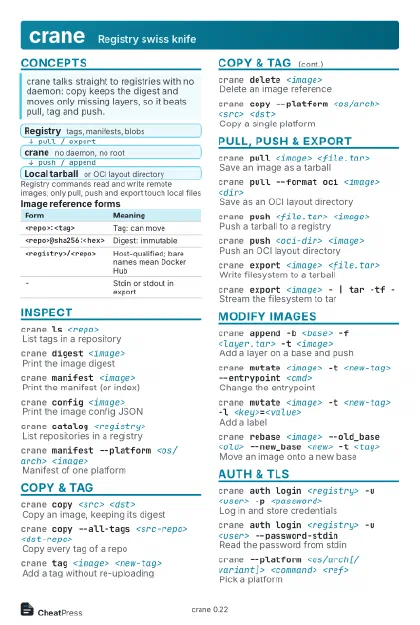
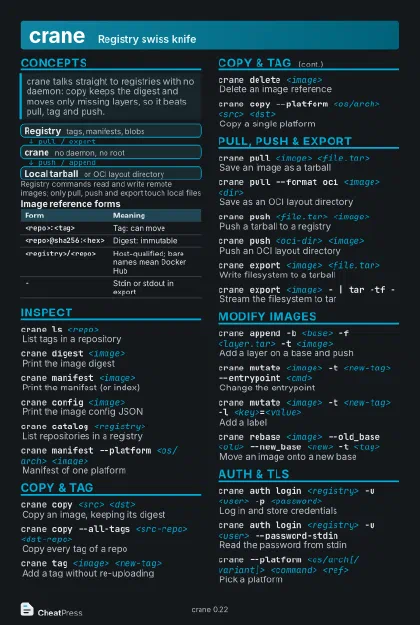
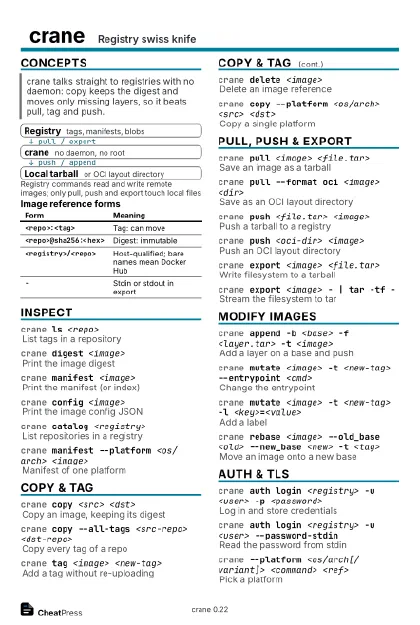
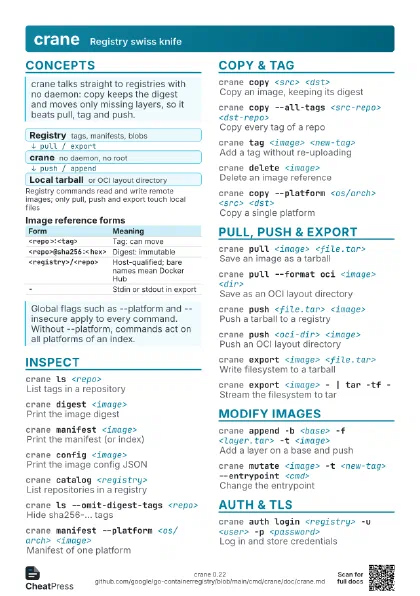
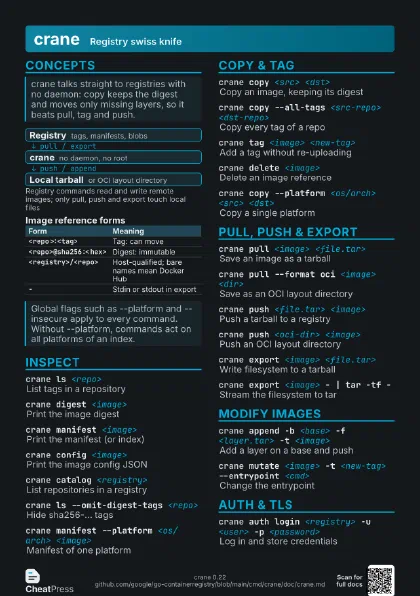
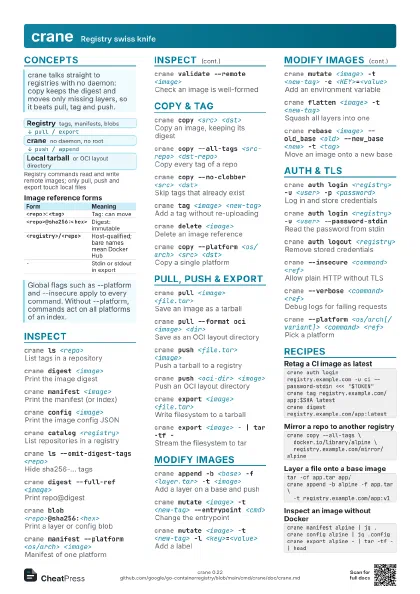
Concepts
- Registry tags, manifests, blobs
- crane no daemon, no root
- Local tarball or OCI layout directory
| Form | Meaning |
|---|---|
<repo>:<tag> |
Tag: can move |
<repo>@sha256:<hex> |
Digest: immutable |
<registry>/<repo> |
Host-qualified; bare names mean Docker Hub |
- |
Stdin or stdout in export |
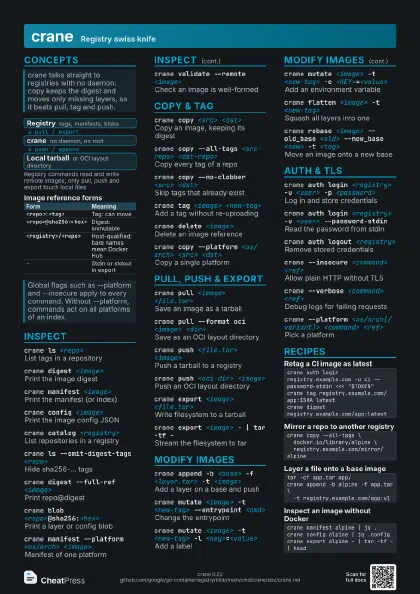
Inspect
crane ls <repo>
List tags in a repository
crane digest <image>
Print the image digest
crane manifest <image>
Print the manifest (or index)
For a multi-arch image this is the index listing every
platform; add --platform to get one image's manifest.
crane config <image>
Print the image config JSON
crane catalog <registry>
List repositories in a registry
Many hosted registries disable or restrict the catalog
endpoint.
crane ls --omit-digest-tags <repo>
Hide sha256-... tags
crane ls --full-ref <repo>
Print full references, not bare tags
crane digest --full-ref <image>
Print repo@digest
crane digest --tarball <file.tar> <image>
Digest of an image in a tarball
crane blob <repo>@sha256:<hex>
Print a layer or config blob
crane manifest --platform <os/arch>
                    <image>
Manifest of one platform
crane validate --remote <image>
Check an image is well-formed
crane validate --fast --remote <image>
Validate without digesting layers
Copy & tag
crane copy <src> <dst>
Copy an image, keeping its digest
crane copy --all-tags <src-repo>
                    <dst-repo>
Copy every tag of a repo
crane copy --no-clobber <src> <dst>
Skip tags that already exist
crane copy --jobs <n> --all-tags <src-repo>
                    <dst-repo>
Limit concurrent copies
crane tag <image> <new-tag>
Add a tag without re-uploading
crane delete <image>
Delete an image reference
Needs a registry that allows deletes; deleting a digest
removes every tag pointing at it.
crane copy --platform <os/arch> <src>
                    <dst>
Copy a single platform
Pull, push & export
crane pull <image> <file.tar>
Save an image as a tarball
crane pull --format oci <image> <dir>
Save as an OCI layout directory
crane pull --format legacy <image>
                    <file.tar>
Docker legacy tarball format
crane pull --cache_path <dir> <image>
                    <file.tar>
Cache layers between pulls
crane pull --annotate-ref --format oci <image>
                    <dir>
Keep source ref as annotation
crane push <file.tar> <image>
Push a tarball to a registry
crane push <oci-dir> <image>
Push an OCI layout directory
A directory is read as an OCI layout, anything else as a
docker-style tarball.
crane push --index <dir> <image>
Push several images as one index
crane push --image-refs <file> <path>
                    <image>
Write pushed references to a file
crane export <image> <file.tar>
Write filesystem to a tarball
crane export <image> - | tar -tf -
Stream the filesystem to tar
crane export - <file.tar>
Read the image from stdin
Modify images
crane append -b <base> -f <layer.tar> -t
                    <image>
Add a layer on a base and push
crane append -f <layer.tar> -o <file.tar>
Save the result locally instead
crane append --oci-empty-base -f <layer.tar> -t
                    <image>
Empty base with OCI media types
crane mutate <image> -t <new-tag> --entrypoint
                    <cmd>
Change the entrypoint
crane mutate <image> -t <new-tag> -l
                    <key>=<value>
Add a label
crane mutate <image> -t <new-tag> -e
                    <KEY>=<value>
Add an environment variable
crane mutate <image> -t <new-tag> --cmd
                    <args>
Set a new CMD
crane mutate <image> -t <new-tag> -u
                    <user> -w <dir>
Set user and working directory
crane mutate <image> -a
                    <key>=<value>
Add a manifest annotation
crane flatten <image> -t <new-tag>
Squash all layers into one
Without -t the result is pushed by digest to the original
repository.
crane rebase <image> --old_base <old>
                    --new_base <new> -t <tag>
Move an image onto a new base
crane index append -m <manifest> -t
                    <index>
Add a manifest to an index
Auth & TLS
crane auth login <registry> -u <user> -p
                    <password>
Log in and store credentials
crane auth login <registry> -u <user>
                    --password-stdin
Read the password from stdin
Prefer this over -p, which leaves the password in shell
history.
crane auth logout <registry>
Remove stored credentials
crane auth token <repo>
Print a registry bearer token
crane --insecure <command> <ref>
Allow plain HTTP without TLS
crane --verbose <command> <ref>
Debug logs for failing requests
crane --platform <os/arch[/variant]> <command>
                    <ref>
Pick a platform
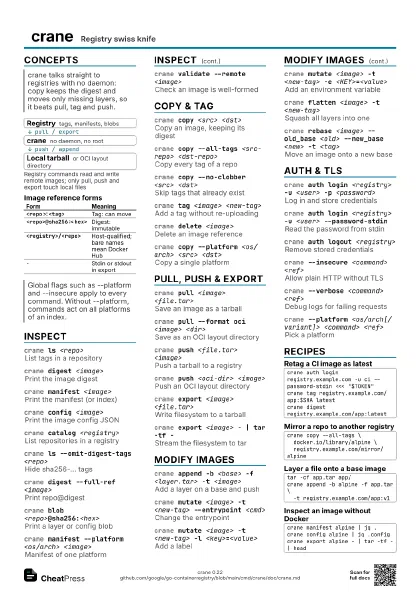
Recipes
crane auth login registry.example.com -u ci --password-stdin <<< "$TOKEN"crane tag registry.example.com/app:$SHA latestcrane digest registry.example.com/app:latestcrane copy --all-tags \ docker.io/library/alpine \ registry.example.com/mirror/alpinetar -cf app.tar app/crane append -b alpine -f app.tar \ -t registry.example.com/app:v1crane manifest alpine | jq .crane config alpine | jq .configcrane export alpine - | tar -tf - | head