Cheat
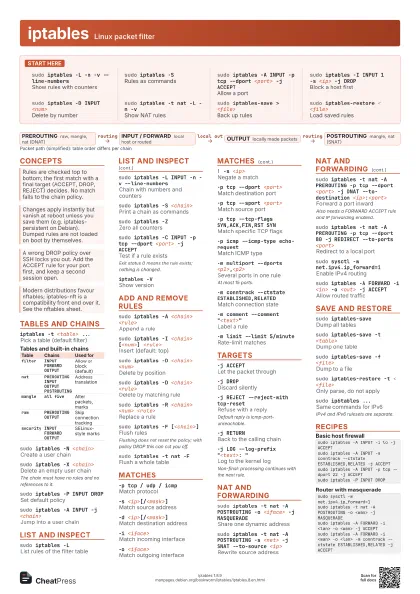
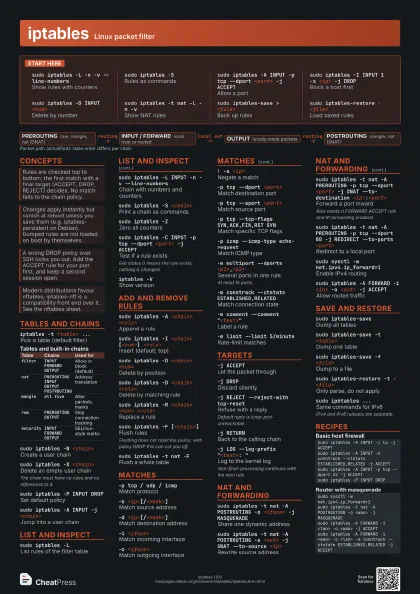
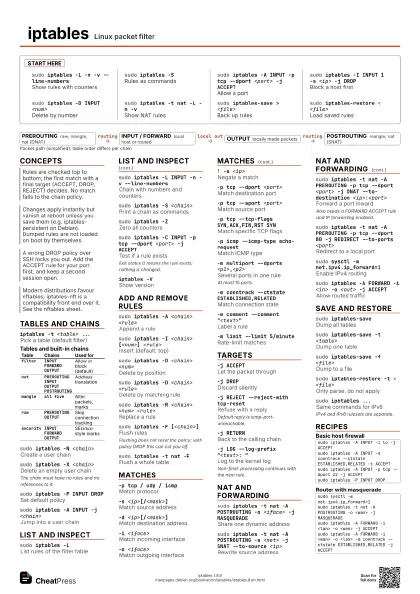
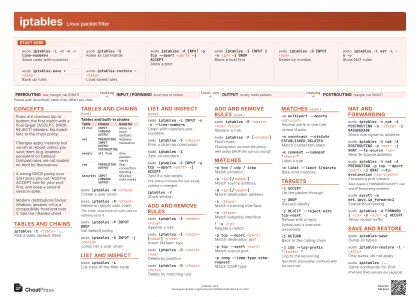
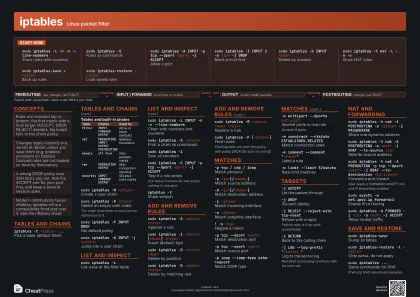
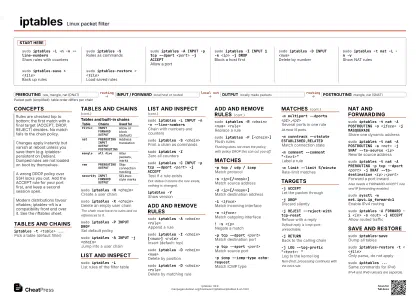
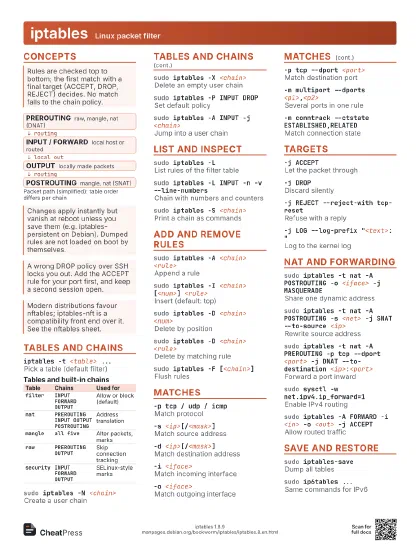
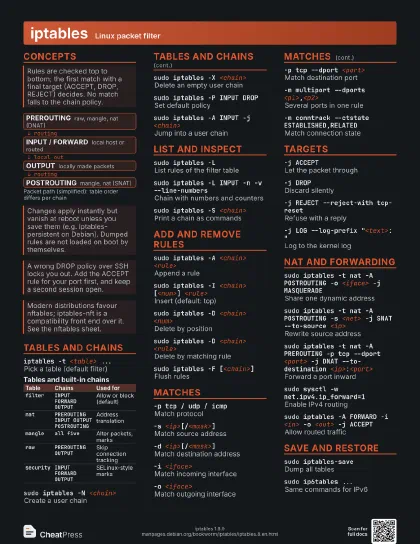
iptables Linux packet filter
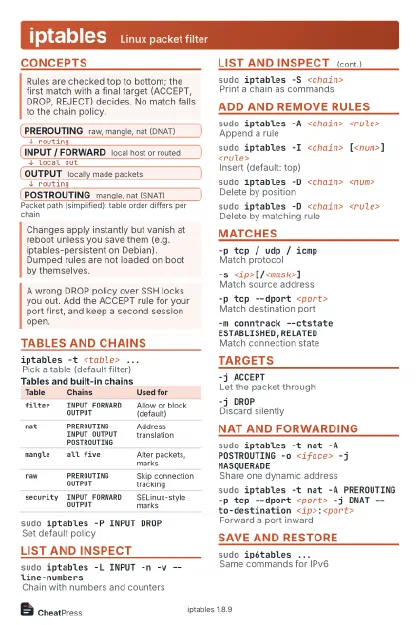 Light · Postcard
102 × 152 mm · PDF
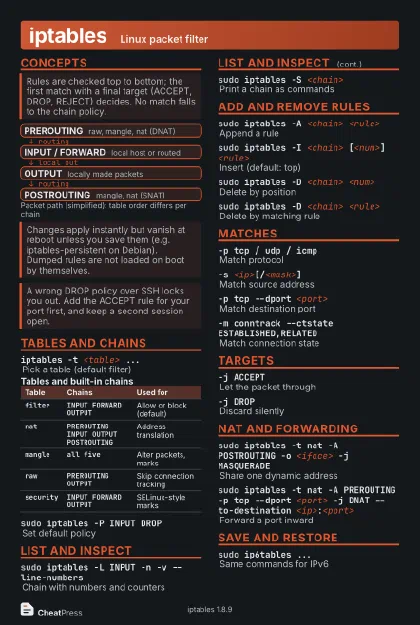 Dark · Postcard
102 × 152 mm · PDF
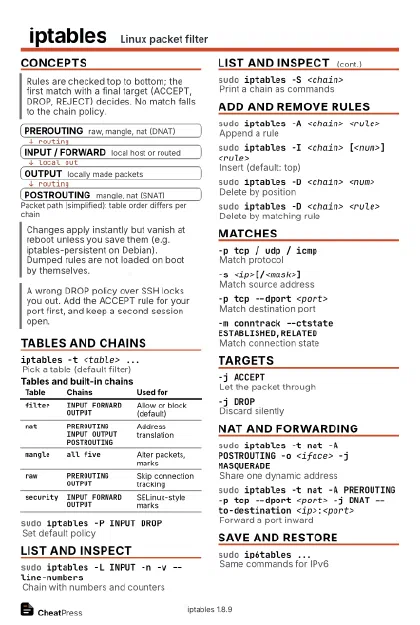 Ink saver · Postcard
102 × 152 mm · PDF
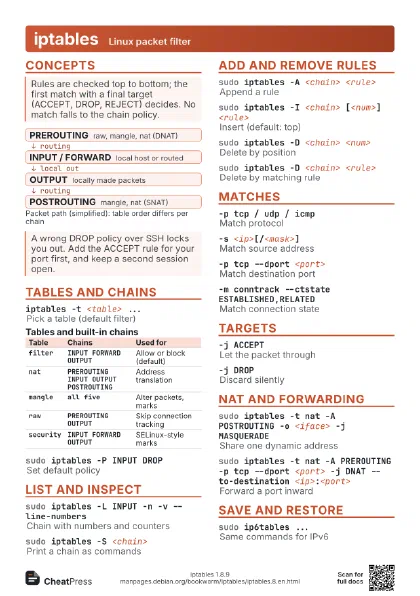
 Light · A4 landscape
297 × 210 mm · PDF
 Dark · A4 landscape
297 × 210 mm · PDF
 Ink saver · A4 landscape
297 × 210 mm · PDF
 Light · A3 landscape
420 × 297 mm · PDF
 Dark · A3 landscape
420 × 297 mm · PDF
 Ink saver · A3 landscape
420 × 297 mm · PDF
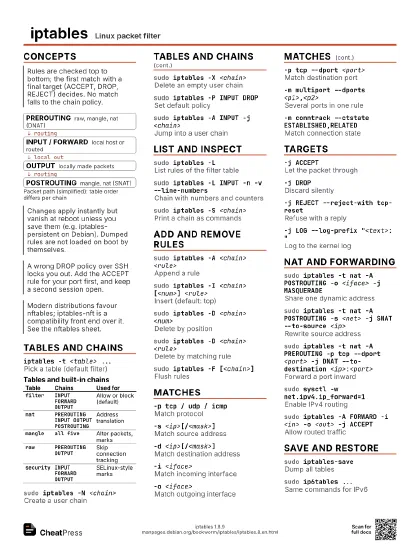
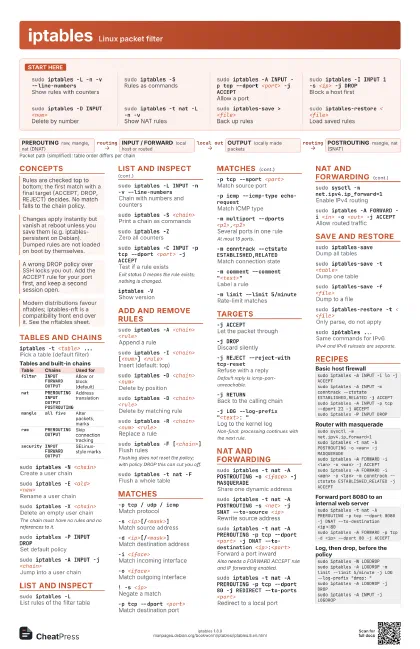
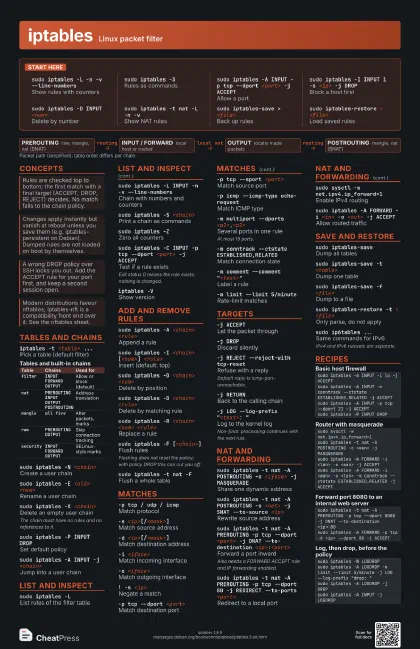
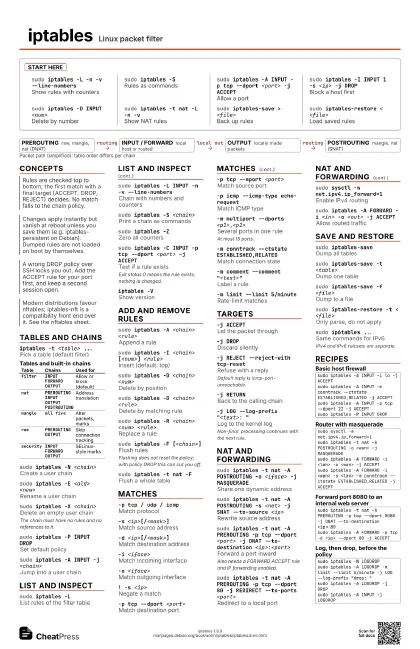
Start here
sudo iptables -L -n -v --line-numbers
Show rules with counters
sudo iptables -S
Rules as commands
sudo iptables -A INPUT -p tcp --dport <port> -j
                    ACCEPT
Allow a port
sudo iptables -I INPUT 1 -s <ip> -j DROP
Block a host first
sudo iptables -D INPUT <num>
Delete by number
sudo iptables -t nat -L -n -v
Show NAT rules
sudo iptables-save > <file>
Back up rules
sudo iptables-restore < <file>
Load saved rules
Concepts
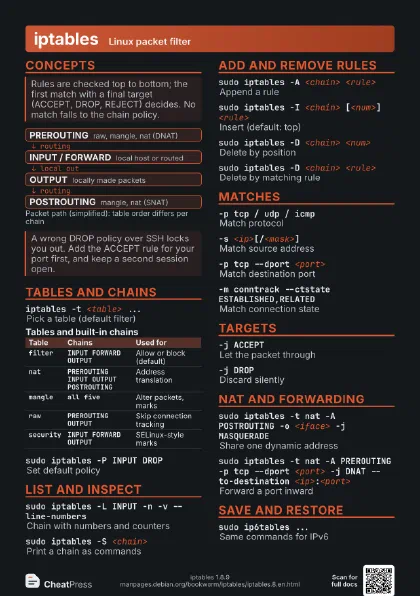
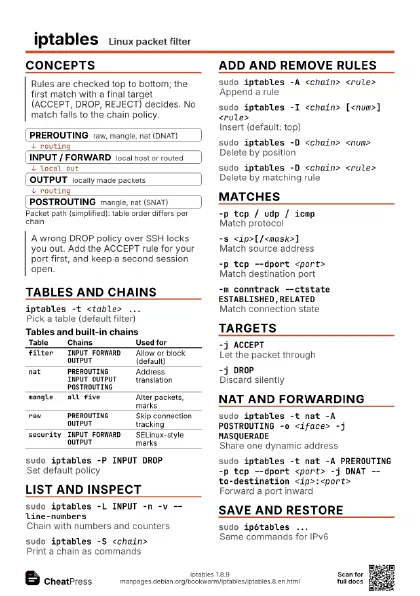
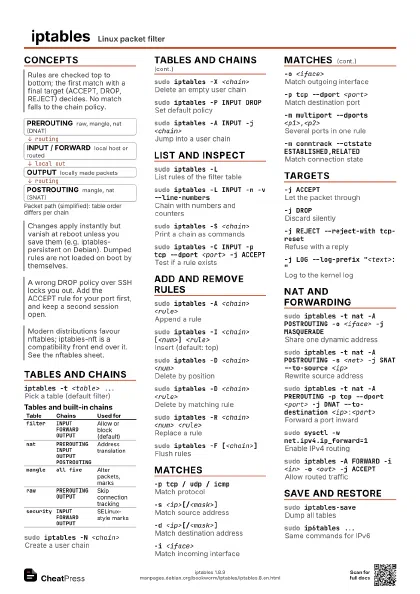
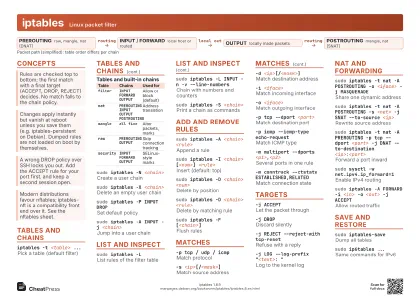
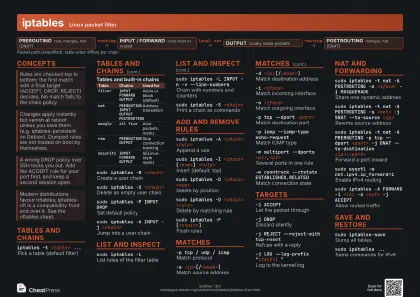
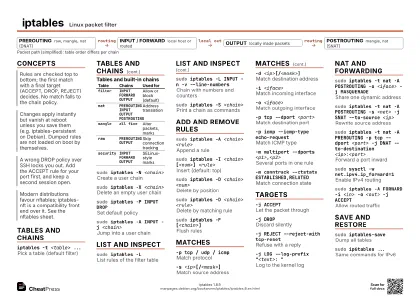
- PREROUTING raw, mangle, nat (DNAT)
- INPUT / FORWARD local host or routed
- OUTPUT locally made packets
- POSTROUTING mangle, nat (SNAT)
Tables and chains
iptables -t <table> ...
Pick a table (default filter)
| Table | Chains | Used for |
|---|---|---|
filter |
INPUT FORWARD OUTPUT |
Allow or block (default) |
nat |
PREROUTING INPUT OUTPUT POSTROUTING |
Address translation |
mangle |
all five |
Alter packets, marks |
raw |
PREROUTING OUTPUT |
Skip connection tracking |
security |
INPUT FORWARD OUTPUT |
SELinux-style marks |
sudo iptables -N <chain>
Create a user chain
sudo iptables -E <old> <new>
Rename a user chain
sudo iptables -X <chain>
Delete an empty user chain
The chain must have no rules and no references to it.
sudo iptables -P INPUT DROP
Set default policy
sudo iptables -A INPUT -j <chain>
Jump into a user chain
List and inspect
sudo iptables -L
List rules of the filter table
sudo iptables -L INPUT -n -v --line-numbers
Chain with numbers and counters
sudo iptables -S <chain>
Print a chain as commands
sudo iptables -L -n -x
Exact counter values
sudo iptables -Z
Zero all counters
sudo iptables -C INPUT -p tcp --dport <port> -j
                    ACCEPT
Test if a rule exists
Exit status 0 means the rule exists; nothing is changed.
sudo iptables -w -A INPUT ...
Wait for the xtables lock
iptables -VShow version
Add and remove rules
sudo iptables -A <chain> <rule>
Append a rule
sudo iptables -I <chain> [<num>]
                    <rule>
Insert (default: top)
sudo iptables -D <chain> <num>
Delete by position
sudo iptables -D <chain> <rule>
Delete by matching rule
sudo iptables -R <chain> <num>
                    <rule>
Replace a rule
sudo iptables -F [<chain>]
Flush rules
Flushing does not reset the policy; with policy DROP this can
cut you off.
sudo iptables -t nat -F
Flush a whole table
Matches
-p tcp / udp / icmp
Match protocol
-s <ip>[/<mask>]
Match source address
-d <ip>[/<mask>]
Match destination address
-i <iface>
Match incoming interface
-o <iface>
Match outgoing interface
! -s <ip>Negate a match
-p tcp --dport <port>
Match destination port
-p tcp --sport <port>
Match source port
-p tcp --synMatch new TCP connections
-p tcp --tcp-flags SYN,ACK,FIN,RST SYN
Match specific TCP flags
-p icmp --icmp-type echo-request
Match ICMP type
-m multiport --dports <p1>,<p2>
Several ports in one rule
At most 15 ports.
-m conntrack --ctstate ESTABLISHED,RELATED
Match connection state
-m state --state NEW
Older state match
-m iprange --src-range <a>-<b>
Match an address range
-m comment --comment "<text>"
Label a rule
-m limit --limit 5/minute
Rate-limit matches
-m recent --name <list> --set
Track source addresses
-m set --match-set <set> src
Match an ipset
-m addrtype --dst-type LOCAL
Match address type
-m owner --uid-owner <user>
Match local sender (OUTPUT)
-m mark --mark <n>
Match packet mark
Targets
-j ACCEPTLet the packet through
-j DROPDiscard silently
-j REJECT --reject-with tcp-reset
Refuse with a reply
Default reply is icmp-port-unreachable.
-j RETURNBack to the calling chain
-j LOG --log-prefix "<text>: "
Log to the kernel log
Non-final: processing continues with the next rule.
-g <chain>
Goto, without returning
NAT and forwarding
sudo iptables -t nat -A POSTROUTING -o <iface> -j
                    MASQUERADE
Share one dynamic address
sudo iptables -t nat -A POSTROUTING -s <net> -j SNAT
                    --to-source <ip>
Rewrite source address
sudo iptables -t nat -A PREROUTING -p tcp --dport
                    <port> -j DNAT --to-destination
                    <ip>:<port>
Forward a port inward
Also needs a FORWARD ACCEPT rule and IP forwarding enabled.
sudo iptables -t nat -A PREROUTING -p tcp --dport 80 -j
                    REDIRECT --to-ports <port>
Redirect to a local port
sudo sysctl -w net.ipv4.ip_forward=1
Enable IPv4 routing
sudo iptables -A FORWARD -i <in> -o <out> -j
                    ACCEPT
Allow routed traffic
sudo iptables -t nat -A OUTPUT -d <ip> -j DNAT
                    --to-destination <ip2>
Redirect local traffic
Save and restore
sudo iptables-save
Dump all tables
sudo iptables-save -t <table>
Dump one table
sudo iptables-save -c
Dump with counters
sudo iptables-save -f <file>
Dump to a file
sudo iptables-restore -t < <file>
Only parse, do not apply
sudo iptables-restore -n < <file>
Keep existing rules
Default flushes the affected tables first.
sudo iptables-restore -T <table> <
                    <file>
Restore a single table
sudo iptables-restore -w < <file>
Wait for the lock
sudo ip6tables ...
Same commands for IPv6
IPv4 and IPv6 rulesets are separate.
Recipes
sudo iptables -A INPUT -i lo -j ACCEPTsudo iptables -A INPUT -m conntrack --ctstate ESTABLISHED,RELATED -j ACCEPTsudo iptables -A INPUT -p tcp --dport 22 -j ACCEPTsudo iptables -P INPUT DROPsudo sysctl -w net.ipv4.ip_forward=1sudo iptables -t nat -A POSTROUTING -o <wan> -j MASQUERADEsudo iptables -A FORWARD -i <lan> -o <wan> -j ACCEPTsudo iptables -A FORWARD -i <wan> -o <lan> -m conntrack --ctstate ESTABLISHED,RELATED -j ACCEPTsudo iptables -t nat -A PREROUTING -p tcp --dport 8080 -j DNAT --to-destination <ip>:80sudo iptables -A FORWARD -p tcp -d <ip> --dport 80 -j ACCEPTsudo iptables -N LOGDROPsudo iptables -A LOGDROP -m limit --limit 5/minute -j LOG --log-prefix "drop: "sudo iptables -A LOGDROP -j DROPsudo iptables -A INPUT -j LOGDROPsudo iptables-save > backup.rulessudo iptables-restore -t < new.rulessudo iptables-restore < new.rules# roll back: sudo iptables-restore < backup.rules