Cheat
gron Greppable JSON
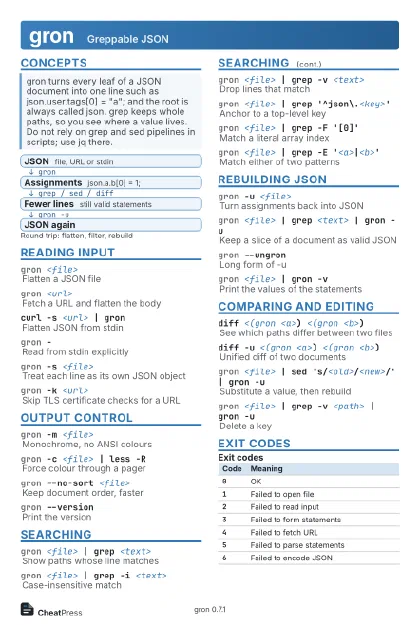 Light · Postcard
102 × 152 mm · PDF
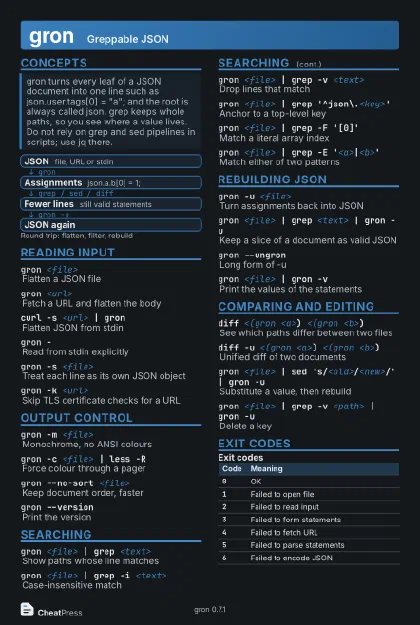 Dark · Postcard
102 × 152 mm · PDF
 Ink saver · Postcard
102 × 152 mm · PDF
 Light · A4 landscape
297 × 210 mm · PDF
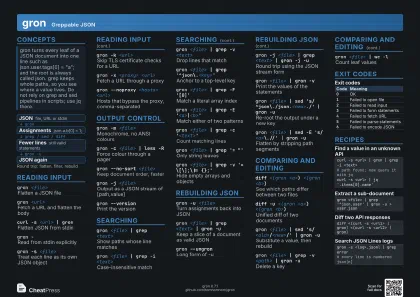 Dark · A4 landscape
297 × 210 mm · PDF
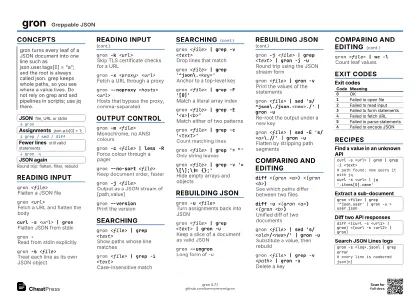 Ink saver · A4 landscape
297 × 210 mm · PDF
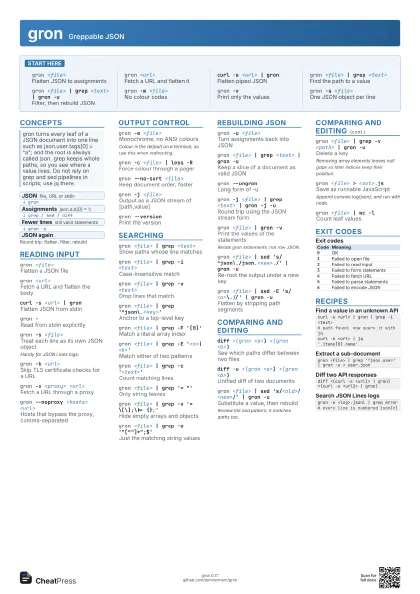
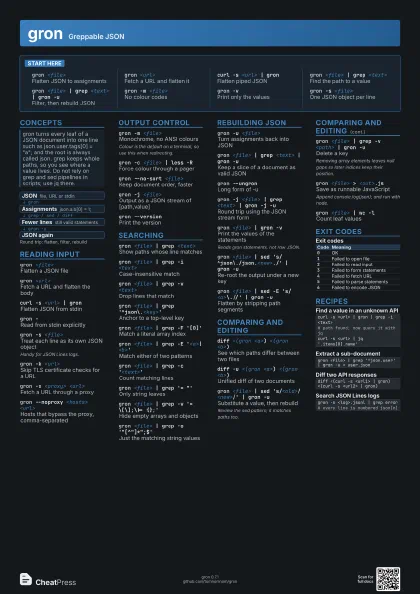
 Light · A3 landscape
420 × 297 mm · PDF
 Dark · A3 landscape
420 × 297 mm · PDF
 Ink saver · A3 landscape
420 × 297 mm · PDF
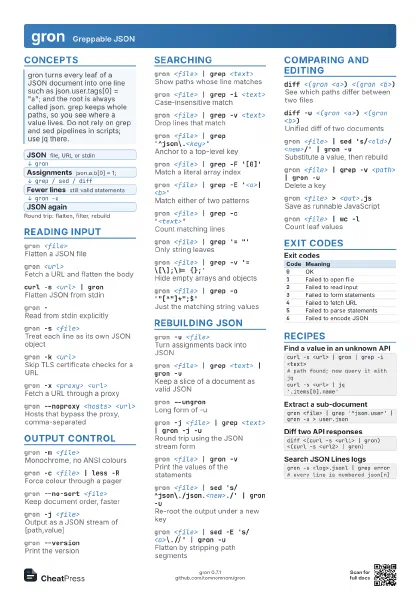
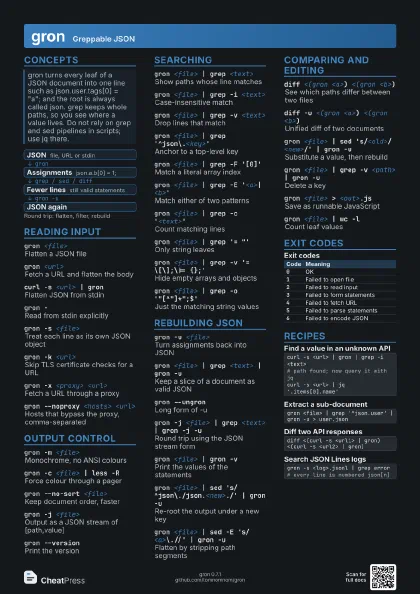
Start here
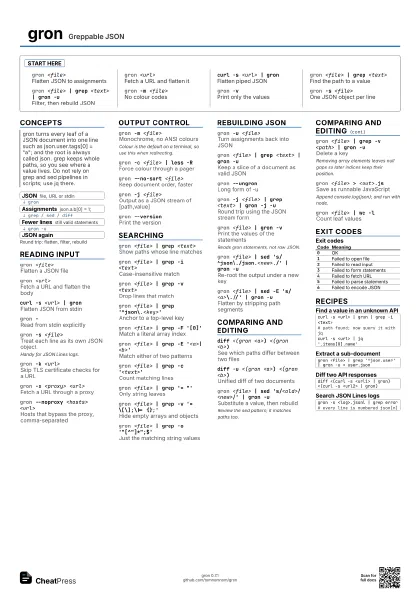
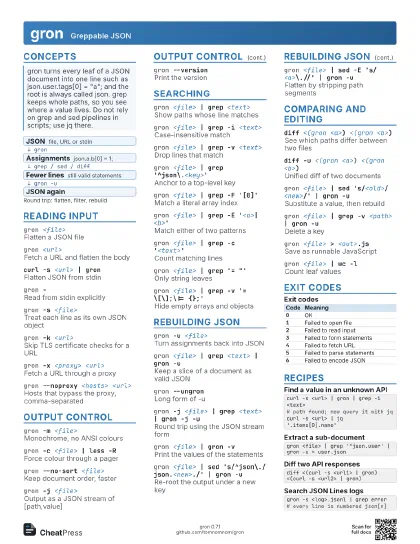
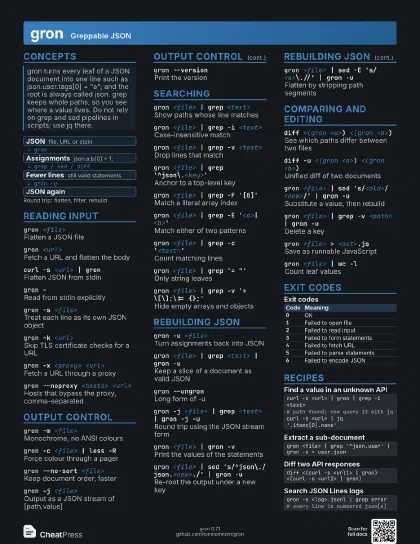
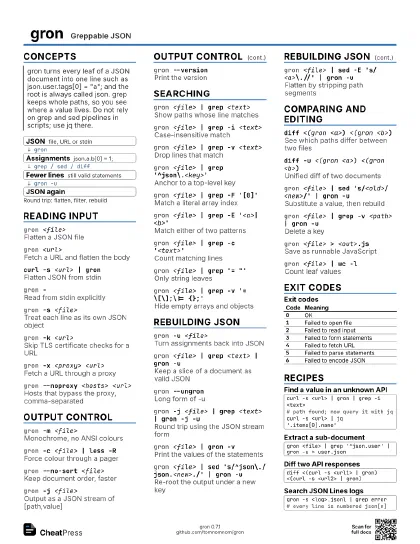
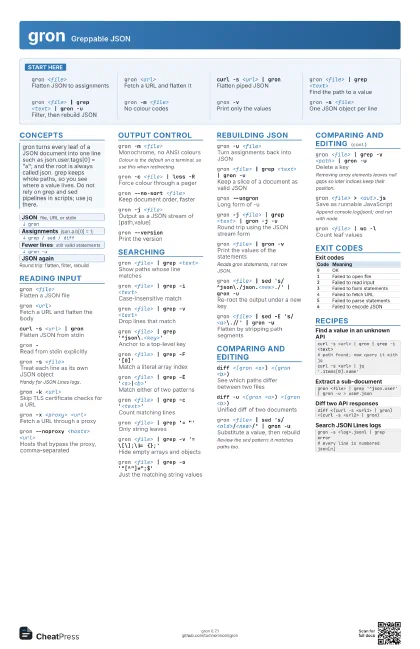
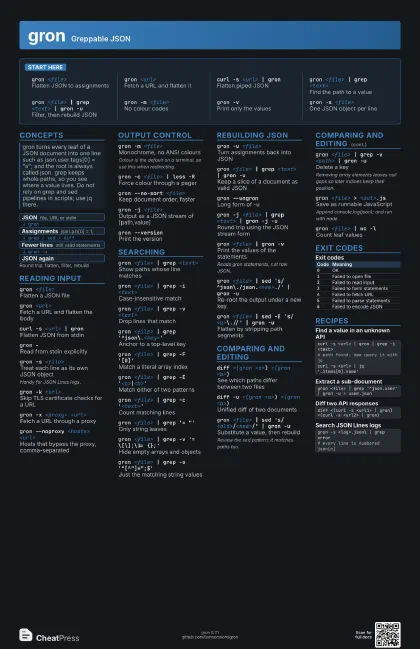
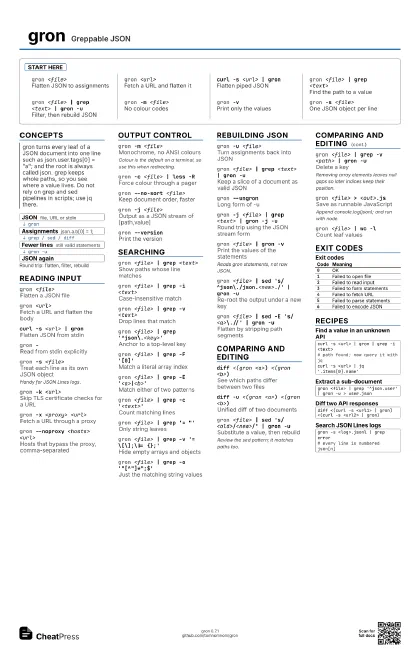
gron <file>
Flatten JSON to assignments
gron <url>
Fetch a URL and flatten it
curl -s <url> | gron
Flatten piped JSON
gron <file> | grep <text>
Find the path to a value
gron <file> | grep <text> | gron -u
Filter, then rebuild JSON
gron -m <file>
No colour codes
gron -vPrint only the values
gron -s <file>
One JSON object per line
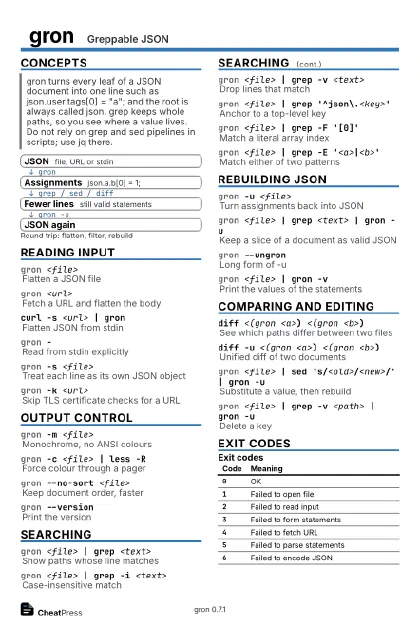
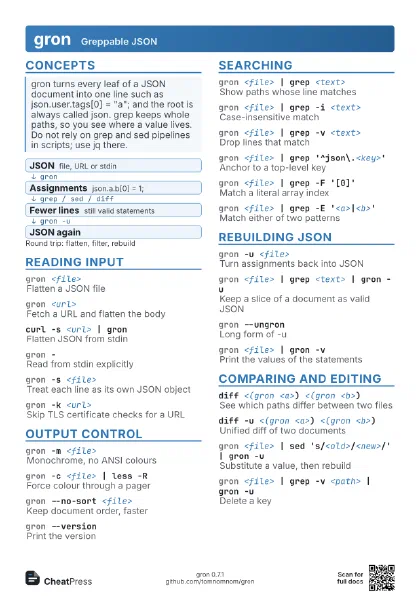
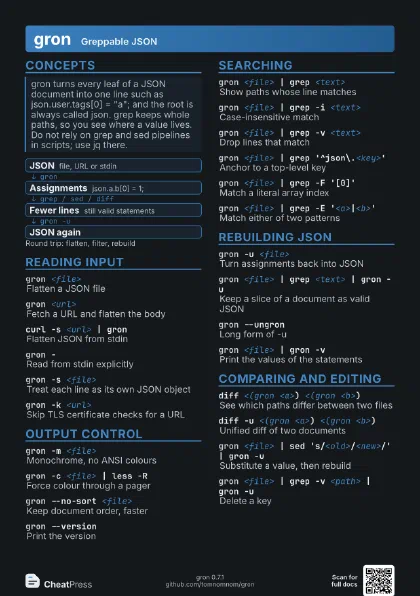
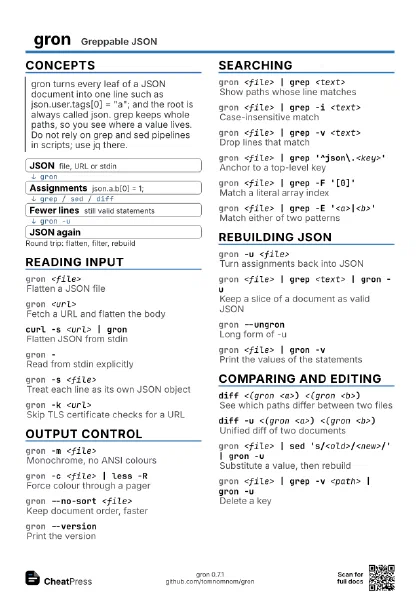
Concepts
- JSON file, URL or stdin
- Assignments json.a.b[0] = 1;
- Fewer lines still valid statements
- JSON again
Reading input
gron <file>
Flatten a JSON file
gron <url>
Fetch a URL and flatten the body
curl -s <url> | gron
Flatten JSON from stdin
gron -Read from stdin explicitly
gron -s <file>
Treat each line as its own JSON object
Handy for JSON Lines logs.
gron -k <url>
Skip TLS certificate checks for a URL
gron -x <proxy> <url>
Fetch a URL through a proxy
gron --noproxy <hosts> <url>
Hosts that bypass the proxy, comma-separated
Output control
gron -m <file>
Monochrome, no ANSI colours
Colour is the default on a terminal, so use this when
redirecting.
gron -c <file> | less -R
Force colour through a pager
gron --no-sort <file>
Keep document order, faster
gron -j <file>
Output as a JSON stream of [path,value]
gron --versionPrint the version
Searching
gron <file> | grep <text>
Show paths whose line matches
gron <file> | grep -i <text>
Case-insensitive match
gron <file> | grep -v <text>
Drop lines that match
gron <file> | grep '^json\.<key>'
Anchor to a top-level key
gron <file> | grep -F '[0]'
Match a literal array index
gron <file> | grep -E
                    '<a>|<b>'
Match either of two patterns
gron <file> | grep -c '<text>'
Count matching lines
gron <file> | grep '= "'
Only string leaves
gron <file> | grep -v '= \[\];\|= {};'
Hide empty arrays and objects
gron <file> | grep -o
                    '"[^"]*";$'
Just the matching string values
Rebuilding JSON
gron -u <file>
Turn assignments back into JSON
gron <file> | grep <text> | gron -u
Keep a slice of a document as valid JSON
gron --ungronLong form of -u
gron -j <file> | grep <text> | gron -j -u
Round trip using the JSON stream form
gron <file> | gron -v
Print the values of the statements
Reads gron statements, not raw JSON.
gron <file> | sed
                    's/^json\./json.<new>./' | gron -u
Re-root the output under a new key
gron <file> | sed -E 's/<a>\.//' | gron
                    -u
Flatten by stripping path segments
Comparing and editing
diff <(gron <a>) <(gron <b>)
See which paths differ between two files
diff -u <(gron <a>) <(gron <b>)
Unified diff of two documents
gron <file> | sed
                    's/<old>/<new>/' | gron -u
Substitute a value, then rebuild
Review the sed pattern; it matches paths too.
gron <file> | grep -v <path> | gron -u
Delete a key
Removing array elements leaves null gaps so later indices keep
their position.
gron <file> > <out>.js
Save as runnable JavaScript
Append console.log(json); and run with node.
gron <file> | wc -l
Count leaf values
Exit codes
| Code | Meaning |
|---|---|
0 |
OK |
1 |
Failed to open file |
2 |
Failed to read input |
3 |
Failed to form statements |
4 |
Failed to fetch URL |
5 |
Failed to parse statements |
6 |
Failed to encode JSON |
Recipes
curl -s <url> | gron | grep -i <text># path found; now query it with jqcurl -s <url> | jq '.items[0].name'gron <file> | grep '^json.user' | gron -u > user.jsondiff <(curl -s <url1> | gron) <(curl -s <url2> | gron)gron -s <log>.jsonl | grep error# every line is numbered json[n]