Cheat
Firefox Windows / Linux shortcuts
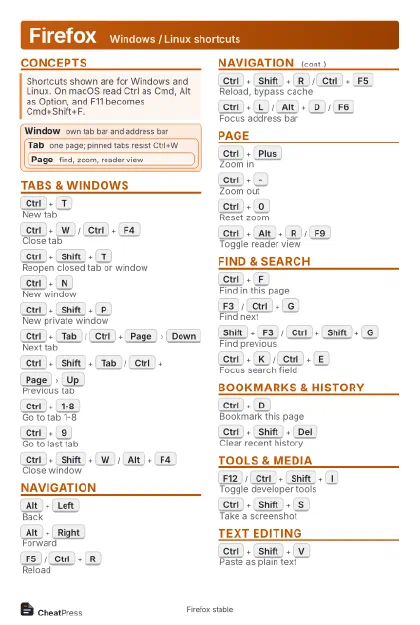 Light · Postcard
102 × 152 mm · PDF
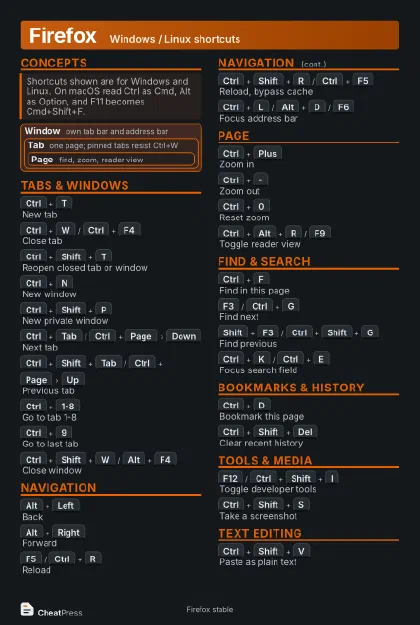 Dark · Postcard
102 × 152 mm · PDF
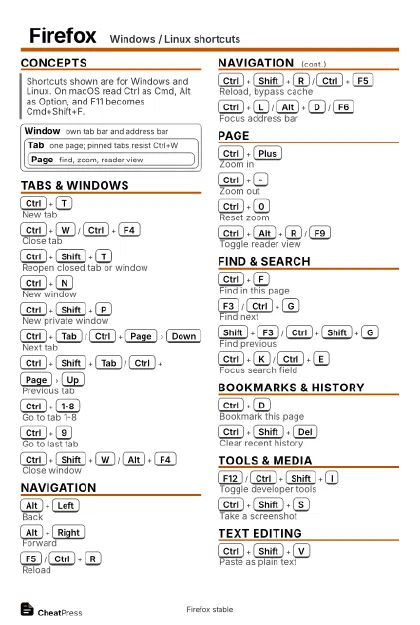 Ink saver · Postcard
102 × 152 mm · PDF
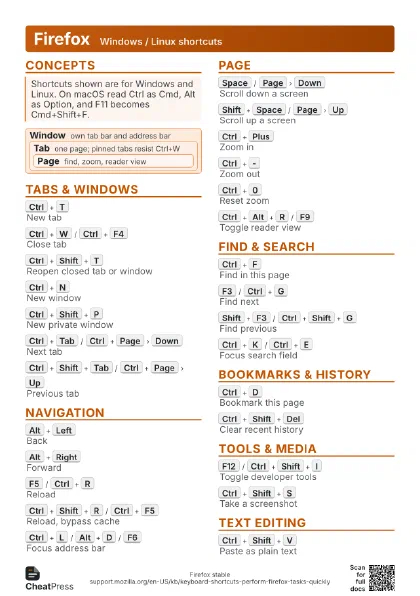
 Light · A4 landscape
297 × 210 mm · PDF
 Dark · A4 landscape
297 × 210 mm · PDF
 Ink saver · A4 landscape
297 × 210 mm · PDF
 Light · A3 landscape
420 × 297 mm · PDF
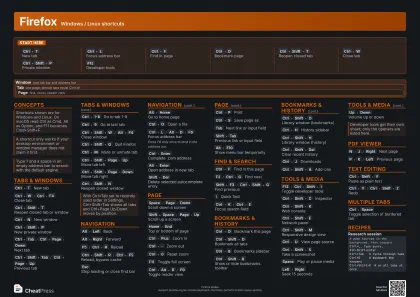 Dark · A3 landscape
420 × 297 mm · PDF
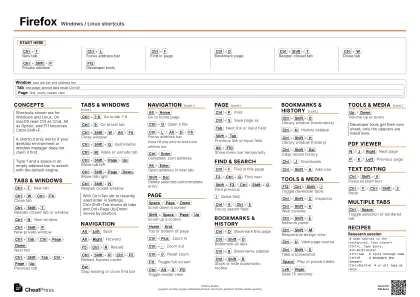 Ink saver · A3 landscape
420 × 297 mm · PDF
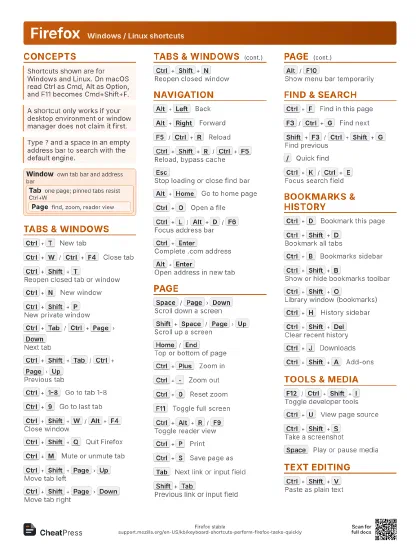
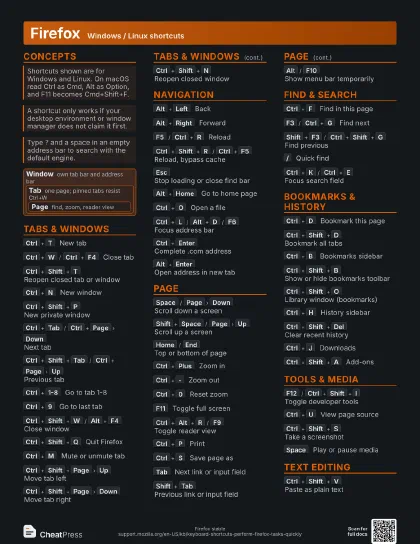
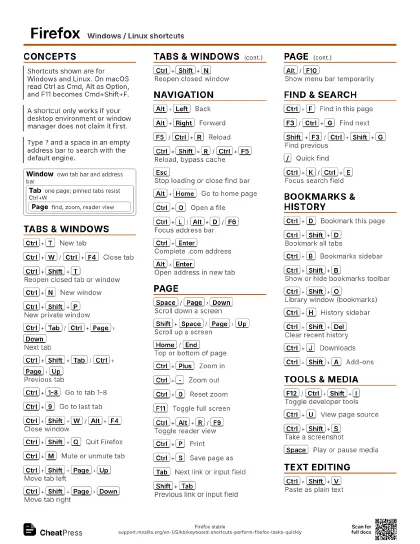
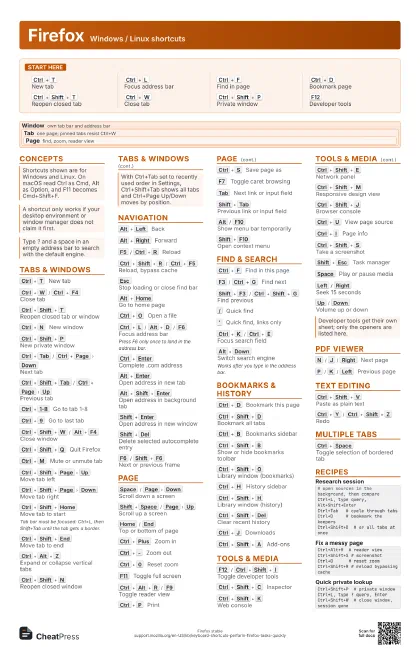
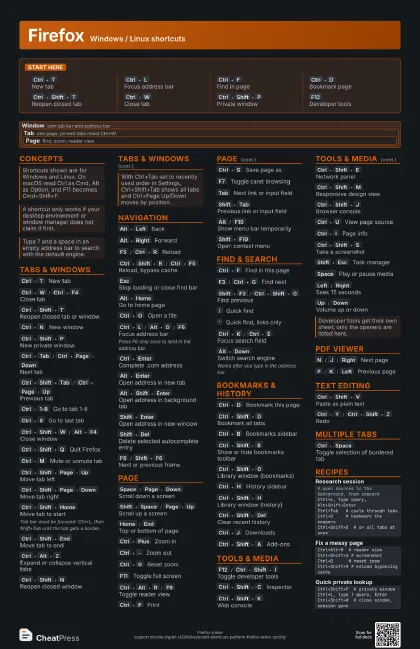
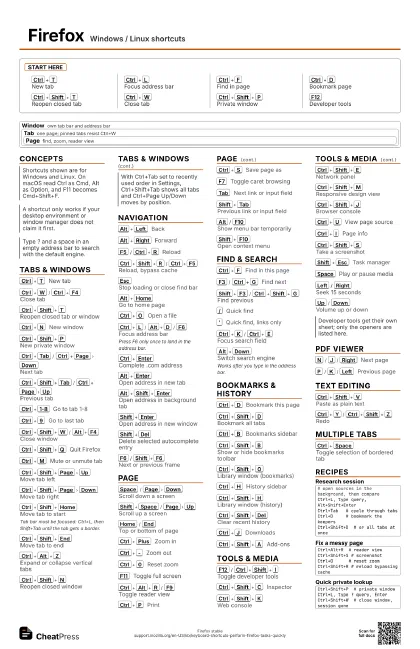
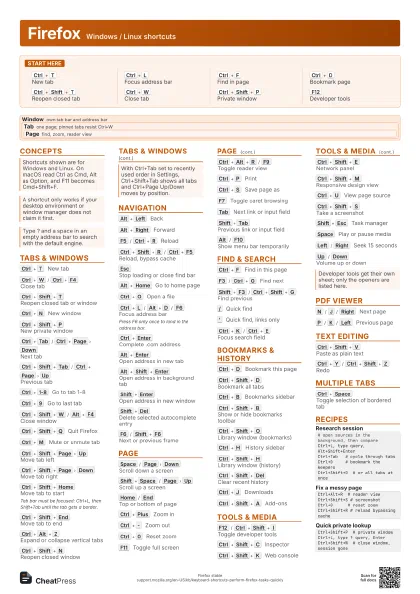
Start here
Ctrl+T
New tab
Ctrl+L
Focus address bar
Ctrl+F
Find in page
Ctrl+D
Bookmark page
Ctrl+Shift+T
Reopen closed tab
Ctrl+W
Close tab
Ctrl+Shift+P
Private window
F12
Developer tools
Concepts
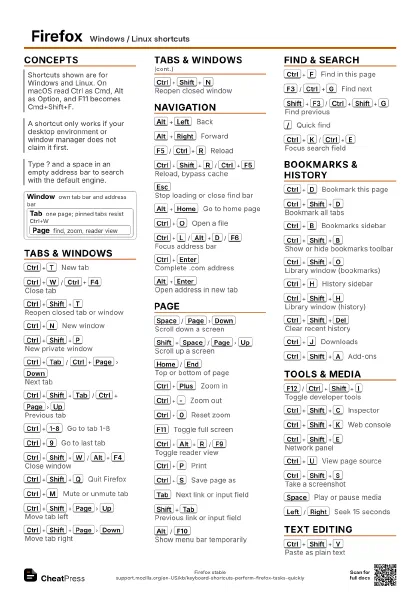
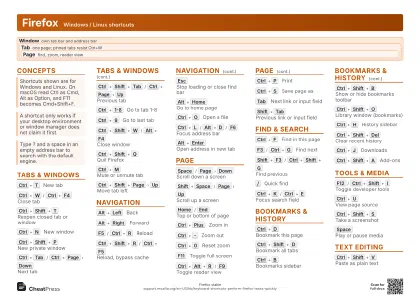
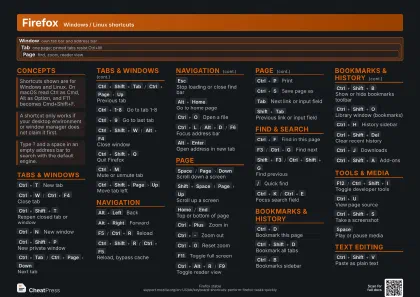
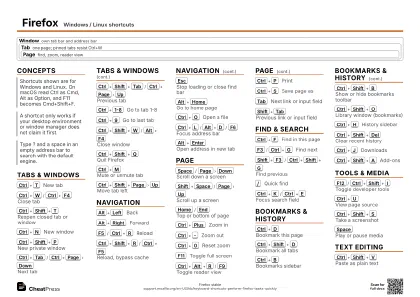
Window
own tab bar and address bar
Tab
one page; pinned tabs resist Ctrl+W
Page
find, zoom, reader view
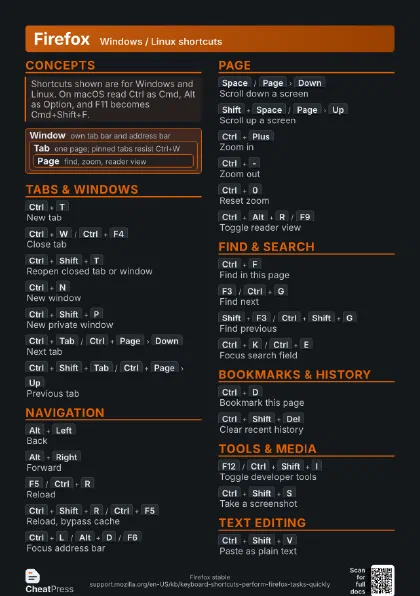
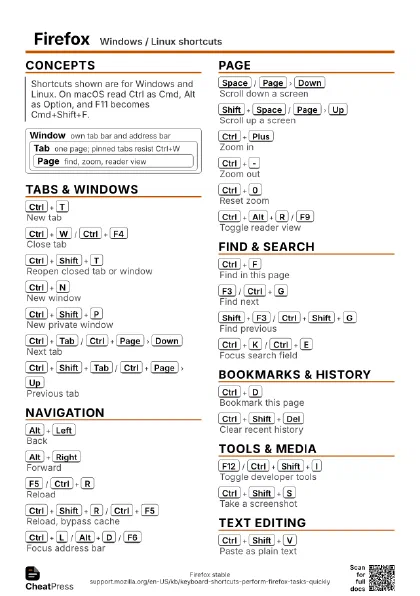
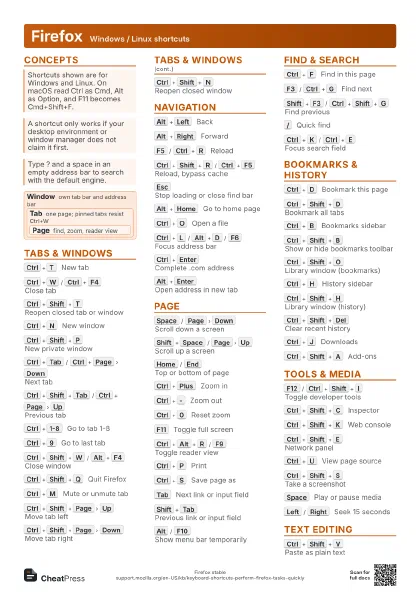
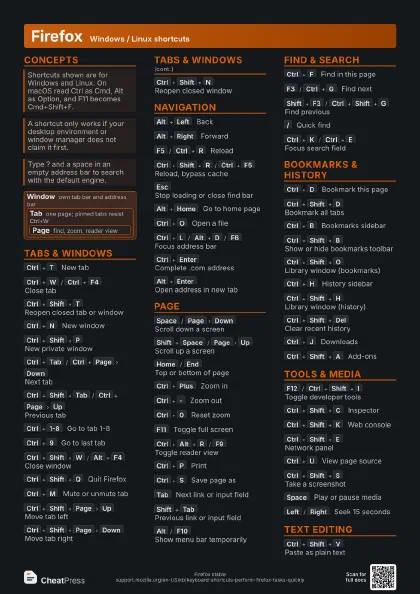
Tabs & Windows
Ctrl+T
New tab
Ctrl+W
/
Ctrl+F4
Close tab
Ctrl+Shift+T
Reopen closed tab or window
Ctrl+N
New window
Ctrl+Shift+P
New private window
Ctrl+Tab
/
Ctrl+Page
Down
Next tab
Ctrl+Shift+Tab
/
Ctrl+Page
Up
Previous tab
Ctrl+1-8
Go to tab 1-8
Ctrl+9
Go to last tab
Ctrl+Shift+W
/
Alt+F4
Close window
Ctrl+Shift+Q
Quit Firefox
Ctrl+M
Mute or unmute tab
Ctrl+Shift+Page
Up
Move tab left
Ctrl+Shift+Page
Down
Move tab right
Ctrl+Shift+Home
Move tab to start
Tab bar must be focused: Ctrl+L, then Shift+Tab until
the tab gets a border.
Ctrl+Shift+End
Move tab to end
Ctrl+Alt+Z
Expand or collapse vertical tabs
Ctrl+Shift+N
Reopen closed window
Navigation
Alt+Left
Back
Alt+Right
Forward
F5
/
Ctrl+R
Reload
Ctrl+Shift+R
/
Ctrl+F5
Reload, bypass cache
Esc
Stop loading or close find bar
Alt+Home
Go to home page
Ctrl+O
Open a file
Ctrl+L
/
Alt+D
/
F6
Focus address bar
Press F6 only once to land in the address bar.
Ctrl+Enter
Complete .com address
Alt+Enter
Open address in new tab
Alt+Shift+Enter
Open address in background tab
Shift+Enter
Open address in new window
Shift+Del
Delete selected autocomplete entry
F6
/
Shift+F6
Next or previous frame
Page
Space
/
Page
Down
Scroll down a screen
Shift+Space
/
Page
Up
Scroll up a screen
Home
/
End
Top or bottom of page
Ctrl+Plus
Zoom in
Ctrl+-
Zoom out
Ctrl+0
Reset zoom
F11
Toggle full screen
Ctrl+Alt+R
/
F9
Toggle reader view
Ctrl+P
Print
Ctrl+S
Save page as
F7
Toggle caret browsing
Tab
Next link or input field
Shift+Tab
Previous link or input field
Alt
/
F10
Show menu bar temporarily
Shift+F10
Open context menu
Find & Search
Ctrl+F
Find in this page
F3
/
Ctrl+G
Find next
Shift+F3
/
Ctrl+Shift+G
Find previous
/
Quick find
'
Quick find, links only
Ctrl+K
/
Ctrl+E
Focus search field
Alt+Down
Switch search engine
Works after you type in the address bar.
Ctrl+Down
Change default search engine
Bookmarks & History
Ctrl+D
Bookmark this page
Ctrl+Shift+D
Bookmark all tabs
Ctrl+B
Bookmarks sidebar
Ctrl+Shift+B
Show or hide bookmarks toolbar
Ctrl+Shift+O
Library window (bookmarks)
Ctrl+H
History sidebar
Ctrl+Shift+H
Library window (history)
Ctrl+Shift+Del
Clear recent history
Ctrl+J
Downloads
Ctrl+Shift+A
Add-ons
Tools & Media
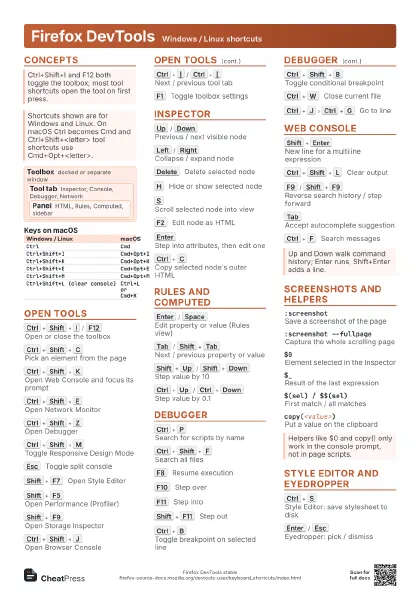
F12
/
Ctrl+Shift+I
Toggle developer tools
Ctrl+Shift+C
Inspector
Ctrl+Shift+K
Web console
Ctrl+Shift+E
Network panel
Ctrl+Shift+M
Responsive design view
Ctrl+Shift+J
Browser console
Ctrl+U
View page source
Ctrl+I
Page info
Ctrl+Shift+S
Take a screenshot
Shift+Esc
Task manager
Space
Play or pause media
Left
/
Right
Seek 15 seconds
Up
/
Down
Volume up or down
PDF Viewer
N
/
J
/
Right
Next page
P
/
K
/
Left
Previous page
Ctrl+Alt+G
Go to page number
Ctrl+Alt+P
Presentation mode
R
Rotate clockwise
Shift+R
Rotate counterclockwise
S
Text selection tool
H
Hand tool
Text Editing
Ctrl+Shift+V
Paste as plain text
Ctrl+Y
/
Ctrl+Shift+Z
Redo
Ctrl+Left
/
Ctrl+Right
Move one word
Ctrl+Backspace
Delete word to the left
Ctrl+Del
Delete word to the right
Ctrl+Home
/
Ctrl+End
Start or end of text
Ctrl+Shift+X
Move URL left or right in address bar
Multiple Tabs
Arrows
Select adjacent tab
Tab bar must be focused: Ctrl+L, then Shift+Tab until
a tab has a border.
Ctrl+Arrows
Move the colored border only
Ctrl+Space
Toggle selection of bordered tab
Recipes
# open sources in the background, then compareCtrl+L, type query, Alt+Shift+EnterCtrl+Tab # cycle through tabsCtrl+D # bookmark the keepersCtrl+Shift+D # or all tabs at onceCtrl+Alt+R # reader viewCtrl+Shift+S # screenshotCtrl+0 # reset zoomCtrl+Shift+R # reload bypassing cacheCtrl+Shift+P # private windowCtrl+L, type ? query, EnterCtrl+Shift+W # close window, session goneCtrl+Shift+Del # clear recent historyCtrl+Shift+Q # quitCtrl+Shift+T # next launch: restore closed tabs