Cheat
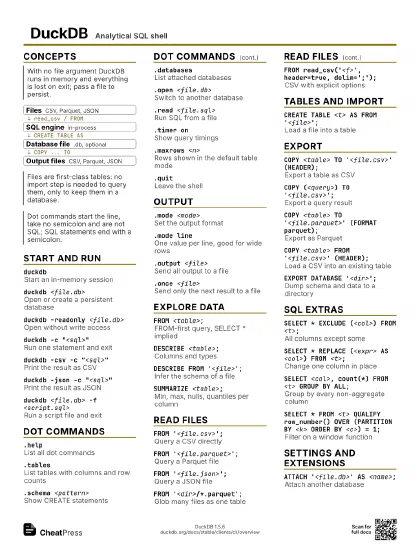
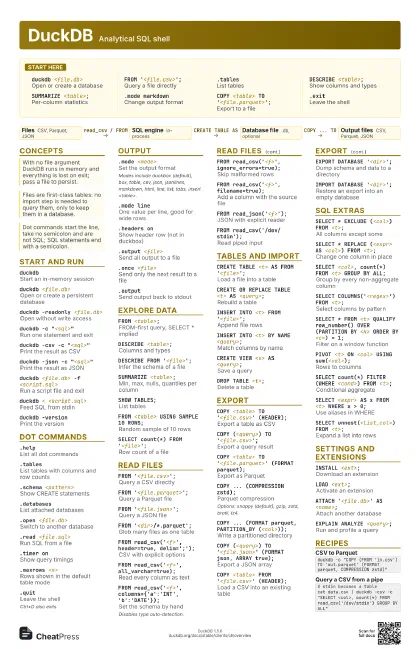
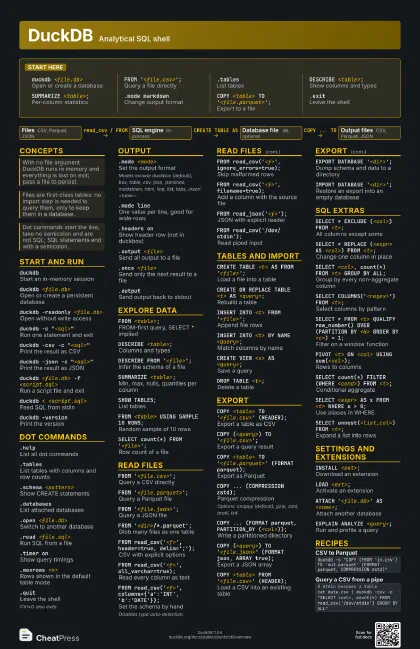
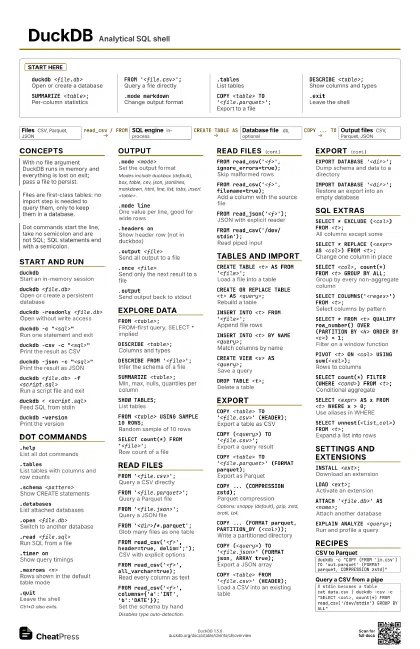
DuckDB Analytical SQL shell
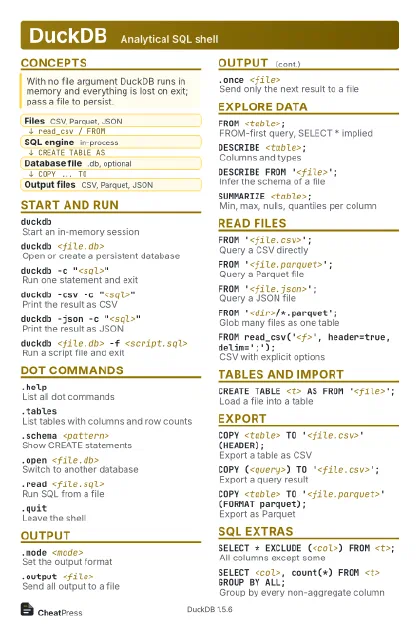 Light · Postcard
102 × 152 mm · PDF
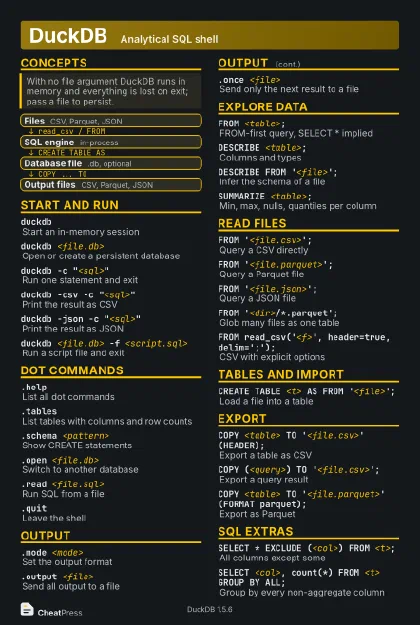 Dark · Postcard
102 × 152 mm · PDF
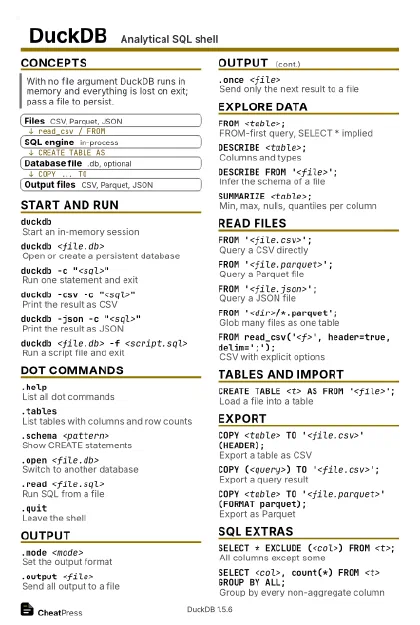 Ink saver · Postcard
102 × 152 mm · PDF
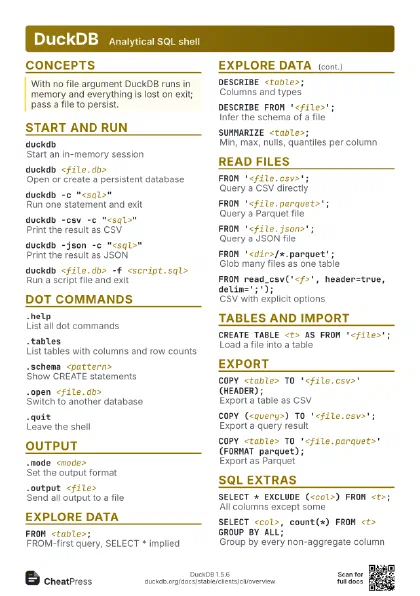
 Light · A4 landscape
297 × 210 mm · PDF
 Dark · A4 landscape
297 × 210 mm · PDF
 Ink saver · A4 landscape
297 × 210 mm · PDF
 Light · A3 landscape
420 × 297 mm · PDF
 Dark · A3 landscape
420 × 297 mm · PDF
 Ink saver · A3 landscape
420 × 297 mm · PDF
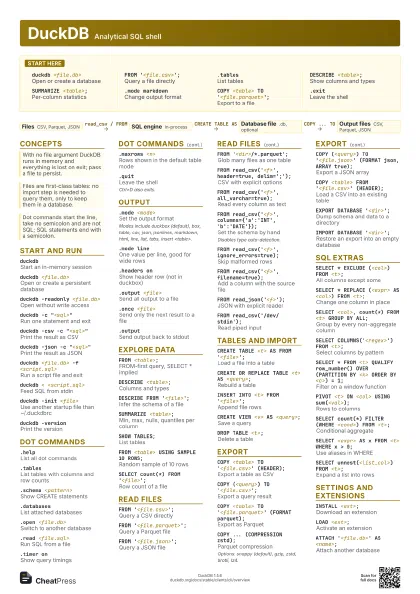
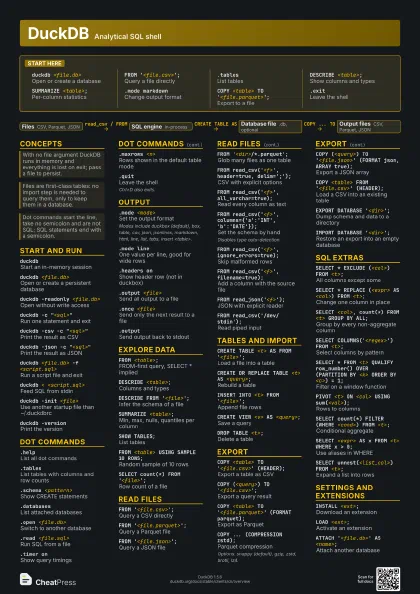
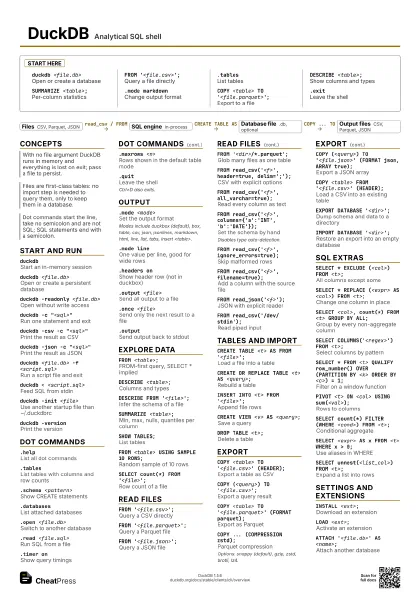
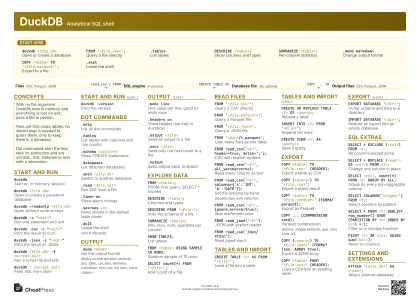
Start here
duckdb <file.db>
Open or create a database
FROM '<file.csv>';
Query a file directly
.tablesList tables
DESCRIBE <table>;
Show columns and types
SUMMARIZE <table>;
Per-column statistics
.mode markdownChange output format
COPY <table> TO '<file.parquet>';
Export to a file
.exitLeave the shell
Concepts
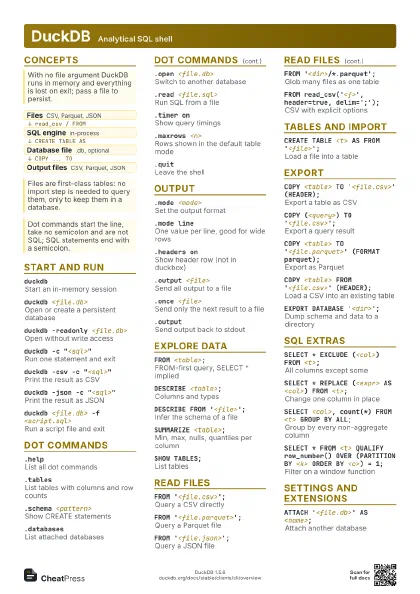
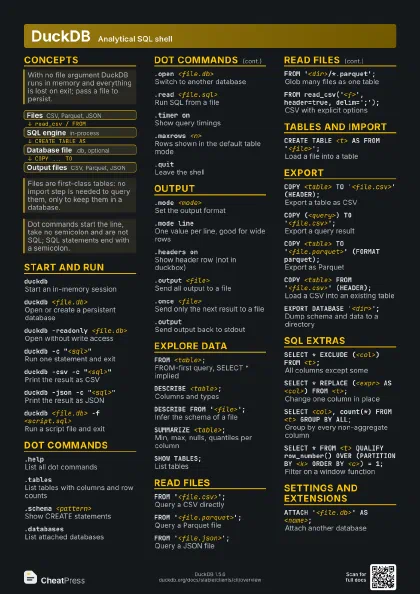
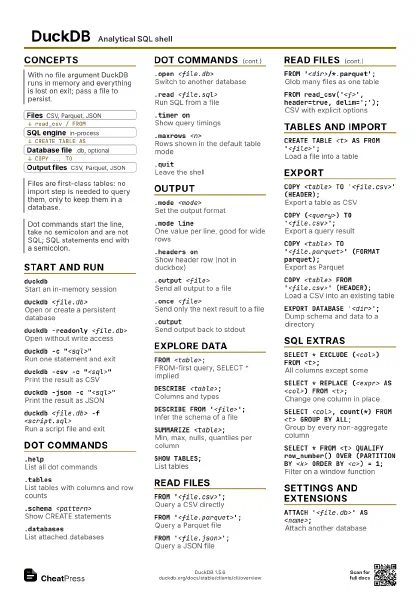
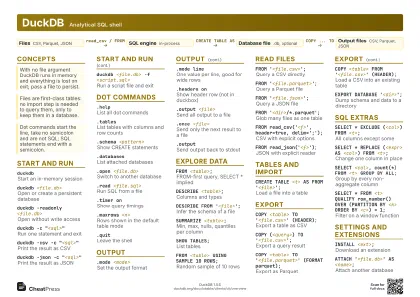
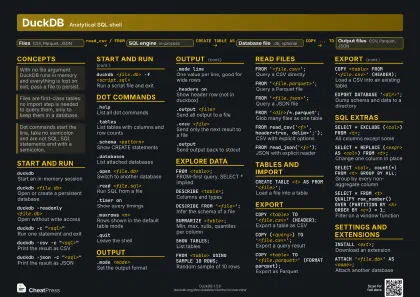
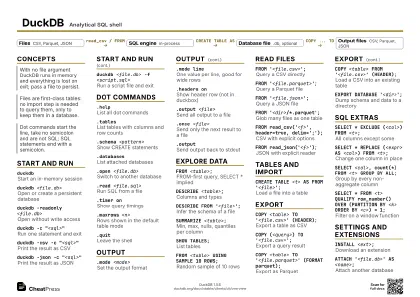
- Files CSV, Parquet, JSON
- SQL engine in-process
- Database file .db, optional
- Output files CSV, Parquet, JSON
Start and run
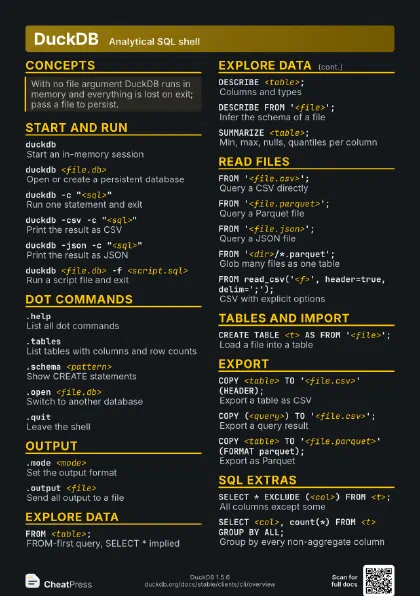
duckdbStart an in-memory session
duckdb <file.db>
Open or create a persistent database
duckdb -readonly <file.db>
Open without write access
duckdb -c "<sql>"
Run one statement and exit
duckdb -csv -c "<sql>"
Print the result as CSV
duckdb -json -c "<sql>"
Print the result as JSON
duckdb <file.db> -f <script.sql>
Run a script file and exit
duckdb < <script.sql>
Feed SQL from stdin
duckdb -init <file>
Use another startup file than ~/.duckdbrc
duckdb -uiStart the browser-based UI
duckdb -versionPrint the version
Dot commands
.helpList all dot commands
.tablesList tables with columns and row counts
.schema <pattern>
Show CREATE statements
.databasesList attached databases
.open <file.db>
Switch to another database
.read <file.sql>
Run SQL from a file
.timer onShow query timings
.maxrows <n>
Rows shown in the default table mode
.lastRe-show the last result untruncated
.shell <cmd>
Run a system command
.showShow current settings
.quitLeave the shell
Ctrl+D also exits.
Output
.mode <mode>
Set the output format
Modes include duckbox (default), box, table, csv, json,
jsonlines, markdown, html, line, list, tabs, insert
<table>.
.mode lineOne value per line, good for wide rows
.mode insert <table>
Emit INSERT statements
.headers onShow header row (not in duckbox)
.nullvalue <text>
Text shown for NULL
.output <file>
Send all output to a file
.once <file>
Send only the next result to a file
.outputSend output back to stdout
.separator <col> <row>
Set column and row separators
.width <n> ...
Minimum column widths
Explore data
FROM <table>;
FROM-first query, SELECT * implied
DESCRIBE <table>;
Columns and types
DESCRIBE FROM '<file>';
Infer the schema of a file
SUMMARIZE <table>;
Min, max, nulls, quantiles per column
SHOW TABLES;List tables
SHOW ALL TABLES;
Tables across all attached databases
FROM <table> USING SAMPLE 10 ROWS;
Random sample of 10 rows
FROM <table> LIMIT 10%;
Percentage limit
SELECT count(*) FROM '<file>';
Row count of a file
FROM duckdb_tables();
Catalog metadata as a table
FROM duckdb_settings();
List all settings
Read files
FROM '<file.csv>';
Query a CSV directly
FROM '<file.parquet>';
Query a Parquet file
FROM '<file.json>';
Query a JSON file
FROM '<dir>/*.parquet';
Glob many files as one table
FROM read_csv('<f>', header=true,
                    delim=';');
CSV with explicit options
FROM read_csv('<f>', all_varchar=true);
Read every column as text
FROM read_csv('<f>',
                    columns={'a':'INT','b':'DATE'});
Set the schema by hand
Disables type auto-detection.
FROM read_csv('<f>', skip=<n>);
Skip leading lines
FROM read_csv('<f>',
                    ignore_errors=true);
Skip malformed rows
FROM read_csv('<f>', sample_size=-1);
Sniff types from the whole file
FROM read_csv('<f>', filename=true);
Add a column with the source file
FROM read_json('<f>');
JSON with explicit reader
FROM
                    read_parquet(['<a>','<b>']);
Read a list of Parquet files
FROM read_csv('/dev/stdin');
Read piped input
FROM
                    'https://<host>/<file>.parquet';
Read over HTTP(S)
Needs the httpfs extension on older builds; recent versions
load it automatically.
Tables and import
CREATE TABLE <t> AS FROM
                    '<file>';
Load a file into a table
CREATE OR REPLACE TABLE <t> AS <query>;
Rebuild a table
INSERT INTO <t> FROM '<file>';
Append file rows
INSERT INTO <t> BY NAME <query>;
Match columns by name
CREATE VIEW <v> AS <query>;
Save a query
.import --csv <file> <table>
Shell import of a CSV
DROP TABLE <t>;
Delete a table
ALTER TABLE <t> ADD COLUMN <c>
                    <type>;
Add a column
CHECKPOINT;Flush the write-ahead log to the file
Export
COPY <table> TO '<file.csv>'
                    (HEADER);
Export a table as CSV
COPY (<query>) TO '<file.csv>';
Export a query result
COPY <table> TO '<file.parquet>'
                    (FORMAT parquet);
Export as Parquet
COPY ... (COMPRESSION zstd);
Parquet compression
Options: snappy (default), gzip, zstd, brotli, lz4.
COPY ... (ROW_GROUP_SIZE <n>);
Parquet row group size
COPY ... (FORMAT parquet, PARTITION_BY
                    (<col>));
Write a partitioned directory
COPY (<query>) TO '<file.json>' (FORMAT
                    json, ARRAY true);
Export a JSON array
COPY (<query>) TO '<file.ndjson>'
                    (FORMAT json);
Export newline-delimited JSON
COPY <table> FROM '<file.csv>'
                    (HEADER);
Load a CSV into an existing table
EXPORT DATABASE '<dir>';
Dump schema and data to a directory
EXPORT DATABASE '<dir>' (FORMAT
                    parquet);
Dump data as Parquet
IMPORT DATABASE '<dir>';
Restore an export into an empty database
.dump <table>
Print the table as SQL
SQL extras
SELECT * EXCLUDE (<col>) FROM <t>;
All columns except some
SELECT * REPLACE (<expr> AS <col>) FROM
                    <t>;
Change one column in place
SELECT <col>, count(*) FROM <t> GROUP BY
                    ALL;
Group by every non-aggregate column
SELECT * FROM <t> ORDER BY ALL;
Sort by every column
SELECT COLUMNS('<regex>') FROM
                    <t>;
Select columns by pattern
SELECT * FROM <t> QUALIFY row_number() OVER
                    (PARTITION BY <k> ORDER BY <c>) = 1;
Filter on a window function
SELECT max_by(<a>, <b>) FROM <t>;
Value of a at the max of b
PIVOT <t> ON <col> USING
                    sum(<val>);
Rows to columns
UNPIVOT <t> ON <c1>, <c2> INTO NAME k
                    VALUE v;
Columns to rows
SELECT * FROM a UNION BY NAME SELECT * FROM b;
Union matching by column name
SELECT count(*) FILTER (WHERE <cond>) FROM
                    <t>;
Conditional aggregate
SELECT * FROM a ASOF JOIN b ON a.k = b.k AND a.t >=
                    b.t;
Join on nearest earlier time
SELECT <expr> AS x FROM <t> WHERE x >
                    0;
Use aliases in WHERE
SELECT <str>[1:3];
Slice strings and lists
SELECT {'a': 1, 'b': [1,2]};
Struct and list literals
SELECT unnest(<list_col>) FROM <t>;
Expand a list into rows
Settings and extensions
INSTALL <ext>;
Download an extension
LOAD <ext>;
Activate an extension
ATTACH '<file.db>' AS <name>;
Attach another database
USE <name>;
Switch the default database
SET threads = <n>;
Limit worker threads
SET memory_limit = '<size>';
Cap memory use
SELECT version();
Engine version from SQL
EXPLAIN ANALYZE <query>;
Run and profile a query
Recipes
duckdb -c "COPY (FROM 'in.csv') TO 'out.parquet' (FORMAT parquet, COMPRESSION zstd)"# stdin becomes a tablecat data.csv | duckdb -csv -c "SELECT <col>, count(*) FROM read_csv('/dev/stdin') GROUP BY ALL"duckdb app.dbCREATE TABLE logs AS FROM 'logs/*.json';FROM logs LIMIT 5;# next session: duckdb -readonly app.db.mode csv.headers on.once report.csvSELECT <col>, count(*) FROM <t> GROUP BY ALL;