Cheat
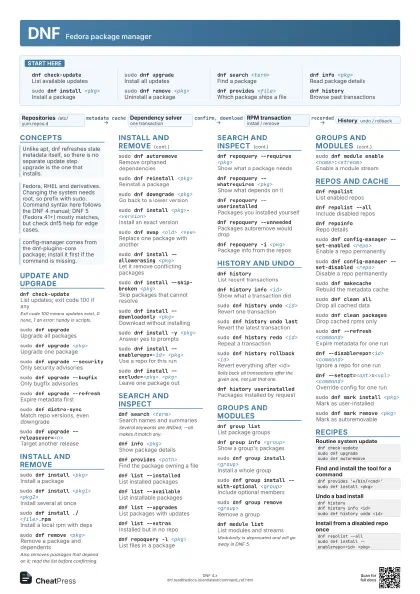
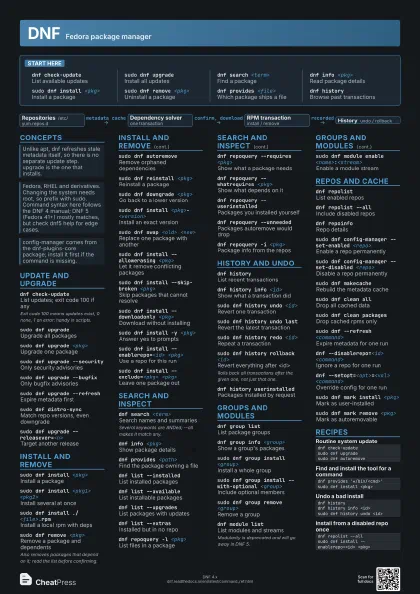
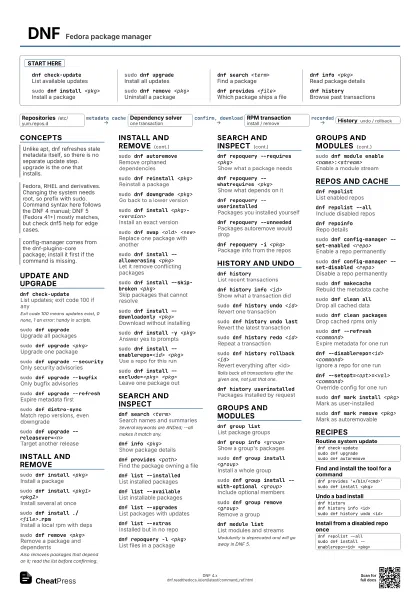
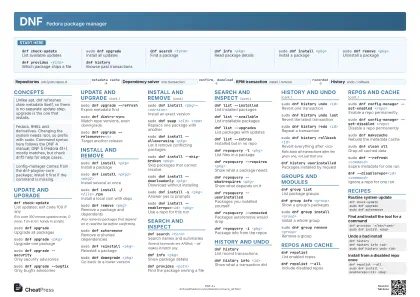
DNF Fedora package manager
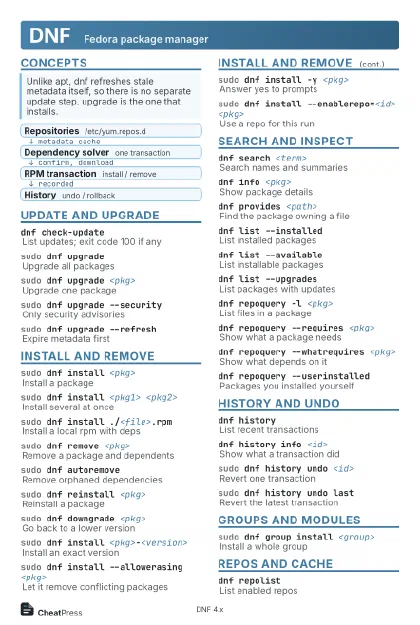 Light · Postcard
102 × 152 mm · PDF
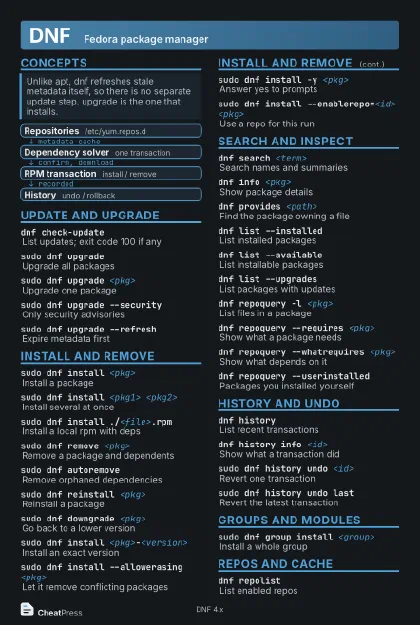 Dark · Postcard
102 × 152 mm · PDF
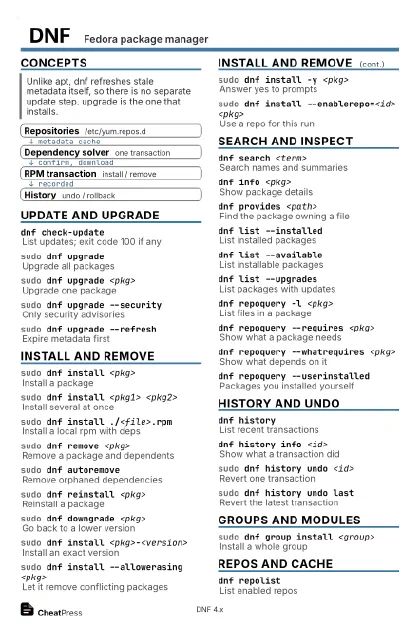 Ink saver · Postcard
102 × 152 mm · PDF
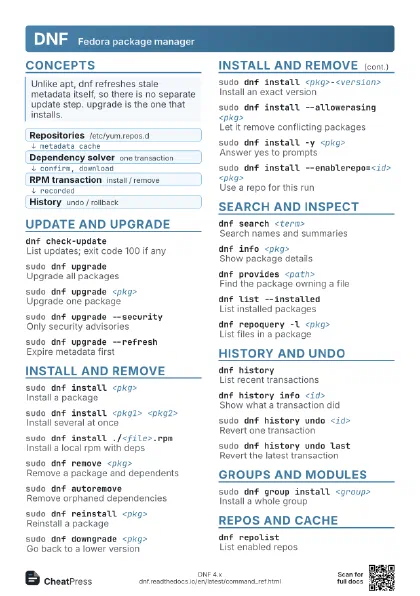
 Light · A4 landscape
297 × 210 mm · PDF
 Dark · A4 landscape
297 × 210 mm · PDF
 Ink saver · A4 landscape
297 × 210 mm · PDF
 Light · A3 landscape
420 × 297 mm · PDF
 Dark · A3 landscape
420 × 297 mm · PDF
 Ink saver · A3 landscape
420 × 297 mm · PDF
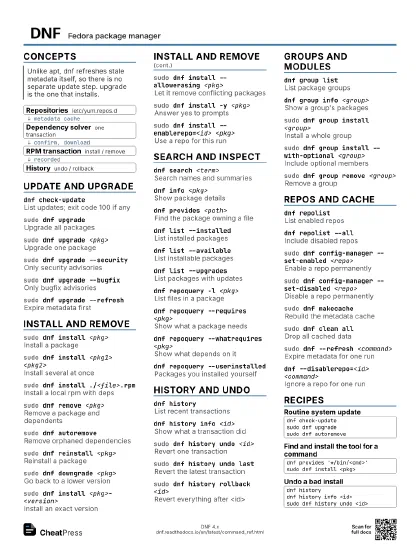
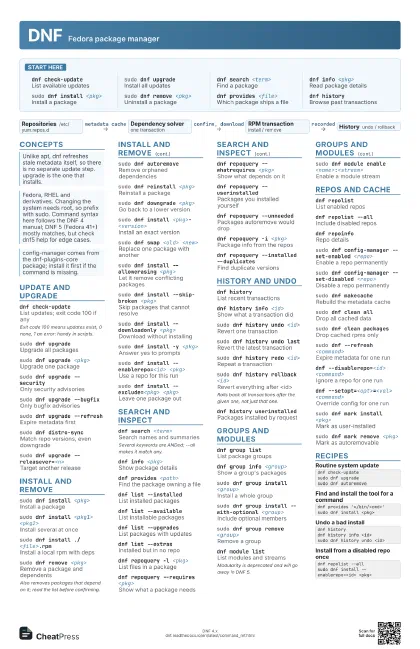
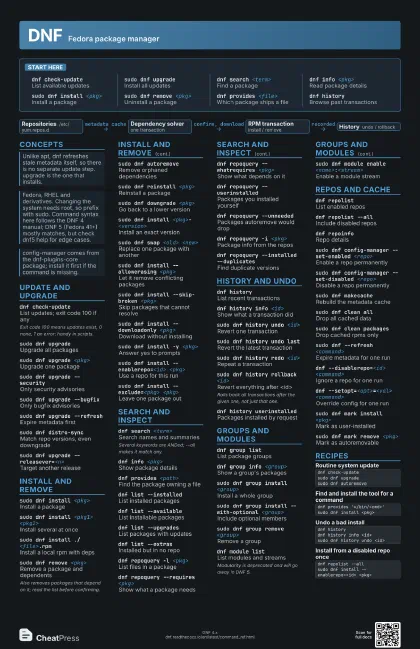
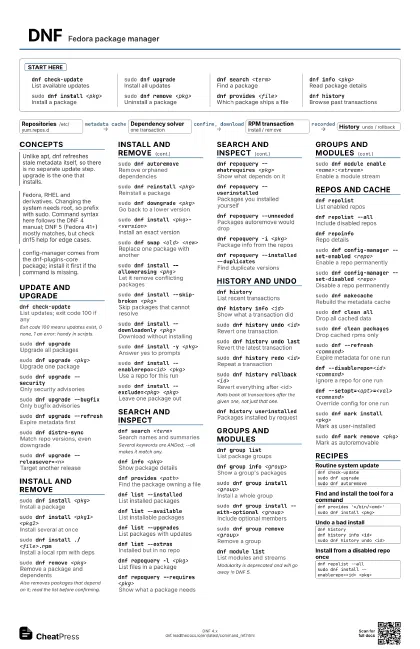
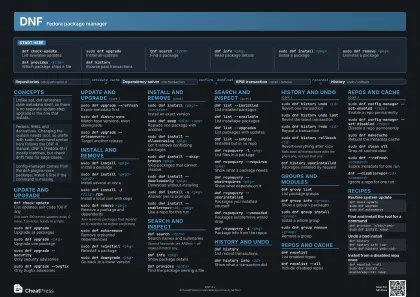
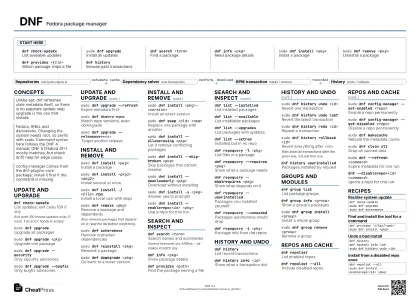
Start here
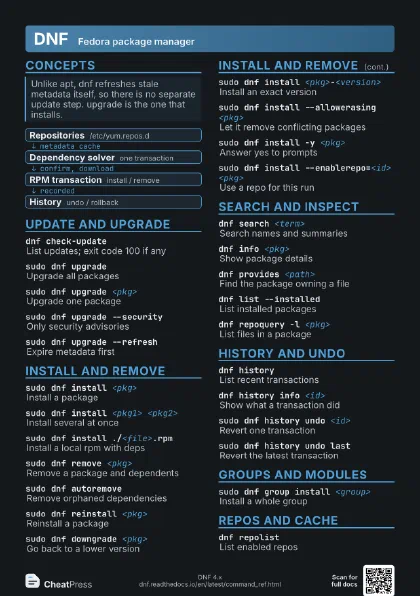
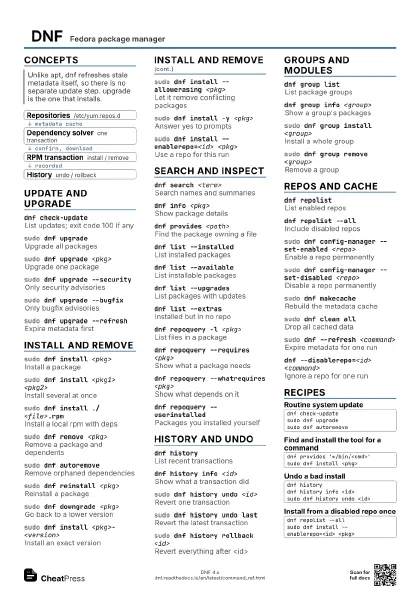
dnf check-update
List available updates
sudo dnf upgrade
Install all updates
dnf search <term>
Find a package
dnf info <pkg>
Read package details
sudo dnf install <pkg>
Install a package
sudo dnf remove <pkg>
Uninstall a package
dnf provides <file>
Which package ships a file
dnf historyBrowse past transactions
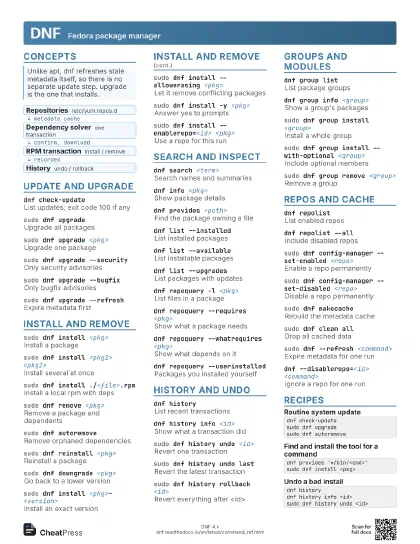
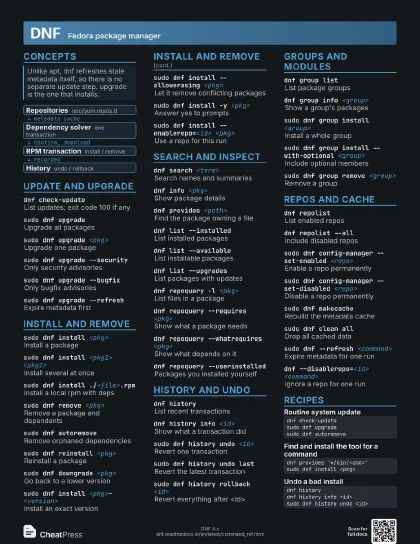
Concepts
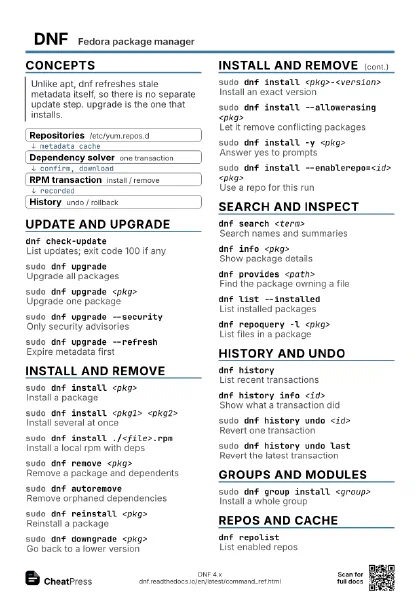
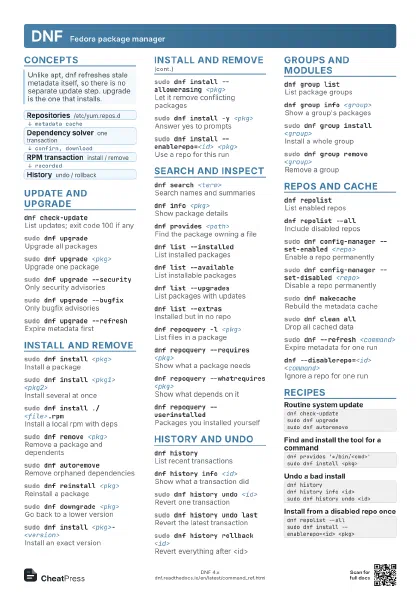
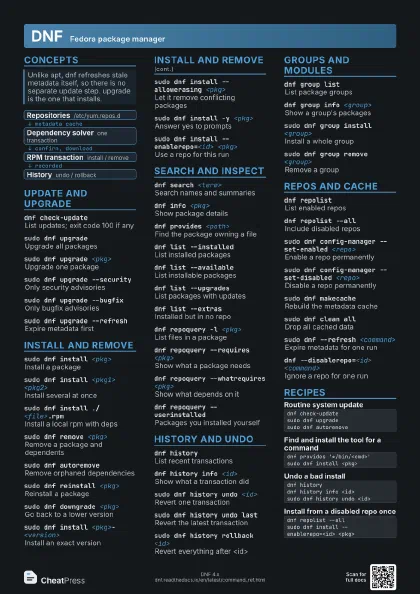
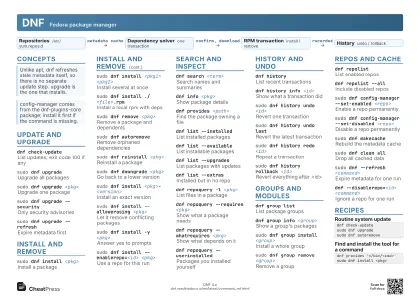
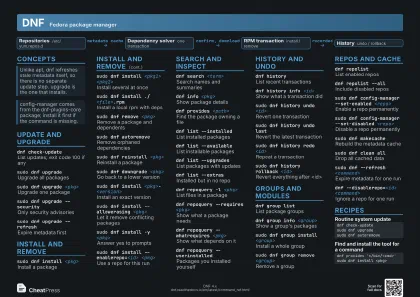
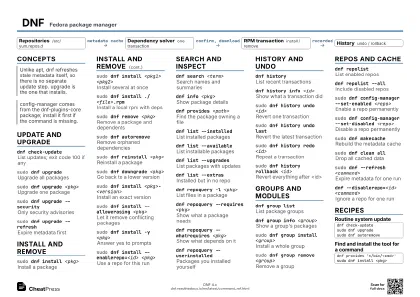
- Repositories /etc/yum.repos.d
- Dependency solver one transaction
- RPM transaction install / remove
- History undo / rollback
Update and upgrade
dnf check-update
List updates; exit code 100 if any
Exit code 100 means updates exist, 0 none, 1 an error: handy
in scripts.
sudo dnf upgrade
Upgrade all packages
sudo dnf upgrade <pkg>
Upgrade one package
sudo dnf upgrade --security
Only security advisories
sudo dnf upgrade --bugfix
Only bugfix advisories
sudo dnf upgrade --refresh
Expire metadata first
sudo dnf distro-sync
Match repo versions, even downgrade
sudo dnf upgrade --releasever=<n>
Target another release
Install and remove
sudo dnf install <pkg>
Install a package
sudo dnf install <pkg1> <pkg2>
Install several at once
sudo dnf install ./<file>.rpm
Install a local rpm with deps
sudo dnf remove <pkg>
Remove a package and dependents
Also removes packages that depend on it; read the list before
confirming.
sudo dnf autoremove
Remove orphaned dependencies
sudo dnf reinstall <pkg>
Reinstall a package
sudo dnf downgrade <pkg>
Go back to a lower version
sudo dnf install <pkg>-<version>
Install an exact version
sudo dnf swap <old> <new>
Replace one package with another
sudo dnf install --allowerasing <pkg>
Let it remove conflicting packages
sudo dnf install --skip-broken <pkg>
Skip packages that cannot resolve
sudo dnf install --downloadonly <pkg>
Download without installing
sudo dnf install -y <pkg>
Answer yes to prompts
sudo dnf install --enablerepo=<id> <pkg>
Use a repo for this run
sudo dnf install --exclude=<pkg> <pkg>
Leave one package out
Search and inspect
dnf search <term>
Search names and summaries
Several keywords are ANDed; --all makes it match any.
dnf info <pkg>
Show package details
dnf provides <path>
Find the package owning a file
dnf list --installed
List installed packages
dnf list --available
List installable packages
dnf list --upgrades
List packages with updates
dnf list --extras
Installed but in no repo
dnf repoquery -l <pkg>
List files in a package
dnf repoquery --requires <pkg>
Show what a package needs
dnf repoquery --whatrequires <pkg>
Show what depends on it
dnf repoquery --userinstalled
Packages you installed yourself
dnf repoquery --unneeded
Packages autoremove would drop
dnf repoquery -i <pkg>
Package info from the repos
dnf repoquery --installed --duplicates
Find duplicate versions
History and undo
dnf historyList recent transactions
dnf history info <id>
Show what a transaction did
sudo dnf history undo <id>
Revert one transaction
sudo dnf history undo last
Revert the latest transaction
sudo dnf history redo <id>
Repeat a transaction
sudo dnf history rollback <id>
Revert everything after <id>
Rolls back all transactions after the given one, not just that
one.
dnf history userinstalled
Packages installed by request
Groups and modules
dnf group listList package groups
dnf group info <group>
Show a group's packages
sudo dnf group install <group>
Install a whole group
sudo dnf group install --with-optional <group>
Include optional members
sudo dnf group remove <group>
Remove a group
dnf module listList modules and streams
Modularity is deprecated and will go away in DNF 5.
sudo dnf module enable <name>:<stream>
Enable a module stream
Repos and cache
dnf repolistList enabled repos
dnf repolist --all
Include disabled repos
dnf repoinfoRepo details
sudo dnf config-manager --set-enabled <repo>
Enable a repo permanently
sudo dnf config-manager --set-disabled <repo>
Disable a repo permanently
sudo dnf makecache
Rebuild the metadata cache
sudo dnf clean all
Drop all cached data
sudo dnf clean packages
Drop cached rpms only
sudo dnf --refresh <command>
Expire metadata for one run
dnf --disablerepo=<id> <command>
Ignore a repo for one run
dnf --setopt=<opt>=<val> <command>
Override config for one run
sudo dnf mark install <pkg>
Mark as user-installed
sudo dnf mark remove <pkg>
Mark as autoremovable
Recipes
dnf check-updatesudo dnf upgradesudo dnf autoremovednf provides '*/bin/<cmd>'sudo dnf install <pkg>dnf historydnf history info <id>sudo dnf history undo <id>dnf repolist --allsudo dnf install --enablerepo=<id> <pkg>