Cheat
bspwm Tiling window manager
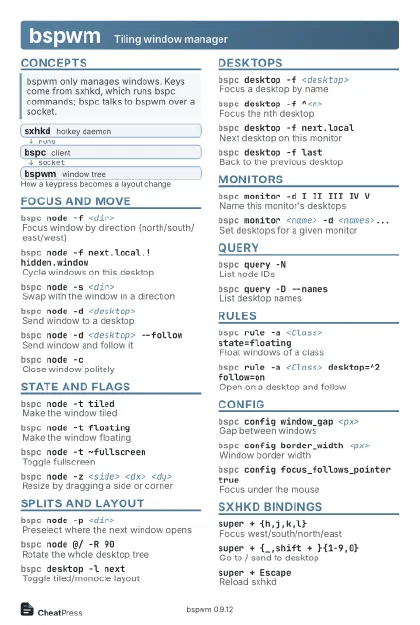 Light · Postcard
102 × 152 mm · PDF
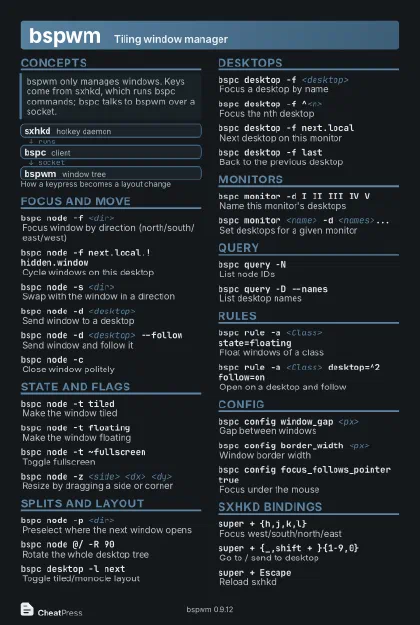 Dark · Postcard
102 × 152 mm · PDF
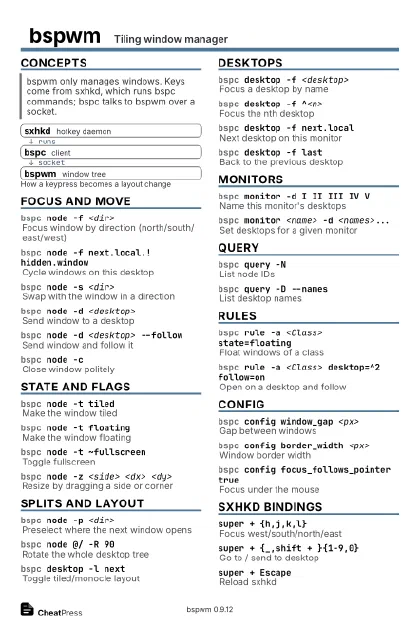 Ink saver · Postcard
102 × 152 mm · PDF
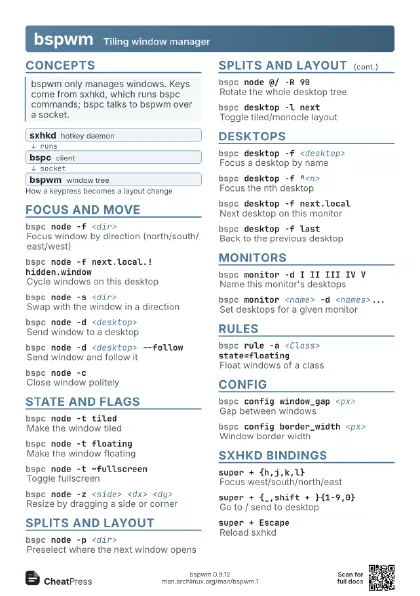
 Light · A4 landscape
297 × 210 mm · PDF
 Dark · A4 landscape
297 × 210 mm · PDF
 Ink saver · A4 landscape
297 × 210 mm · PDF
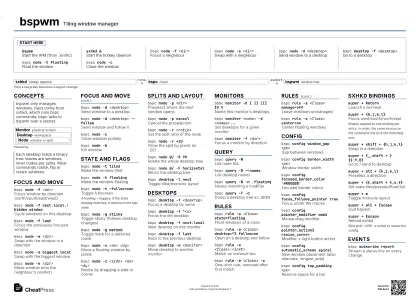
 Light · A3 landscape
420 × 297 mm · PDF
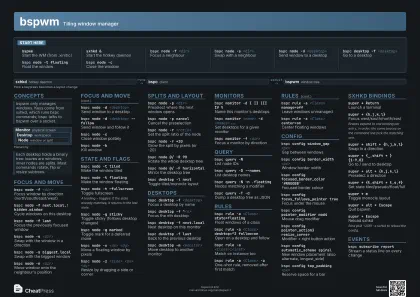 Dark · A3 landscape
420 × 297 mm · PDF
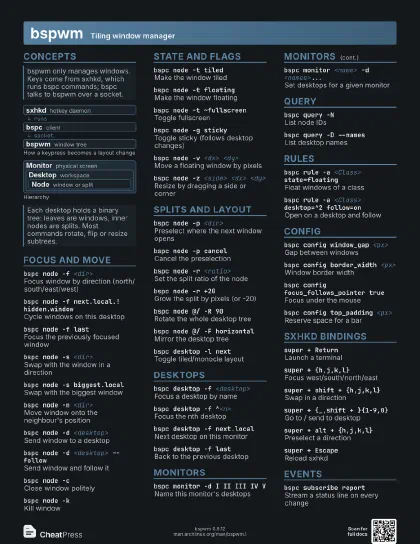
 Ink saver · A3 landscape
420 × 297 mm · PDF
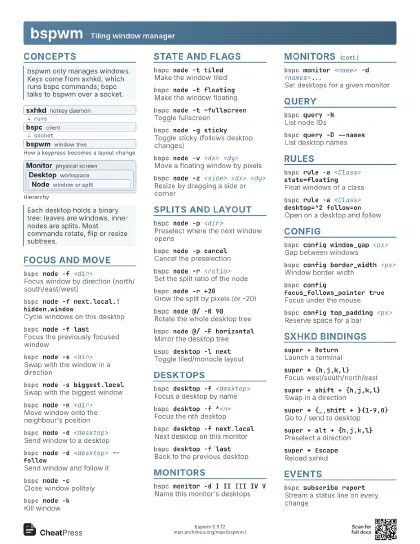
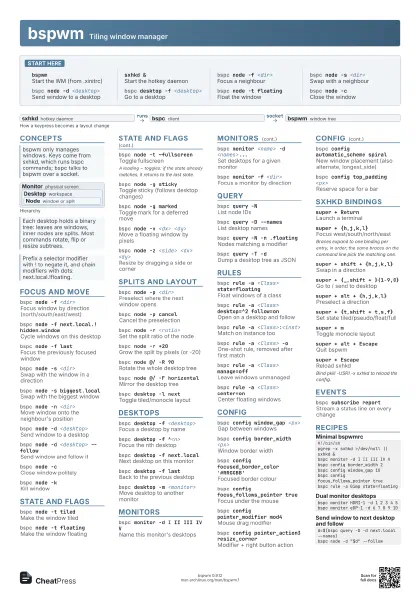
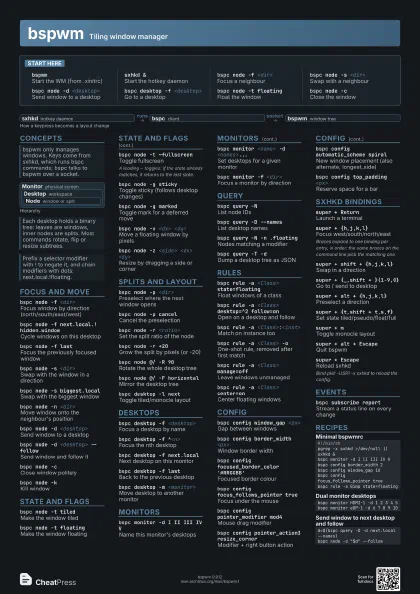
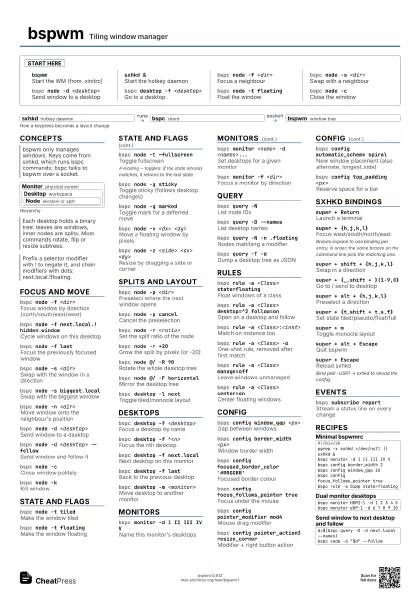
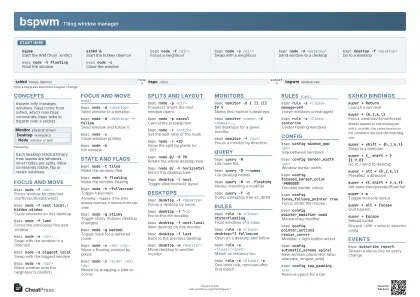
Start here
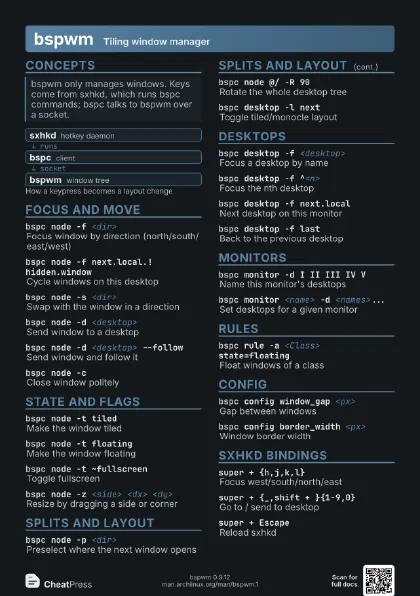
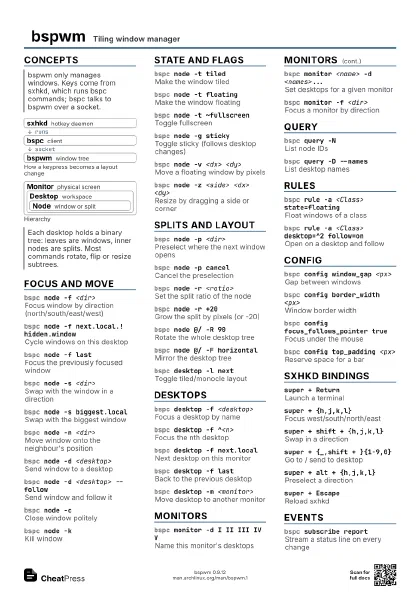
bspwmStart the WM (from .xinitrc)
sxhkd &Start the hotkey daemon
bspc node -f <dir>
Focus a neighbour
bspc node -s <dir>
Swap with a neighbour
bspc node -d <desktop>
Send window to a desktop
bspc desktop -f <desktop>
Go to a desktop
bspc node -t floating
Float the window
bspc node -cClose the window
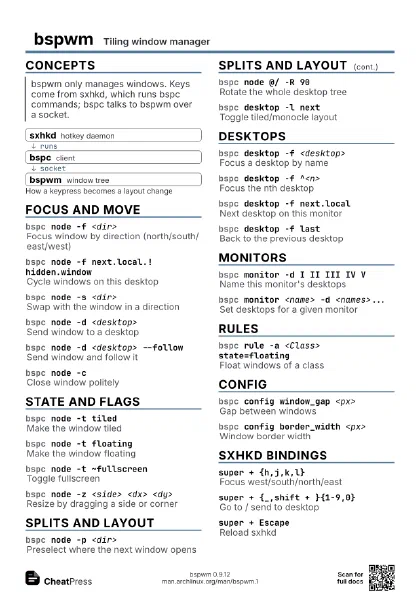
Concepts
- sxhkd hotkey daemon
- bspc client
- bspwm window tree
Monitor physical screen
Desktop workspace
Node window or split
Focus and move
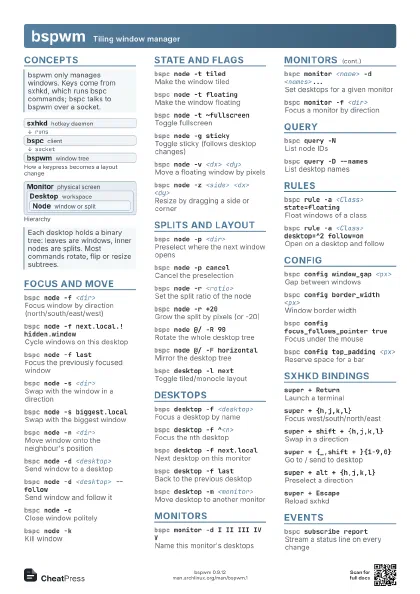
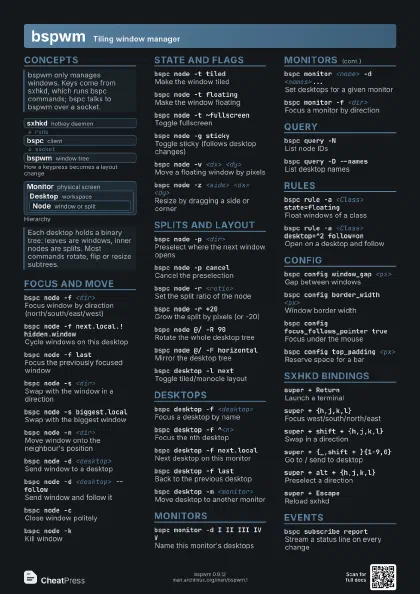
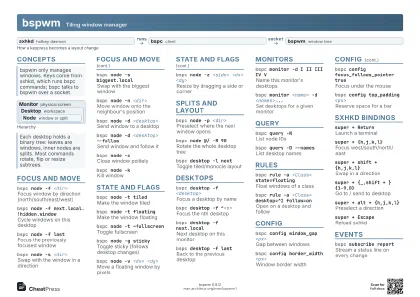
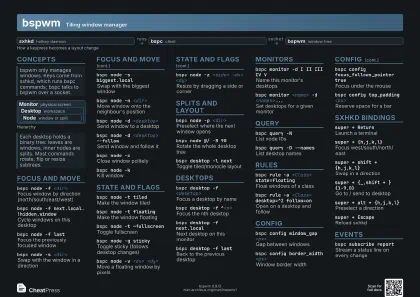
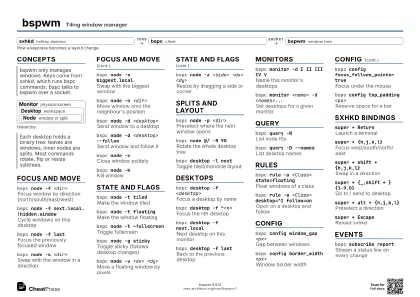
bspc node -f <dir>
Focus window by direction (north/south/east/west)
bspc node -f next.local.!hidden.window
Cycle windows on this desktop
bspc node -f last
Focus the previously focused window
bspc node -s <dir>
Swap with the window in a direction
bspc node -s biggest.local
Swap with the biggest window
bspc node -n <dir>
Move window onto the neighbour's position
bspc node -d <desktop>
Send window to a desktop
bspc node -d <desktop> --follow
Send window and follow it
bspc node -cClose window politely
bspc node -kKill window
State and flags
bspc node -t tiled
Make the window tiled
bspc node -t floating
Make the window floating
bspc node -t ~fullscreen
Toggle fullscreen
A leading ~ toggles: if the state already matches, it returns
to the last state.
bspc node -g sticky
Toggle sticky (follows desktop changes)
bspc node -g marked
Toggle mark for a deferred move
bspc node -v <dx> <dy>
Move a floating window by pixels
bspc node -z <side> <dx> <dy>
Resize by dragging a side or corner
Splits and layout
bspc node -p <dir>
Preselect where the next window opens
bspc node -p cancel
Cancel the preselection
bspc node -r <ratio>
Set the split ratio of the node
bspc node -r +20
Grow the split by pixels (or -20)
bspc node @/ -R 90
Rotate the whole desktop tree
bspc node @/ -F horizontal
Mirror the desktop tree
bspc desktop -l next
Toggle tiled/monocle layout
Desktops
bspc desktop -f <desktop>
Focus a desktop by name
bspc desktop -f ^<n>
Focus the nth desktop
bspc desktop -f next.local
Next desktop on this monitor
bspc desktop -f last
Back to the previous desktop
bspc desktop -m <monitor>
Move desktop to another monitor
Monitors
bspc monitor -d I II III IV V
Name this monitor's desktops
bspc monitor <name> -d <names>...
Set desktops for a given monitor
bspc monitor -f <dir>
Focus a monitor by direction
Query
bspc query -NList node IDs
bspc query -D --names
List desktop names
bspc query -N -n .floating
Nodes matching a modifier
bspc query -T -d
Dump a desktop tree as JSON
Rules
bspc rule -a <Class> state=floating
Float windows of a class
bspc rule -a <Class> desktop=^2 follow=on
Open on a desktop and follow
bspc rule -a <Class>:<inst>
Match on instance too
bspc rule -a <Class> -o
One-shot rule, removed after first match
bspc rule -a <Class> manage=off
Leave windows unmanaged
bspc rule -a <Class> center=on
Center floating windows
Config
bspc config window_gap <px>
Gap between windows
bspc config border_width <px>
Window border width
bspc config focused_border_color '#RRGGBB'
Focused border colour
bspc config focus_follows_pointer true
Focus under the mouse
bspc config pointer_modifier mod4
Mouse drag modifier
bspc config pointer_action3 resize_corner
Modifier + right button action
bspc config automatic_scheme spiral
New window placement (also alternate, longest_side)
bspc config top_padding <px>
Reserve space for a bar
sxhkd bindings
super + Return
Launch a terminal
super + {h,j,k,l}
Focus west/south/north/east
Braces expand to one binding per entry, in order; the same
braces on the command line pick the matching one.
super + shift + {h,j,k,l}
Swap in a direction
super + {_,shift + }{1-9,0}
Go to / send to desktop
super + alt + {h,j,k,l}
Preselect a direction
super + {t,shift + t,s,f}
Set state tiled/pseudo/float/full
super + mToggle monocle layout
super + alt + Escape
Quit bspwm
super + Escape
Reload sxhkd
Bind pkill -USR1 -x sxhkd to reload the config.
Events
bspc subscribe report
Stream a status line on every change
Recipes
#!/bin/shpgrep -x sxhkd >/dev/null || sxhkd &bspc monitor -d I II III IV Vbspc config border_width 2bspc config window_gap 10bspc config focus_follows_pointer truebspc rule -a Gimp state=floatingbspc monitor HDMI-1 -d 1 2 3 4 5bspc monitor eDP-1 -d 6 7 8 9 10d=$(bspc query -D -d next.local --names)bspc node -d "$d" --follow