Cheat
WireGuard Fast VPN tunnels
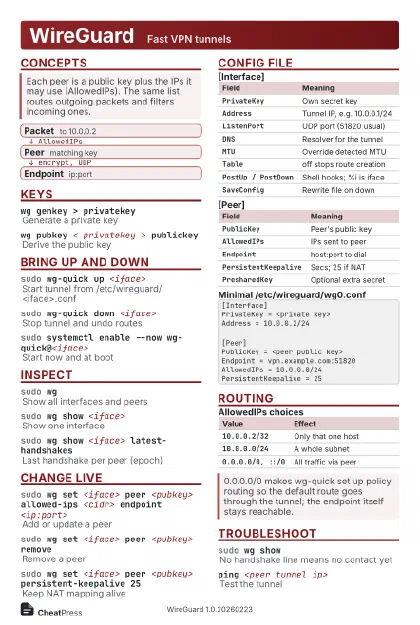 Light · Postcard
102 × 152 mm · PDF
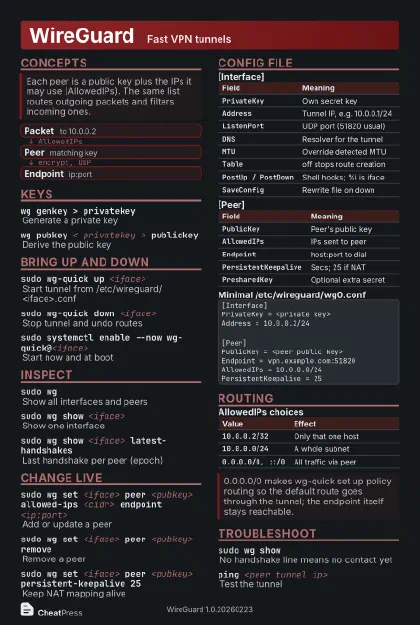 Dark · Postcard
102 × 152 mm · PDF
 Ink saver · Postcard
102 × 152 mm · PDF
 Light · A4 landscape
297 × 210 mm · PDF
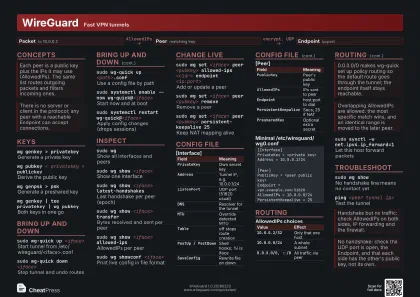 Dark · A4 landscape
297 × 210 mm · PDF
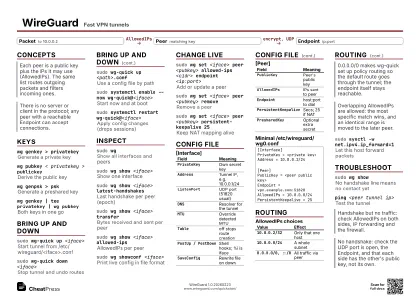 Ink saver · A4 landscape
297 × 210 mm · PDF
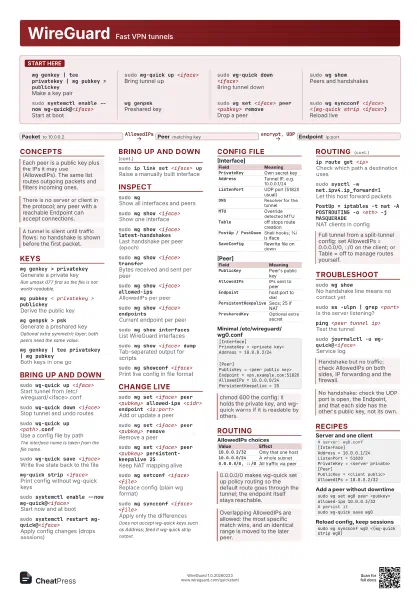

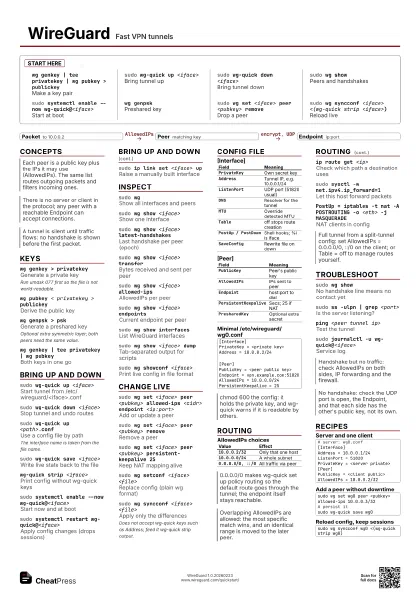
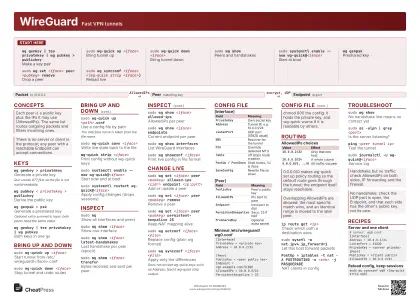 Light · A3 landscape
420 × 297 mm · PDF
 Dark · A3 landscape
420 × 297 mm · PDF
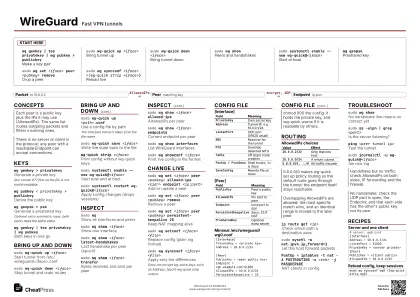 Ink saver · A3 landscape
420 × 297 mm · PDF
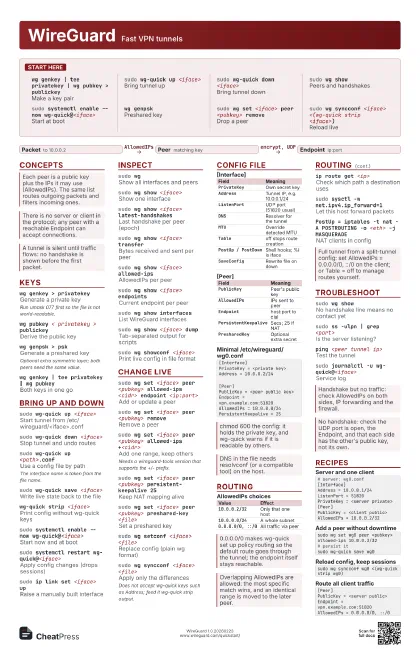

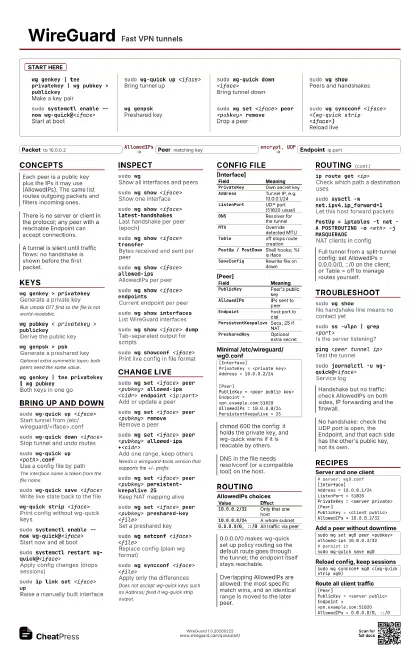
Start here
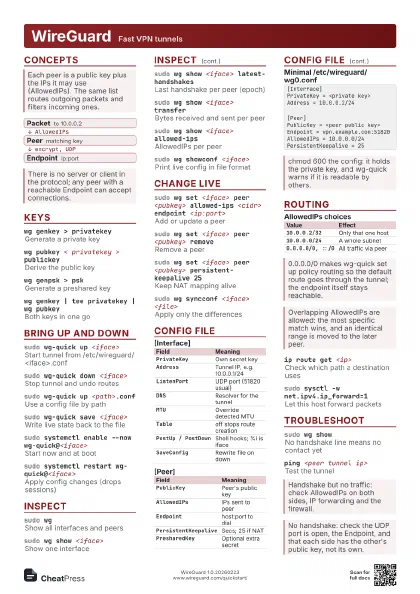
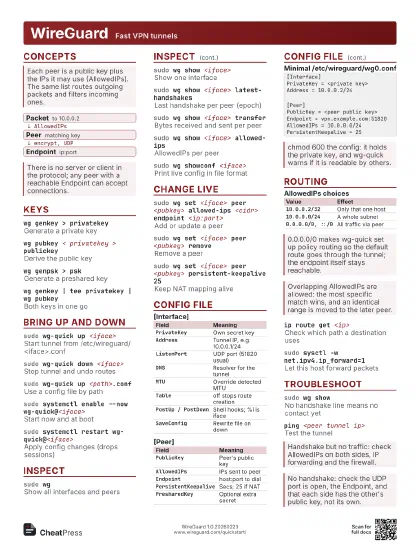
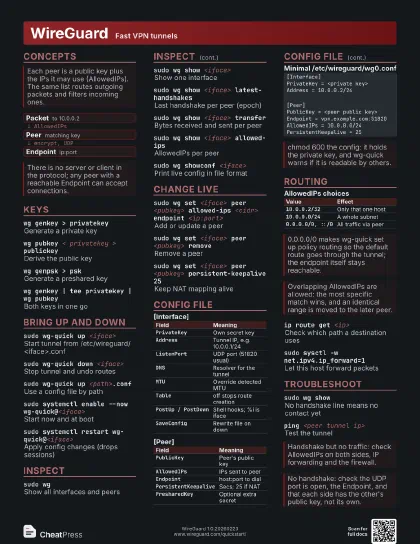
wg genkey | tee privatekey | wg pubkey > publickey
Make a key pair
sudo wg-quick up <iface>
Bring tunnel up
sudo wg-quick down <iface>
Bring tunnel down
sudo wg showPeers and handshakes
sudo systemctl enable --now wg-quick@<iface>
Start at boot
wg genpskPreshared key
sudo wg set <iface> peer <pubkey> remove
Drop a peer
sudo wg syncconf <iface> <(wg-quick strip
                    <iface>)
Reload live
Concepts
- Packet to 10.0.0.2
- Peer matching key
- Endpoint ip:port
Keys
wg genkey > privatekey
Generate a private key
Run umask 077 first so the file is not world-readable.
wg pubkey < privatekey > publickey
Derive the public key
wg genpsk > psk
Generate a preshared key
Optional extra symmetric layer; both peers need the same
value.
wg genkey | tee privatekey | wg pubkey
Both keys in one go
Bring up and down
sudo wg-quick up <iface>
Start tunnel from /etc/wireguard/<iface>.conf
sudo wg-quick down <iface>
Stop tunnel and undo routes
sudo wg-quick up <path>.conf
Use a config file by path
The interface name is taken from the file name.
sudo wg-quick save <iface>
Write live state back to the file
wg-quick strip <iface>
Print config without wg-quick keys
sudo systemctl enable --now wg-quick@<iface>
Start now and at boot
sudo systemctl restart wg-quick@<iface>
Apply config changes (drops sessions)
sudo ip link set <iface> up
Raise a manually built interface
Inspect
sudo wgShow all interfaces and peers
sudo wg show <iface>
Show one interface
sudo wg show <iface> latest-handshakes
Last handshake per peer (epoch)
sudo wg show <iface> transfer
Bytes received and sent per peer
sudo wg show <iface> allowed-ips
AllowedIPs per peer
sudo wg show <iface> endpoints
Current endpoint per peer
sudo wg show interfaces
List WireGuard interfaces
sudo wg show <iface> dump
Tab-separated output for scripts
sudo wg showconf <iface>
Print live config in file format
Change live
sudo wg set <iface> peer <pubkey> allowed-ips
                    <cidr> endpoint <ip:port>
Add or update a peer
sudo wg set <iface> peer <pubkey> remove
Remove a peer
sudo wg set <iface> peer <pubkey> allowed-ips
                    +<cidr>
Add one range, keep others
Needs a wireguard-tools version that supports the +/-
prefix.
sudo wg set <iface> peer <pubkey>
                    persistent-keepalive 25
Keep NAT mapping alive
sudo wg set <iface> peer <pubkey> preshared-key
                    <file>
Set a preshared key
sudo wg set <iface> listen-port <port>
Change listen port
sudo wg set <iface> private-key <file>
Rotate own private key
sudo wg setconf <iface> <file>
Replace config (plain wg format)
sudo wg addconf <iface> <file>
Append peers from a file
sudo wg syncconf <iface> <file>
Apply only the differences
Does not accept wg-quick keys such as Address; feed it
wg-quick strip output.
Config file
| Field | Meaning |
|---|---|
PrivateKey |
Own secret key |
Address |
Tunnel IP, e.g. 10.0.0.1/24 |
ListenPort |
UDP port (51820 usual) |
DNS |
Resolver for the tunnel |
MTU |
Override detected MTU |
Table |
off stops route creation |
PostUp / PostDown |
Shell hooks; %i is iface |
SaveConfig |
Rewrite file on down |
| Field | Meaning |
|---|---|
PublicKey |
Peer's public key |
AllowedIPs |
IPs sent to peer |
Endpoint |
host:port to dial |
PersistentKeepalive |
Secs; 25 if NAT |
PresharedKey |
Optional extra secret |
[Interface]PrivateKey = <private key>Address = 10.0.0.2/24[Peer]PublicKey = <peer public key>Endpoint = vpn.example.com:51820AllowedIPs = 10.0.0.0/24PersistentKeepalive = 25Routing
| Value | Effect |
|---|---|
10.0.0.2/32 |
Only that one host |
10.0.0.0/24 |
A whole subnet |
0.0.0.0/0, ::/0 |
All traffic via peer |
ip route get <ip>
Check which path a destination uses
sudo sysctl -w net.ipv4.ip_forward=1
Let this host forward packets
PostUp = iptables -t nat -A POSTROUTING -o <eth> -j
                    MASQUERADE
NAT clients in config
Troubleshoot
sudo wg showNo handshake line means no contact yet
sudo ss -ulpn | grep <port>
Is the server listening?
ping <peer tunnel ip>
Test the tunnel
sudo journalctl -u wg-quick@<iface>
Service log
echo module wireguard +p | sudo tee
                    /sys/kernel/debug/dynamic_debug/control
Kernel debug output (dmesg)
Recipes
# server: wg0.conf[Interface]Address = 10.0.0.1/24ListenPort = 51820PrivateKey = <server private>[Peer]PublicKey = <client public>AllowedIPs = 10.0.0.2/32sudo wg set wg0 peer <pubkey> allowed-ips 10.0.0.3/32# persist itsudo wg-quick save wg0sudo wg syncconf wg0 <(wg-quick strip wg0)[Peer]PublicKey = <server public>Endpoint = vpn.example.com:51820AllowedIPs = 0.0.0.0/0, ::/0