Cheat
kcat Kafka on the shell
 Light · Postcard
102 × 152 mm · PDF
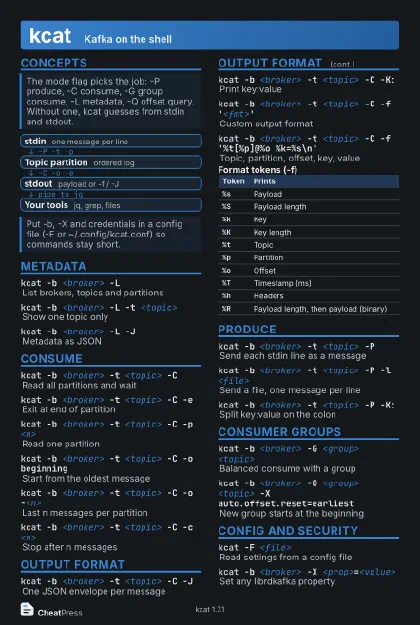 Dark · Postcard
102 × 152 mm · PDF
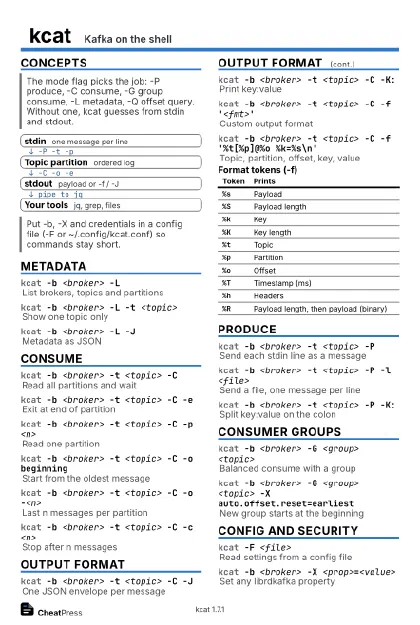 Ink saver · Postcard
102 × 152 mm · PDF
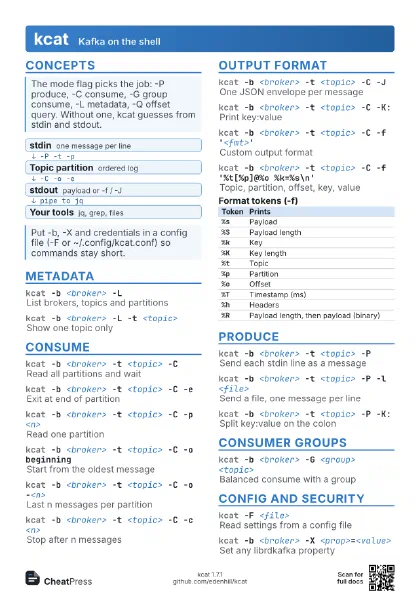
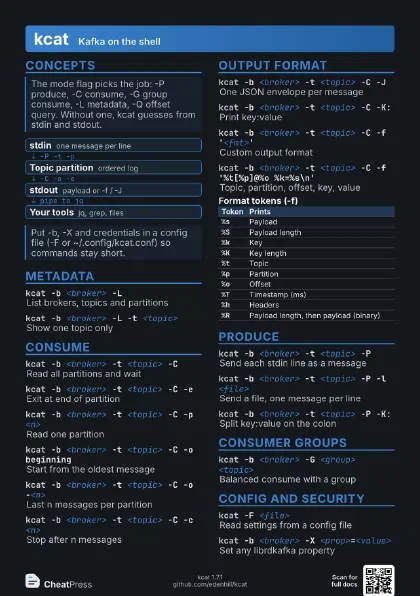
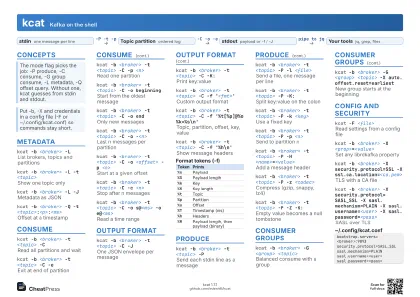 Light · A4 landscape
297 × 210 mm · PDF
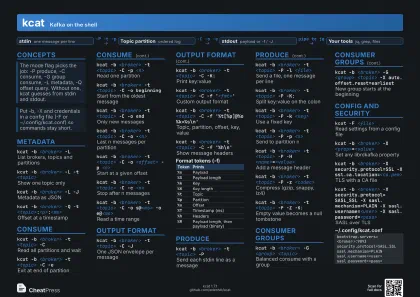 Dark · A4 landscape
297 × 210 mm · PDF
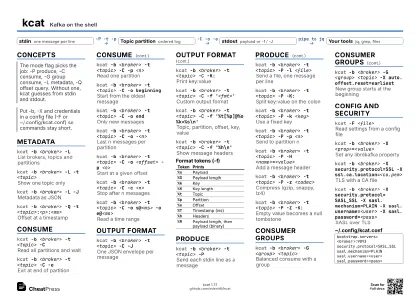 Ink saver · A4 landscape
297 × 210 mm · PDF
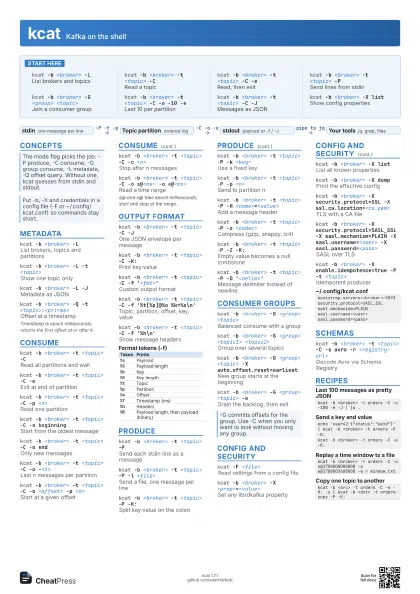
 Light · A3 landscape
420 × 297 mm · PDF
 Dark · A3 landscape
420 × 297 mm · PDF
 Ink saver · A3 landscape
420 × 297 mm · PDF
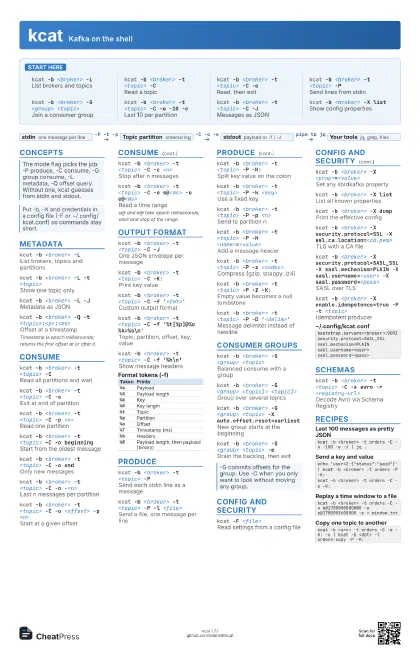
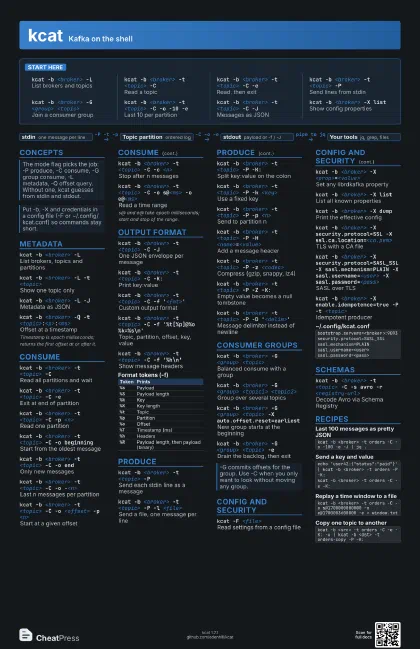
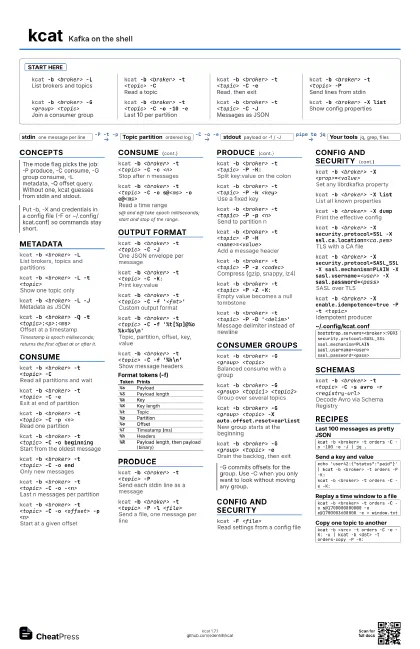
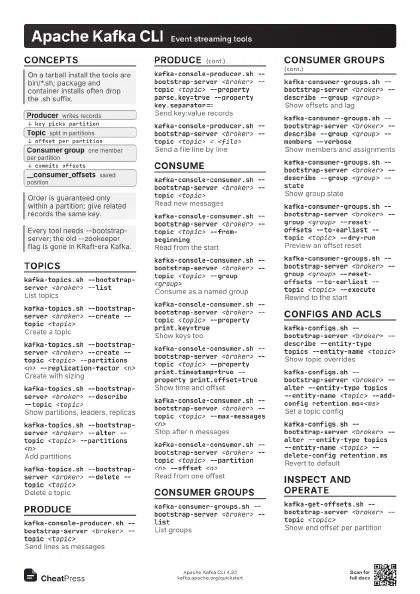
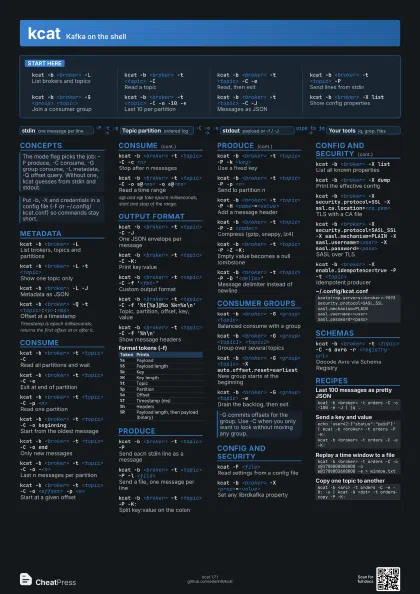
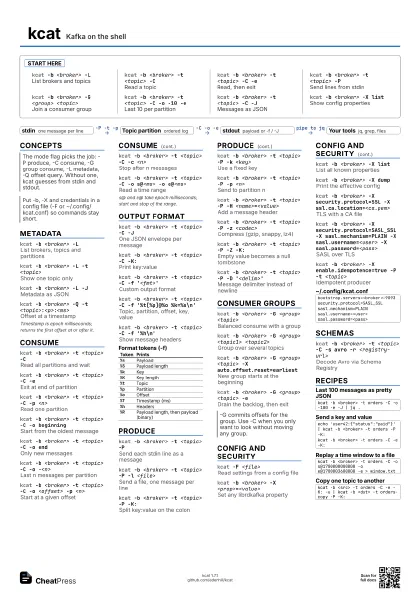
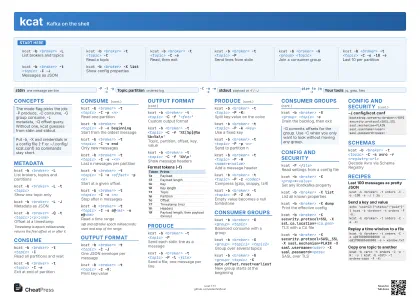
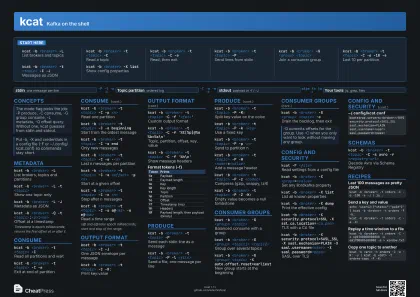
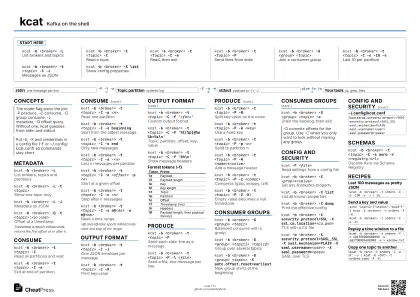
Start here
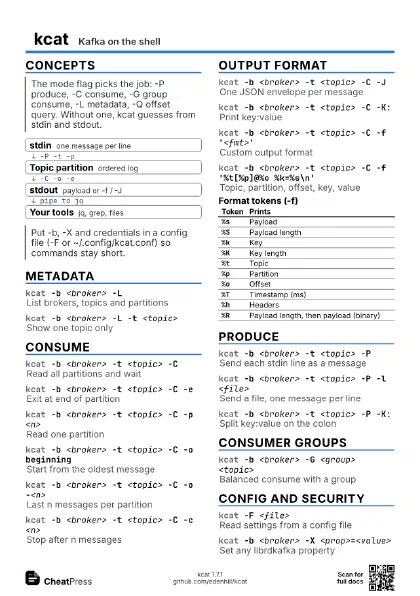
kcat -b <broker> -L
List brokers and topics
kcat -b <broker> -t <topic> -C
Read a topic
kcat -b <broker> -t <topic> -C -e
Read, then exit
kcat -b <broker> -t <topic> -P
Send lines from stdin
kcat -b <broker> -G <group> <topic>
Join a consumer group
kcat -b <broker> -t <topic> -C -o -10 -e
Last 10 per partition
kcat -b <broker> -t <topic> -C -J
Messages as JSON
kcat -b <broker> -X list
Show config properties
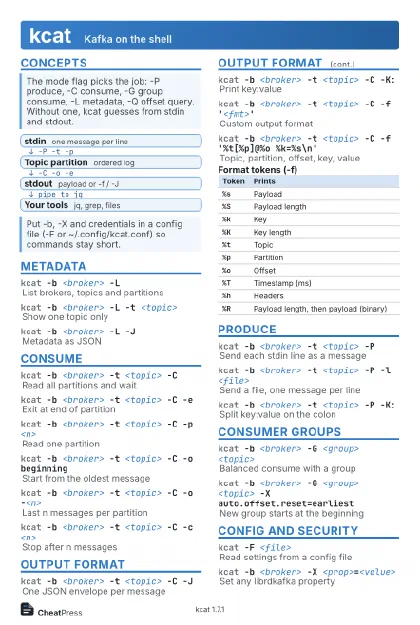
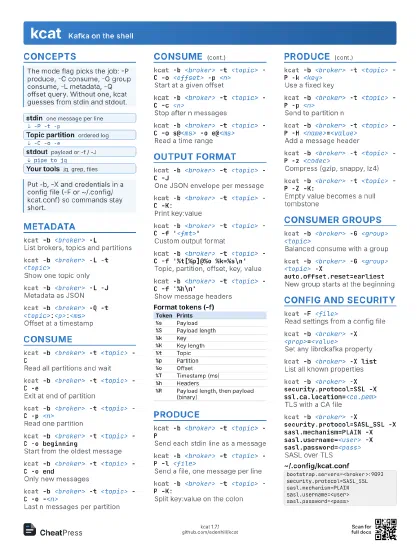
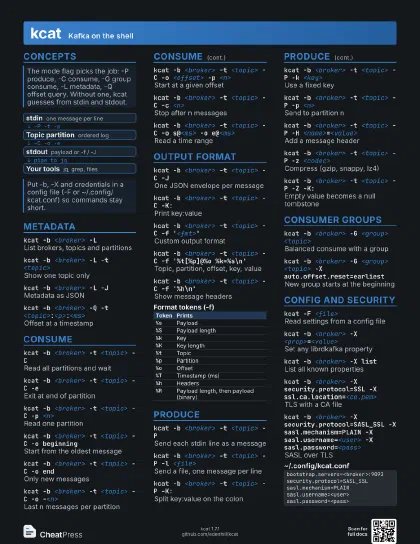
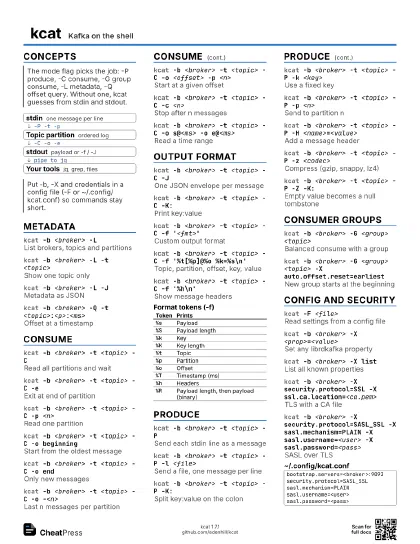
Concepts
- stdin one message per line
- Topic partition ordered log
- stdout payload or -f / -J
- Your tools jq, grep, files
Metadata
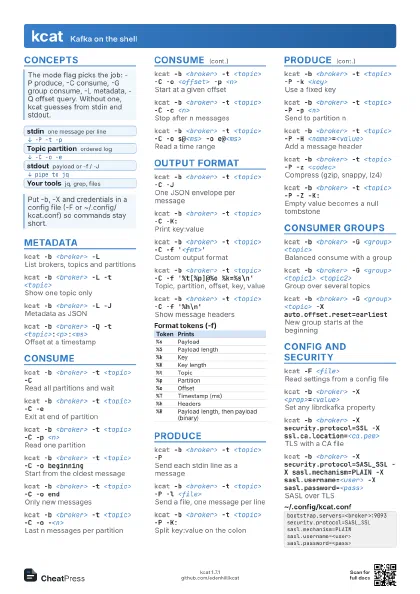
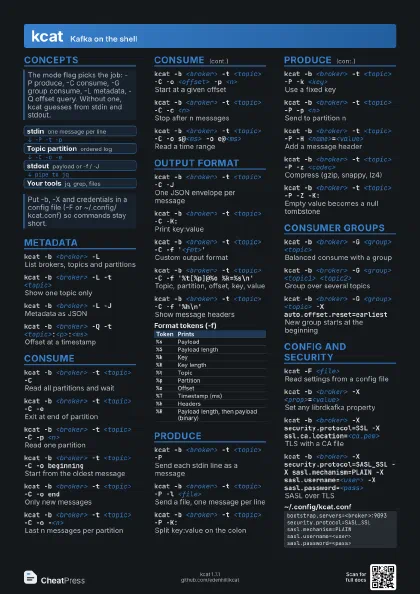
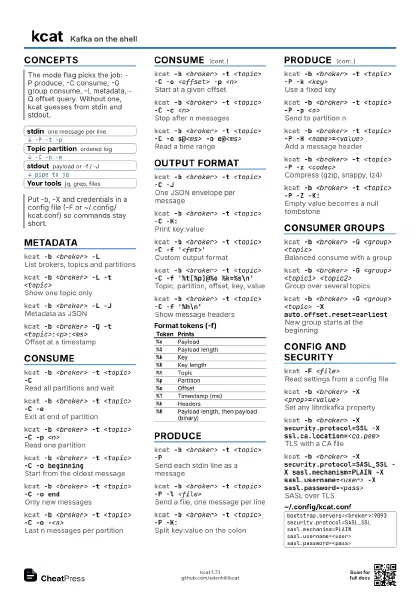
kcat -b <broker> -L
List brokers, topics and partitions
kcat -b <broker> -L -t <topic>
Show one topic only
kcat -b <broker> -L -J
Metadata as JSON
kcat -b <broker> -Q -t
                    <topic>:<p>:<ms>
Offset at a timestamp
Timestamp is epoch milliseconds; returns the first offset at
or after it.
Consume
kcat -b <broker> -t <topic> -C
Read all partitions and wait
kcat -b <broker> -t <topic> -C -e
Exit at end of partition
kcat -b <broker> -t <topic> -C -p
                    <n>
Read one partition
kcat -b <broker> -t <topic> -C -o
                    beginning
Start from the oldest message
kcat -b <broker> -t <topic> -C -o end
Only new messages
kcat -b <broker> -t <topic> -C -o
                    -<n>
Last n messages per partition
kcat -b <broker> -t <topic> -C -o
                    <offset> -p <n>
Start at a given offset
kcat -b <broker> -t <topic> -C -c
                    <n>
Stop after n messages
kcat -b <broker> -t <topic> -C -o s@<ms>
                    -o e@<ms>
Read a time range
s@ and e@ take epoch milliseconds; start and stop of the
range.
Output format
kcat -b <broker> -t <topic> -C -J
One JSON envelope per message
kcat -b <broker> -t <topic> -C -K:
Print key:value
kcat -b <broker> -t <topic> -C -f
                    '<fmt>'
Custom output format
kcat -b <broker> -t <topic> -C -f
                    '%t[%p]@%o %k=%s\n'
Topic, partition, offset, key, value
kcat -b <broker> -t <topic> -C -f
                    '%h\n'
Show message headers
| Token | Prints |
|---|---|
%s |
Payload |
%S |
Payload length |
%k |
Key |
%K |
Key length |
%t |
Topic |
%p |
Partition |
%o |
Offset |
%T |
Timestamp (ms) |
%h |
Headers |
%R |
Payload length, then payload (binary) |
Produce
kcat -b <broker> -t <topic> -P
Send each stdin line as a message
kcat -b <broker> -t <topic> -P -l
                    <file>
Send a file, one message per line
kcat -b <broker> -t <topic> -P -K:
Split key:value on the colon
kcat -b <broker> -t <topic> -P -k
                    <key>
Use a fixed key
kcat -b <broker> -t <topic> -P -p
                    <n>
Send to partition n
kcat -b <broker> -t <topic> -P -H
                    <name>=<value>
Add a message header
kcat -b <broker> -t <topic> -P -z
                    <codec>
Compress (gzip, snappy, lz4)
kcat -b <broker> -t <topic> -P -Z -K:
Empty value becomes a null tombstone
kcat -b <broker> -t <topic> -P -D
                    '<delim>'
Message delimiter instead of newline
Consumer groups
kcat -b <broker> -G <group> <topic>
Balanced consume with a group
kcat -b <broker> -G <group> <topic1>
                    <topic2>
Group over several topics
kcat -b <broker> -G <group> <topic> -X
                    auto.offset.reset=earliest
New group starts at the beginning
kcat -b <broker> -G <group> <topic>
                    -e
Drain the backlog, then exit
Config and security
kcat -F <file>
Read settings from a config file
kcat -b <broker> -X <prop>=<value>
Set any librdkafka property
kcat -b <broker> -X list
List all known properties
kcat -b <broker> -X dump
Print the effective config
kcat -b <broker> -X security.protocol=SSL -X
                    ssl.ca.location=<ca.pem>
TLS with a CA file
kcat -b <broker> -X security.protocol=SASL_SSL -X
                    sasl.mechanism=PLAIN -X sasl.username=<user> -X
                    sasl.password=<pass>
SASL over TLS
kcat -b <broker> -X enable.idempotence=true -P -t
                    <topic>
Idempotent producer
bootstrap.servers=<broker>:9093security.protocol=SASL_SSLsasl.mechanism=PLAINsasl.username=<user>sasl.password=<pass>Schemas
kcat -b <broker> -t <topic> -C -s avro -r
                    <registry-url>
Decode Avro via Schema Registry
Recipes
kcat -b <broker> -t orders -C -o -100 -e -J | jq .echo 'user42:{"status":"paid"}' | kcat -b <broker> -t orders -P -K:kcat -b <broker> -t orders -C -e -K:kcat -b <broker> -t orders -C -o s@1700000000000 -o e@1700003600000 -e > window.txtkcat -b <src> -t orders -C -e -K: -u | kcat -b <dst> -t orders-copy -P -K: