Cheat
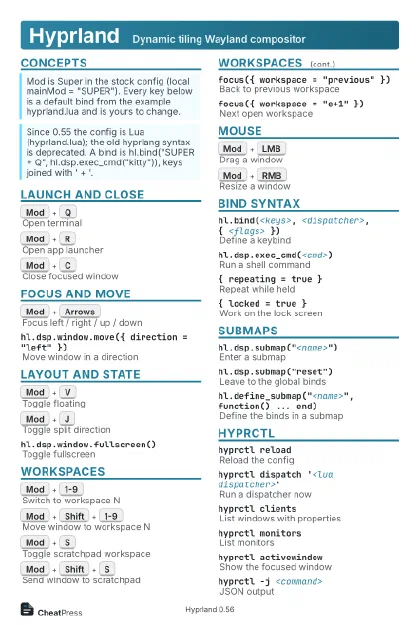
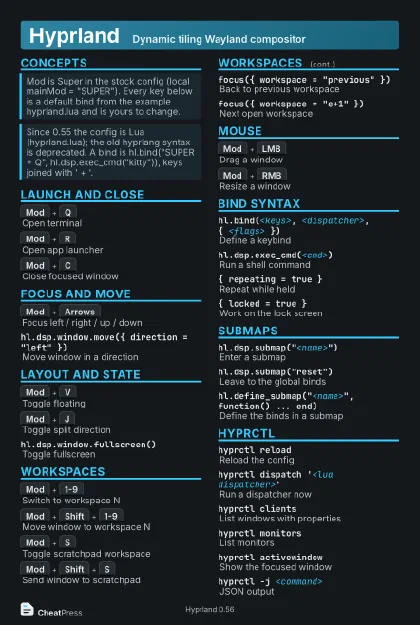
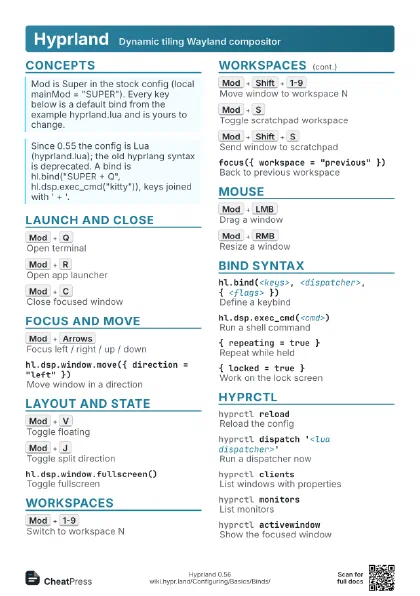
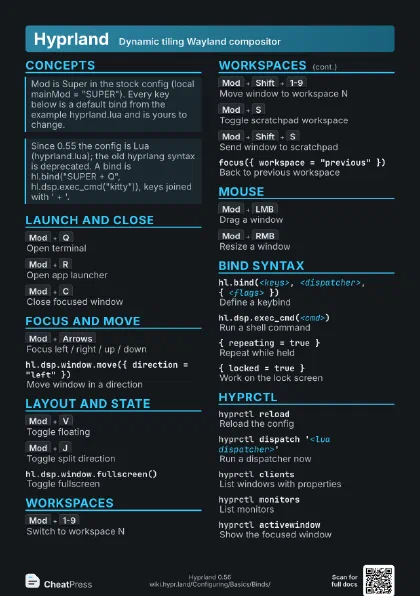
Hyprland Dynamic tiling Wayland compositor
 Light · Postcard
102 × 152 mm · PDF
 Dark · Postcard
102 × 152 mm · PDF
 Ink saver · Postcard
102 × 152 mm · PDF
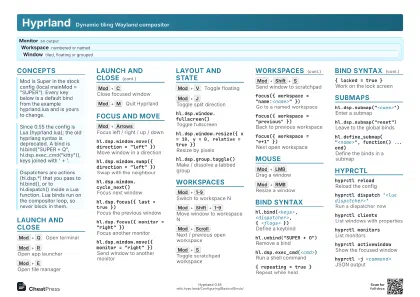 Light · A4 landscape
297 × 210 mm · PDF
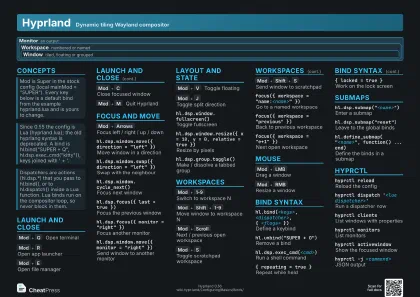 Dark · A4 landscape
297 × 210 mm · PDF
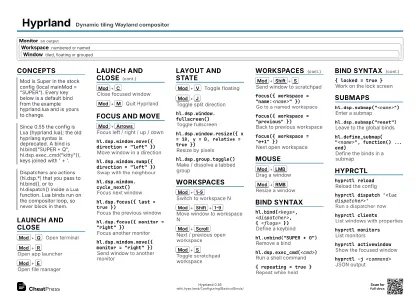 Ink saver · A4 landscape
297 × 210 mm · PDF
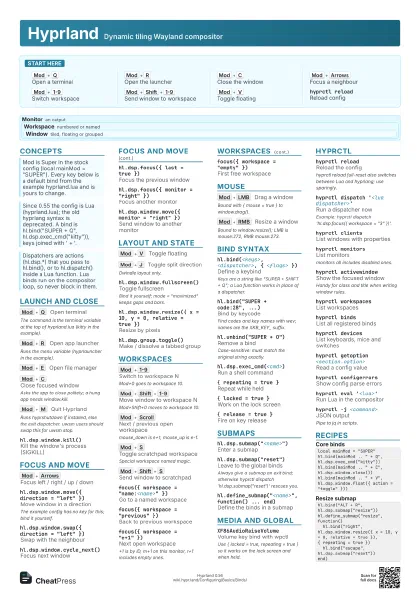
 Light · A3 landscape
420 × 297 mm · PDF
 Dark · A3 landscape
420 × 297 mm · PDF
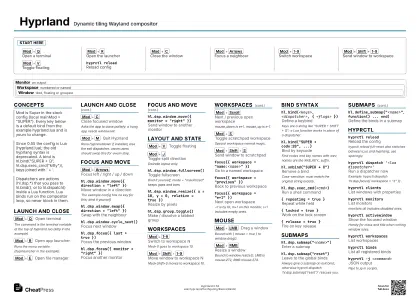 Ink saver · A3 landscape
420 × 297 mm · PDF
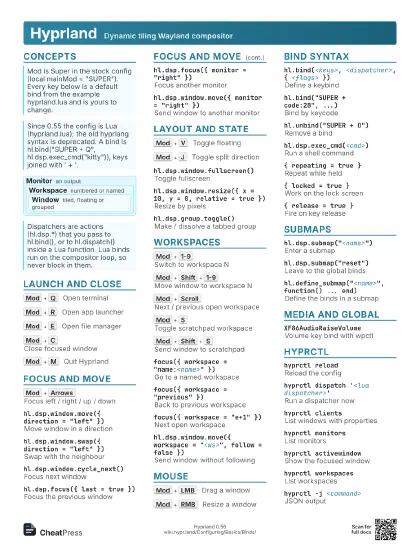
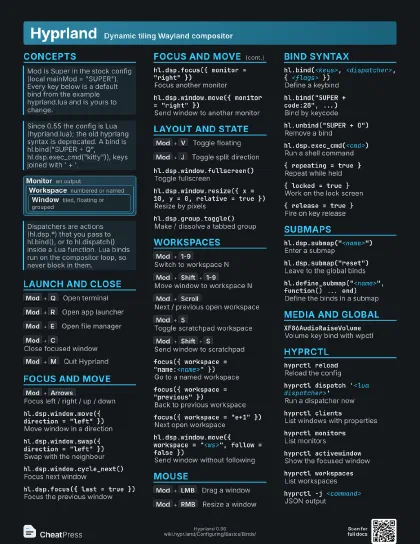
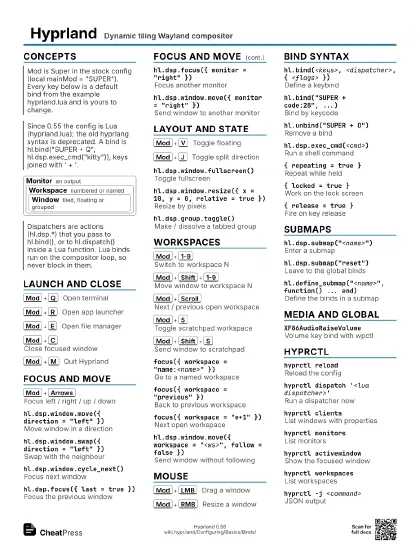
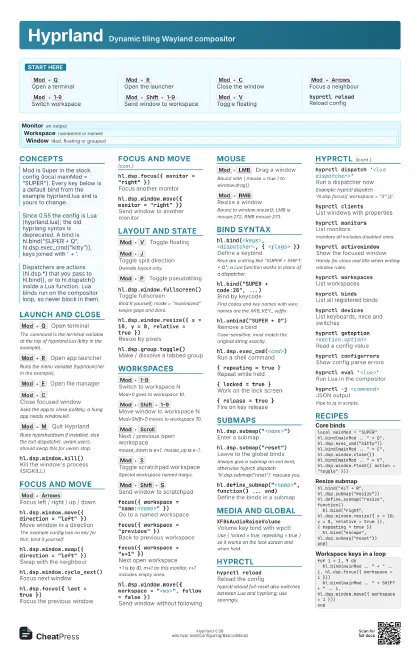
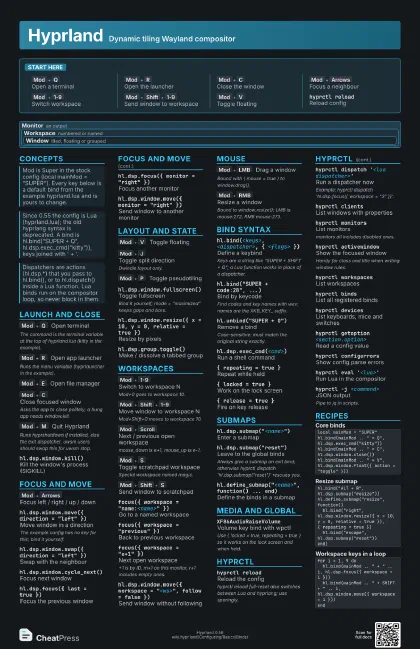
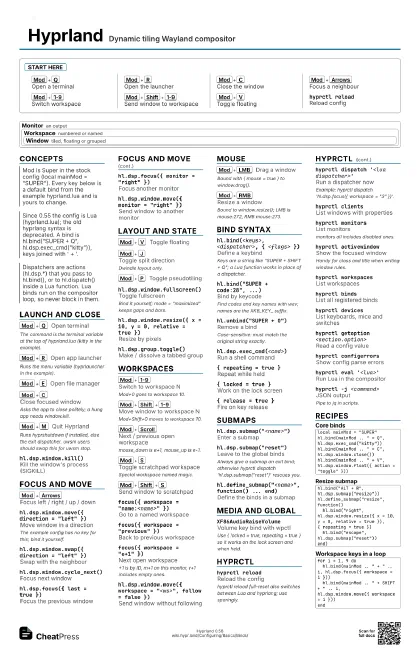
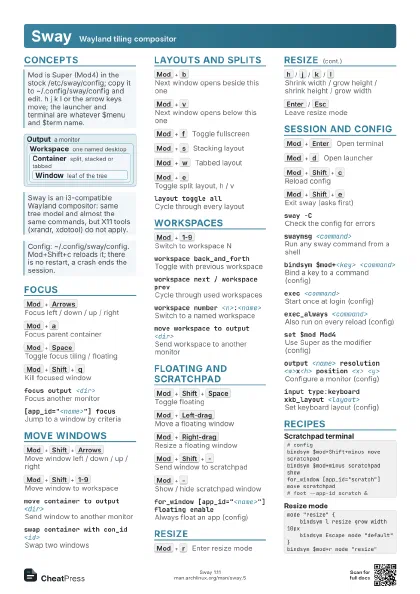
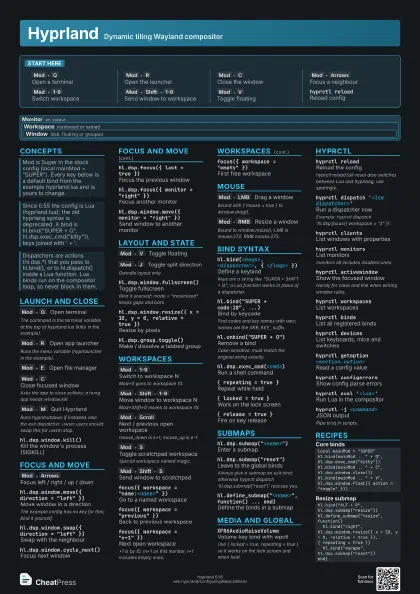
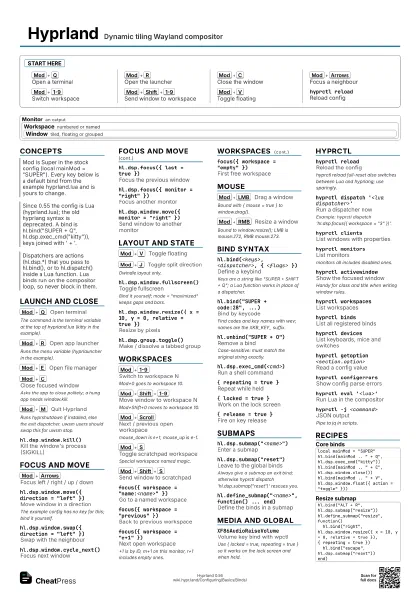
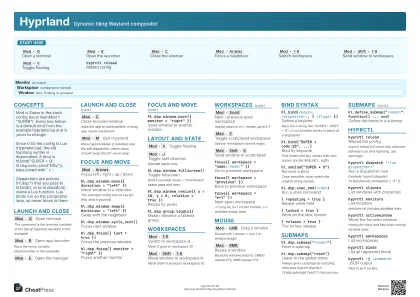
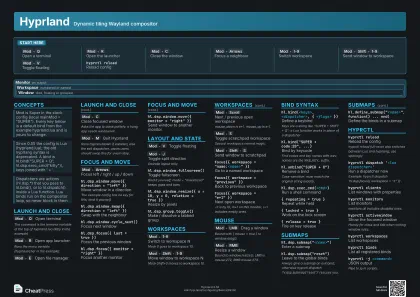
Start here
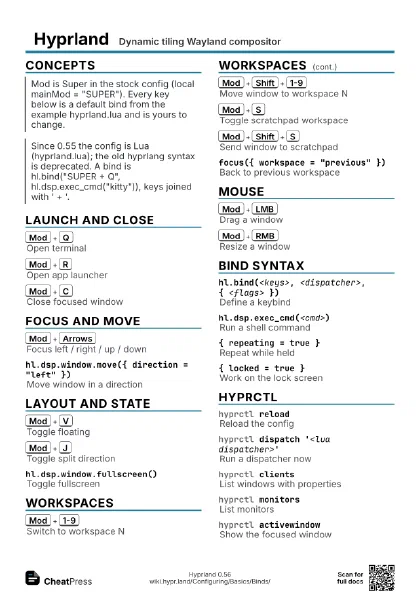
Mod+Q
Open a terminal
Mod+R
Open the launcher
Mod+C
Close the window
Mod+Arrows
Focus a neighbour
Mod+1-9
Switch workspace
Mod+Shift+1-9
Send window to workspace
Mod+V
Toggle floating
hyprctl reloadReload config
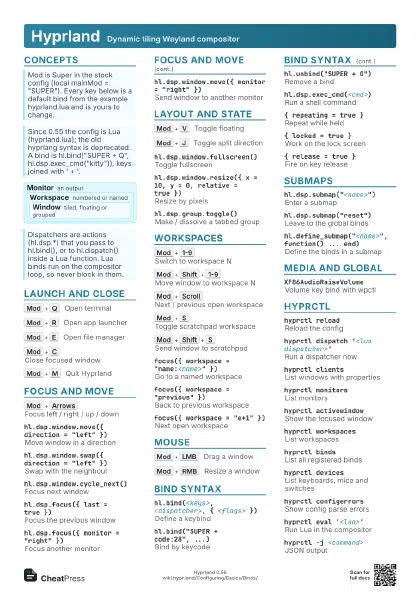
Concepts
Monitor an output
Workspace numbered or named
Window
tiled, floating or grouped
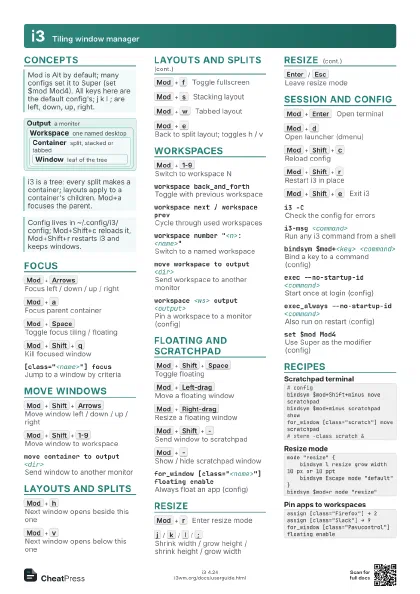
Launch and Close
Mod+Q
Open terminal
The command is the terminal variable at the top of
hyprland.lua (kitty in the example).
Mod+R
Open app launcher
Runs the menu variable (hyprlauncher in the example).
Mod+E
Open file manager
Mod+C
Close focused window
Asks the app to close politely; a hung app needs window.kill.
Mod+M
Quit Hyprland
Runs hyprshutdown if installed, else the exit dispatcher. uwsm
users should swap this for uwsm stop.
hl.dsp.window.kill()
Kill the window's process (SIGKILL)
hyprctl killClick a window to kill it
Like xkill; Esc cancels.
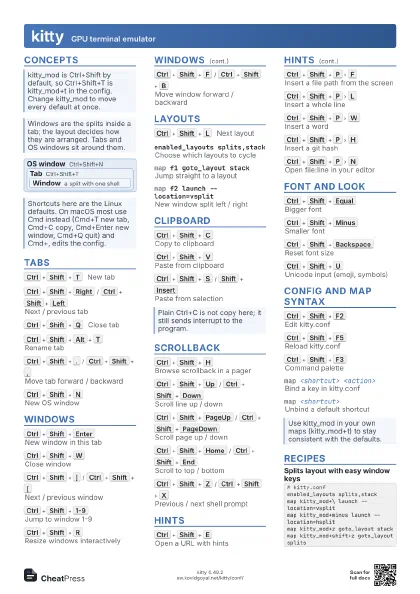
Focus and Move
Mod+Arrows
Focus left / right / up / down
hl.dsp.window.move({ direction = "left" })
Move window in a direction
The example config has no key for this; bind it yourself.
hl.dsp.window.swap({ direction = "left" })
Swap with the neighbour
hl.dsp.window.cycle_next()
Focus next window
hl.dsp.focus({ last = true })
Focus the previous window
hl.dsp.focus({ urgent_or_last = true })
Jump to urgent or last window
hl.dsp.focus({ monitor = "right" })
Focus another monitor
hl.dsp.window.move({ monitor = "right" })
Send window to another monitor
hl.dsp.window.center()
Centre the window
Layout and State
Mod+V
Toggle floating
Mod+J
Toggle split direction
Dwindle layout only.
Mod+P
Toggle pseudotiling
hl.dsp.window.fullscreen()
Toggle fullscreen
Bind it yourself; mode = "maximized" keeps gaps and
bars.
hl.dsp.window.pin()
Pin floating window to all workspaces
hl.dsp.window.resize({ x = 10, y = 0, relative = true
                    })
Resize by pixels
hl.dsp.layout("<message>")
Send a layout message
Messages differ per layout; see the layout pages.
hl.dsp.group.toggle()
Make / dissolve a tabbed group
hl.dsp.group.next()
Next tab in group
hl.dsp.window.move({ into_group = "left" })
Move window into a group
Workspaces
Mod+1-9
Switch to workspace N
Mod+0 goes to workspace 10.
Mod+Shift+1-9
Move window to workspace N
Mod+Shift+0 moves to workspace 10.
Mod+Scroll
Next / previous open workspace
mouse_down is e+1, mouse_up is e-1.
Mod+S
Toggle scratchpad workspace
Special workspace named magic.
Mod+Shift+S
Send window to scratchpad
focus({ workspace = "name:<name>" })
Go to a named workspace
focus({ workspace = "previous" })
Back to previous workspace
focus({ workspace = "e+1" })
Next open workspace
+1 is by ID, m+1 on this monitor, r+1 includes
empty ones.
focus({ workspace = "empty" })
First free workspace
hl.dsp.window.move({ workspace = "<ws>",
                    follow = false })
Send window without following
hl.dsp.workspace.move({ monitor = "<mon>"
                    })
Move workspace to a monitor
Mouse
Mod+LMB
Drag a window
Bound with { mouse = true } to window.drag().
Mod+RMB
Resize a window
Bound to window.resize(); LMB is mouse:272, RMB mouse:273.
{ mouse = true, drag = true }
Fire only after dragging past threshold
Pair with a { click = true } bind on the same button;
threshold is binds.drag_threshold.
hl.bind("SUPER + CTRL_L", hl.dsp.window.drag(),
                    { mouse = true })
Keyboard stand-in for dragging
Handy on touchpads.
Bind Syntax
hl.bind(<keys>, <dispatcher>, { <flags>
                    })
Define a keybind
Keys are a string like "SUPER + SHIFT + Q"; a
Lua function works in place of a dispatcher.
hl.bind("SUPER + code:28", ...)
Bind by keycode
Find codes and key names with wev; names are the XKB_KEY_
suffix.
hl.unbind("SUPER + O")
Remove a bind
Case-sensitive: must match the original string exactly.
hl.dsp.exec_cmd(<cmd>)
Run a shell command
hl.dsp.exec_cmd(<cmd>, { float = true })
Run with window rules
Applies by the PID it spawns; forking apps may miss.
{ repeating = true }
Repeat while held
{ locked = true }
Work on the lock screen
{ release = true }
Fire on key release
{ long_press = true }
Fire on long press
{ non_consuming = true }
Also pass the key to the app
{ description = "<text>" }
Describe the bind
Shows up in hyprctl binds.
{ submap_universal = true }
Active in every submap
Submaps
hl.dsp.submap("<name>")
Enter a submap
hl.dsp.submap("reset")
Leave to the global binds
Always give a submap an exit bind; otherwise hyprctl dispatch
'hl.dsp.submap("reset")' rescues you.
hl.define_submap("<name>", function() ...
                    end)
Define the binds in a submap
hl.bind("catchall", ...)
Match any key
Use inside a submap to swallow or exit on unknown keys.
hyprctl submapPrint the current submap
Media and Global
XF86AudioRaiseVolume
Volume key bind with wpctl
Use { locked = true, repeating = true } so it works on the
lock screen and when held.
hl.dsp.pass({ window = "class:<re>" })
Pass the shortcut to an app
Gives global shortcuts to OBS, Discord and the like.
hl.dsp.send_shortcut({ mods, key, window })
Send a different shortcut to an app
hl.dsp.global("<app>:<name>")
Trigger a portal global shortcut
List them with hyprctl globalshortcuts; needs
xdg-desktop-portal-hyprland.
hyprctl
hyprctl reloadReload the config
hyprctl reload full-reset also switches between Lua and
hyprlang; use sparingly.
hyprctl dispatch '<lua dispatcher>'
Run a dispatcher now
Example: hyprctl dispatch 'hl.dsp.focus({ workspace =
"3" })'.
hyprctl clientsList windows with properties
hyprctl monitors
List monitors
monitors all includes disabled ones.
hyprctl activewindow
Show the focused window
Handy for class and title when writing window rules.
hyprctl workspaces
List workspaces
hyprctl bindsList all registered binds
hyprctl devicesList keyboards, mice and switches
hyprctl getoption <section.option>
Read a config value
hyprctl configerrors
Show config parse errors
hyprctl eval '<lua>'
Run Lua in the compositor
hyprctl -j <command>
JSON output
Pipe to jq in scripts.
hyprctl notify -1 5000 "rgb(ff1ea3)"
                    "<msg>"
Show an on-screen notification
hyprctl versionShow version and build
Recipes
local mainMod = "SUPER"hl.bind(mainMod .. " + Q", hl.dsp.exec_cmd("kitty"))hl.bind(mainMod .. " + C", hl.dsp.window.close())hl.bind(mainMod .. " + V", hl.dsp.window.float({ action = "toggle" }))hl.bind("ALT + R", hl.dsp.submap("resize"))hl.define_submap("resize", function() hl.bind("right", hl.dsp.window.resize({ x = 10, y = 0, relative = true }), { repeating = true }) hl.bind("escape", hl.dsp.submap("reset"))end)for i = 1, 9 do hl.bind(mainMod .. " + " .. i, hl.dsp.focus({ workspace = i })) hl.bind(mainMod .. " + SHIFT + " .. i, hl.dsp.window.move({ workspace = i }))endhyprctl bindshyprctl configerrorshyprctl dispatch 'hl.dsp.submap("reset")'