Cheat
hyperfine Command-line benchmarking
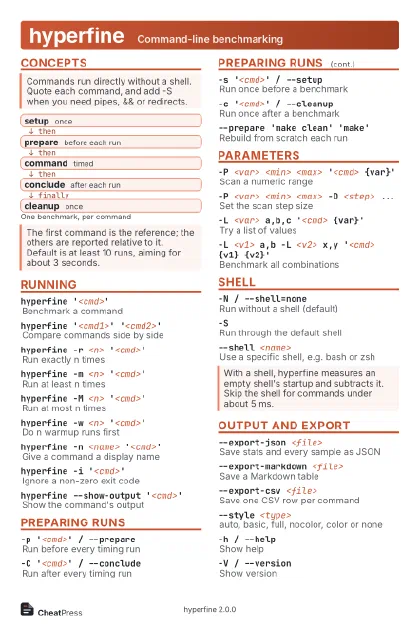 Light · Postcard
102 × 152 mm · PDF
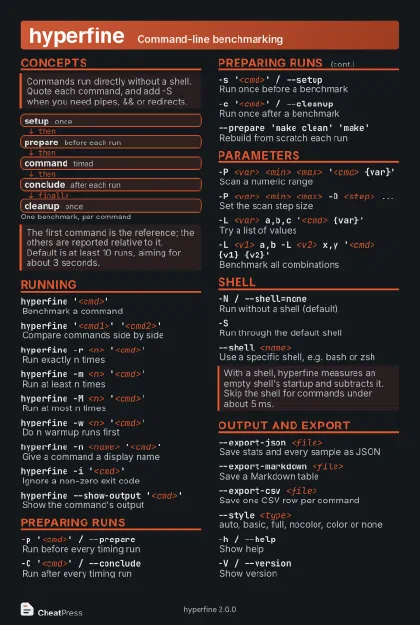 Dark · Postcard
102 × 152 mm · PDF
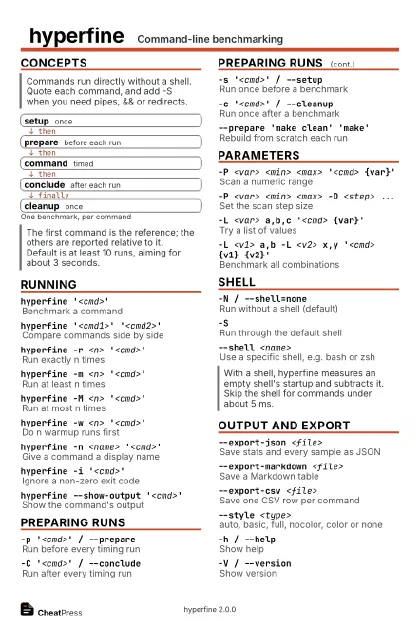 Ink saver · Postcard
102 × 152 mm · PDF
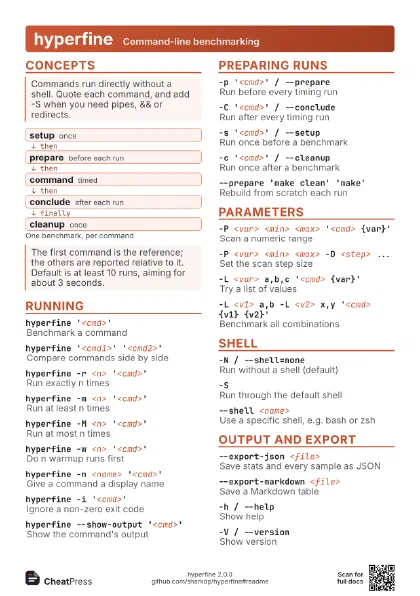
 Light · A4 landscape
297 × 210 mm · PDF
 Dark · A4 landscape
297 × 210 mm · PDF
 Ink saver · A4 landscape
297 × 210 mm · PDF
 Light · A3 landscape
420 × 297 mm · PDF
 Dark · A3 landscape
420 × 297 mm · PDF
 Ink saver · A3 landscape
420 × 297 mm · PDF
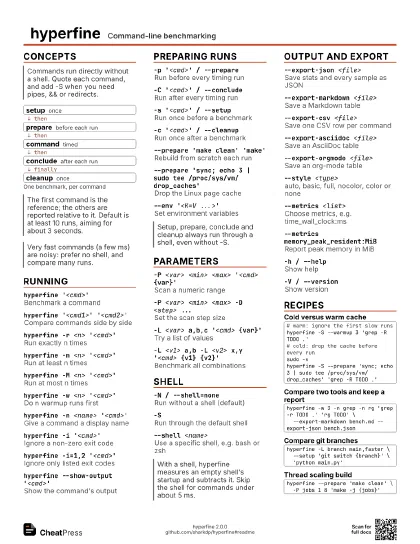
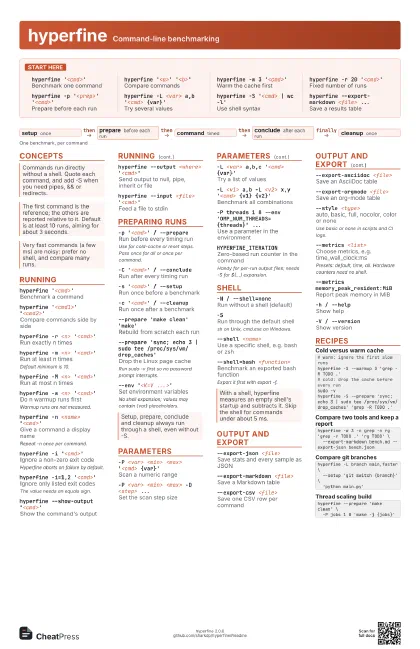
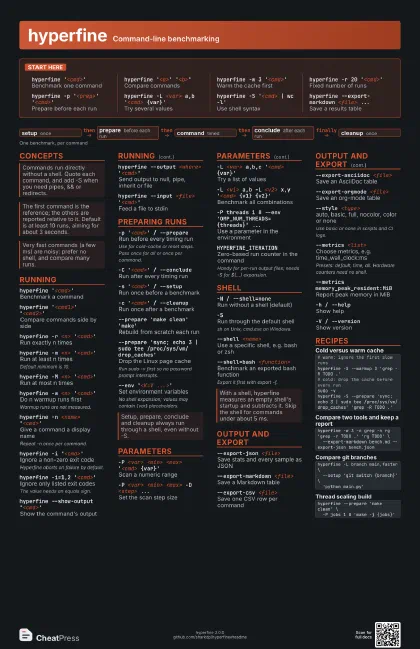
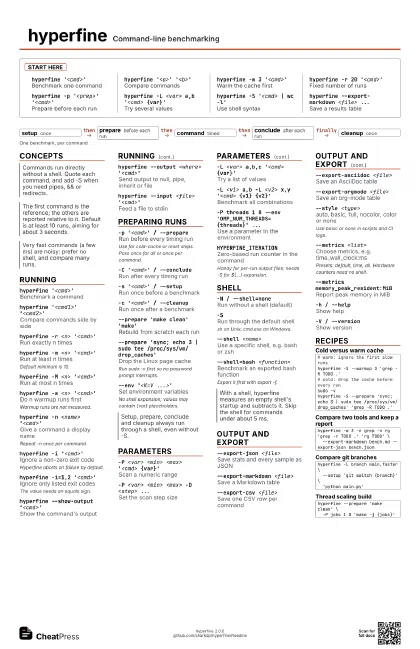
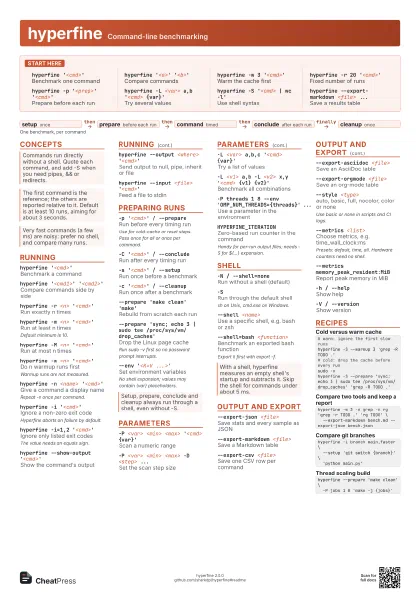
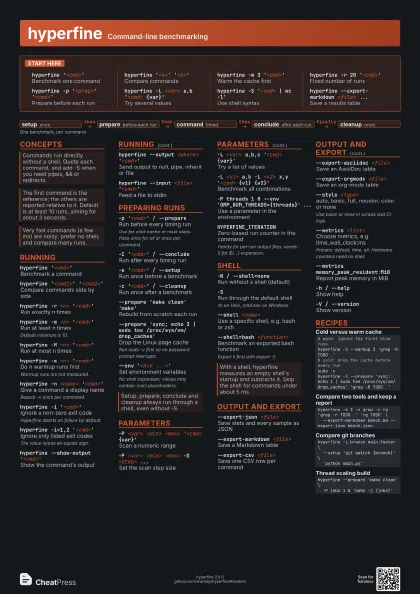
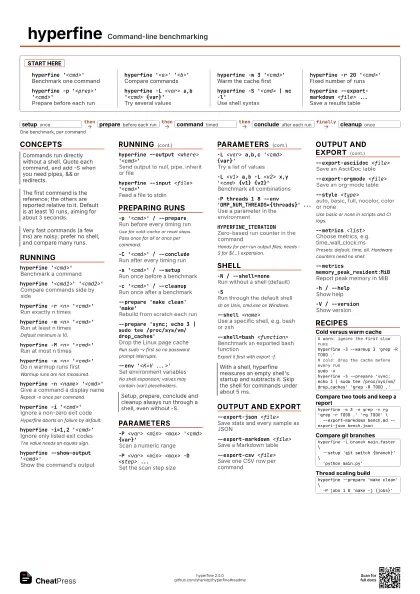
Start here
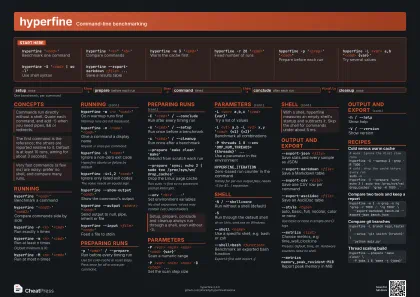
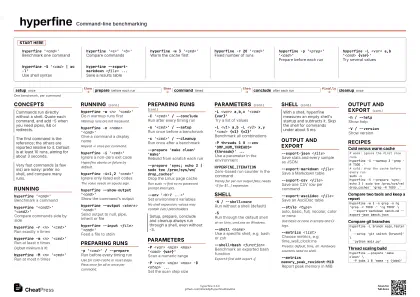
hyperfine '<cmd>'
Benchmark one command
hyperfine '<a>' '<b>'
Compare commands
hyperfine -w 3 '<cmd>'
Warm the cache first
hyperfine -r 20 '<cmd>'
Fixed number of runs
hyperfine -p '<prep>'
                    '<cmd>'
Prepare before each run
hyperfine -L <var> a,b '<cmd>
                    {var}'
Try several values
hyperfine -S '<cmd> | wc -l'
Use shell syntax
hyperfine --export-markdown <file> ...
Save a results table
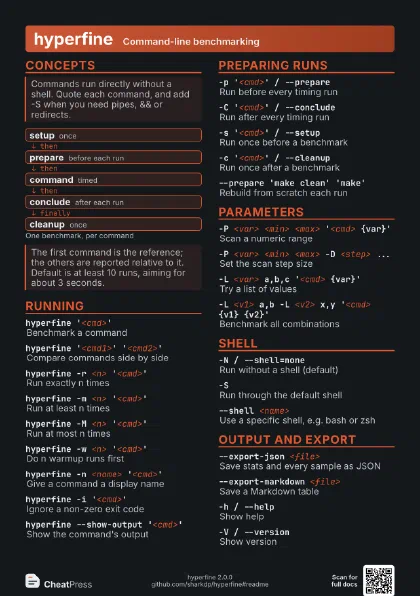
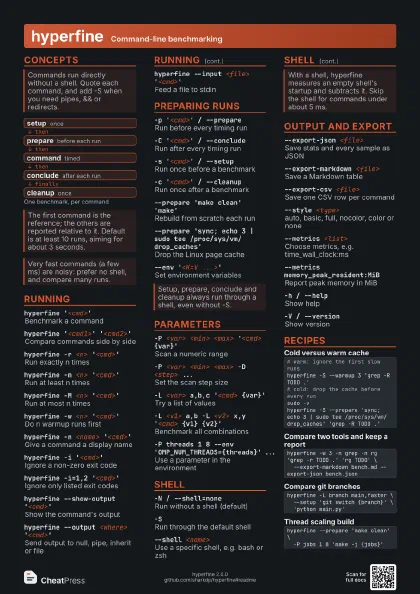
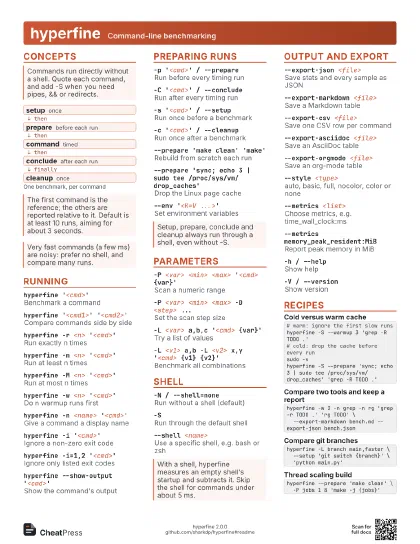
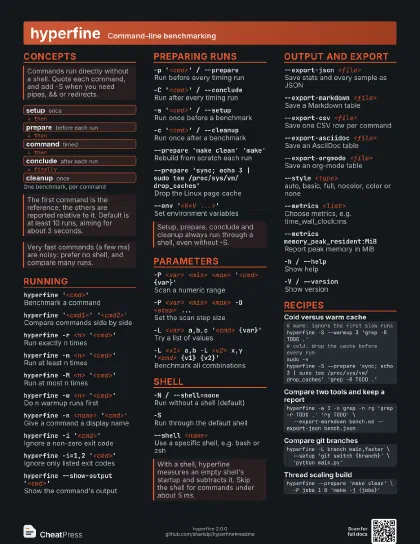
Concepts
- setup once
- prepare before each run
- command timed
- conclude after each run
- cleanup once
Running
hyperfine '<cmd>'
Benchmark a command
hyperfine '<cmd1>'
                    '<cmd2>'
Compare commands side by side
hyperfine -r <n> '<cmd>'
Run exactly n times
hyperfine -m <n> '<cmd>'
Run at least n times
Default minimum is 10.
hyperfine -M <n> '<cmd>'
Run at most n times
hyperfine -w <n> '<cmd>'
Do n warmup runs first
Warmup runs are not measured.
hyperfine -n <name> '<cmd>'
Give a command a display name
Repeat -n once per command.
hyperfine -i '<cmd>'
Ignore a non-zero exit code
Hyperfine aborts on failure by default.
hyperfine -i=1,2 '<cmd>'
Ignore only listed exit codes
The value needs an equals sign.
hyperfine --show-output '<cmd>'
Show the command's output
hyperfine --output <where>
                    '<cmd>'
Send output to null, pipe, inherit or file
hyperfine --input <file> '<cmd>'
Feed a file to stdin
Preparing runs
-p '<cmd>' / --prepare
Run before every timing run
Use for cold-cache or reset steps. Pass once for all or once
per command.
-C '<cmd>' / --conclude
Run after every timing run
-s '<cmd>' / --setup
Run once before a benchmark
-c '<cmd>' / --cleanup
Run once after a benchmark
--prepare 'make clean' 'make'
Rebuild from scratch each run
--prepare 'sync; echo 3 | sudo tee
                    /proc/sys/vm/drop_caches'
Drop the Linux page cache
Run sudo -v first so no password prompt interrupts.
--env '<K=V ...>'
Set environment variables
No shell expansion; values may contain {var} placeholders.
Parameters
-P <var> <min> <max> '<cmd>
                    {var}'
Scan a numeric range
-P <var> <min> <max> -D <step>
                    ...
Set the scan step size
-L <var> a,b,c '<cmd> {var}'
Try a list of values
-L <v1> a,b -L <v2> x,y '<cmd> {v1}
                    {v2}'
Benchmark all combinations
-P threads 1 8 --env 'OMP_NUM_THREADS={threads}'
                    ...
Use a parameter in the environment
HYPERFINE_ITERATION
Zero-based run counter in the command
Handy for per-run output files; needs -S for ${...} expansion.
Shell
-N / --shell=none
Run without a shell (default)
-SRun through the default shell
sh on Unix, cmd.exe on Windows.
--shell <name>
Use a specific shell, e.g. bash or zsh
--shell=bash <function>
Benchmark an exported bash function
Export it first with export -f.
Output and export
--export-json <file>
Save stats and every sample as JSON
--export-markdown <file>
Save a Markdown table
--export-csv <file>
Save one CSV row per command
--export-asciidoc <file>
Save an AsciiDoc table
--export-orgmode <file>
Save an org-mode table
--style <type>
auto, basic, full, nocolor, color or none
Use basic or none in scripts and CI logs.
--metrics <list>
Choose metrics, e.g. time_wall_clock:ms
Presets: default, time, all. Hardware counters need no shell.
--metrics memory_peak_resident:MiB
Report peak memory in MiB
-h / --helpShow help
-V / --versionShow version
Recipes
# warm: ignore the first slow runshyperfine -S --warmup 3 'grep -R TODO .'# cold: drop the cache before every runsudo -vhyperfine -S --prepare 'sync; echo 3 | sudo tee /proc/sys/vm/drop_caches' 'grep -R TODO .'hyperfine -w 3 -n grep -n rg 'grep -r TODO .' 'rg TODO' \ --export-markdown bench.md --export-json bench.jsonhyperfine -L branch main,faster \ --setup 'git switch {branch}' \ 'python main.py'hyperfine --prepare 'make clean' \ -P jobs 1 8 'make -j {jobs}'