Cheat
Caddy Web server, auto HTTPS
 Light · Postcard
102 × 152 mm · PDF
 Dark · Postcard
102 × 152 mm · PDF
 Ink saver · Postcard
102 × 152 mm · PDF
 Light · A4 landscape
297 × 210 mm · PDF
 Dark · A4 landscape
297 × 210 mm · PDF
 Ink saver · A4 landscape
297 × 210 mm · PDF
 Light · A3 landscape
420 × 297 mm · PDF
 Dark · A3 landscape
420 × 297 mm · PDF
 Ink saver · A3 landscape
420 × 297 mm · PDF
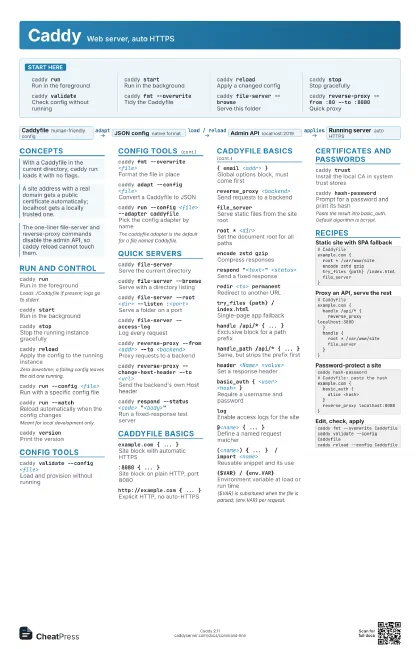
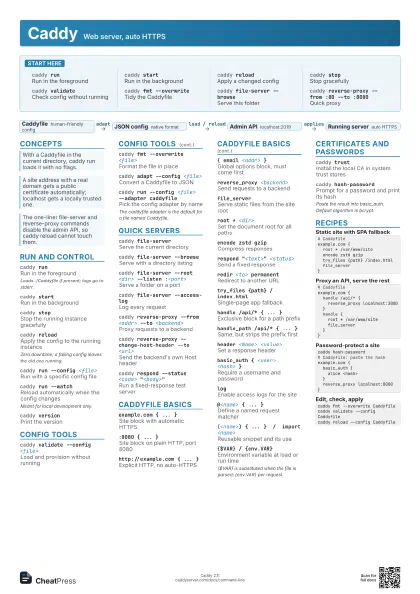
Start here
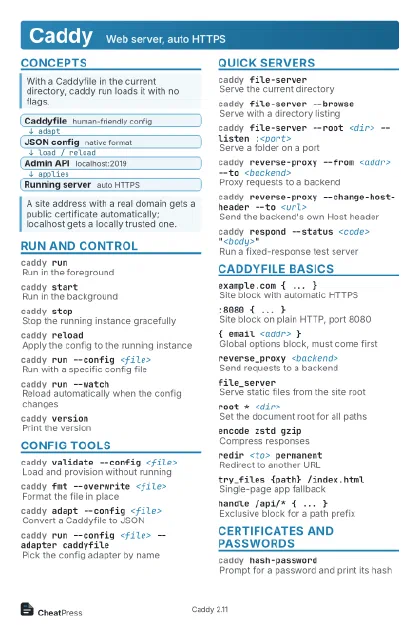
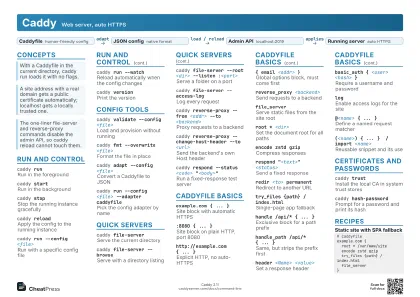
caddy runRun in the foreground
caddy startRun in the background
caddy reloadApply a changed config
caddy stopStop gracefully
caddy validateCheck config without running
caddy fmt --overwrite
Tidy the Caddyfile
caddy file-server --browse
Serve this folder
caddy reverse-proxy --from :80 --to :8080
Quick proxy
Concepts
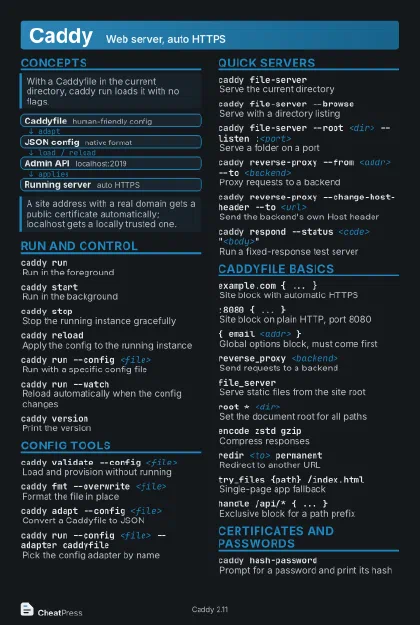
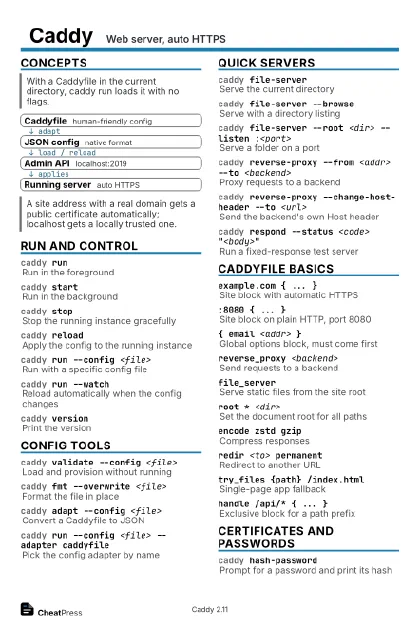
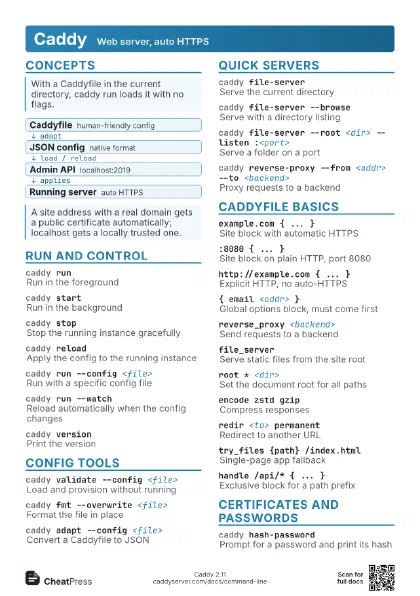
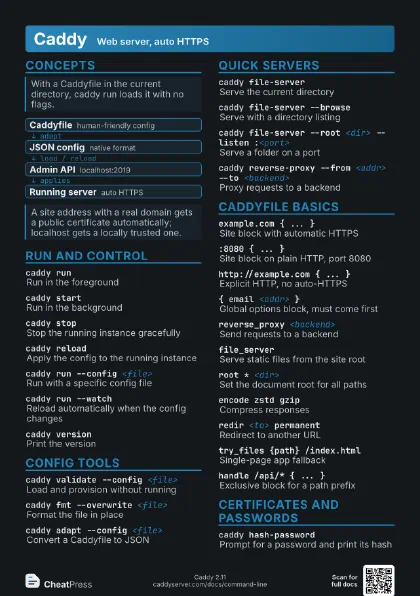
- Caddyfile human-friendly config
- JSON config native format
- Admin API localhost:2019
- Running server auto HTTPS
Run and control
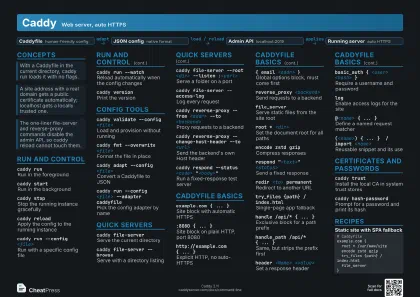
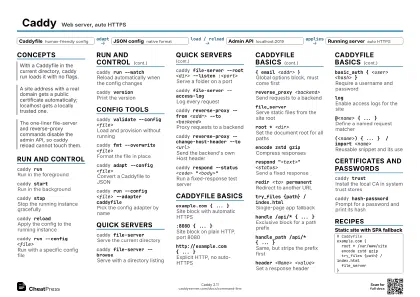
caddy runRun in the foreground
Loads ./Caddyfile if present; logs go to stderr.
caddy startRun in the background
caddy stopStop the running instance gracefully
caddy reloadApply the config to the running instance
Zero downtime; a failing config leaves the old one running.
caddy run --config <file>
Run with a specific config file
caddy run --watch
Reload automatically when the config changes
Meant for local development only.
caddy versionPrint the version
Config tools
caddy validate --config <file>
Load and provision without running
caddy fmt --overwrite <file>
Format the file in place
caddy adapt --config <file>
Convert a Caddyfile to JSON
caddy run --config <file> --adapter caddyfile
Pick the config adapter by name
The caddyfile adapter is the default for a file named
Caddyfile.
Quick servers
caddy file-server
Serve the current directory
caddy file-server --browse
Serve with a directory listing
caddy file-server --root <dir> --listen
                    :<port>
Serve a folder on a port
caddy file-server --access-log
Log every request
caddy reverse-proxy --from <addr> --to
                    <backend>
Proxy requests to a backend
caddy reverse-proxy --change-host-header --to
                    <url>
Send the backend's own Host header
caddy respond --status <code>
                    "<body>"
Run a fixed-response test server
Caddyfile basics
example.com { ... }
Site block with automatic HTTPS
:8080 { ... }Site block on plain HTTP, port 8080
http://example.com { ... }
Explicit HTTP, no auto-HTTPS
{ email <addr> }
Global options block, must come first
reverse_proxy <backend>
Send requests to a backend
file_serverServe static files from the site root
root * <dir>
Set the document root for all paths
encode zstd gzip
Compress responses
respond "<text>" <status>
Send a fixed response
redir <to> permanent
Redirect to another URL
try_files {path} /index.html
Single-page app fallback
handle /api/* { ... }
Exclusive block for a path prefix
handle_path /api/* { ... }
Same, but strips the prefix first
header <Name> <value>
Set a response header
basic_auth { <user> <hash> }
Require a username and password
logEnable access logs for the site
@<name> { ... }
Define a named request matcher
(<name>) { ... } / import <name>
Reusable snippet and its use
{$VAR} / {env.VAR}
Environment variable at load or run time
{$VAR} is substituted when the file is parsed; {env.VAR} per
request.
Certificates and passwords
caddy trust
Install the local CA in system trust stores
caddy hash-password
Prompt for a password and print its hash
Paste the result into basic_auth. Default algorithm is bcrypt.
Recipes
# Caddyfileexample.com { root * /var/www/site encode zstd gzip try_files {path} /index.html file_server}# Caddyfileexample.com { handle /api/* { reverse_proxy localhost:3000 } handle { root * /var/www/site file_server }}caddy hash-password# Caddyfile: paste the hashexample.com { basic_auth { alice <hash> } reverse_proxy localhost:8080}caddy fmt --overwrite Caddyfilecaddy validate --config Caddyfilecaddy reload --config Caddyfile