Cheat
PDM Modern Python package manager
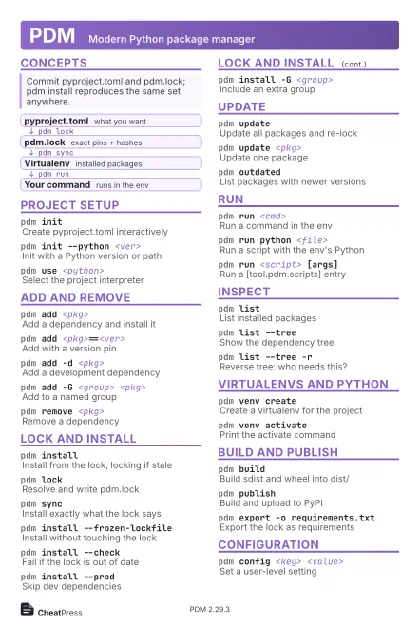 Light · Postcard
102 × 152 mm · PDF
 Dark · Postcard
102 × 152 mm · PDF
 Ink saver · Postcard
102 × 152 mm · PDF
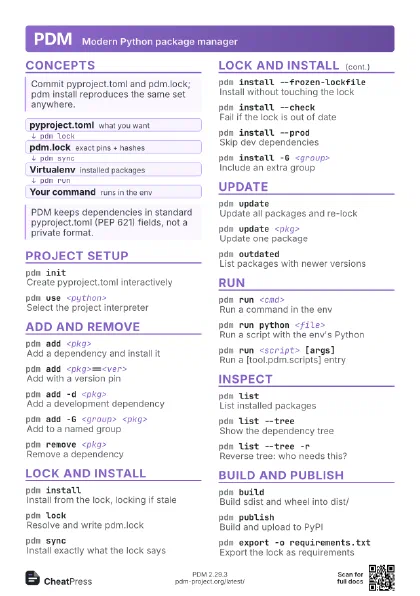
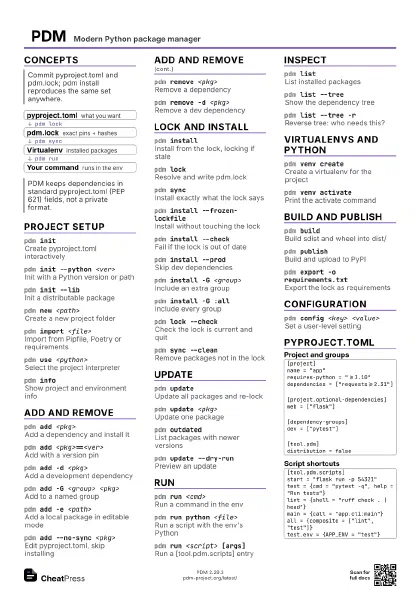
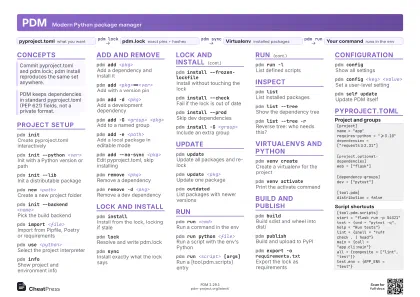 Light · A4 landscape
297 × 210 mm · PDF
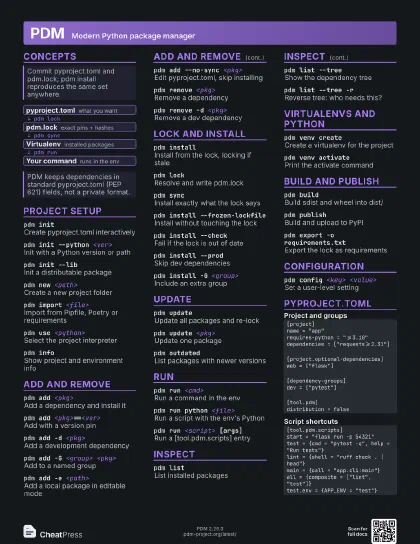
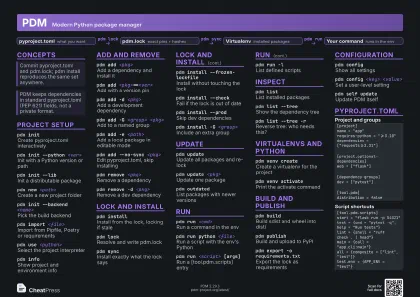 Dark · A4 landscape
297 × 210 mm · PDF
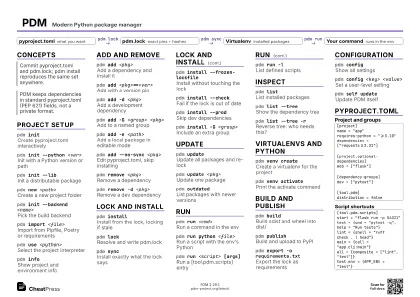 Ink saver · A4 landscape
297 × 210 mm · PDF
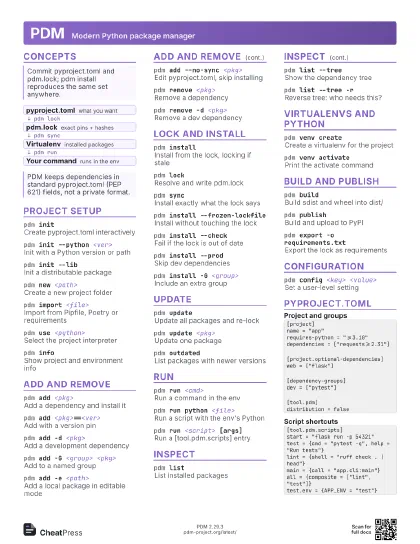
 Light · A3 landscape
420 × 297 mm · PDF
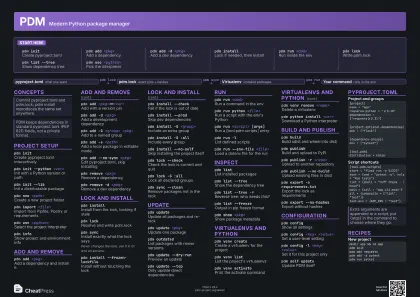 Dark · A3 landscape
420 × 297 mm · PDF
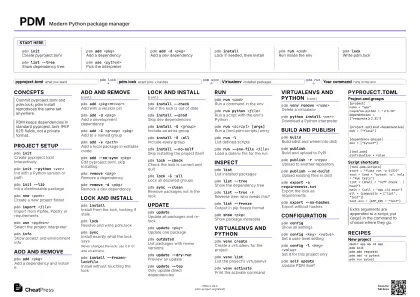 Ink saver · A3 landscape
420 × 297 mm · PDF
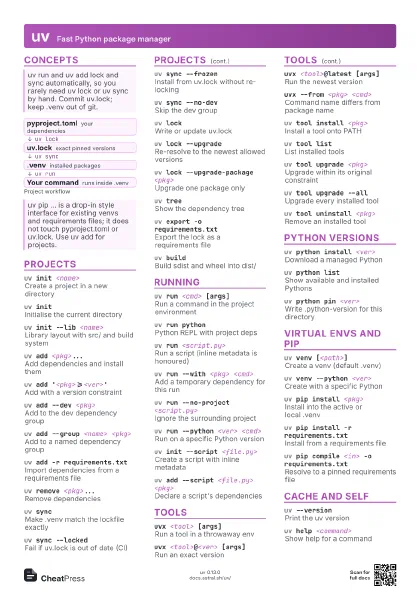
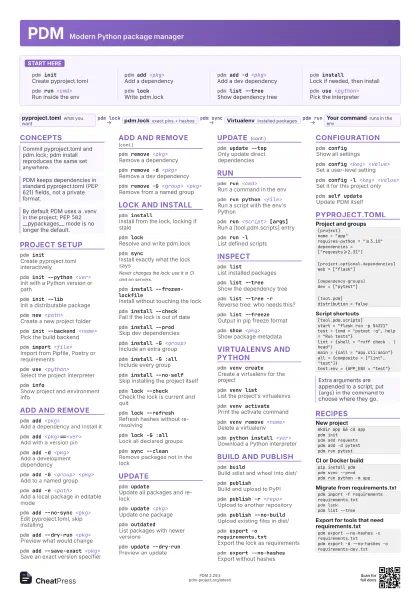
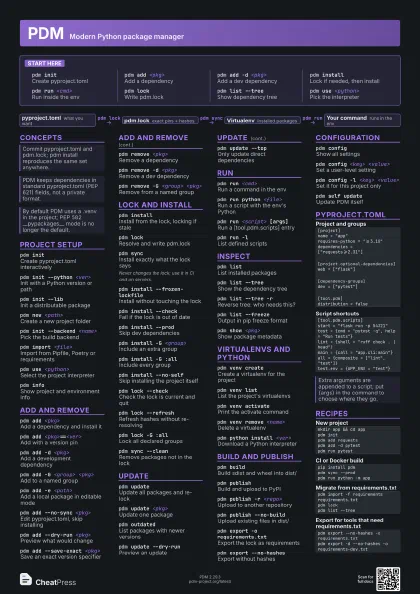
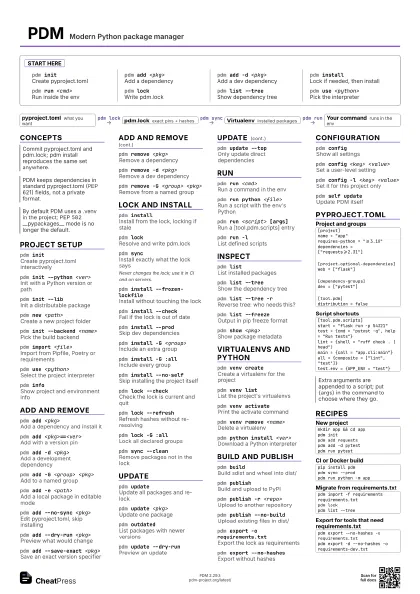
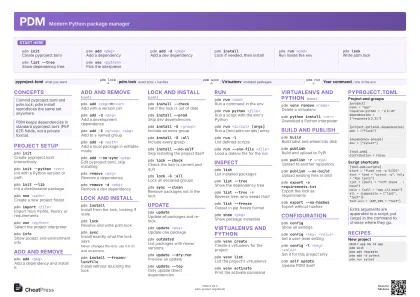
Start here
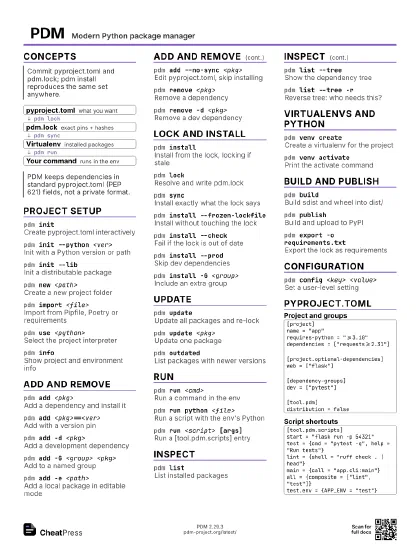
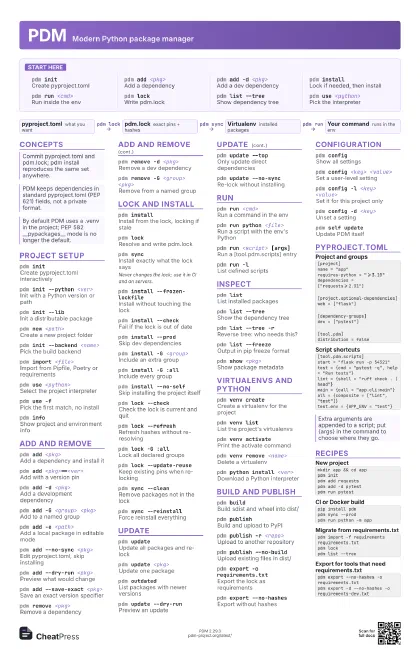
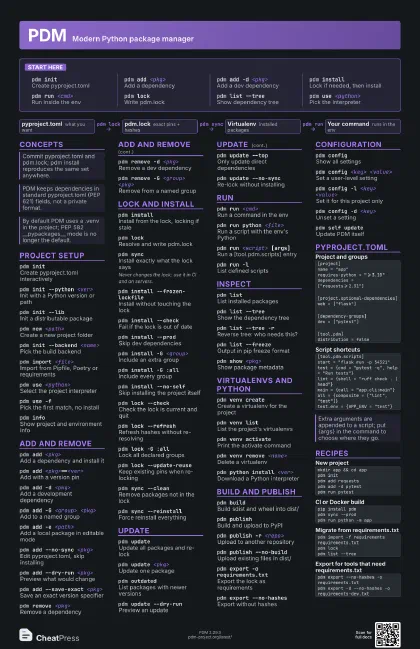
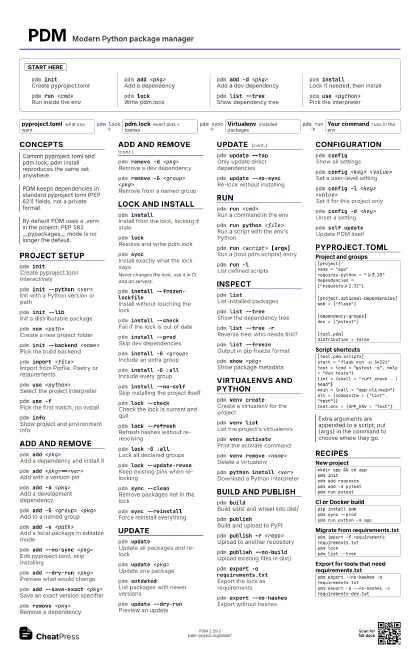
pdm initCreate pyproject.toml
pdm add <pkg>
Add a dependency
pdm add -d <pkg>
Add a dev dependency
pdm installLock if needed, then install
pdm run <cmd>
Run inside the env
pdm lockWrite pdm.lock
pdm list --treeShow dependency tree
pdm use <python>
Pick the interpreter
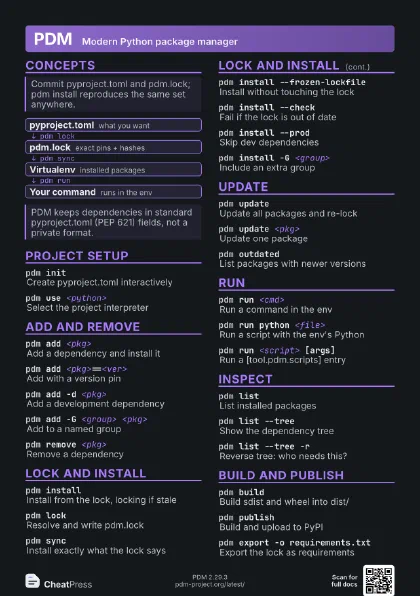
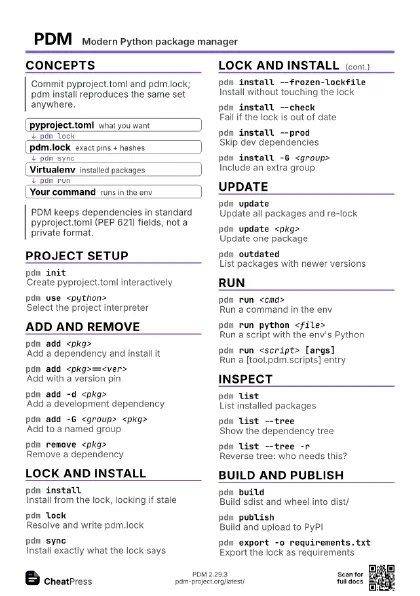
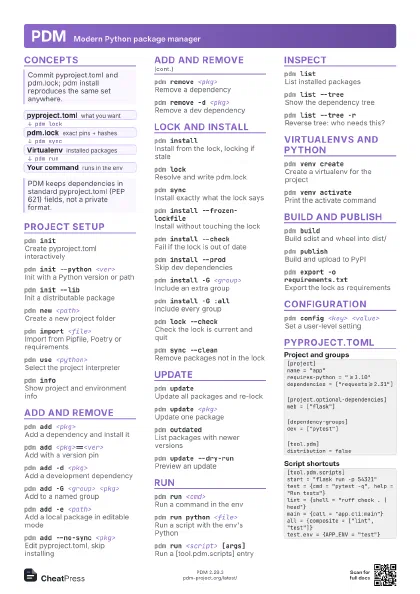
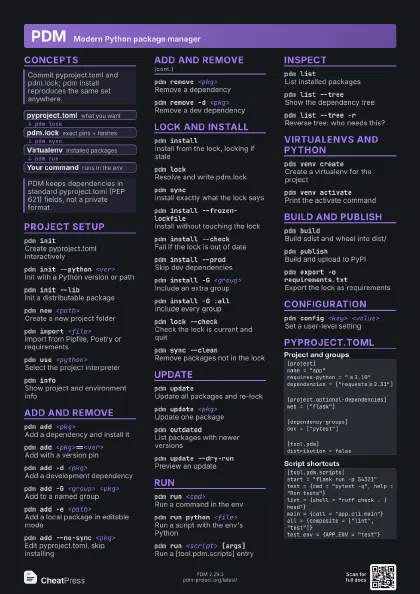
Concepts
- pyproject.toml what you want
- pdm.lock exact pins + hashes
- Virtualenv installed packages
- Your command runs in the env
Project setup
pdm initCreate pyproject.toml interactively
pdm init --python <ver>
Init with a Python version or path
pdm init --libInit a distributable package
pdm new <path>
Create a new project folder
pdm init --backend <name>
Pick the build backend
pdm import <file>
Import from Pipfile, Poetry or requirements
pdm use <python>
Select the project interpreter
pdm use -fPick the first match, no install
pdm infoShow project and environment info
pdm info --where
Print the project root
pdm fixRepair project issues after an upgrade
Add and remove
pdm add <pkg>
Add a dependency and install it
pdm add <pkg>==<ver>
Add with a version pin
pdm add -d <pkg>
Add a development dependency
pdm add -G <group> <pkg>
Add to a named group
pdm add -e <path>
Add a local package in editable mode
pdm add --no-sync <pkg>
Edit pyproject.toml, skip installing
pdm add --dry-run <pkg>
Preview what would change
pdm add --save-exact <pkg>
Save an exact version specifier
pdm add --pre <pkg>
Allow pre-releases
pdm remove <pkg>
Remove a dependency
pdm remove -d <pkg>
Remove a dev dependency
pdm remove -G <group> <pkg>
Remove from a named group
Lock and install
pdm installInstall from the lock, locking if stale
pdm lockResolve and write pdm.lock
pdm syncInstall exactly what the lock says
Never changes the lock; use it in CI and on servers.
pdm install --frozen-lockfile
Install without touching the lock
pdm install --check
Fail if the lock is out of date
pdm install --prod
Skip dev dependencies
pdm install -G <group>
Include an extra group
pdm install -G :all
Include every group
pdm install --no-self
Skip installing the project itself
pdm lock --check
Check the lock is current and quit
pdm lock --refresh
Refresh hashes without re-resolving
pdm lock -G :all
Lock all declared groups
pdm lock --platform <name>
Lock for another platform
pdm lock --update-reuse
Keep existing pins when re-locking
pdm sync --clean
Remove packages not in the lock
pdm sync --reinstall
Force reinstall everything
pdm install --dry-run
Show changes without applying them
Update
pdm updateUpdate all packages and re-lock
pdm update <pkg>
Update one package
pdm outdatedList packages with newer versions
pdm update --dry-run
Preview an update
pdm update --top
Only update direct dependencies
pdm update -u
Ignore pinned constraints in pyproject.toml
pdm update --no-sync
Re-lock without installing
pdm update -G <group>
Update one group
pdm outdated --include-sub
Include sub-dependencies
Run
pdm run <cmd>
Run a command in the env
pdm run python <file>
Run a script with the env's Python
pdm run <script> [args]
Run a [tool.pdm.scripts] entry
pdm run -lList defined scripts
pdm run --env KEY=VALUE <cmd>
Set an env var for the run
pdm run --env-file <file>
Load a dotenv file for the run
pdm run --working-dir <dir>
Run in another folder
pdm run --venv <name> <cmd>
Run in a named virtualenv
pdm run --site-packages <cmd>
Also load the interpreter's site-packages
pdm run --recreate <script>
Rebuild a self-contained script's env
Inspect
pdm listList installed packages
pdm list --treeShow the dependency tree
pdm list --tree -r
Reverse tree: who needs this?
pdm list --freeze
Output in pip freeze format
pdm list --jsonOutput as JSON
pdm list --fields <list>
Choose output columns
pdm show <pkg>
Show package metadata
pdm search <query>
Search PyPI
Virtualenvs and Python
pdm venv createCreate a virtualenv for the project
pdm venv create --with uv
Create it with another backend
pdm venv create --name <name>
Create a named virtualenv
pdm venv listList the project's virtualenvs
pdm venv activate
Print the activate command
pdm venv remove <name>
Delete a virtualenv
pdm venv purgeDelete all virtualenvs of the project
pdm python install <ver>
Download a Python interpreter
pdm python listList interpreters PDM manages
pdm python findSearch for an interpreter
pdm python remove <ver>
Remove an installed interpreter
Build and publish
pdm buildBuild sdist and wheel into dist/
pdm build --no-sdist
Build only the wheel
pdm build -d <dir>
Write artifacts to another folder
pdm publishBuild and upload to PyPI
pdm publish -r <repo>
Upload to another repository
pdm publish --no-build
Upload existing files in dist/
pdm publish --skip-existing
Ignore files already uploaded
pdm export -o requirements.txt
Export the lock as requirements
pdm export --no-hashes
Export without hashes
pdm export -f pylock
Export as pylock.toml
Configuration
pdm configShow all settings
pdm config <key> <value>
Set a user-level setting
pdm config -l <key> <value>
Set it for this project only
pdm config -d <key>
Unset a setting
pdm config venv.in_project false
Store envs outside the project
pdm config python.use_venv true
Use virtualenvs by default
pdm cache infoShow cache location and size
pdm cache clearEmpty the caches
pdm self updateUpdate PDM itself
pdm self add <plugin>
Install a PDM plugin
pdm completion <shell>
Print shell completions
pdm -VPrint the PDM version
pyproject.toml
[project]name = "app"requires-python = ">=3.10"dependencies = ["requests>=2.31"][project.optional-dependencies]web = ["flask"][dependency-groups]dev = ["pytest"][tool.pdm]distribution = false[tool.pdm.scripts]start = "flask run -p 54321"test = {cmd = "pytest -q", help = "Run tests"}lint = {shell = "ruff check . | head"}main = {call = "app.cli:main"}all = {composite = ["lint", "test"]}test.env = {APP_ENV = "test"}Recipes
mkdir app && cd apppdm initpdm add requestspdm add -d pytestpdm run pytestpip install pdmpdm sync --prodpdm run python -m apppdm import -f requirements requirements.txtpdm lockpdm list --treepdm export --no-hashes -o requirements.txtpdm export -d --no-hashes -o requirements-dev.txt