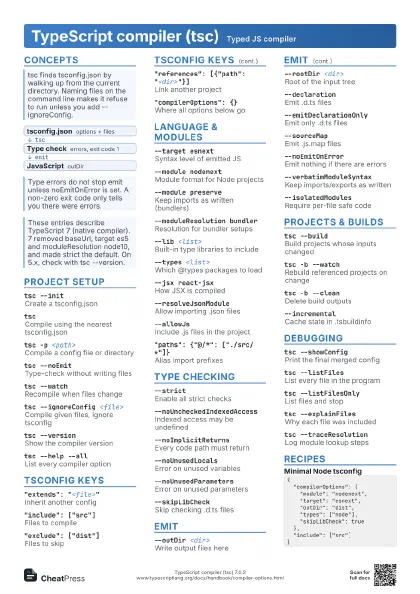
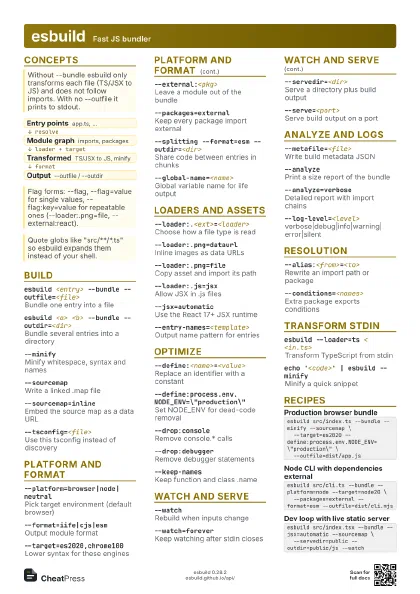
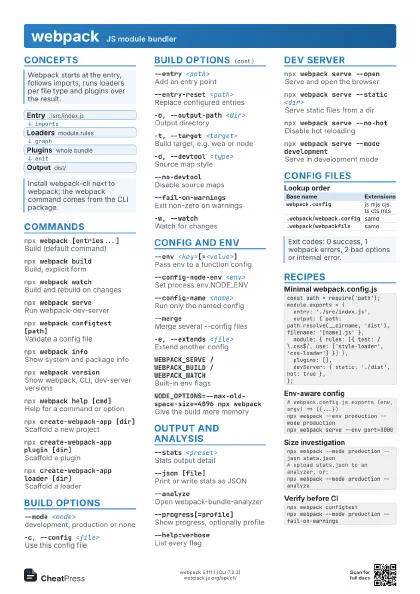
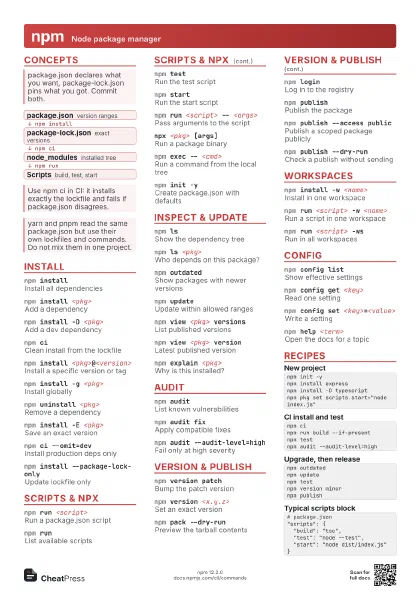
Cheat
Babel JavaScript compiler CLI
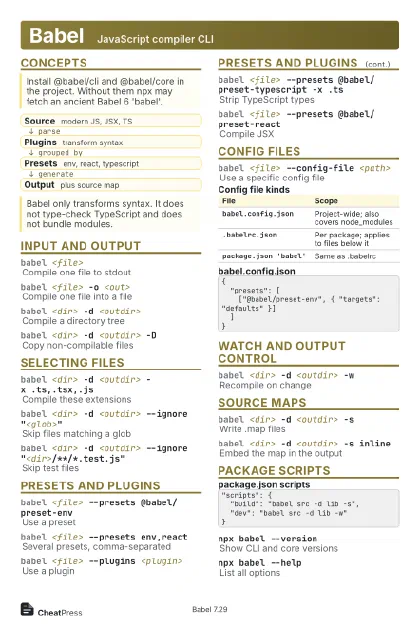 Light · Postcard
102 × 152 mm · PDF
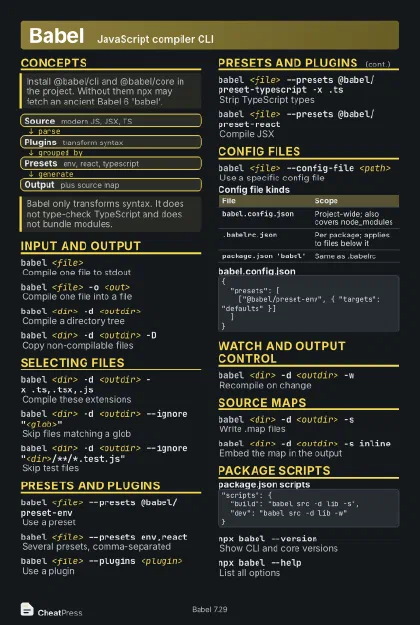 Dark · Postcard
102 × 152 mm · PDF
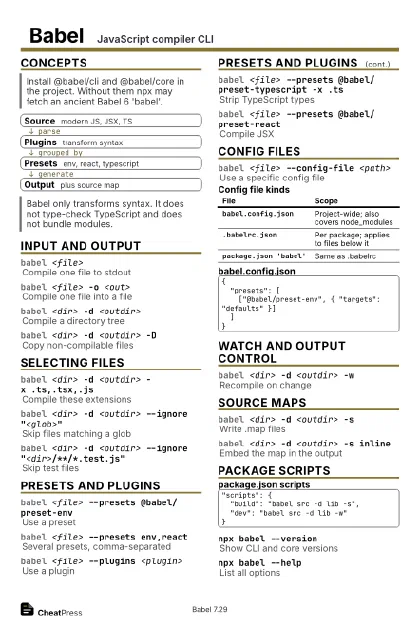 Ink saver · Postcard
102 × 152 mm · PDF
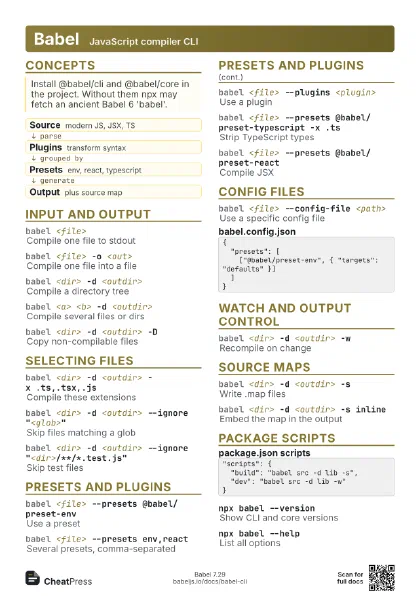
 Light · A4 landscape
297 × 210 mm · PDF
 Dark · A4 landscape
297 × 210 mm · PDF
 Ink saver · A4 landscape
297 × 210 mm · PDF
 Light · A3 landscape
420 × 297 mm · PDF
 Dark · A3 landscape
420 × 297 mm · PDF
 Ink saver · A3 landscape
420 × 297 mm · PDF
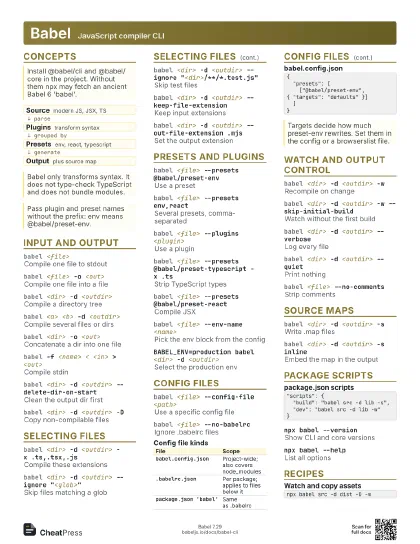
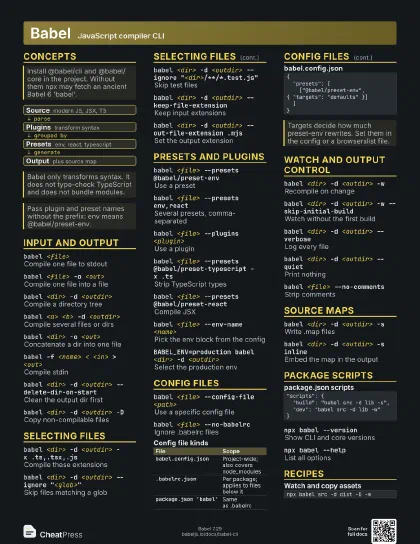
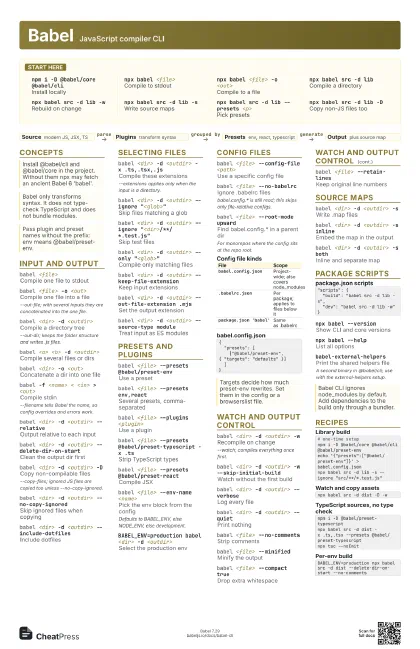
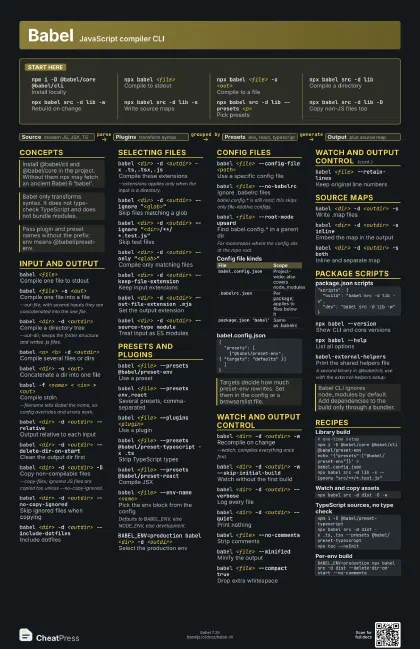
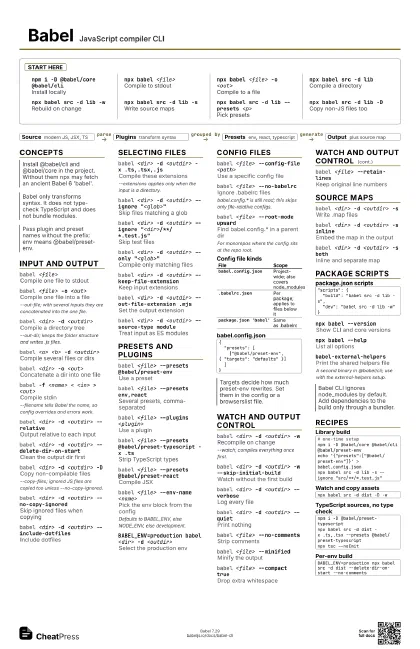
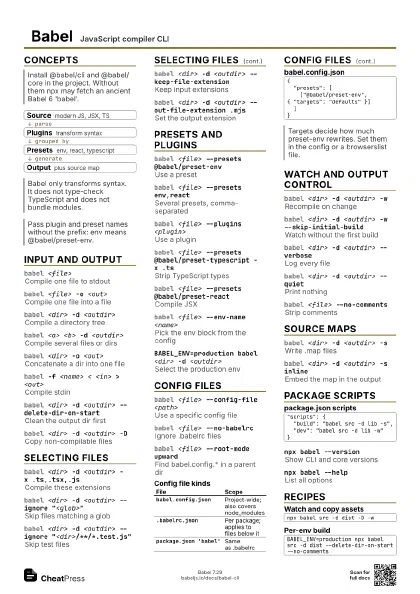
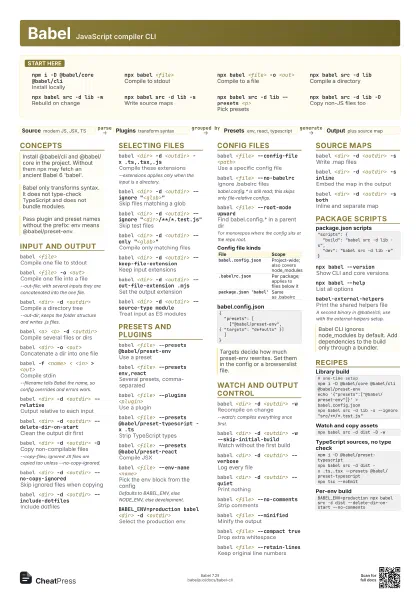
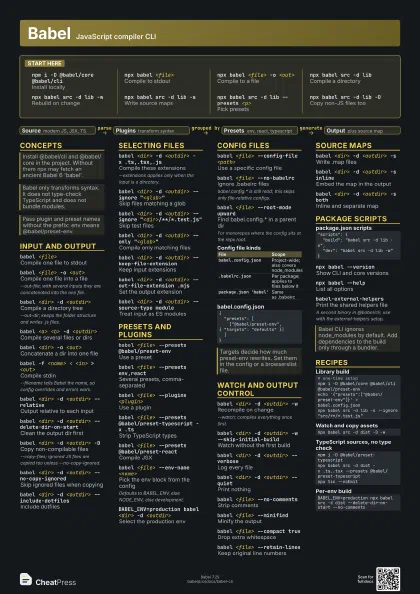
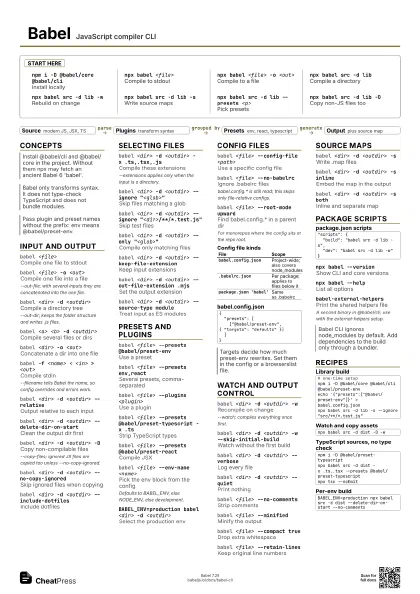
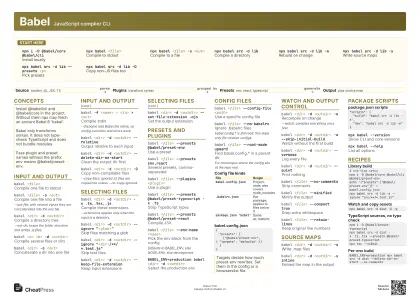
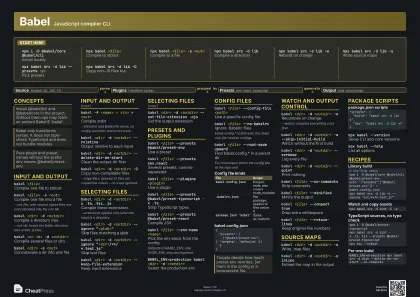
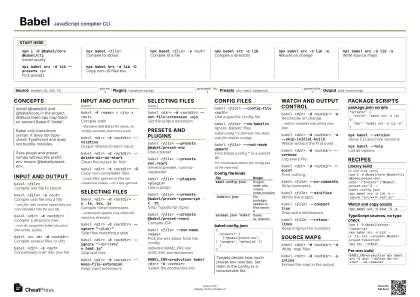
Start here
npm i -D @babel/core @babel/cli
Install locally
npx babel <file>
Compile to stdout
npx babel <file> -o <out>
Compile to a file
npx babel src -d lib
Compile a directory
npx babel src -d lib -w
Rebuild on change
npx babel src -d lib -s
Write source maps
npx babel src -d lib --presets <p>
Pick presets
npx babel src -d lib -D
Copy non-JS files too
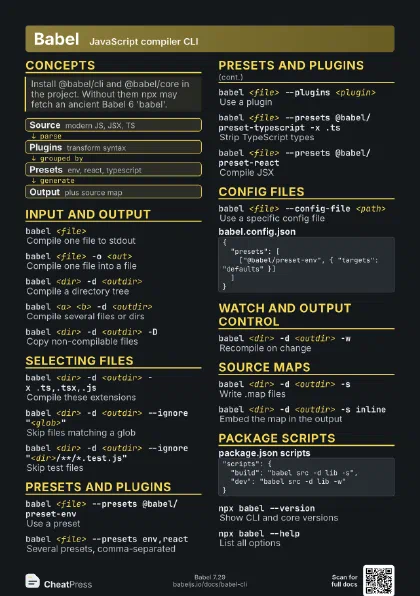
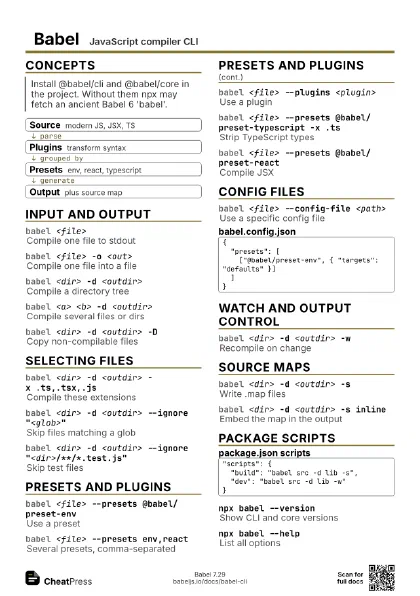
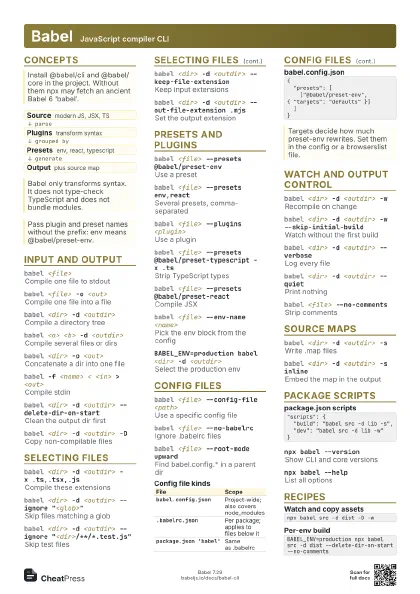
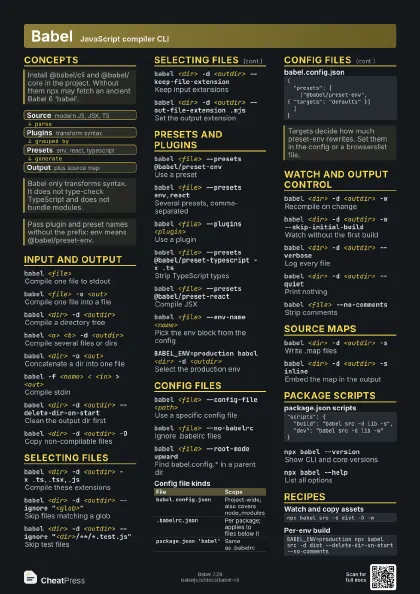
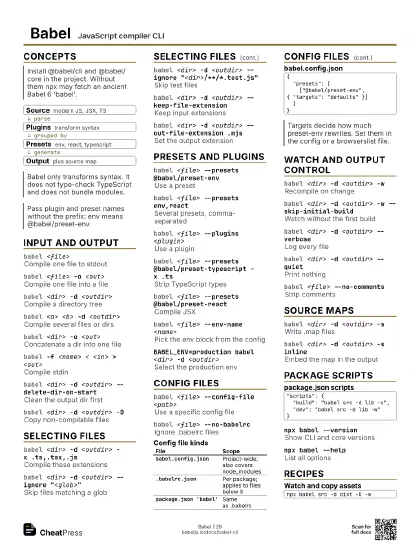
Concepts
- Source modern JS, JSX, TS
- Plugins transform syntax
- Presets env, react, typescript
- Output plus source map
Input and output
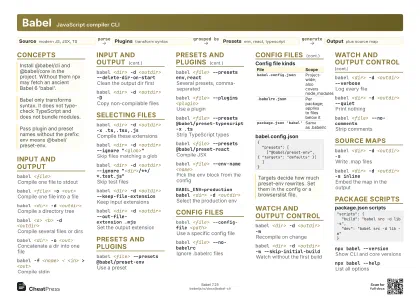
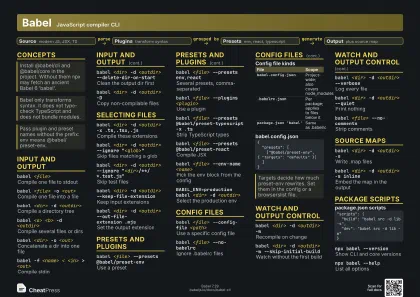
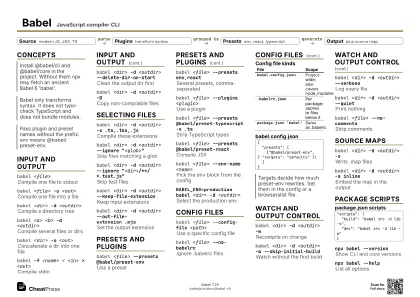
babel <file>
Compile one file to stdout
babel <file> -o <out>
Compile one file into a file
--out-file; with several inputs they are concatenated into the
one file.
babel <dir> -d <outdir>
Compile a directory tree
--out-dir; keeps the folder structure and writes .js files.
babel <a> <b> -d <outdir>
Compile several files or dirs
babel <dir> -o <out>
Concatenate a dir into one file
babel -f <name> < <in> >
                    <out>
Compile stdin
--filename tells Babel the name, so config overrides and
errors work.
babel <dir> -d <outdir> --relative
Output relative to each input
babel <dir> -d <outdir>
                    --delete-dir-on-start
Clean the output dir first
babel <dir> -d <outdir> -D
Copy non-compilable files
--copy-files; ignored JS files are copied too unless
--no-copy-ignored.
babel <dir> -d <outdir> --no-copy-ignored
Skip ignored files when copying
babel <dir> -d <outdir>
                    --include-dotfiles
Include dotfiles
Selecting files
babel <dir> -d <outdir> -x .ts,.tsx,.js
Compile these extensions
--extensions applies only when the input is a directory.
babel <dir> -d <outdir> --ignore
                    "<glob>"
Skip files matching a glob
babel <dir> -d <outdir> --ignore
                    "<dir>/**/*.test.js"
Skip test files
babel <dir> -d <outdir> --only
                    "<glob>"
Compile only matching files
babel <dir> -d <outdir>
                    --keep-file-extension
Keep input extensions
babel <dir> -d <outdir> --out-file-extension
                    .mjs
Set the output extension
babel <dir> -d <outdir> --source-type
                    module
Treat input as ES modules
Presets and plugins
babel <file> --presets @babel/preset-env
Use a preset
babel <file> --presets env,react
Several presets, comma-separated
babel <file> --plugins <plugin>
Use a plugin
babel <file> --presets @babel/preset-typescript -x
                    .ts
Strip TypeScript types
babel <file> --presets @babel/preset-react
Compile JSX
babel <file> --env-name <name>
Pick the env block from the config
Defaults to BABEL_ENV, else NODE_ENV, else development.
BABEL_ENV=production babel <dir> -d
                    <outdir>
Select the production env
Config files
babel <file> --config-file <path>
Use a specific config file
babel <file> --no-babelrc
Ignore .babelrc files
babel.config.* is still read; this skips only file-relative
configs.
babel <file> --root-mode upward
Find babel.config.* in a parent dir
For monorepos where the config sits at the repo root.
| File | Scope |
|---|---|
babel.config.json |
Project-wide; also covers node_modules |
.babelrc.json |
Per package; applies to files below it |
package.json 'babel' |
Same as .babelrc |
{ "presets": [ ["@babel/preset-env", { "targets": "defaults" }] ]}Watch and output control
babel <dir> -d <outdir> -w
Recompile on change
--watch; compiles everything once first.
babel <dir> -d <outdir> -w
                    --skip-initial-build
Watch without the first build
babel <dir> -d <outdir> --verbose
Log every file
babel <dir> -d <outdir> --quiet
Print nothing
babel <file> --no-comments
Strip comments
babel <file> --minified
Minify the output
babel <file> --compact true
Drop extra whitespace
babel <file> --retain-lines
Keep original line numbers
Source maps
babel <dir> -d <outdir> -s
Write .map files
babel <dir> -d <outdir> -s inline
Embed the map in the output
babel <dir> -d <outdir> -s both
Inline and separate map
Package scripts
"scripts": { "build": "babel src -d lib -s", "dev": "babel src -d lib -w"}npx babel --version
Show CLI and core versions
npx babel --help
List all options
babel-external-helpers
Print the shared helpers file
A second binary in @babel/cli; use with the external-helpers
setup.
Recipes
# one-time setupnpm i -D @babel/core @babel/cli @babel/preset-envecho '{"presets":["@babel/preset-env"]}' > babel.config.jsonnpx babel src -d lib -s --ignore "src/**/*.test.js"npx babel src -d dist -D -wnpm i -D @babel/preset-typescriptnpx babel src -d dist -x .ts,.tsx --presets @babel/preset-typescriptnpx tsc --noEmitBABEL_ENV=production npx babel src -d dist --delete-dir-on-start --no-comments