Cheat
Cargo Rust package manager
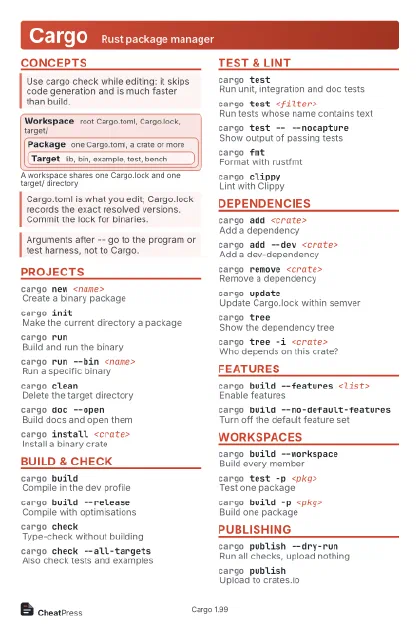 Light · Postcard
102 × 152 mm · PDF
 Dark · Postcard
102 × 152 mm · PDF
 Ink saver · Postcard
102 × 152 mm · PDF
 Light · A4 landscape
297 × 210 mm · PDF
 Dark · A4 landscape
297 × 210 mm · PDF
 Ink saver · A4 landscape
297 × 210 mm · PDF
 Light · A3 landscape
420 × 297 mm · PDF
 Dark · A3 landscape
420 × 297 mm · PDF
 Ink saver · A3 landscape
420 × 297 mm · PDF
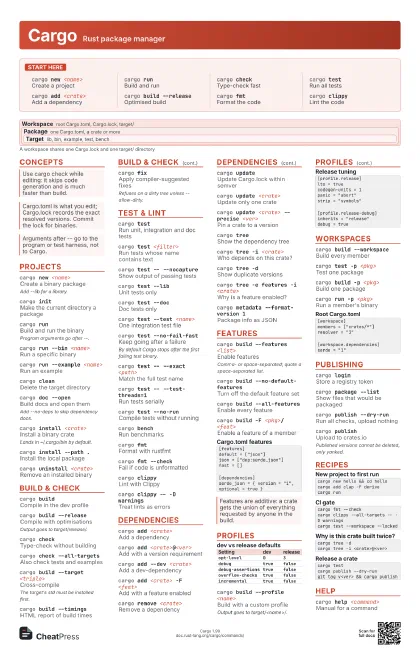
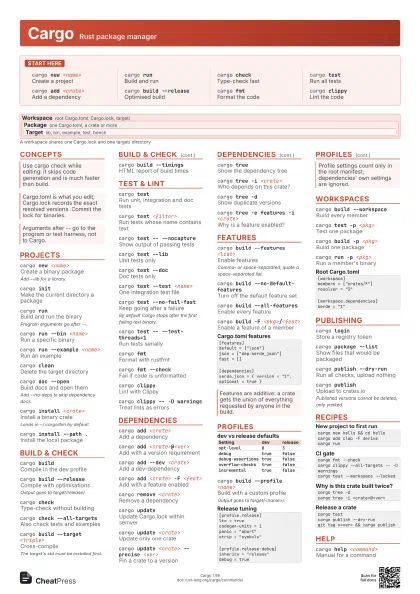
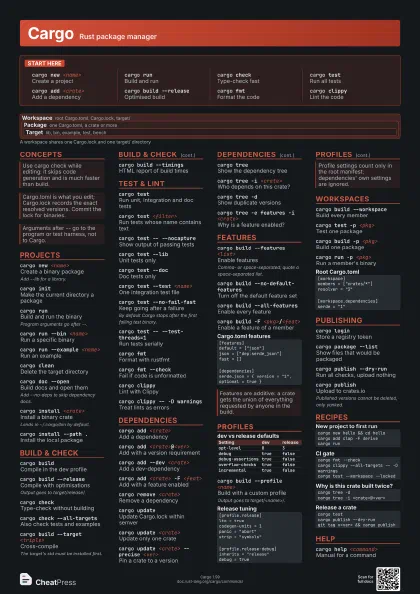
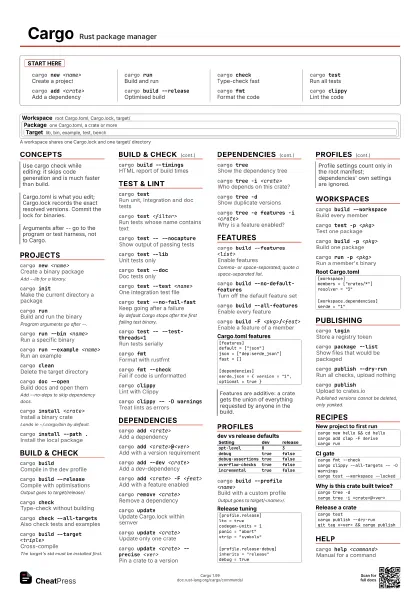
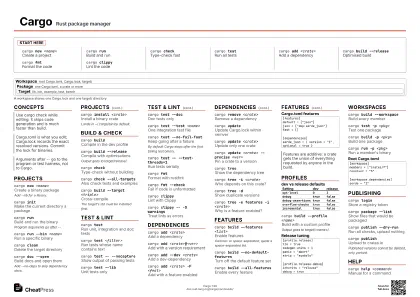
Start here
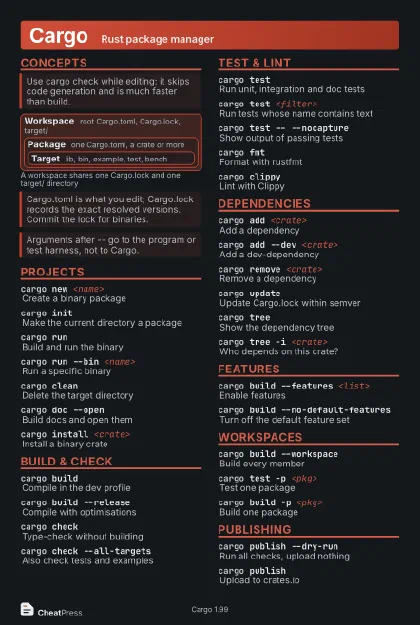
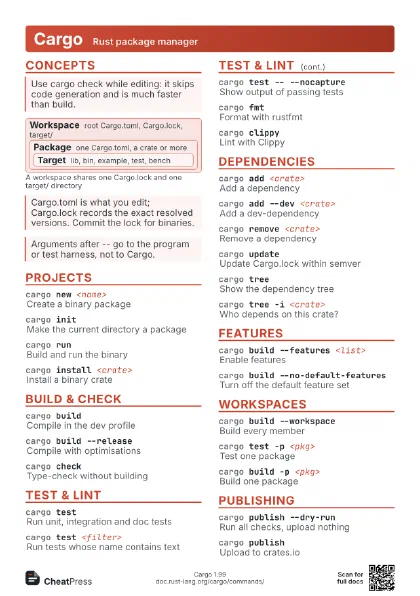
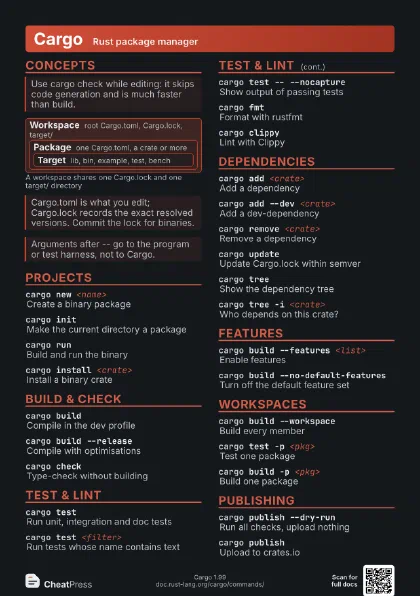
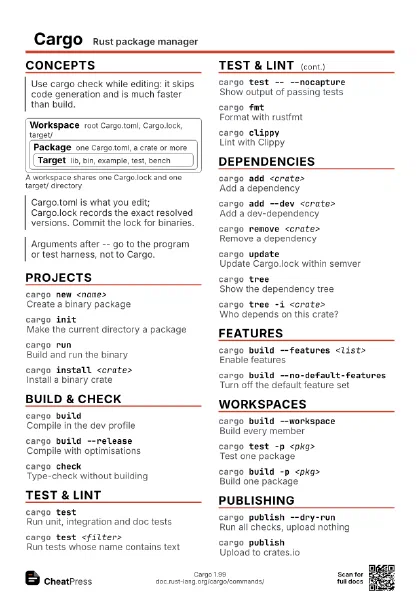
cargo new <name>
Create a project
cargo runBuild and run
cargo checkType-check fast
cargo testRun all tests
cargo add <crate>
Add a dependency
cargo build --release
Optimised build
cargo fmtFormat the code
cargo clippyLint the code
Concepts
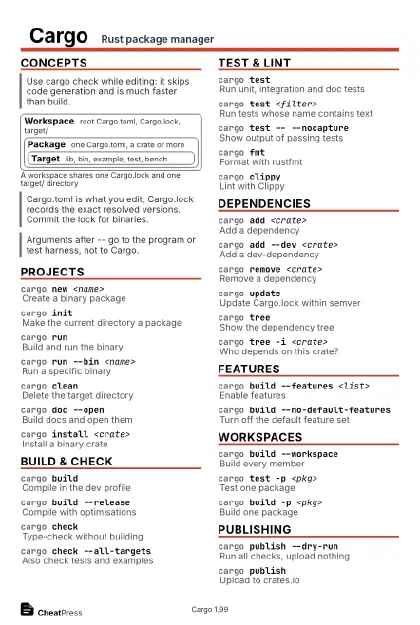
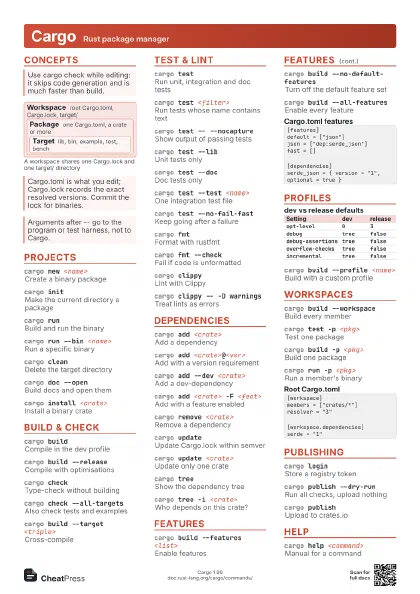
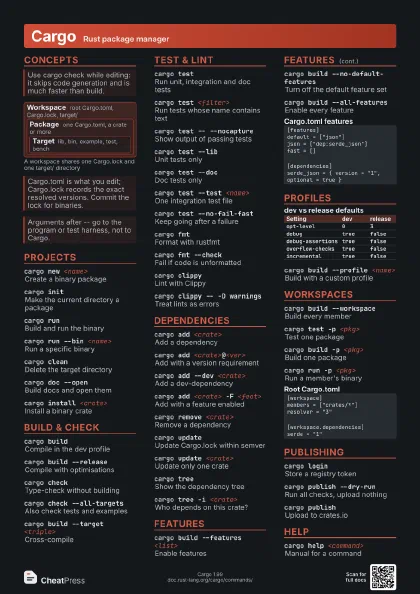
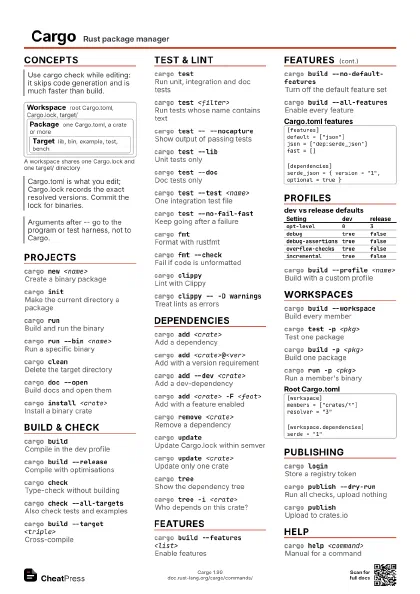
Workspace
root Cargo.toml, Cargo.lock, target/
Package
one Cargo.toml, a crate or more
Target
lib, bin, example, test, bench
Projects
cargo new <name>
Create a binary package
Add --lib for a library.
cargo initMake the current directory a package
cargo runBuild and run the binary
Program arguments go after --.
cargo run --bin <name>
Run a specific binary
cargo run --example <name>
Run an example
cargo cleanDelete the target directory
cargo doc --open
Build docs and open them
Add --no-deps to skip dependency docs.
cargo install <crate>
Install a binary crate
Lands in ~/.cargo/bin by default.
cargo install --path .
Install the local package
cargo uninstall <crate>
Remove an installed binary
Build & check
cargo buildCompile in the dev profile
cargo build --release
Compile with optimisations
Output goes to target/release/.
cargo checkType-check without building
cargo check --all-targets
Also check tests and examples
cargo build --target <triple>
Cross-compile
The target's std must be installed first.
cargo build --timings
HTML report of build times
cargo fetchDownload dependencies only
cargo fixApply compiler-suggested fixes
Refuses on a dirty tree unless --allow-dirty.
Test & lint
cargo testRun unit, integration and doc tests
cargo test <filter>
Run tests whose name contains text
cargo test -- --nocapture
Show output of passing tests
cargo test --lib
Unit tests only
cargo test --doc
Doc tests only
cargo test --test <name>
One integration test file
cargo test --no-fail-fast
Keep going after a failure
By default Cargo stops after the first failing test binary.
cargo test -- --exact <path>
Match the full test name
cargo test -- --test-threads=1
Run tests serially
cargo test --no-run
Compile tests without running
cargo benchRun benchmarks
cargo fmtFormat with rustfmt
cargo fmt --check
Fail if code is unformatted
cargo clippyLint with Clippy
cargo clippy -- -D warnings
Treat lints as errors
Dependencies
cargo add <crate>
Add a dependency
cargo add <crate>@<ver>
Add with a version requirement
cargo add --dev <crate>
Add a dev-dependency
cargo add <crate> -F <feat>
Add with a feature enabled
cargo add --dry-run <crate>
Preview the manifest change
cargo remove <crate>
Remove a dependency
cargo updateUpdate Cargo.lock within semver
cargo update <crate>
Update only one crate
cargo update <crate> --precise <ver>
Pin a crate to a version
cargo treeShow the dependency tree
cargo tree -i <crate>
Who depends on this crate?
cargo tree -dShow duplicate versions
cargo tree -e features -i <crate>
Why is a feature enabled?
cargo search <term>
Search crates.io
cargo metadata --format-version 1
Package info as JSON
Features
cargo build --features <list>
Enable features
Comma- or space-separated; quote a space-separated list.
cargo build --no-default-features
Turn off the default feature set
cargo build --all-features
Enable every feature
cargo build -F <pkg>/<feat>
Enable a feature of a member
[features]default = ["json"]json = ["dep:serde_json"]fast = [][dependencies]serde_json = { version = "1", optional = true }Profiles
| Setting | dev | release |
|---|---|---|
opt-level |
0 |
3 |
debug |
true |
false |
debug-assertions |
true |
false |
overflow-checks |
true |
false |
incremental |
true |
false |
cargo build --profile <name>
Build with a custom profile
Output goes to target/<name>/.
[profile.release]lto = truecodegen-units = 1panic = "abort"strip = "symbols"[profile.release-debug]inherits = "release"debug = trueWorkspaces
cargo build --workspace
Build every member
cargo test -p <pkg>
Test one package
cargo build -p <pkg>
Build one package
cargo test --workspace --exclude <pkg>
All members except one
cargo run -p <pkg>
Run a member's binary
[workspace]members = ["crates/*"]resolver = "3"[workspace.dependencies]serde = "1"[dependencies]serde = { workspace = true }Publishing
cargo loginStore a registry token
cargo package --list
Show files that would be packaged
cargo publish --dry-run
Run all checks, upload nothing
cargo publishUpload to crates.io
Published versions cannot be deleted, only yanked.
cargo publish -p <pkg>
Publish one workspace member
cargo yank <version>
Block new users of a version
Existing lockfiles keep working.
cargo owner --add <user>
Add a crate owner
Recipes
cargo new hello && cd hellocargo add clap -F derivecargo runcargo fmt --checkcargo clippy --all-targets -- -D warningscargo test --workspace --lockedcargo tree -dcargo tree -i <crate>@<ver>cargo testcargo publish --dry-rungit tag v<ver> && cargo publishHelp
cargo help <command>
Manual for a command
cargo <command> -h
Short usage summary
cargo --listList installed subcommands